
Motorola Edge 70 Pro review: One of the most complete phones you can buy, but…
 Follow Us

From the time of its inception, the Motorola Edge series has always had a certain charm, especially the ‘Pro’ variant. I love that Motorola keeps improving this lineup every year, and with the Motorola Edge 70 Pro, that evolution feels very visible. The moment you pick it up, it genuinely feels cleaner, slimmer, and more elegant. I even showed it to my teammates, and they also feel the same way. But, while the evolution is all nice and dandy, coming from the Motorola Edge 60 Pro, there are a few downgrades too, especially in the camera department.
After spending two weeks with the Motorola Edge 70 Pro, here’s what I liked about this phone and what I didn’t. Let’s dive in.
Motorola Edge 70 Pro review: Design
I love how this phone looks, and without even exaggerating, to whomsoever I have shown the Motorola Edge 70 Pro, they also loved the design very much. I’ve been using the Pantone tea colour variant, which has a Satin-luxe finish, and it looks elegant. It’s also quite thin too. I love the in-hand feel because it gives me a secure grip, and despite having a large display, it is very easy to use with one hand.
In terms of the dimensions, the Edge 70 Pro is just 6.99mm thin, and also very lightweight, weighing just 190 grams.
To keep the weight in check, the Motorola Edge 70 Pro has a plastic frame, there are power and volume buttons on the right side, and there’s a Motorola’s signature ‘AI Key’ on the left, which I’ll talk about in the software section.
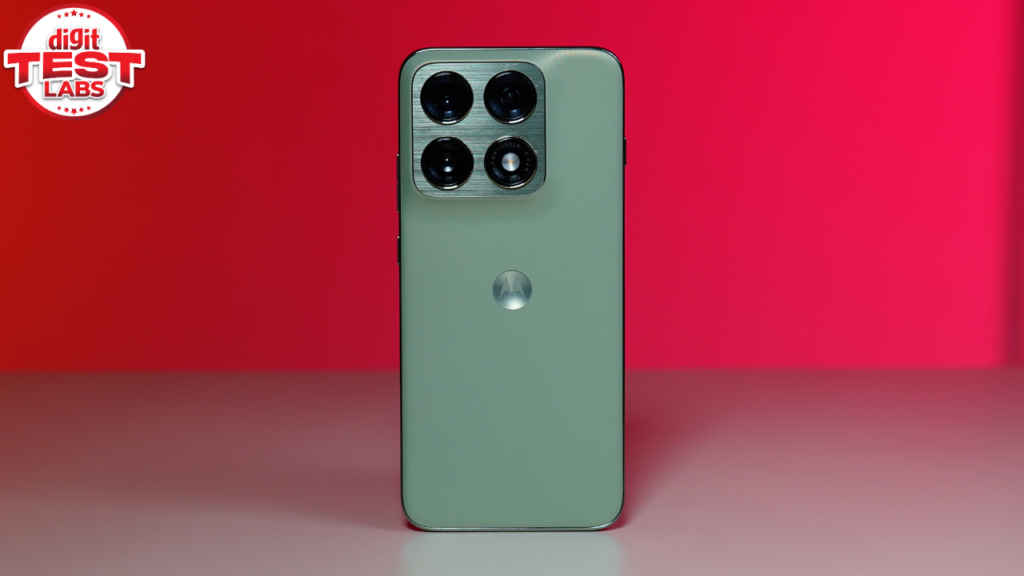
The back of the device looks exactly like the Motorola Edge 60 Pro. The camera sensors sit on a squarish plateau with individual rungs around each sensor, giving it that signature Motorola identity. In terms of durability, the device is IP69 and IP68 certified for dust and water resistance. The phone is also MIL-STD-810H certified for that extra protection.
As for the typing experience, haptics feel tight on the Motorola Edge 70 Pro.
The Motorola Edge 70 Pro comes in 3 colour variants: Pantone Lily White, Pantone Tea (which I’ve been using) and Pantone Titan.
Motorola Edge 70 Pro review: Display
Motorola has gone all out with the display here. It features a 6.8-inch 1.5K quad-curved Extreme AMOLED display with a 144Hz refresh rate, 10-bit colours and HDR10+ support. I can say that it is one of the best displays out there in this price segment.
The quad-curved display instantly elevates the premium feel that just looks and feels expensive. By hitting the middle-ground, it gives you the aesthetics of a curved display, while maintaining the usability of a flat panel. On top of that, there’s Corning Gorilla Glass 7i protection on the front for protection against bumps and scratches.
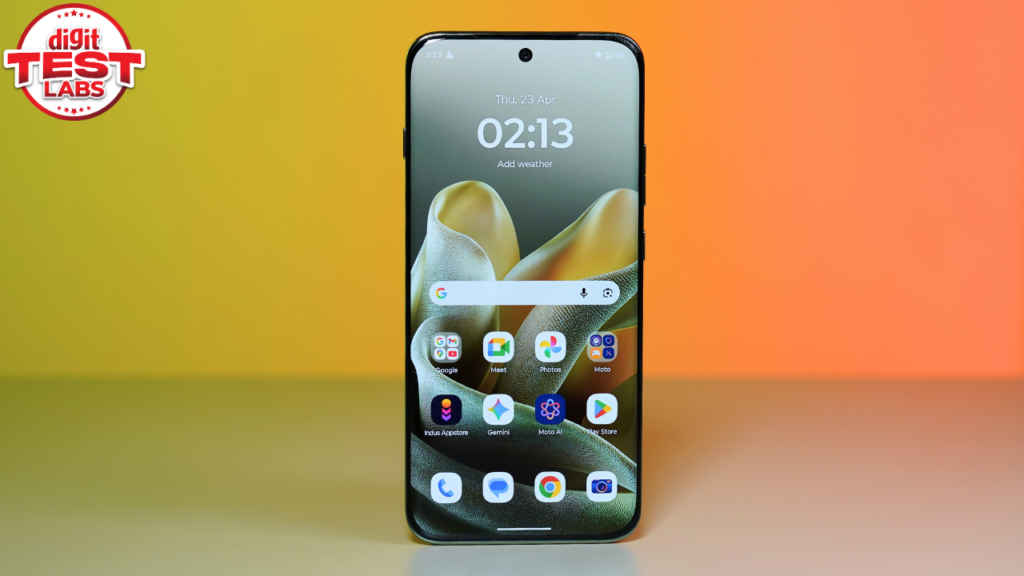
Watching content on the Edge 70 Pro’s display is very pleasing. I watched ‘Toaster’ on Netflix, and the experience was top-notch. Colours looked vibrant, the contrast was good, and the blacks were deep. In fact, the stereo speakers get quite loud and punchy without losing clarity, thanks to the Dolby Atmos support.
Now, Motorola claims a peak brightness of 5,200 nits, which sounds very prominent. But, as you all know, peak brightness doesn’t account for the whole panel. In that case, when we tested the brightness in the Digit Test Labs, I am happy to report that the Edge 70 Pro hit 3,080 nits in high brightness mode (HBM).
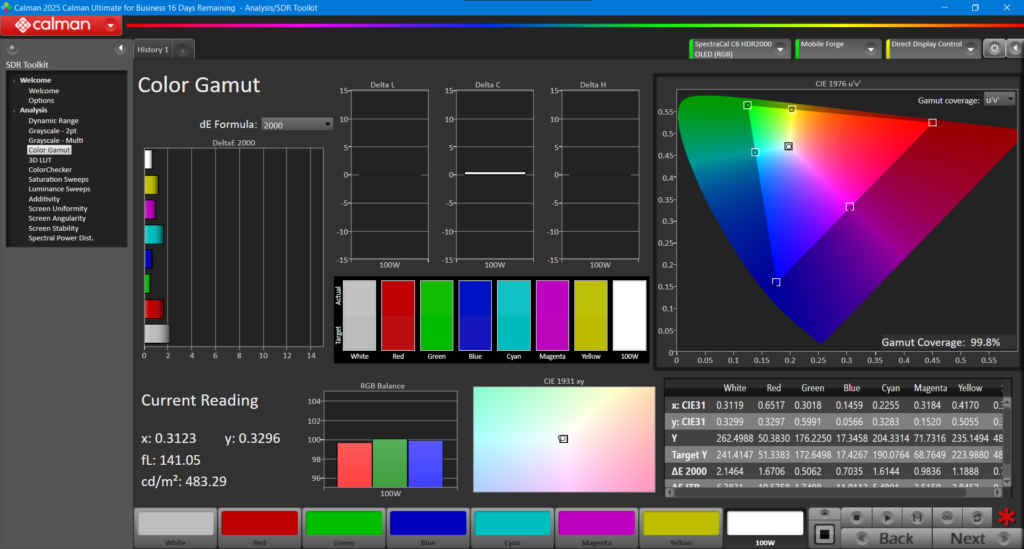
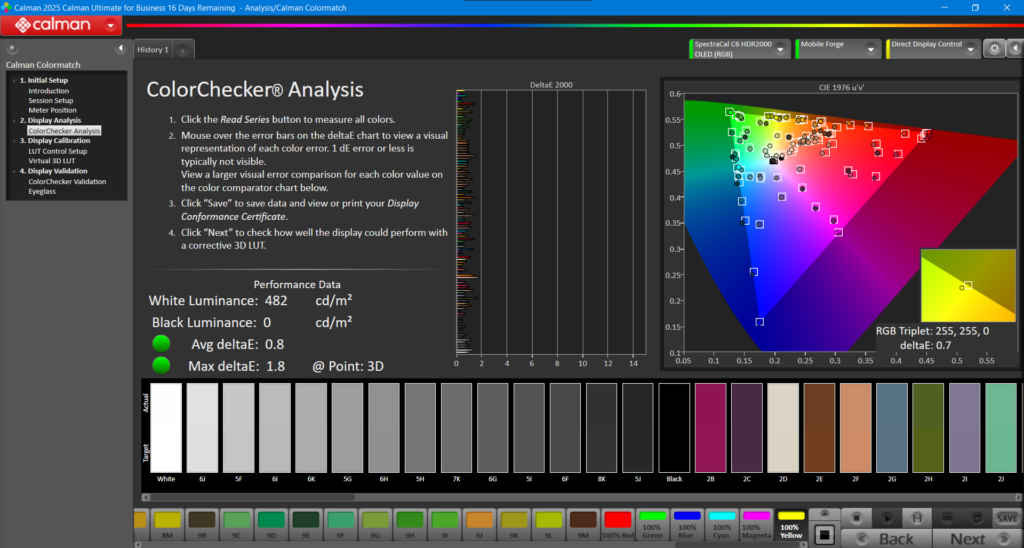
To put it simply, the Edge 70 Pro’s display is legible inside and out, in the bright sunlight as well as in a dark room. So, brightness is not an issue here at all. Even, in the Calman colour test, it delivered an average delta E of 0.8 in the Natural profile mode. In the Colour Gamut test, it measured 99.8 per cent.
As for biometrics, the in-display optical fingerprint scanner feels plenty quick and worked well.
Motorola Edge 70 Pro review: Performance
Motorola has upgraded the chipset on the Edge 70 Pro, moving to the MediaTek Dimensity 8500 Extreme from the previous Dimensity 8350 Extreme. My unit has 12GB LPDDR5X RAM and 256GB of UFS 4.1 storage.
In daily use, the Edge 70 Pro is snappy. App launches are instant, multitasking is seamless even with heavier apps like Google Maps, Instagram, and Google Chrome running in the background. The jump to UFS 4.1 makes a noticeable difference in file transfers and app installations. It’s also good to see more and more mid-range phone starting to feature UFS 4.1 storage as standard, which makes it really hard to justify a flagship phone these days, especially in terms of raw performance.
As for the benchmarks, the Motorola Edge 70 Pro showed great numbers. In Antutu, it scored 2.17 million. Geekbench scores are 1,739 in single-core and 6,864 in multi-core, which is pretty decent for the price. The 3DMark Wildlife Extreme test showed good results with an average score of 4,462. And finally, in the CPU throttling test, the CPU was throttled to 84 per cent.
The solid benchmarks performance reflects in gaming too. Of course, the Motorola Edge 70 Pro is not a gaming phone, in my test, it could run BGMI with ultimate ease. I was seeing a stable 120fps performance. Same goes with COD: Mobile. In this game as well, you can play up to 120fps with consistent frame rates.
Motorola Edge 70 Pro review: Cameras
Up until this point, I have told you how Motorola has upgraded everything on the Edge 70 Pro from design to performance to battery, but not the camera.
The Edge 70 Pro has a triple camera setup, featuring a 50MP main Sony LYTIA 710, a 50MP Ultra-wide lens and a 3-in-1 light sensor.
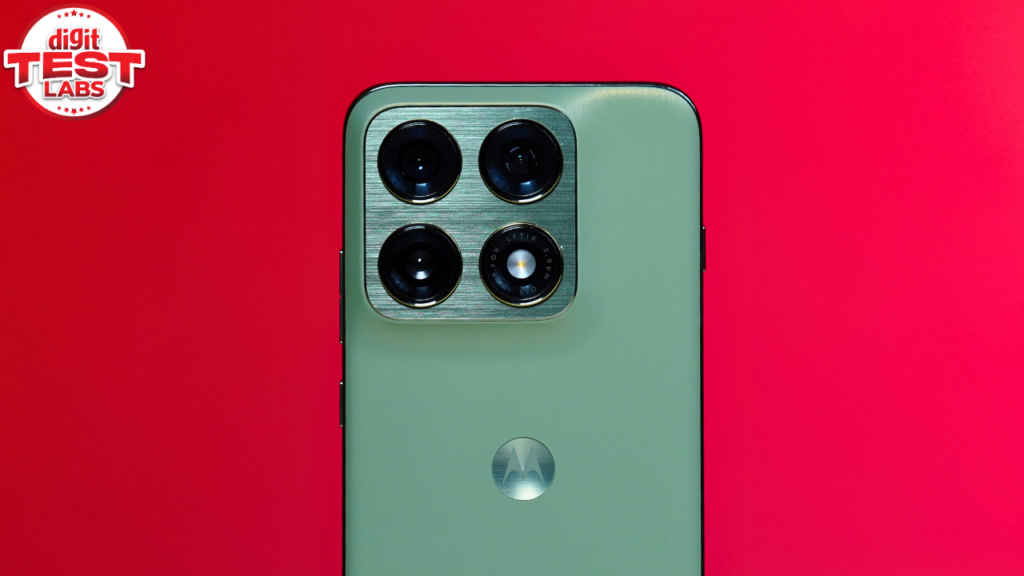
As expected from Motorola’s image processing, images from the main camera have more contrast, green looks greener, and blue has more blue in it. However, the photos exhibit good details. HDR also works great, for the most part, as in tricky lighting, if the phone is not able to process correctly, shadows or the dark areas in the scene look crushed.






Portrait mode relies on the main sensor since there’s no dedicated telephoto lens. The results are actually quite good, with nice background blur and reliable edge detection. However, the camera does tend to brighten up the scene sometimes.



The ultra-wide camera is genuinely impressive. It’s one of the best in this segment. Images are detailed, colours are mostly accurate, and the field of view is noticeably wide.



On the front, there’s a 50MP AF selfie camera that clicks sharp photos with accurate colour tones. Even portrait selfies come out well.



In terms of video, the Edge 70 Pro can shoot up to 4K at 30fps, and the output is decent. There is one cool feature, called ‘Horizon Lock’, where you can rotate your phone 360 degrees and the video output will remain stable throughout.
For those who don’t know, while the Horizon Lock video feature has gone mainstream thanks to the Galaxy S26 series, it’s been a mainstay on Motorola phones for a while.
Motorola Edge 70 Pro review: Software
Software has always been a strong point for Motorola and that legacy continues with the Edge 70 Pro as well. The device runs on Android 16 with a clean Hello UI, giving you a near-stock Android experience. There is also no Bloatware except for one Adobe scan app that comes pre-loaded. If you don’t need it, you can always uninstall.
Motorola still gives you the Moto AI button on the left side of the phone, but again it is not customisable. You can press and hold to open Moto AI, and you can double-press it to ‘Update me’ or ‘Take notes’.
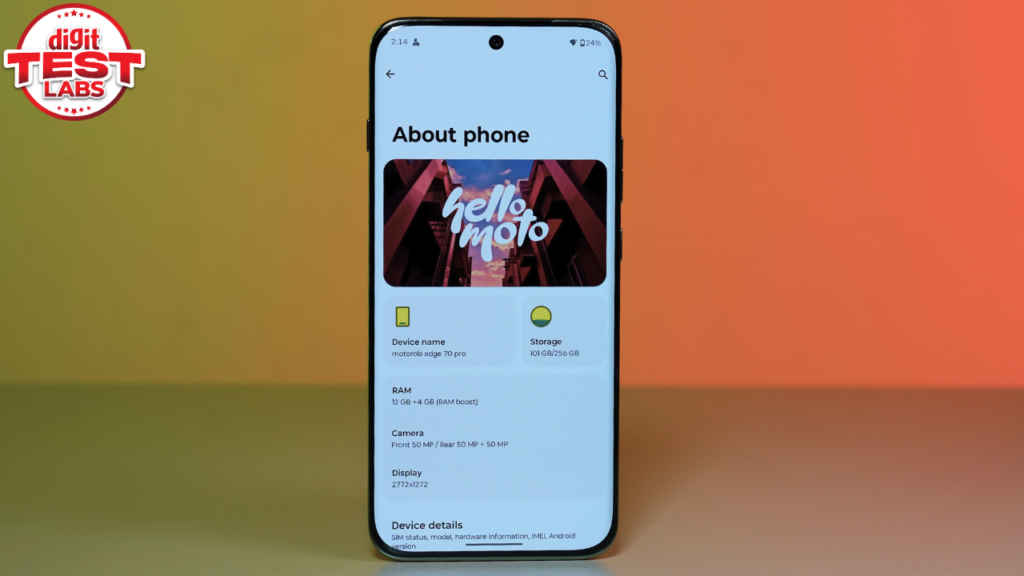
In terms of UI, it is very fluid, the animations look clean and polished, and this is one of the neatest UI implementations out there in the market.
In terms of software updates, Motorola is promising 3 years of Android updates and 5 years of security patches. I wish they could give users at least 4 years of Android updates, but it is what it is.
Motorola Edge 70 Pro review: Battery
The Motorola Edge 70 Pro has a 6,500mAh silicon carbon battery, a slight upgrade over the 6,000mAh unit in the previous generation without adding extra bulk, and it shows.
I didn’t charge this phone for an entire day, under normal usage, including Instagram, Spotify, Chrome, and watching content on YouTube, with the screen set to Hyper smooth (144Hz) all day. By the end of the day, the phone still had juice left to last throughout the night, and then some more, the next day.
In terms of charging, the Edge 70 Pro supports 90W fast charging, and it goes from 0 to 100 per cent in 65 minutes. Unlike its predecessor, there is no Wireless charging here.
Motorola Edge 70 Pro review: Verdict
The Motorola Edge 70 Pro gets almost everything right, and this time, there’s really just one clear compromise or two, if you also factor in the omission of wireless charging.
The Edge 70 Pro brings a stunning design that feels premium in every sense, one of the best displays in the segment, strong and reliable performance, clean near-stock software, and excellent battery life that genuinely lasts. This is a very well-rounded, polished smartphone that delivers in almost every department.
The only real downgrade comes in the camera department, especially when you compare it to the Motorola Edge 60 Pro. While the cameras are still good and usable, they don’t quite match the expectations set by its predecessor.
So the decision is straightforward, if cameras are not your absolute top priority, the Edge 70 Pro is an easy recommendation. Apart from that, this is easily one of the most complete phones you can buy right now, especially considering that it doesn’t cost a bomb.


