
Apple MacBook Neo review: A gift for Apple fans
 Follow Us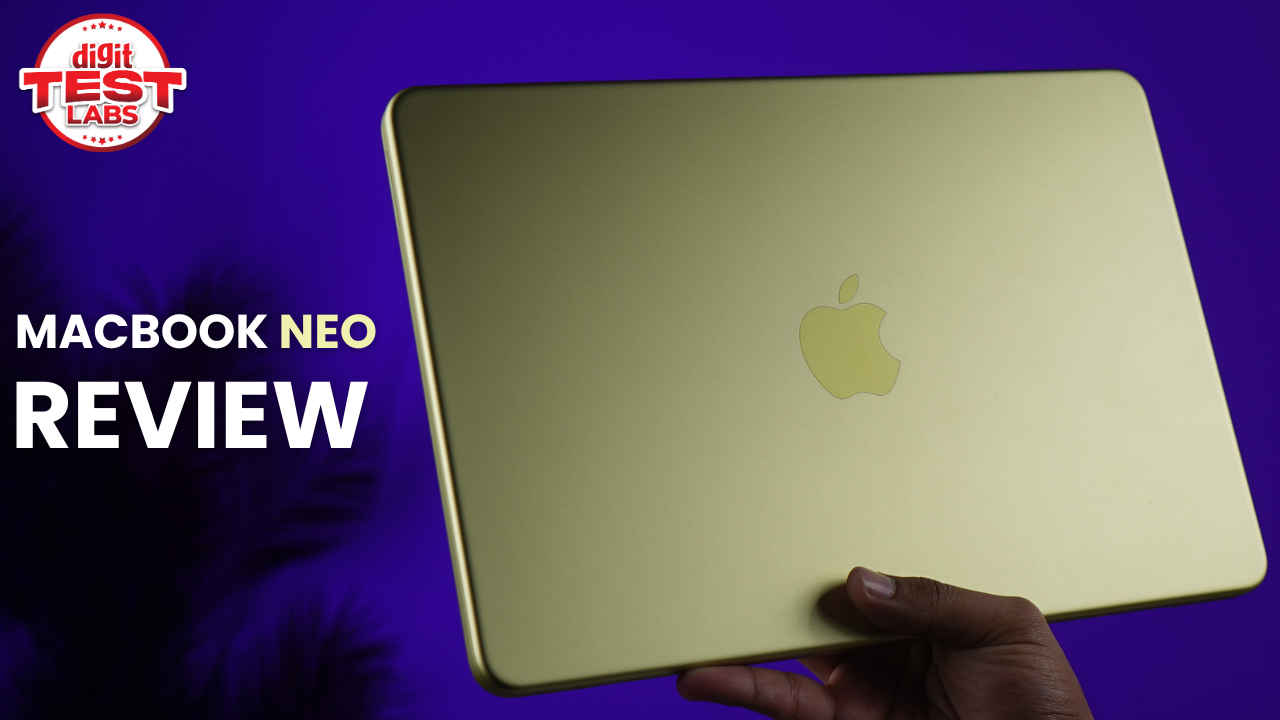

What should you expect from a Rs 70,000 laptop in 2026? When I put that question to friends and family at a recent get-together, the answer was quite similar: reliable performance and dependable battery life. And it makes all the sense in the world as these two things matter most on a typical workday, when you are juggling between emails, calls, spreadsheets, and whatnot. But a good laptop in 2026 needs to go beyond just the essentials. Design and display, build quality, portability, and even how quietly it fits into your daily routine, all matter as well. And the Apple MacBook Neo, which I have been using as my daily driver for nearly a week, has ticked almost all of these boxes.
So when I pulled out the NEO toy in town in front of my peers and mentioned that this has been my daily work machine, and I use it for some light gaming as well. And, it costs less than an iPhone 17; the reaction was major curiosity. How could a laptop this compact and relatively affordable keep up with a demanding routine such as mine?
Over the next few hours, I walked my folks through exactly that. And now, let me do the same for you. Here’s a detailed look at the MacBook Neo and why it is one of the best laptops you can buy right now if you are looking forward to entering the Apple ecosystem for the very first time.

Also read: Apple MacBook Neo base variant with 1TB storage? A modder just made it possible
Premium design and non-backlit keyboard
For years, a MacBook has been synonymous with being a premium-looking laptop that is meant to be carried into any board meeting with confidence. But with the Neo, Apple is clearly hoping that the laptop isn’t just carried to board meetings, but classes as well. Yes, the relatively affordable MacBook Neo also has students as its target consumers and that is clear from the exciting colour options that we have. I have been testing out the Citrus colourway and the moment I unboxed the device, it stood out in the classiest way possible. There is a subtle shine all around the body, and the iconic Apple logo sits neatly in the centre on the lid. To no surprises, Apple deserves full marks for the Neo’s look and build.

Now, one of the best things about the Neo is how compact it is. Compared to a 13-inch M1 MacBook Air, the Neo is slightly thicker, but also smaller. Despite that, both weigh the same. The result is a machine that feels solid, portable, and well-packed for its size. It also fits easily into most of my bags, and I have even swapped my large tote for a much smaller backpack I picked up from Disneyland two years ago. It may technically be a kids’ backpack, but it works perfectly here.
Coming to the build quality, there is absolutely nothing to complain about. The new laptop maintains Apple’s reputation and will have you thinking how can this premium device cost less than Rs 70,000.
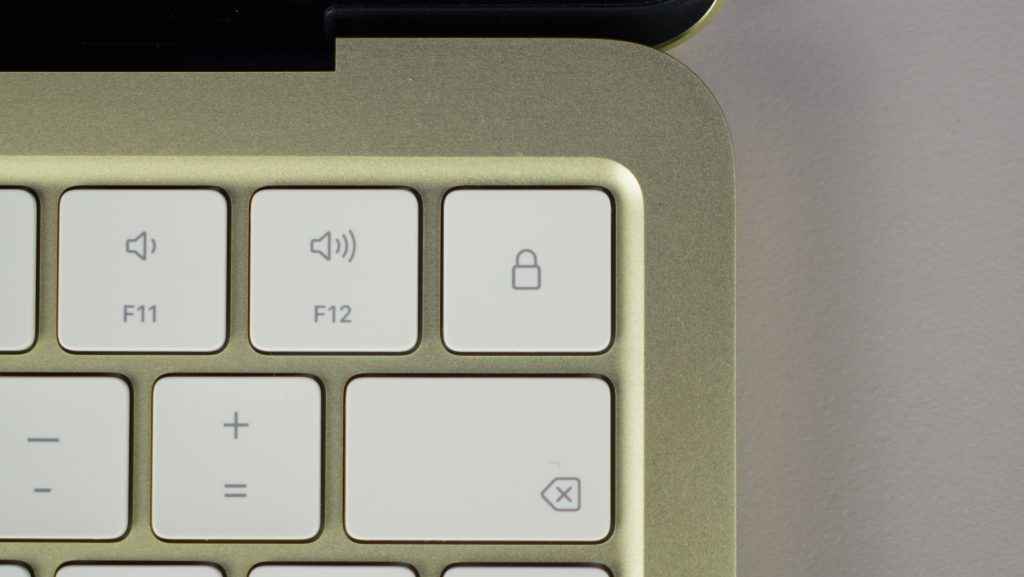
When you flip open the Neo, you will be greeted with the keyboard and touchpad. The unit that I received is the base variant, which does not have a Touch ID button at the top right. Instead, there is a button to lock the laptop and unlock it by entering your password. Over the years, I have grown accustomed to Touch ID and not having it looks sort of incomplete. But then, if you are a first-time MacBook user, this ideally shouldn’t matter much.
Meanwhile, the keyboard is placed neatly on the chassis and I had no issues switching from my MacBook Air 15-inch to this one. In less than a day, I could type without having to look down at the keyboard. The keys are super responsive and have a tactile feel that results in a satisfactory experience. They are also silent, so even when you’re typing with full gusto, others at the workplace won’t hear you.
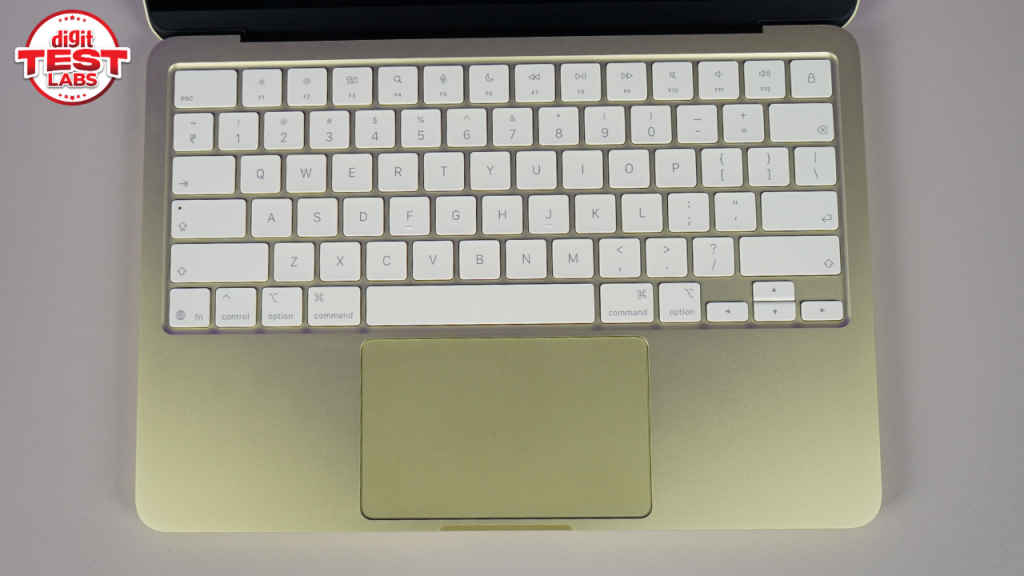
Perhaps the only tradeoff that can be felt in terms of the keyboard is that it is not backlit. And when you work or study late at night, this can be an issue. In my case, buying a small mini USB LED light solved this problem. You can get one too from Amazon. There are plenty of options. But of course, having a backlit keyboard would still have been a huge win here.
The touchpad is decently sized and utilises the chassis perfectly. However, it is also a physical one, not the one with haptic feedback. So the moment you press it to click, it moves.
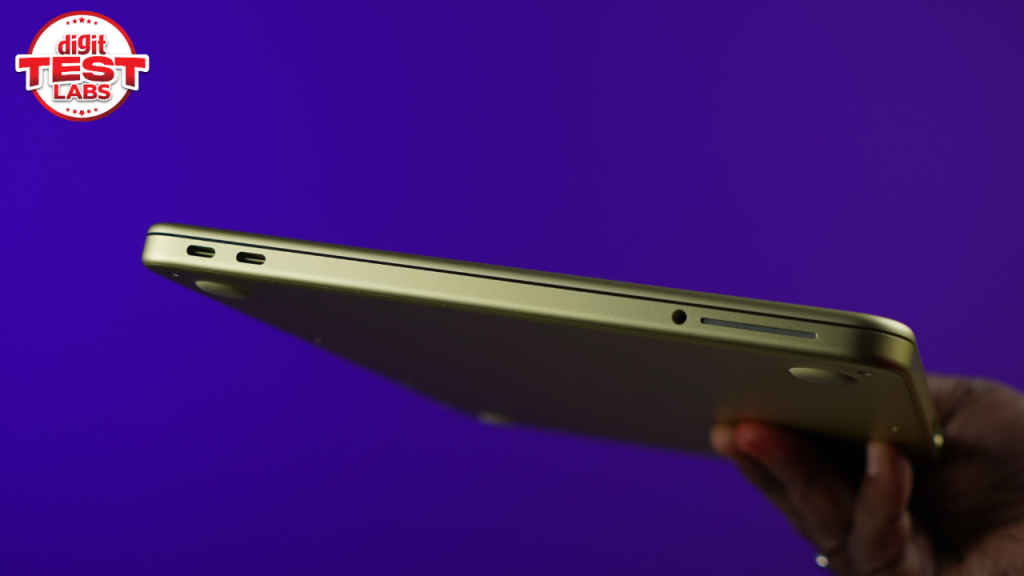
Finally, let’s talk about the port options. There are two USB-C ports on the left and either can be used for charging. However, if you want to connect an external display, you can use only one port. And this isn’t mentioned on the surface, but you will be notified of it once you insert the external display’s cable into the wrong port. Apart from this, there is a 3.5 mm headphone jack for connecting wired accessories.
The iconic MacBook Display
People all around the world trust MacBooks’ display when it comes to colour accuracy. Designers, photographers, video editors, and anyone working with visual elements will easily recommend a MacBook to their peers. But can you expect the same display quality in Apple’s most affordable laptop yet? Absolutely.

The MacBook Neo’s display can show up to 1 billion colours and sticks to the sRGB colour space. It does not extend to wider gamuts like DCI P3. Now, will that really impact a student or someone using it for everyday work? In most cases, no. But for users dealing with colour-critical work, it could make a difference.
So, for users who want to use this device to get through their workday, consume OTT content or even indulge in some light gaming, the display is fantastic.
Great overall performance
If the word gaming in the previous paragraph made you raise your eyebrow, you’re not alone. Since the MacBook Neo is powered by an A18 Pro chip, which is found on iPhone 16 Pro and has just 8 GB of RAM, you won’t really expect it to excel at gaming. But it does a pretty good job. Now, of course, you can’t expect heavy titles to work flawlessly here. There are better laptops for that kind of stuff, and the Neo doesn’t even come close, let alone being a proper competitor. But for light gaming and stuff, it holds up decently well.
I played Shadow of the Tomb Raider, Overcooked 2 and Hollow Knight Silksong on the device and the overall experience was better than what I was expecting.
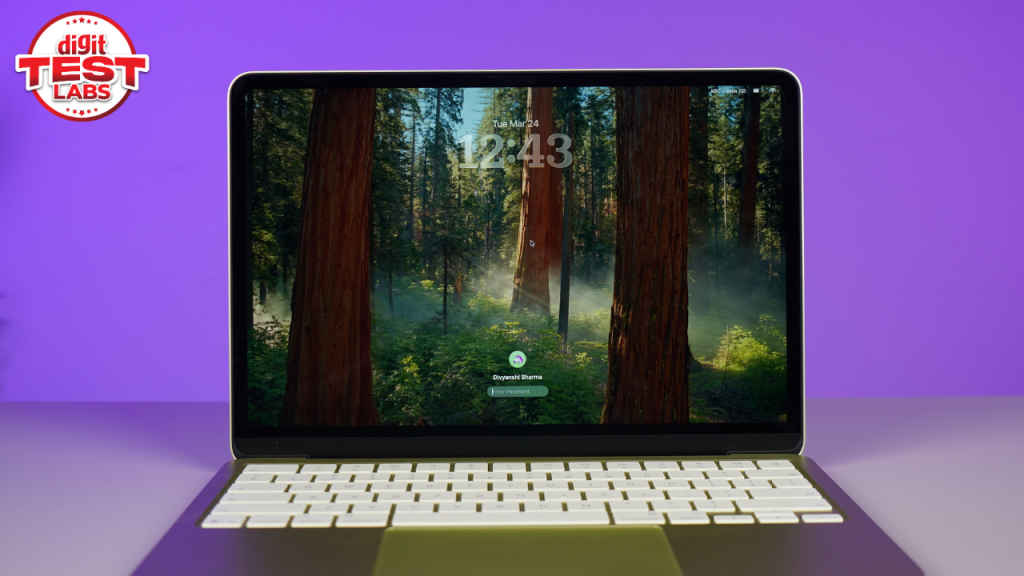
Delving a bit into details, the laptop was able to run Shadow of the Tomb Raider at around 30 fps with medium graphics settings, motion blur turned off, and resolution set to 1440 x 900. There were a few minor stutters here and there, which is expected at these settings, but nothing that made the game unplayable.
When I switched to the lowest graphics preset, it immediately made things smoother, with frame rates jumping to around 40 to 45 fps in the initial sequence before settling back to the 30 fps range. Moreover, pushing the settings back to medium again dropped performance closer to 20fps, which makes it clear that this is a game best enjoyed at lower settings on the Neo.
Despite the fluctuations in frame rates, which is acceptable considering how demanding the Shadow of the Tomb Raider is, what stood out to me was consistency. Even after around 25 minutes of gameplay, the frame rate briefly dipped to 19 fps but quickly recovered and stabilised between 30 and 40 fps. Cutscenes were flawless and overall, the experience remained surprisingly playable.
Now switching to where the Neo is king: less demanding games.
Hollow Knight: Silksong ran at a smooth 60 fps with no hiccups at all, and the same goes for Overcooked 2. These are the kinds of games that felt perfectly at home on this machine and kept me hooked for hours. The system also automatically switches to Game Mode the moment you launch a title, which helps optimise performance in the background. That said, due to the 8 GB RAM, some recent titles like Inzoi will simply be unplayable. So before you buy a game to play on this laptop, do check out its minimum requirements.
I will put this again. The MacBook Neo is not a gaming laptop, nor is macOS designed in a way like the Windows platform to take advantage of high-end games. That said, for the light kind of stuff, the things that the laptop supports, a casual gamer will deal with this machine just fine.

Apart from this, in terms of the day to day performance, the A18 Pro chip holds up pretty well. For normal workloads, it does its job as expected.
In fact, at one point, I had around 20 Chrome tabs open alongside multiple apps, and the system showed no signs of slowing down. Moreover, I also switched from Steam to Google Chrome (with a game running in the background) and the MacBook Neo didn’t appear to be stressed at all. In addition to this, app launches are quick and switching between is a breeze.

In raw numbers too, the MacBook Neo does a decent job. In the Geekbench CPU benchmark, it outperformed the M3 MacBook Air 15-inch in the single-core test. The M3 MacBook Air scores 2980 points while the Neo scores 3406 points.
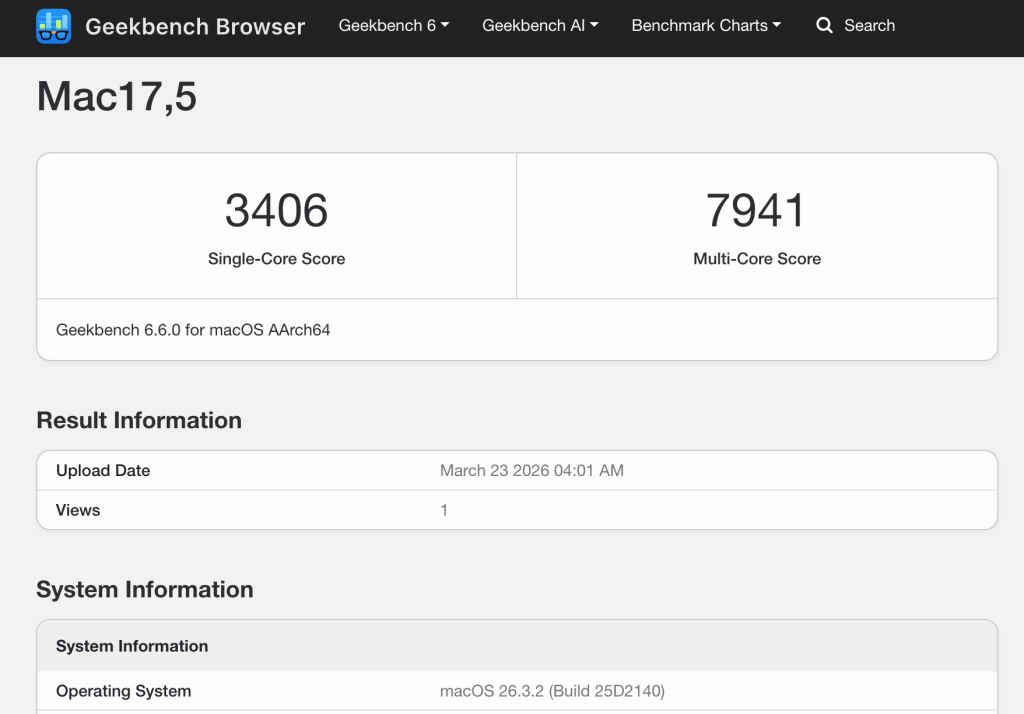
I also ran Cinebench R23, Cinebench 2024, 3D Mark Wild Life Extreme, Solar Bay and Blackmagic disk speed test on the device. And the results are as follows, reflecting a strong performance for a sub-Rs 70,000 laptop.
Cinebench R23: 4981 (multi-core), 1571 (single core)
Cinebench 2024: 309 (multi-core), 134 (single core)
Geekbench CPU test: 7941 (multi-core), 3406 (single-core)
Blackmagic disk speed test: Read – 1584 MB/s, Write – 1385.2 MB/s
3D Mark Wild Life Extreme: 3729
Solar Bay: 6841
Two things that deserve special mention are the laptop’s speakers and webcam. For me, these two were the unexpected highlights. Talking about the webcam first, the laptop comes with a 1080p camera and it shines with all its glory during video calls. It made me look sharp and clear while I was attending virtual meetings and honestly, I loved the overall appeal.

As for the audio, the MacBook Neo comes with dual side-firing speakers that do their job well. Even while playing Hollow Knight in a busy office environment, I could easily hear in-game audio without feeling like the speakers were struggling. The sound quality was also crisp and clear, with the right amount of bass. In fact, when I played the opening cutscene of the game at full volume, it was enough to grab the attention of people around me, which says a lot about how well the speakers perform.
Apart from gaming and my usual work, I also edited a birthday-special video for my sister on the device (which is what the gathering in my family was about). I edited the entire 15-minute video using Final Cut Pro and it was smooth sailing throughout. So you can also use the Neo for some light video editing on the go.
Impressive Battery and thermals
Now, the whole purpose of a laptop as compact as the Neo is that it can be taken anywhere. This also means that it has to come with a strong battery life so that you don’t find yourself looking for a charging point everywhere.
With the MacBook Neo, Apple promised a battery life of 11 hours of wireless web browsing. And it indeed is true. I logged in to work at 8 am sharp and used the MacBook Neo at 50 per cent brightness for 9 hours. When I was about to leave for home, the laptop still had 20 per cent battery left.
During this time, I used Google Docs, 10-15 Google Chrome tabs, and even watched a video or two. I never turned the laptop to low power mode and neither did I turn the brightness down. With these two enabled, the laptop will easily last beyond 10-11 hours as well.
While gaming too, I noticed a 5 per cent battery drop after playing continuously for 20 minutes. This is better than what several budget gaming laptops offer.
When you talk about charging, it takes roughly 4 hours to charge the device, as it ships with a 20W adapter.
The Neo also comes with a fanless design like the MacBook Air. And yet, you won’t feel it getting too hot to handle. While I was running benchmark tests, the surface temperatures never rose above 29.2 degrees Celcius. The touchpad remained even cooler, at 27 degrees. Even while gaming, the surface temperatures stayed within limits.

Apple Intelligence and other features
The laptop comes with all standard Apple Intelligence tools, including text summarisation and rewriting, smart reply and notification summaries, image generation, and even Siri with ChatGPT support. I set up Siri the moment I received the device and used it to brainstorm ideas, weekend plans and much more.
When I asked Siri to help me brainstorm ideas for a new gaming mouse, it asked if it could work with ChatGPT for the same. Once I enabled ChatGPT, I got a list of ideas right on my home screen. I can only think of students who can use this feature to research, create, and so on.
Now I have been an avid member of the Apple ecosystem and also own an iPhone, AirPods, iPad and Apple Watch. And the Neo also works smoothly with every other device belonging to the Apple ecosystem.
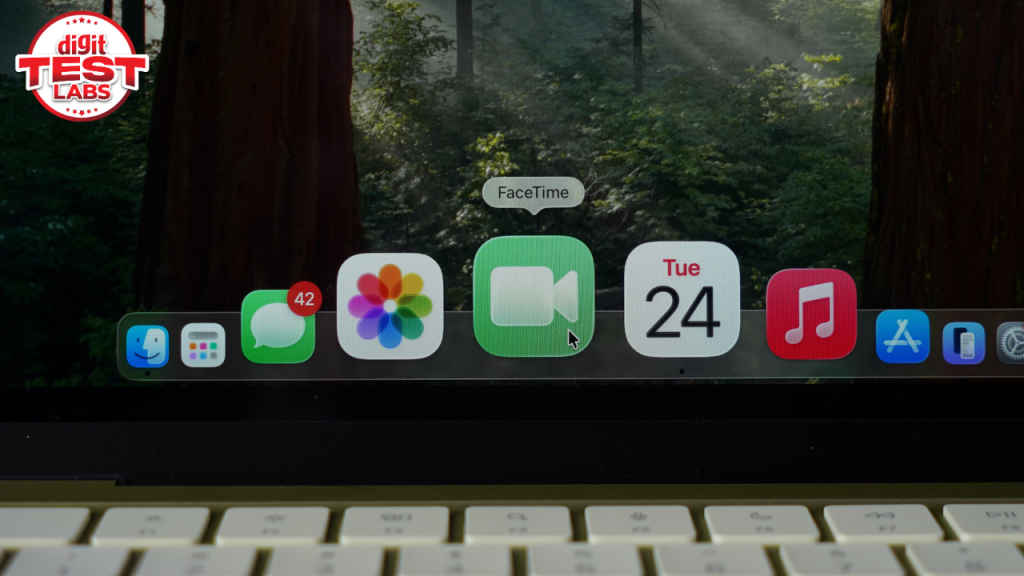
For instance, you can Handoff a task from your MacBook Neo to an iPhone, copy/paste via Universal Clipboard, and even mirror or control your iPhone screen on the Mac. Settings, photos, files, and other data sync through iCloud just as on any Mac. At the time of writing this review, I am writing on my older M3 MacBook Air 15-inch while the Neo is sitting on my desk, showing me the option of opening the Google Chrome tab that is open on my MacBook Air.
Should you buy the Apple MacBook Neo?
Now, coming to the question that might be on your mind: should you go ahead and spend Rs 69,900 on Apple’s latest MacBook? The answer depends on what you actually need from your laptop.
The MacBook Neo delivers the core Mac experience at a price point that is new for Apple. Thus, it is the best way to experience macOS if you aren’t willing to spend around Rs 1 lakh on a new device. The laptop also boasts a relatively strong day to day performance, excellent battery life, reliable display, and a design that lives up to Apple’s reputation.

With that being said, there are also certain compromises that include the non-backlit keyboard, absence of touch ID in the base variant and only having an 8 GB RAM option, raising a question in terms of future-proofing. However, for students, first-time Mac users, or anyone looking for a reliable laptop in this budget, the Neo makes a very solid case for itself. It gets the essentials right and comes with Apple’s reliability. And for some people, that’s enough.
Also read: Apple MacBook Neo in Digit Test Labs: For the first time Mac users


