

Logitech Signature Comfort Plus M850 L review: The mouse with an in-built palm cushion
 Follow Us

Working from home sounded relaxing at first. But now, we all know, it is anything but that. Long meetings, hours of typing, switching between various devices, and more are just part of the deal, and before you know it, you realise you have spent the entire day sitting at your desk. The same is true for those who work from the office. While introducing the Signature Comfort Plus mouse and keyboard, Logitech claimed to have a solution for exactly this. I’ve been using the Logitech Signature Comfort Plus M850 L for more than a week and have been pleased with the experience so far. But does it actually bring you the comfort that Logitech promises? Read on as we explore the answer in this review.
Also read: Best laptops to buy under Rs 60,000 for work, study and gaming in 2026
Logitech Signature Comfort Plus M850L: Ergonomics and design
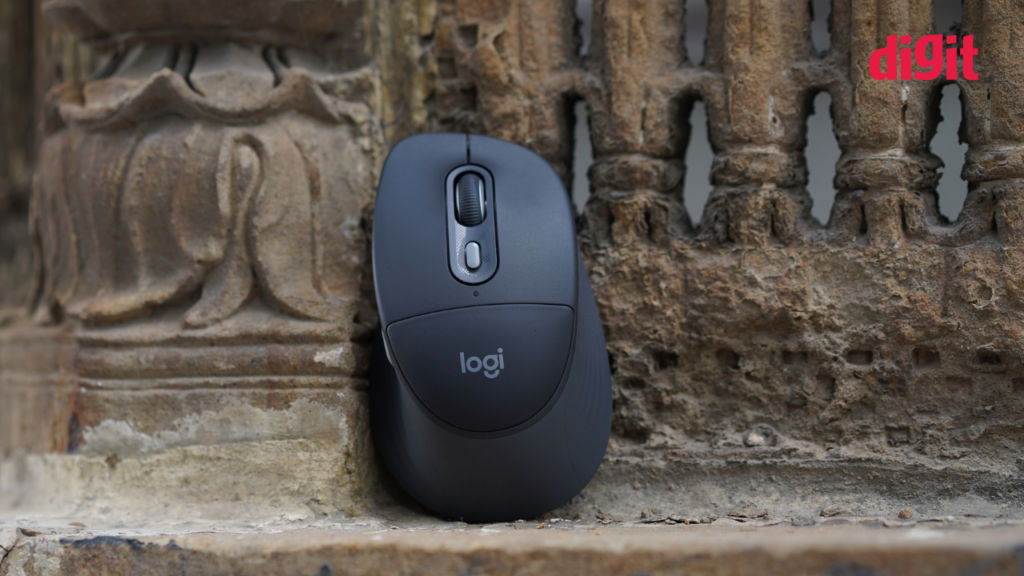
When you talk about comfort, the design and ergonomics are the first aspects that deserve attention. And, the first thing that you notice once you unbox the Signature Comfort Plus M850 L will be the palm cushion. Yes, you read that right. This mouse comes with an in-built cushion so that your palms stay comfortable all day long (in all honesty, that’s a sentence I never imagined I’d write for a mouse review).
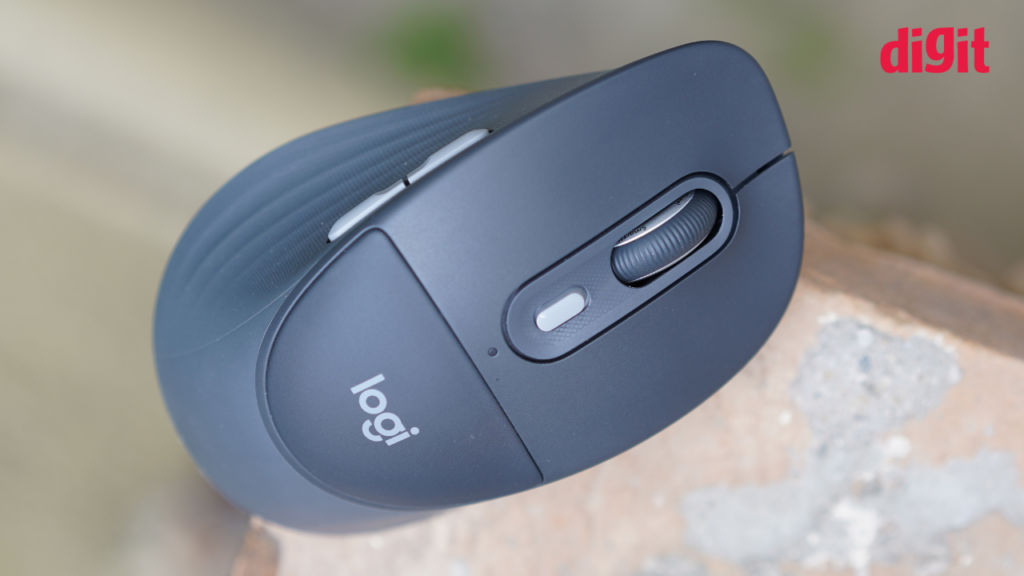
Now the idea sounds thoughtful, and it really is, but when you actually rest your palm on this mouse, you may wish it were just a bit more… plushy. When I used the mouse throughout my workday, it was certainly comfortable, but I am not sure how much of that was down to the cushion. That said, when I slammed my hand against the mouse in the middle of a panic session at work, I didn’t hurt my hand at all. So that’s a plus.
Moving on from the in-built palm cushion, the rest of the design is exactly what you would expect from a good Logitech mouse. My hand wrapped around it comfortably, the size felt just right, and the rubberised sides provided an excellent grip.
In terms of looks, the mouse feels built to last while looking good at the same time. The signature Logitech logo sits neatly in the centre, and the graphite colourway gives it a clean, understated aesthetic. There is also an off-white colourway available if you prefer a lighter look.
As for the build quality, the mouse feels sturdy enough to handle everyday wear and tear. It is certainly on the heavier side and won’t appeal if you are used to lightweight mice. But with that extra weight comes precision, which is far more important for some users.
Buttons, scroll wheel and clicks
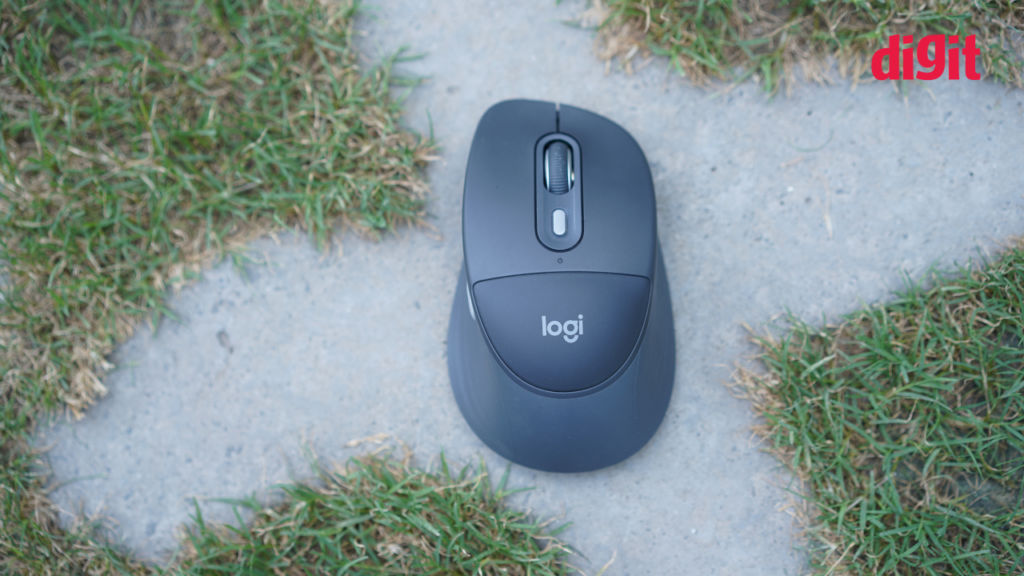
Comfort is not just about how a mouse feels in your hand. It is also about how it performs during a long workday. And the Signature Comfort Plus M850 L gets most of the basics right.
The left and right click buttons feel tactile without requiring too much force, and Logitech’s silent click technology really does make a difference here. The clicks still provide enough feedback, but without all the noise that most traditional mice make. So if you do not like loud mouse clicks, this is something you will greatly appreciate.
The SmartWheel also deserves a mention here. It automatically switches between precise line-by-line scrolling and faster scrolling depending on how quickly you move the wheel. During my usage, browsing through long documents, Excel sheets and web pages felt effortless, and I rarely found myself reaching for the scroll bar.
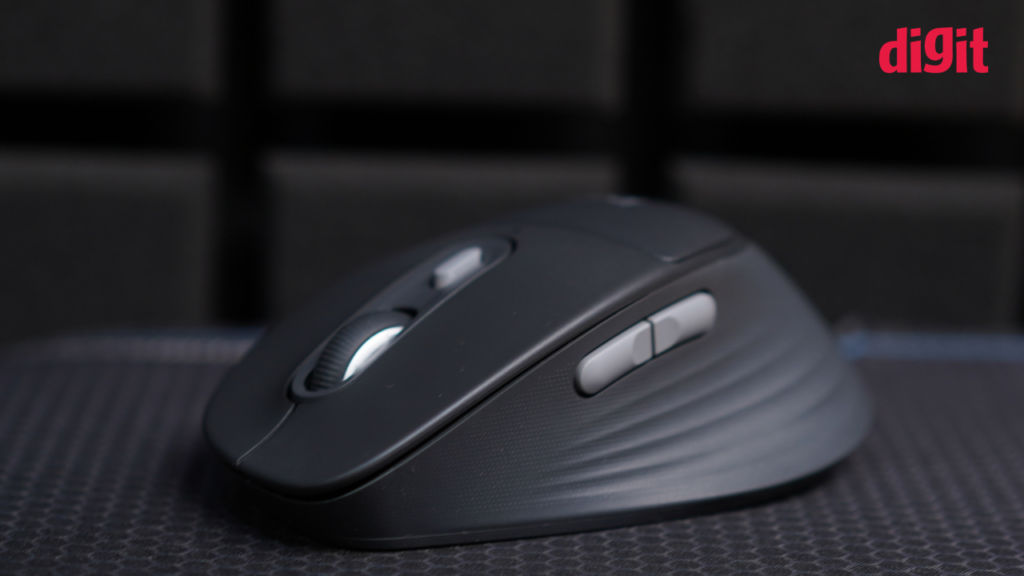
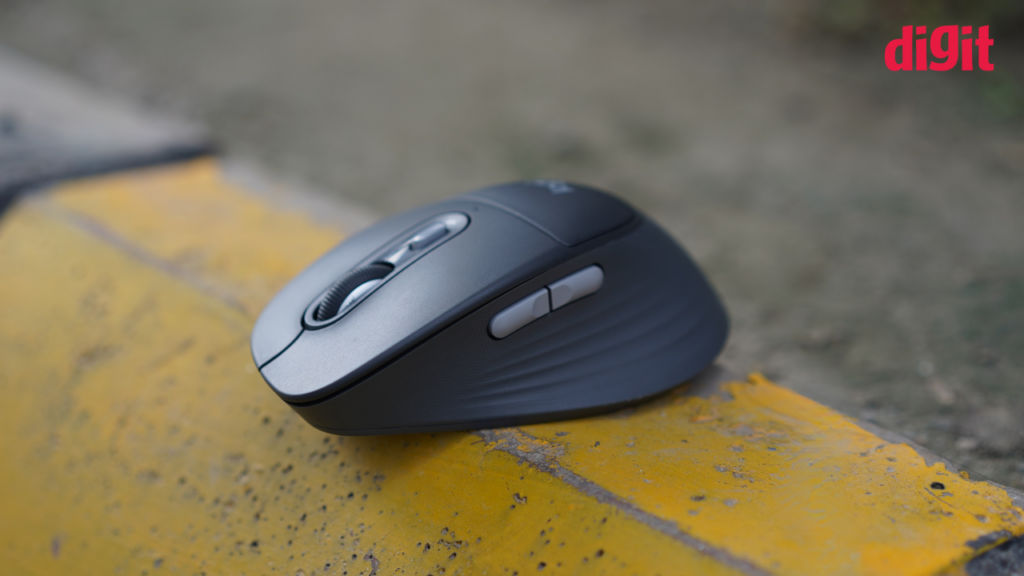
There are also programmable side buttons that can be customised using Logitech’s Logi Options+ software, which we’ll talk about more in just a moment. So if your workflow involves frequently switching between applications or assigning shortcuts, these buttons can save you quite a bit of time. While I mostly left them with the default settings during my testing, you will certainly get more value out of them if you enjoy customising the buttons.
Logi Options+ Software
Like most Logitech peripherals, the Signature Comfort Plus M850 L becomes much more useful once you install the Logi Options+ software. The app allows you to remap buttons, customise the Actions Ring, create Smart Actions that automate repetitive tasks, and even access Logitech’s AI Prompt Builder for generating AI prompts with preset instructions. None of these features is enabled by default, so you will have to spend a few minutes setting them up. Once configured, though, they can make your workflow noticeably smoother.
Battery life is another area where Logitech continues to impress. The company claims the mouse can last up to two years on a single battery. Since I only used it for a little over a week, I obviously cannot verify that claim, but I never had to replace the battery during my testing. So, this is one less device you’ll have to worry about charging or plugging in regularly.
It is also nice to see Logitech putting some focus on sustainability. The mouse uses recycled plastic in its construction, depending on the colour variant, arrives in FSC-certified paper packaging, and is designed to reduce battery replacements over its lifespan.
Connectivity and multi-device switching
Now, coming to one of my favourite features of this mouse: working across multiple devices.
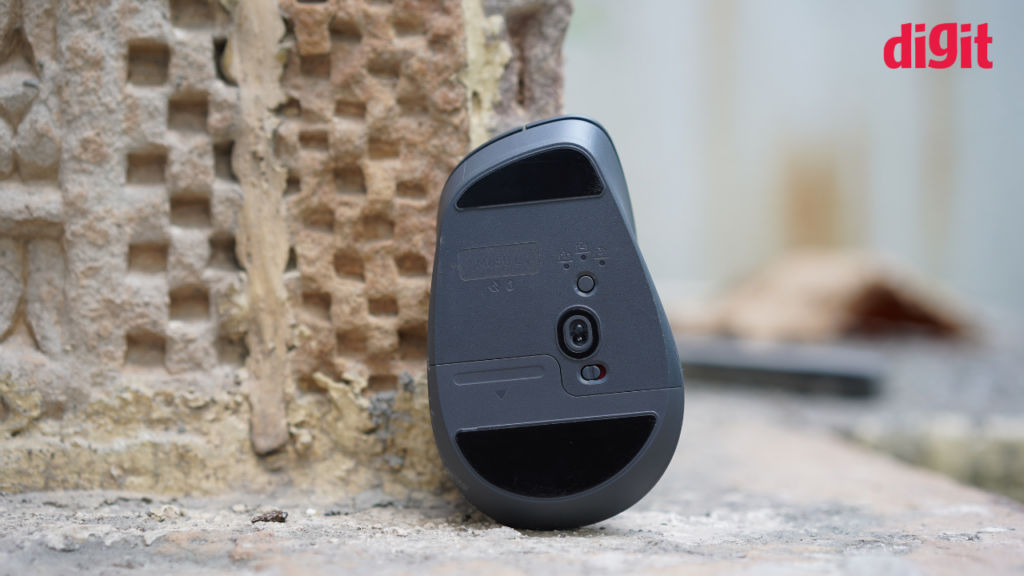
The Logitech Signature Comfort Plus M850 L mouse can pair with up to three Bluetooth-enabled devices, and switching between them takes just the press of a button located at the back of the mouse. During my testing, I regularly switched between my Windows laptop and MacBook without any hiccups, and the connection remained stable throughout.
The mouse works across Windows, macOS, Linux, ChromeOS, Android and even iPadOS, making it a versatile option if you use different operating systems during the day.
The only thing worth keeping in mind is that the standard version relies entirely on Bluetooth. Unlike many other Logitech wireless mice, you do not get the Logi Bolt USB receiver in the box. That receiver is reserved for the business variant, so users who prefer a dedicated wireless dongle may find this slightly disappointing.
Should you buy?
The Logitech Signature Comfort Plus M850 L tries to make your workday a little more comfortable. And, for the most part, it succeeds. The palm cushion isn’t as soft as you would want it to be, but the overall ergonomics, comfortable grip, silent clicks, reliable Bluetooth connectivity and excellent software support make this an easy mouse to live with.
At Rs 7,762, this isn’t a budget purchase, and there are plenty of capable wireless mice available for much less. However, if you spend eight or more hours at your desk every day and want a productivity-focused mouse that prioritises comfort, the Signature Comfort Plus M850 L is well worth considering. It may not transform your workday overnight, but after using it for a while, going back to an ordinary mouse certainly feels like a downgrade.
Also read: Nvidia GeForce Now finally available in India with no waiting list


