
Samsung Galaxy Watch Ultra 2 review: The Ultra I want to keep wearing
 Follow Us

I’ll be honest: I am probably not the ideal Galaxy Watch Ultra 2 user. I don’t run marathons; I don’t spend my weekends hiking up mountains; I haven’t suddenly developed a passion for scuba diving either, and I definitely don’t work out religiously. If you’re wondering where this conversation is headed — well, I am just a usual guy who spends most of his days with a phone, a laptop, some meetings, and a desperate attempt to close my rings. Because, hey, who doesn’t want to close the rings if they are wearing a smartwatch? Yet, after spending a decent amount of time with Samsung’s most capable smartwatch, I think that might actually be a useful perspective.
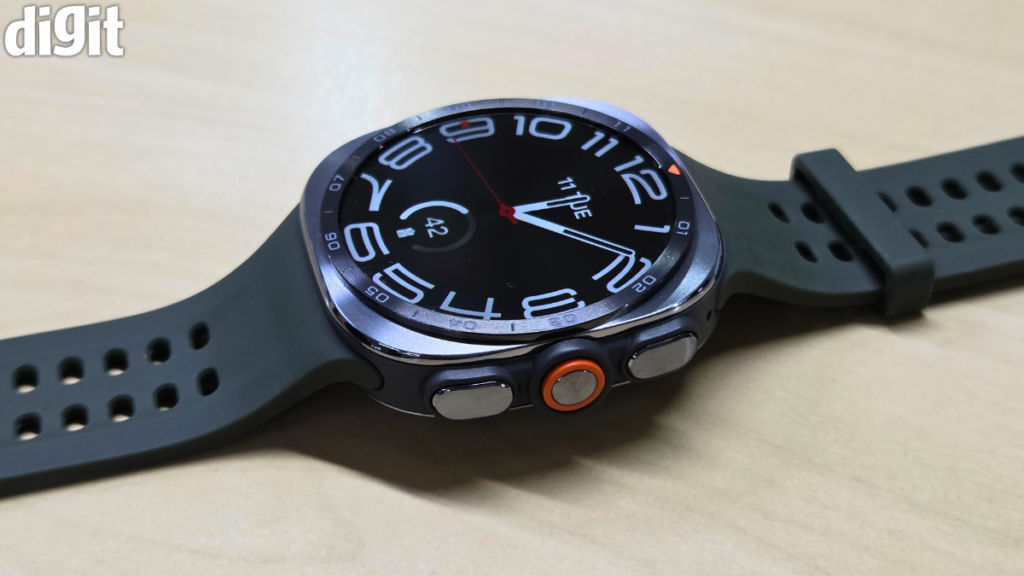
While the Galaxy Watch Ultra 2 has been built for people who are extra serious about health and fitness, for me — I just want to know one simple thing: is this smartwatch good enough to make someone like me want to wear it again? And surprisingly, the answer is mostly yes. Here’s my full review of the Samsung Galaxy Watch Ultra 2.
Also read: Samsung Galaxy Watch Ultra 2 in Digit Test Labs: The Ultra I wanted all along?
Galaxy Watch Ultra 2: Familiar, but noticeably better
If you have seen the original Galaxy Watch Ultra, you already know what to expect here. Samsung hasn’t reinvented the design. The cushion-shaped case is still here, the titanium construction is still here, and it remains a big, unapologetically chunky watch. But look closer, and there are a few changes that make a difference.
The Galaxy Watch Ultra 2 is now 10.7mm thick, which Samsung says makes it around 12 per cent slimmer than the previous model. More importantly, the company has somehow managed to make it thinner while fitting in a much larger 800mAh battery, which, on paper, sounds impressive. On the wrist, it is even better.
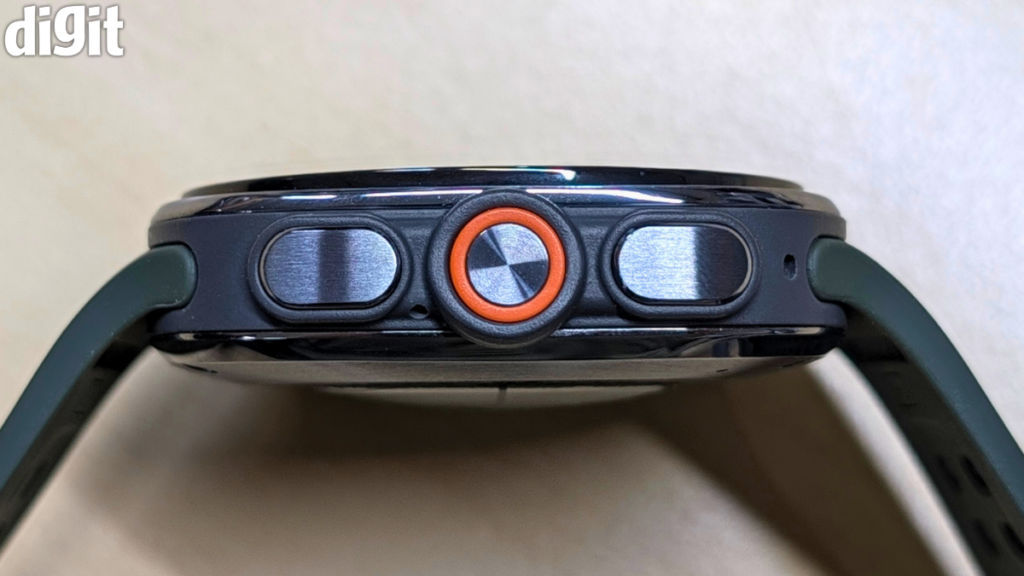
One of my biggest issues with the original Watch Ultra wasn’t that it was uncomfortable. It was that I was always aware that I was wearing it. It had a certain presence on the wrist, and while that is part of the appeal of an Ultra watch, it also made it feel a little too top-heavy, particularly when wearing it to bed. The Ultra 2 fixes a lot of that.
Of course, the Galaxy Watch Ultra 2 is still a large watch. Let’s not pretend otherwise. If you have small wrists or prefer something discreet, this is probably not going to change your mind. But it sits better, feels less cumbersome, and has become much easier to wear for long periods. And I have to mention the strap as well.
I said this in my first impressions, and after spending more time with it, I stand by it: this might genuinely be the most comfortable silicone watch strap I have used. It sounds like a minor thing to praise in a smartwatch review, but a smartwatch is something you are supposed to wear almost constantly. If the strap annoys you, the entire experience falls apart. Samsung has absolutely nailed it here.
The titanium body of the Galaxy Watch Ultra 2 still feels appropriately premium, and I quite like the numbers printed around the outer bezel. They give the watch a slightly more traditional character, which works surprisingly well with the otherwise futuristic design.
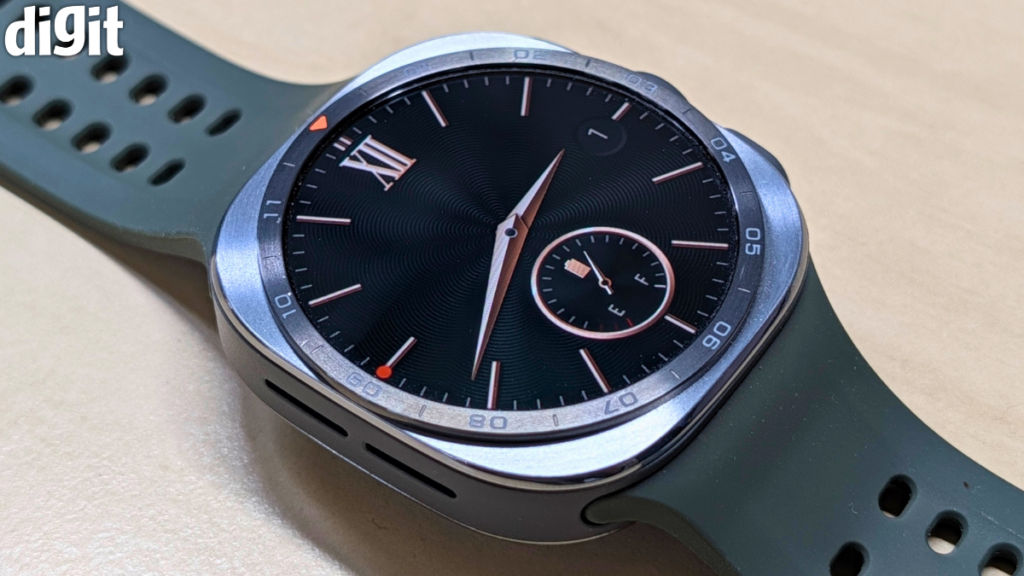
I still wish Samsung had included a physical rotating bezel. The Galaxy Watch 8 Classic has already shown why that interaction method remains brilliant. Scrolling through Wear OS using a physical bezel just feels more natural than dragging your finger around a screen. The Ultra 2’s digital bezel works, but it isn’t quite the same.
Still, this is easily the best implementation of the Ultra design so far. Samsung didn’t need to change its identity. They just needed to make it easier to live with, and with a resounding assurance, I can say — they have.
Galaxy Watch Ultra 2: That display is almost ridiculous (in a good way)
The Galaxy Watch Ultra 2 has a 1.52-inch Super AMOLED display with a peak brightness of up to 5,000 nits.
Yes, you read that right — Five. Thousand. Nits.
I remember the original Galaxy Watch Ultra having an already excellent display capable of reaching 3,000 nits. I never found myself wishing it were brighter. But the Watch Ultra 2 takes things even further, and the result is a screen that is incredibly easy to view in almost every situation. Step outside in harsh sunlight, glance at a notification, check the time, or look at how many rings you’ve closed, and there is simply no struggle involved.
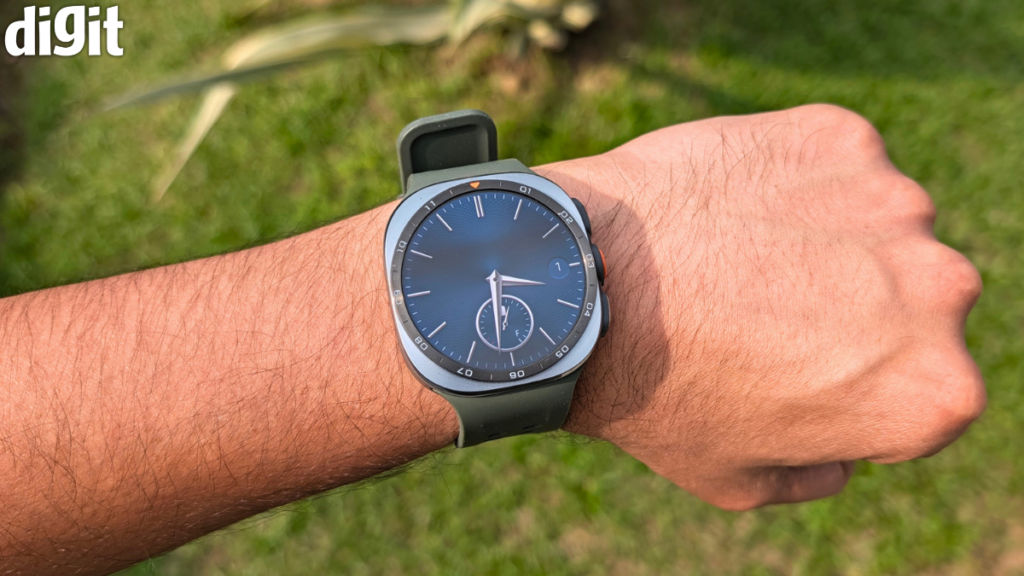
The screen is also slightly larger in usable area thanks to slimmer bezels. Again, this isn’t a dramatic difference when you look at the numbers, but it contributes to making the watch feel a little more refined.
But, apart from the brightness, the display is otherwise quite fantastic. It is sharp, colourful and very smooth. The 120Hz refresh rate makes a tonne of difference. Because a smartwatch screen is tiny, responsiveness matters more than you might think. If animations stutter or apps take too long to open, you immediately notice it because every interaction is happening on such a small canvas. Thankfully, that isn’t an issue here. It’s a job well done.
Performance: Fast enough that you stop thinking about it
Now, I know I opened this review by telling you that I don’t work out religiously, and that hasn’t changed. But that doesn’t mean I completely ignore the health and fitness data the Galaxy Watch Ultra 2 throws at me. In fact, I probably look at it more than I expected to.
Let’s start with GPS, which I think is seriously impressive on the Galaxy Watch Ultra 2. The watch comes with dual-frequency GPS, using both L1 and L5 bands, and during my time with it, location tracking has been extremely accurate. With a feature called Track Back, you’ll thank your smartwatch for having an accurate GPS. Basically, the watch can record your route and help guide you back the way you came. You can also load GPX routes and follow them with turn-by-turn navigation directly from your wrist. I know how much I have used this feature almost all the time when I parked my car in DLF Mall of India, Noida. Those who have been to this mall’s parking will know exactly what I am talking about.
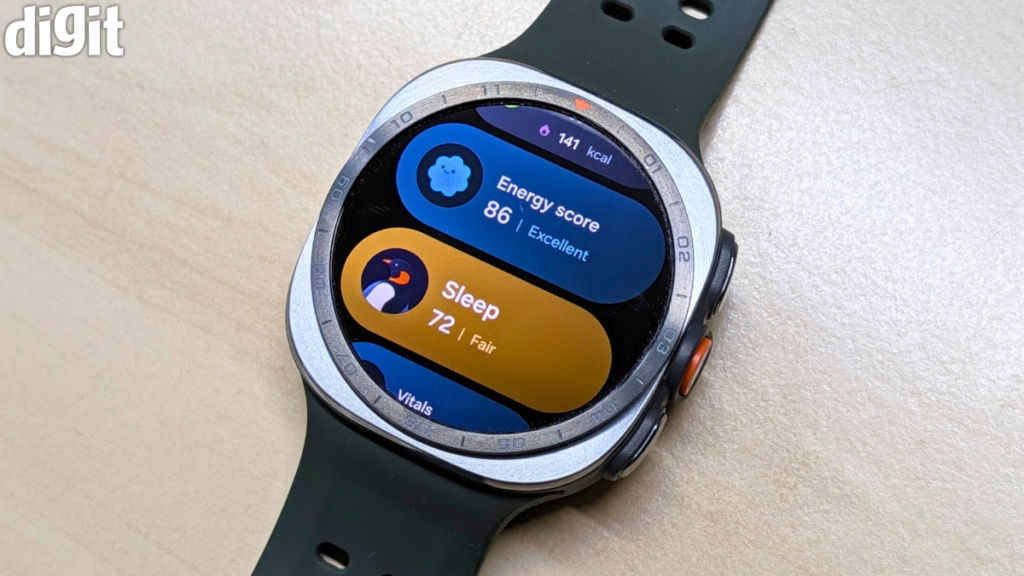
Sleep tracking is the other thing I regularly look forward to checking. Every morning, I find myself opening Samsung Health to see how badly — or occasionally, how surprisingly well — I slept. The Sleep Score is useful because it gives you a quick overview without forcing you to go through a barrage of data. But if you do want to dig deeper, there is plenty to look at.
Sleep Vitals and Energy Score are particularly useful too. I like that the watch doesn’t just give you random numbers to process; it tries to give you a broader picture of how your sleep and daily activity are affecting your body. Of course, you shouldn’t treat any of this as medical advice, but as a way of understanding your own patterns, I have found it quite useful.
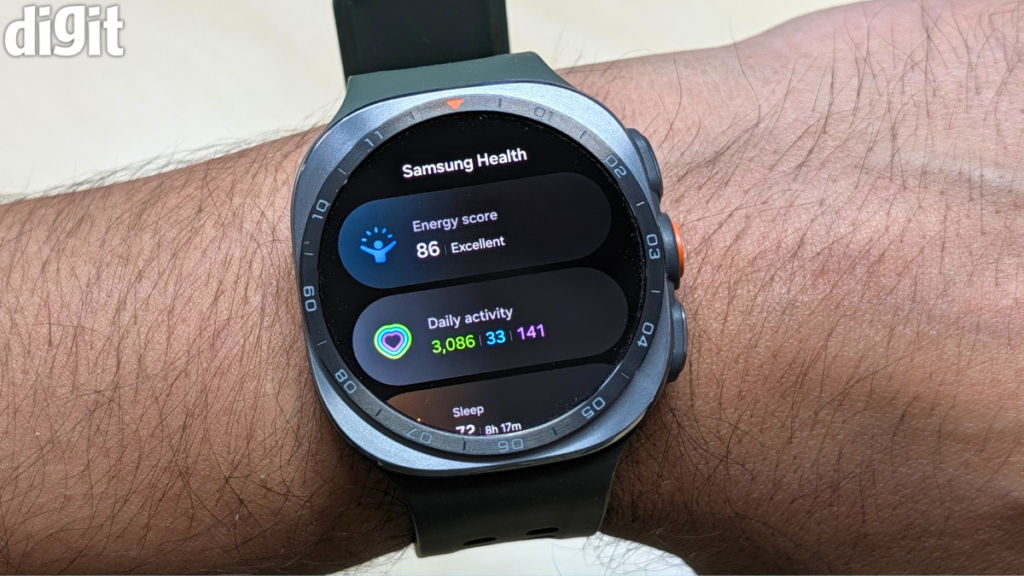
The same goes for heart-rate tracking and blood oxygen measurements. I have found the readings to be consistent and trustworthy during my usage.
The Galaxy Watch Ultra 2 also supports ECG and blood pressure monitoring. I didn’t test either feature extensively during this review because I didn’t have the required equipment for proper blood pressure calibration. Samsung requires the watch to be calibrated against a traditional blood pressure cuff, and these features are also dependent on device and regional compatibility. So rather than pretend I tested something I didn’t, I will leave that verdict to someone who has.
What I can talk about, however, is the overall software experience. Obviously, the full experience works best with a Samsung phone. That shouldn’t come as a surprise. Pair it with a Galaxy smartphone and everything feels properly interconnected. But I also spent time using the watch with the Google Pixel 11 Pro XL, and the experience was much better than I expected.
Samsung Health works well. The Galaxy Wearable app works well. Notifications, health data, and general smartwatch functionality work exactly as they should. You don’t suddenly feel like you’re using a crippled version of the Galaxy Watch Ultra 2 just because you don’t own a Samsung phone. With that said, there are, however, a few small ecosystem quirks.
One that I noticed was Bedtime mode or Sleep mode. When paired with a Samsung phone, Bedtime Mode can sync automatically between your phone and watch. With a non-Samsung Android phone, that automatic sync isn’t available, meaning you will have to manually enable or disable Bedtime Mode on the watch. It is a small thing, but it is also the sort of convenience that comes with using products in the same ecosystem.
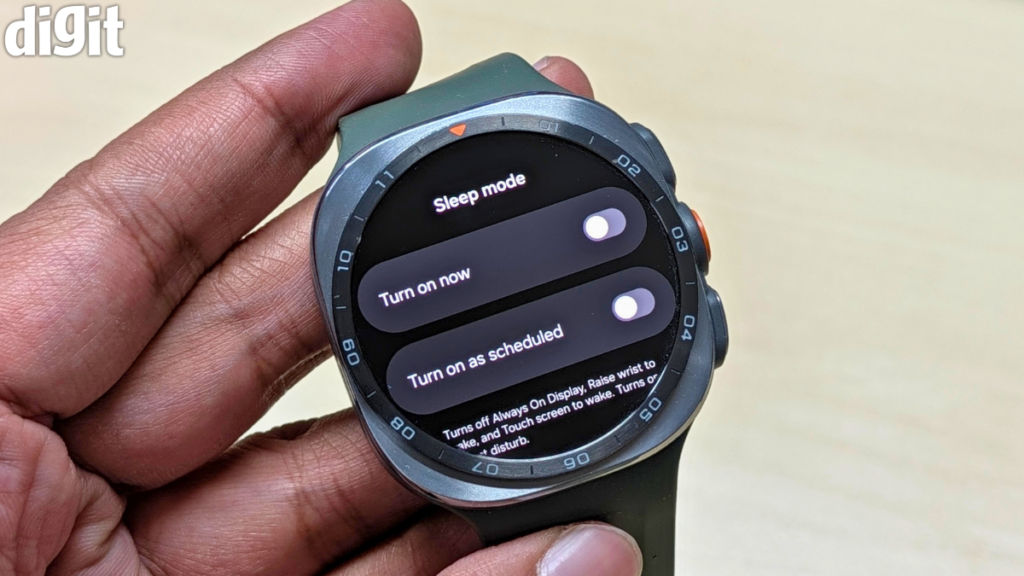
Still, I don’t think this should discourage anyone with a Pixel, OnePlus, or another Android phone from considering the Galaxy Watch Ultra 2. Samsung has historically been accused of keeping too many of its best features inside its own ecosystem, and while some exclusive features do remain, the basic experience here is thankfully much more open.
And that’s why, I would say, the Galaxy Watch Ultra 2 is currently the best all-round Android smartwatch you can buy. It has the health and fitness credentials for people who take those things seriously. It has GPS accuracy and navigation tools for people who go outdoors and need them. But it is also an excellent smartwatch for someone like me, who mostly wants something that looks good, works reliably, tracks a few useful things in the background, and doesn’t make me feel like I bought a tiny fitness computer that I now have to constantly manage.
Battery life is the upgrade I cared about most
With the Galaxy Watch Ultra 2, Samsung has increased the battery capacity from 590mAh on the original Galaxy Watch Ultra to 800mAh here. That is a huge jump, considering that the new watch is actually slimmer. Samsung claims up to 60 hours with the Always-On Display enabled and up to 80 hours with it switched off. And this is the kind of battery life that smartwatches should boast about in the first place. Because I have never really understood why we collectively accepted that charging a watch every single day was normal. And for this, I am calling out all the previous-gen Galaxy Watches, Apple Watches, and the Pixel Watches.
For a phone that I use constantly, which has a huge display and does a hundred different things, a one-day battery life is somewhat acceptable. But a watch is supposed to be something you put on and forget about. The moment you start taking it off every night because it needs charging, you lose one of the biggest advantages of wearing a smartwatch in the first place: continuous health and sleep tracking. The Galaxy Watch Ultra 2 gives you considerably more breathing room.
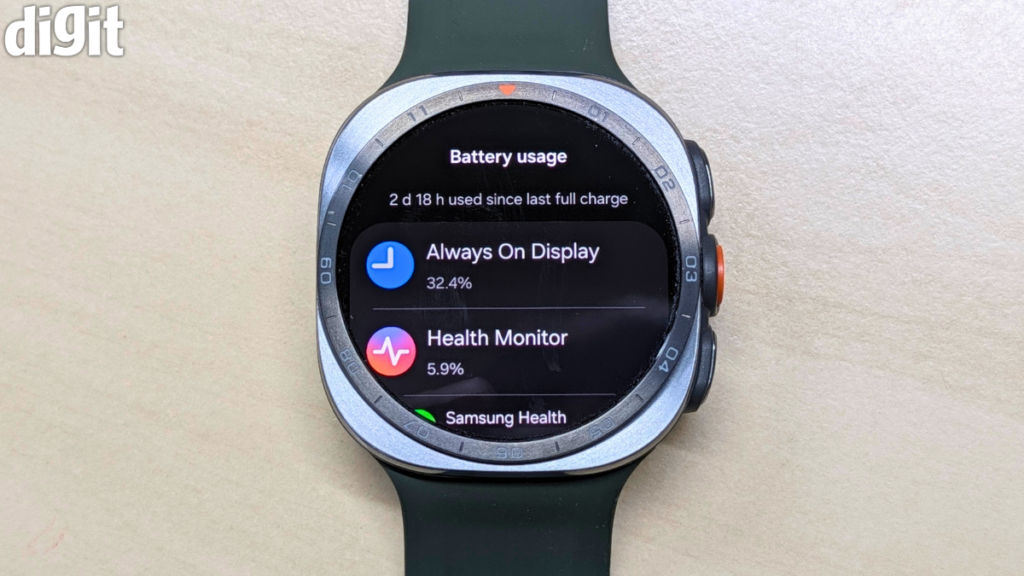
Your exact battery life will obviously depend on how you use it. GPS tracking, workouts, LTE connectivity, and screen brightness can all affect endurance. But just because I don’t work out frequently doesn’t mean I went easy on the watch. I had the Always-On Display turned on all the time, GPS enabled, internet connectivity on, notifications constantly coming in, and all the health tracking features running in the background. So, the watch was being used pretty much the way Samsung intended it to be used. And despite all of that, I didn’t have to charge the watch daily.
Samsung has also added faster charging for the Galaxy Watch Ultra 2. The company claims the watch can reach around 40 per cent in approximately 30 minutes. I tested it, and it works as advertised. As for the full 0 to 100 per cent charging time, it takes around 100 minutes.
Health and fitness: More capable than I am
Alright, I have to acknowledge something — the Galaxy Watch Ultra 2 is more capable than I am likely to ever need it to be. It has GPS tracking, multiple satellite positioning systems, advanced heart-rate monitoring, sleep tracking, body composition measurements, and a long list of workout modes. It can automatically detect certain activities and offer a detailed breakdown of health and fitness data through Samsung Health.
If you want, you can even push the watch into the extreme-use category. The Galaxy Watch Ultra 2 carries 10ATM water resistance, IP69K protection and EN13319 certification, allowing it to be used for diving at depths of up to 40 metres.
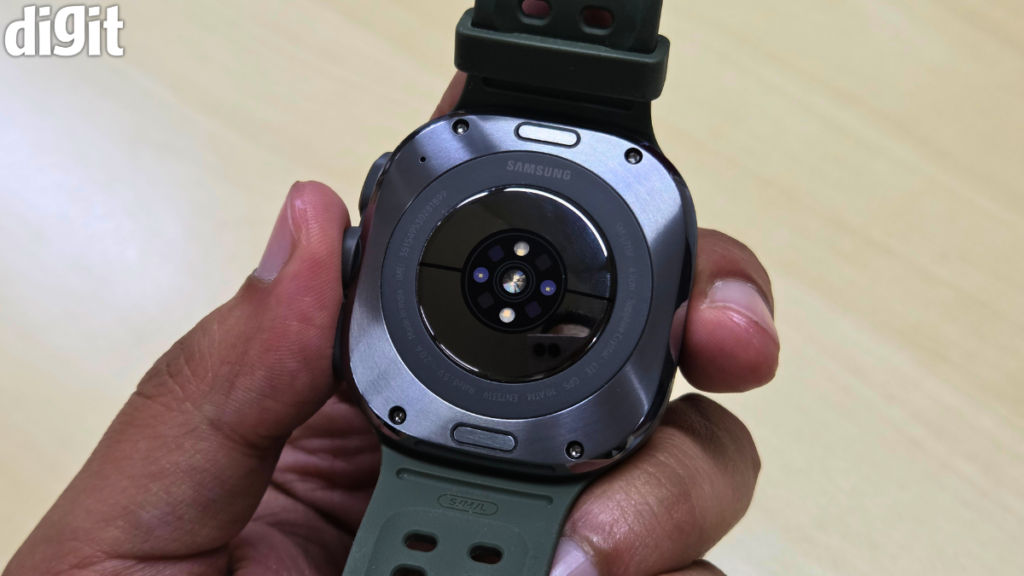
Now, will I ever use it 40 metres underwater? Most likely, no. But, even if there was a 0.1 per cent chance and I wanted to, I could. And that is really the point of the Ultra branding. Not everyone buying the Galaxy Watch Ultra 2 will use every feature. In fact, I suspect most people won’t. But if you are spending this kind of money on a smartwatch, there is something reassuring about knowing that it can handle more than your everyday life is likely to throw at it.
Of course, if you are serious about fitness, there is plenty here to explore. Samsung Health is packed with data, there are plenty of workouts to track, and the watch can go into far more detail than I personally ever need it to.
But I will once again point out something worth mentioning for people like me.
You don’t need to be a marathon runner to get value from health tracking. I haven’t suddenly become an athlete because I wear a Galaxy Watch Ultra 2, but having sleep information, activity tracking, step counts, heart-rate data, and reminders to move does make me more conscious of how inactive I am. Sometimes, that little nudge is enough.
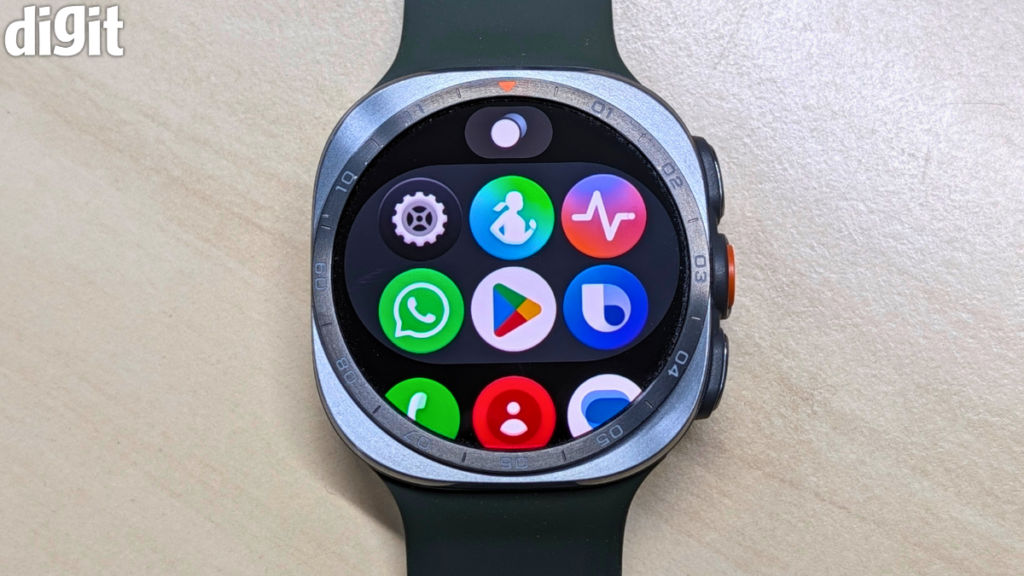
For all the talk about diving, GPS navigation, workout tracking, and everything else the Galaxy Watch Ultra 2 can do, I think its biggest strength is that it is still a really good smartwatch. I like being able to glance at notifications without picking up my phone. I like controlling music from my wrist. Being able to quickly reply to messages is handy too, and having access to apps and Google services makes the watch feel like an actual extension of your phone.
There is LTE connectivity as well, so you can leave your phone behind and still make calls or stay connected when you need to. I don’t do that very often, but it is nice knowing the option is there.
Galaxy Watch Ultra 2: Who should buy it?
At Rs 64,999, the Galaxy Watch Ultra 2 is not an affordable watch, and that means you should ask yourself whether you actually need an Ultra before buying one. Because if all you want is notification support, general health tracking, and a stylish smartwatch, Samsung’s standard Galaxy Watch 9 will probably make more financial sense.
The Galaxy Watch Ultra 2 also remains a large watch, so there is no escaping the fact that it will feel substantial on your wrist. And if you already own the original Galaxy Watch Ultra, this isn’t necessarily an urgent upgrade. The design is familiar, the core smartwatch experience is similar, and many of the improvements are refinements rather than completely new features.
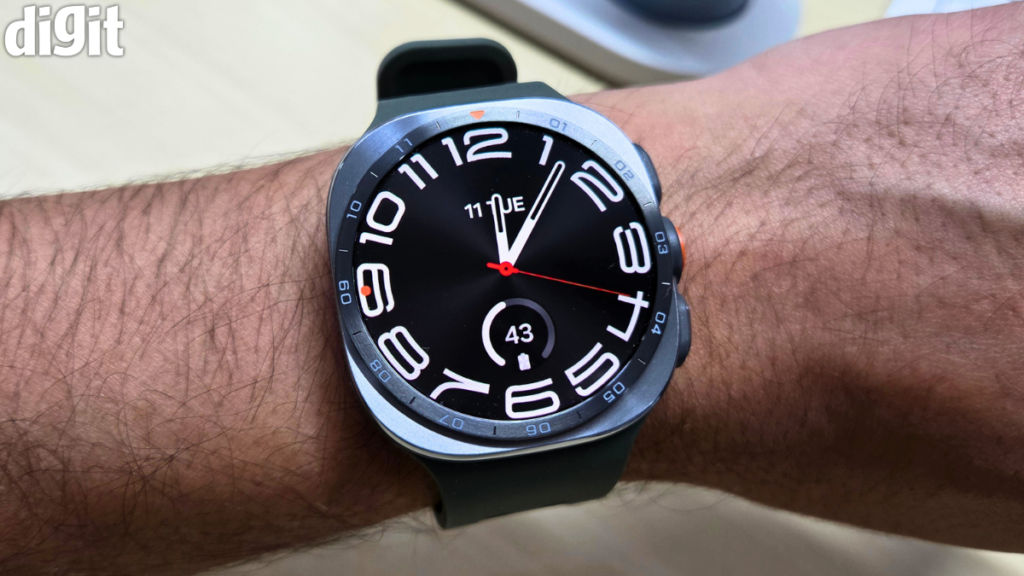
But those refinements are good ones. A slimmer body. A dramatically larger battery. Faster charging. A brighter display. A more powerful processor. Better durability. Samsung has essentially taken the things I liked about the original Ultra and addressed some of the things that stopped me from wanting to wear it all the time.
I would say — Samsung has taken a good first-generation Ultra and made it quite easier to live with. The thinner design makes a bigger difference than you might expect; the silicone strap is exceptionally comfortable; the display is ridiculous in the best possible way; and the larger battery gives the watch the sort of endurance an Ultra-branded device deserves.
Also read: Samsung Galaxy Z Fold 8 review: The best book-style foldable money can buy
So, if you want the best all-round smartwatch Samsung currently makes, and arguably one of the most complete Android smartwatches you can buy, the Galaxy Watch Ultra 2 is very easy to recommend. More importantly, it is the Ultra I actually wanted to keep on my wrist.


