
HyperX Pulsefire Fuse review: A budget mouse that plays it too safe
 Follow Us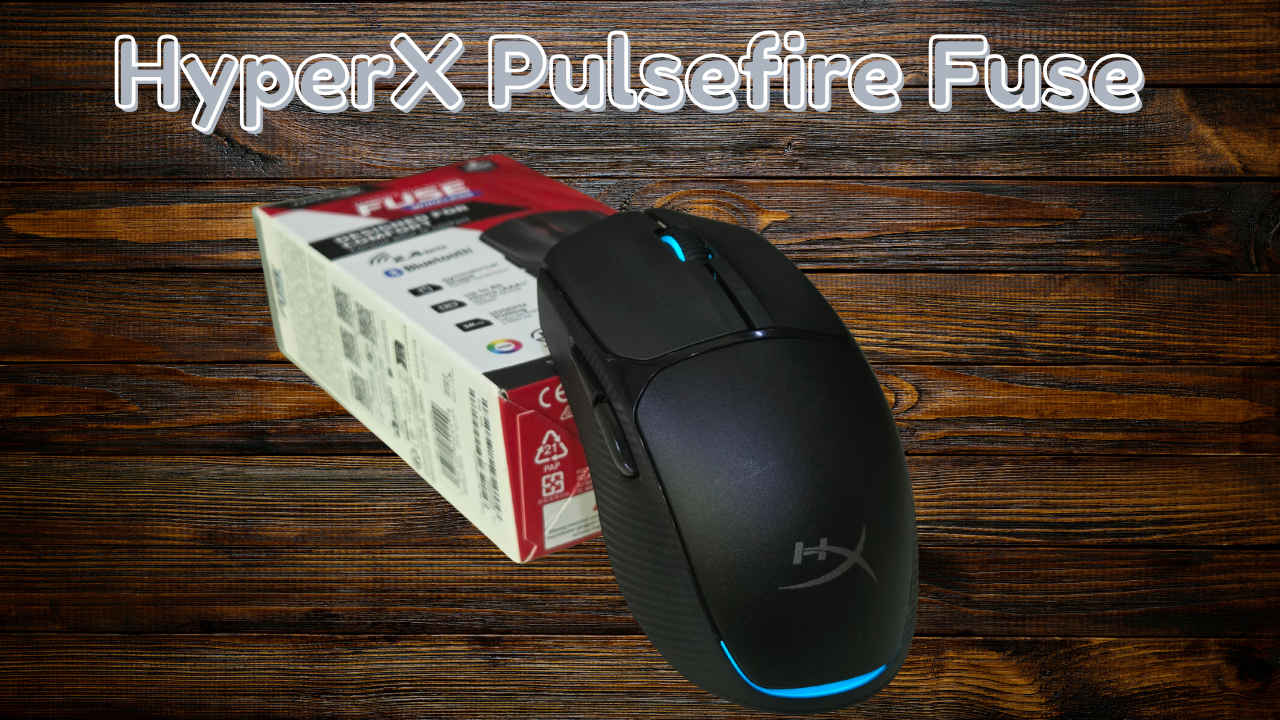

I’ve spent the last week with the HyperX Pulsefire Fuse on my desk, putting it through everything from late-night Valorant sessions to tedious afternoons in Photoshop. At 2,900, it’s positioned right in the heart of the “bang-for-your-buck” territory. It’s a crowded space, and while this mouse certainly does the basics well, I found myself constantly weighing its utility against some of my long-term favorites like the Logitech G304 or the Razer DeathAdder V2 X. It’s a solid piece of kit, but as I discovered, “solid” doesn’t always mean it’s the right fit for every hand.
Also read: Sony INZONE KBD-H75: The gaming keyboard that made me excited to write again
Design and Build
The Pulsefire Fuse sports a clean, symmetrical look that feels modern without being over-the-top. One of the practical touches I noticed is the top cover; it pops off quite easily thanks to a magnetic latching system. Underneath, you’ll find the AAA battery slot and a storage nook for the 2.4GHz wireless dongle. While this internal storage is fairly standard for wireless mice nowadays, it remains a reliable way to ensure you don’t lose your receiver while traveling.
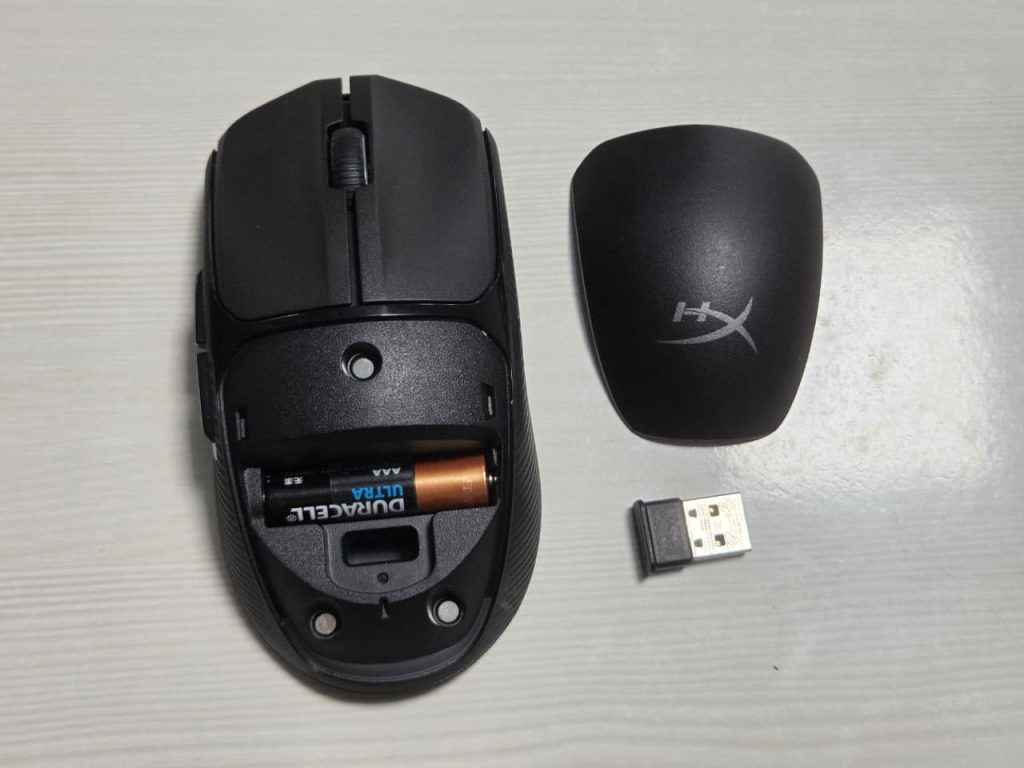
At 75 grams with the battery included, it’s definitely on the lighter side. I’m glad HyperX skipped the honeycomb “holed” look here; the solid shell feels sturdy and stays cleaner over time. The scroll wheel feels great with no noticeable issues, providing a reliable tactile response. However, there’s a catch to that “ambidextrous” shape. While the shell is symmetrical, the side buttons protrude quite a bit from the left side. If you’re a left-handed user, your pinky is going to constantly rub against those buttons, making it a pretty awkward experience. Additionally, the mouse skates are good and feel pretty in-line with other mice in this price range.
Technical Specifications
| Feature | Details |
| Weight | 75g (AAA battery included) |
| Sensor | Pixart PAW3311 (Up to 12,000 DPI) |
| Connectivity | 2.4 GHz Wireless, Bluetooth |
| Switches | Kailh |
| Battery Life | Up to 85 hours |
| Acceleration | 35 grams |
| IPS | 300 IPS |
| Dimensions | 4.9 x 1.6 x 2.5 inches |
Performance
In terms of raw tracking, the Pixart PAW3311 sensor didn’t give me any trouble. Whether I was clearing corners in Valorant or exploring the world of RDR 2, the movement felt consistent. The mouse comes with four default DPI steps: 400, 800, 1,600, and 3,200. Like most modern sensors, this one can technically reach 12,000 DPI, which is far more than I’d ever need for practical gaming, but it’s good to have the overhead. For my actual playstyle, 800 DPI remains the absolute sweet spot.
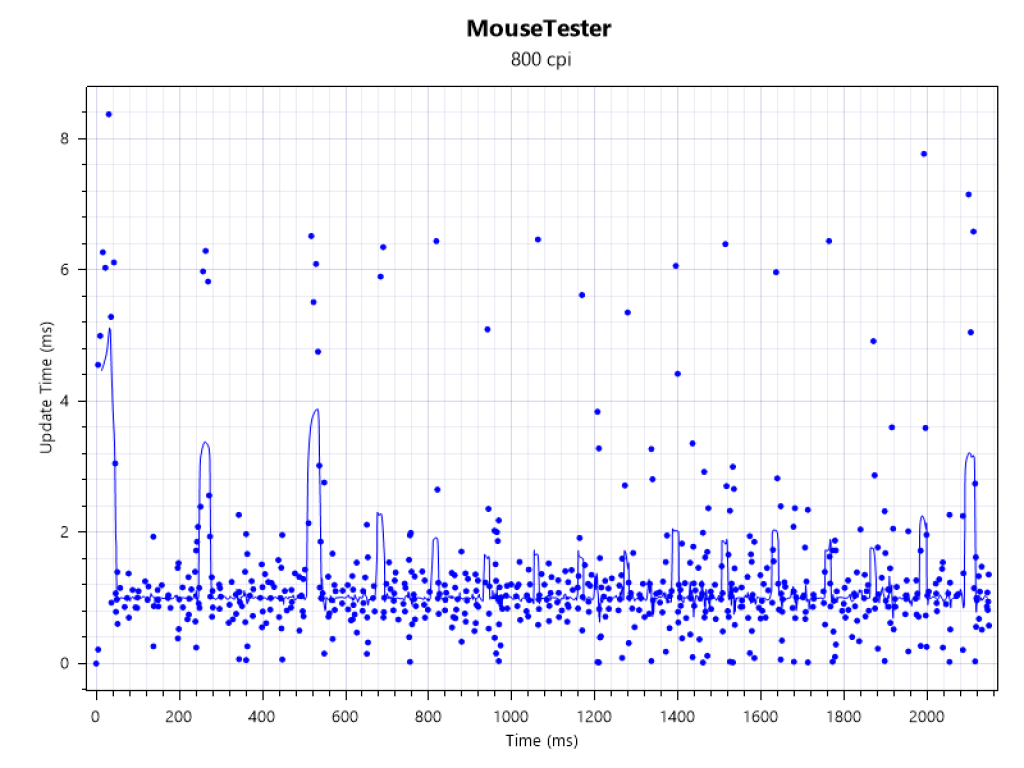
I took a closer look at the sensor’s consistency, and the results were interesting. While it aims for a 1000Hz polling rate, my testing showed that the updates can be a bit “all over the place”. Occasionally, it would take more than a millisecond to register an update, creating some inconsistency in the data. However, I want to be clear: in actual gameplay, I didn’t feel any issues. The sensor still felt pleasantly good and responsive, even if the raw numbers aren’t perfectly uniform.
The dual-mode wireless is a nice convenience. I spent most of my time on the 2.4GHz connection, but having Bluetooth as a backup is great for saving battery. The Kailh switches under the main buttons are crisp, and the scroll wheel has a nice, defined notch to it.
Software and Customization
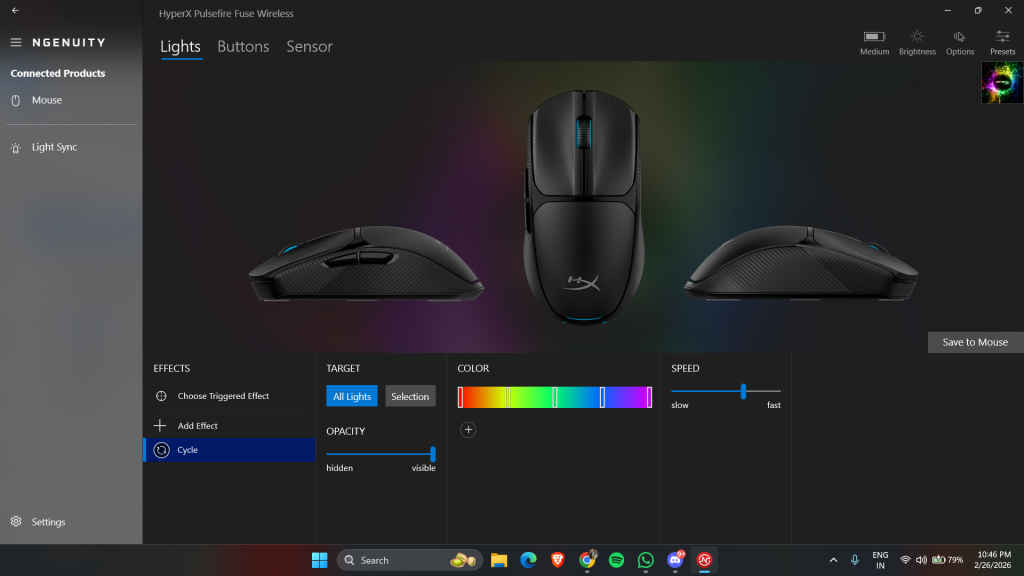
To really dial this mouse in, you’ll need to download the HyperX Ngenuity app. Compared to the massive, often bloated ecosystems like Razer Synapse, Logitech G HUB, or Corsair iCUE, Ngenuity is surprisingly lightweight. It doesn’t try to be a social network or a game launcher; it just sits in the background and does its job.
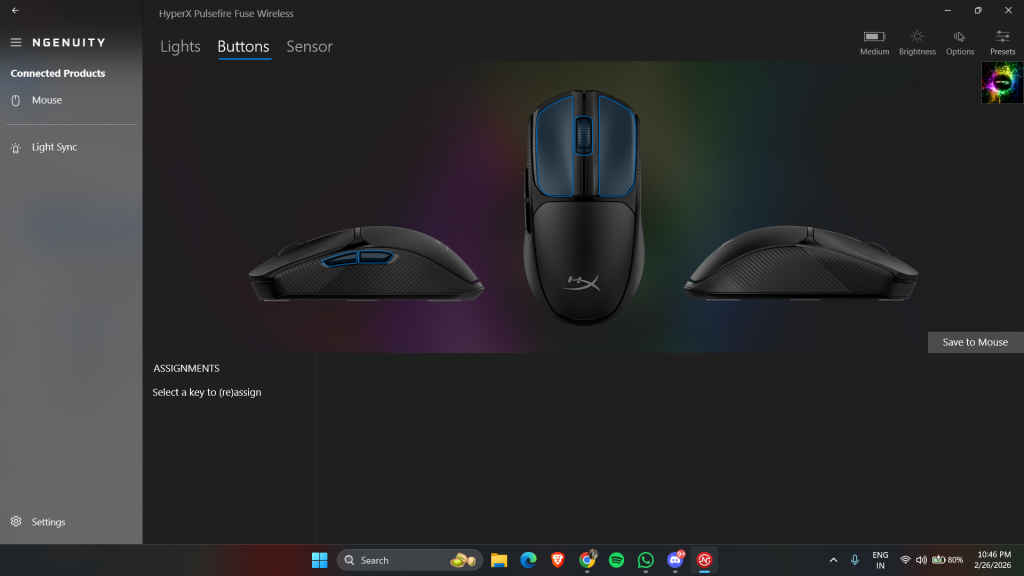
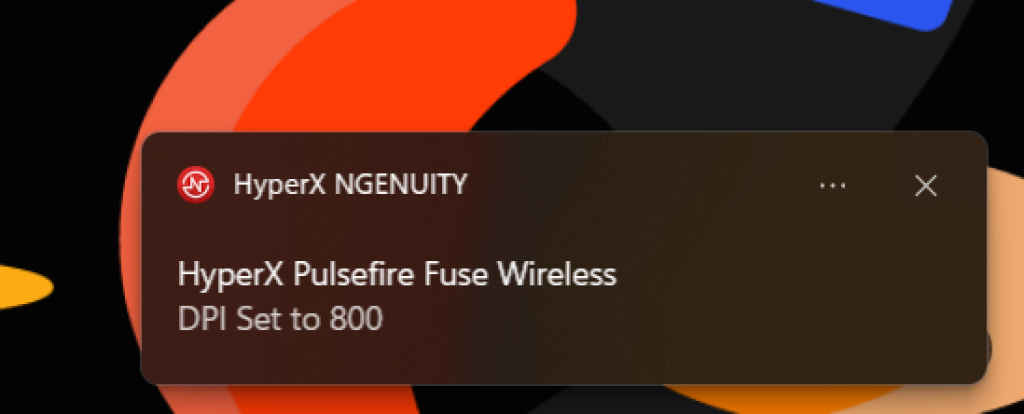
The most useful feature is the on-screen feedback. Whenever I hit the DPI cycle button, a small notification pops up on my monitor to confirm which setting I’ve toggled to. It’s a small touch, but it’s far more convenient than squinting at a tiny LED on the mouse itself. You can also use the software to remap the side buttons or the scroll wheel click.
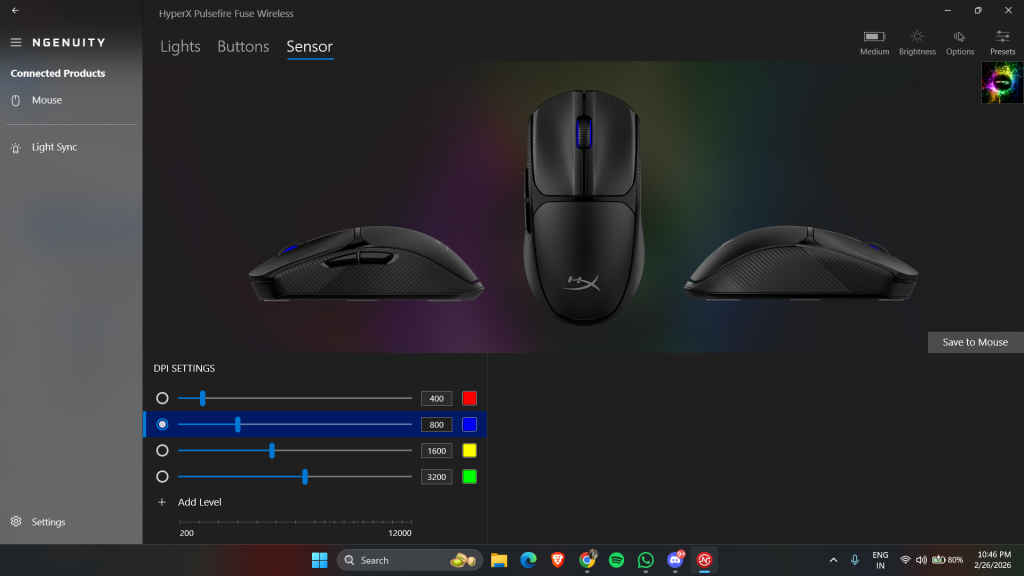
While it lacks the hyper-granular surface calibration or “smart tracking” features you find in high-end Razer software, it covers all the essentials. You can customize the four DPI stages, tweak the subtle RGB lighting, and save your preferences to the onboard memory. It’s a “set it and forget it” tool that avoids the constant updates and login prompts that plague other brands, making it feel much less intrusive than G HUB or Synapse.
Drawbacks
This is where the Pulsefire Fuse and I started to have some creative differences. The ergonomics are very specific; the mouse has a very low-profile, flat design. If you have larger hands, this can feel quite unnatural, as if your palm is hovering without support. It really feels like a mouse built for a claw grip; for my hand, it felt awkward.
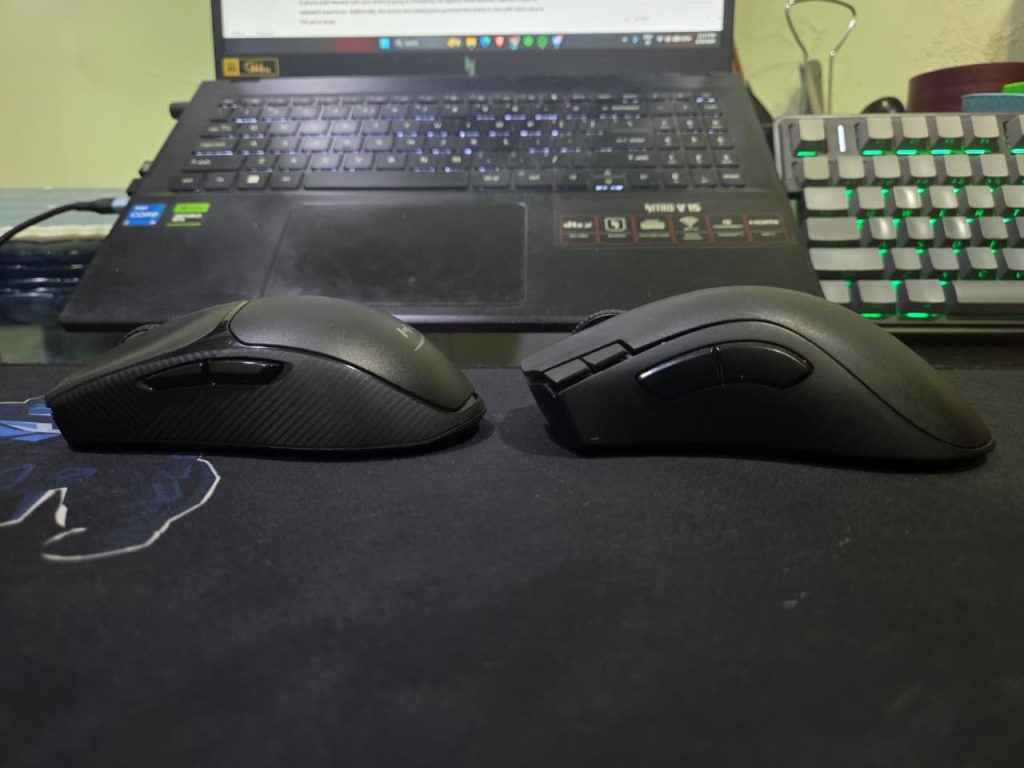
I also struggled with the texture on the sides. It’s a rough finish intended for better grip, but after a bit of use, I found myself wanting to go back to the non-textured finish of my DeathAdder V2 X. Furthermore, the side buttons themselves were a bit of a chore; they were rather stiff, and I had to move my thumb slightly uncomfortably just to reach them.
Lastly, the battery life was a bit underwhelming. I had to change the cell after just over a week of use. When you compare that to competitors that can go much longer, the Fuse feels a bit more demanding for a daily driver.
Verdict
The HyperX Pulsefire Fuse is a dependable, no-frills mouse. It’s light, the sensor is accurate at my preferred 800 DPI, and the build quality is respectable for the price.
However, it doesn’t quite do enough to knock the heavyweights off their pedestals. For my hands, the Logitech G304 or the Razer DeathAdder V2 X still feel like more complete packages with better ergonomics and a smoother feel. If you have smaller hands and use a claw grip, it’s a decent alternative, but it wouldn’t be my first recommendation. If you have smaller hands and strictly use a claw grip, the Pulsefire Fuse is a decent alternative, but it wouldn’t be my first recommendation for everyone.
HyperX Pulsefire Fuse Wireless Gaming Mouse Key Specs, Price and Launch Date
| Release Date: | |
| Market Status: | Launched |


