
ChatGPT Voice now works right inside chats with live transcripts: Check details
 Follow Us
OpenAI is making it easier to talk to ChatGPT by bringing the voice feature straight into the main chat screen.
The company has updated the interface so you don't have to switch to a dedicated voice-only mode to speak with the AI.
The new experience is now the default for all users and is rolling out across mobile and web versions.
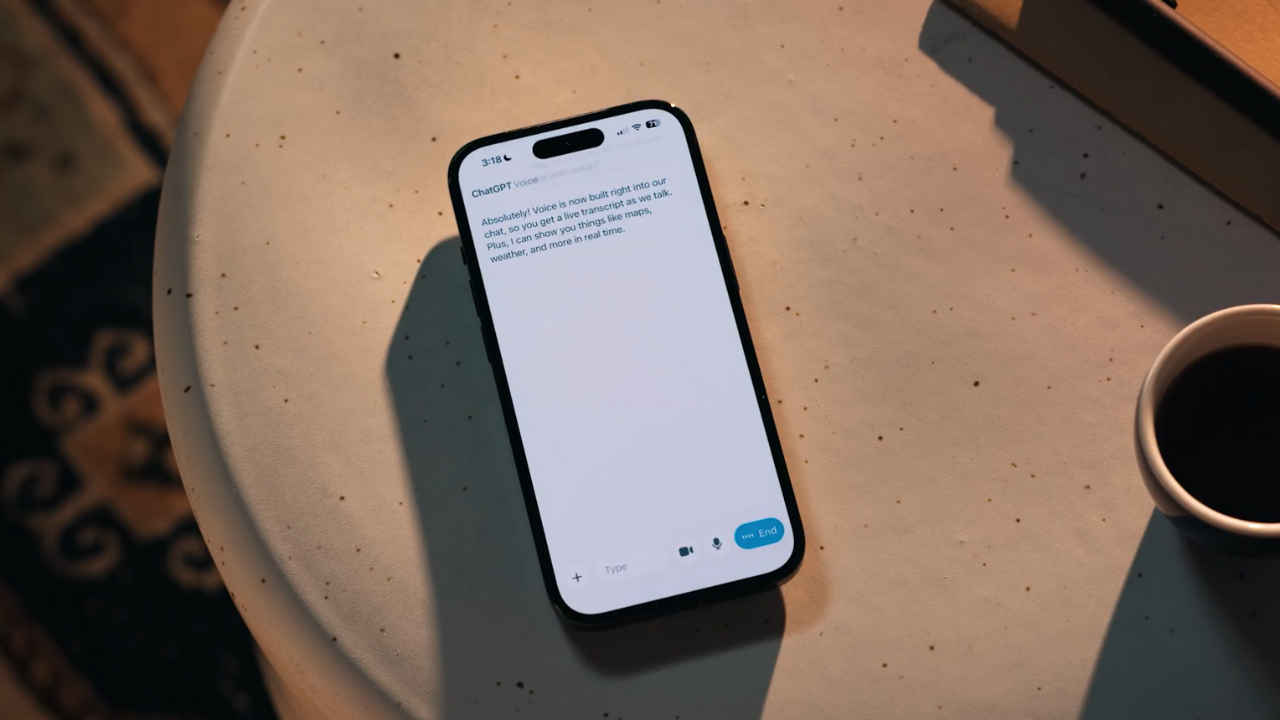

OpenAI is making it easier to talk to ChatGPT by bringing the voice feature straight into the main chat screen. The company has updated the interface so you don’t have to switch to a dedicated voice-only mode to speak with the AI. For context, earlier, if you wanted to use ChatGPT with your voice, the app would move you to a separate screen. There, an animated blue circle showed that ChatGPT was listening and speaking. That page also had a mute button, an option to record live video, and a close button to go back to the normal text chat.
 Survey
The old design had one big drawback: you could only hear ChatGPT’s replies. If you missed something it said, you had to exit voice mode and return to the text view to read the answer. This made conversations less smooth, especially for longer or more detailed replies.
Also read: Perplexity launches its own AI shopping experience, but with a catch
With the new update, all of that happens in one place. You can speak to ChatGPT and, at the same time, watch AI’s response appear as text on the screen. Also, you will see shared visuals like images or maps in real time. When you’re done speaking, you still have to tap ‘end’ to stop the voice session and fully switch back to text-only use.
Also read: Flipkart Black Friday Sale: Samsung Galaxy S24 FE price drops by Rs 28,000, check details
This redesigned voice experience is now the default for all users and is rolling out across mobile and web versions.
If you liked the old, separate voice screen, you can still go back to it. Just head to the app’s Settings, and turn on ‘Separate mode’ under Voice Mode.
Also read: Samsung Galaxy S26 Ultra tipped to get bigger battery and faster charging than S25 Ultra


