

HP Omnibook 5 review: Light as a feather, lasts like a brick
 Follow Us

There are laptops which do not beg for your attention. No flashy design, no boasting specs, and no RGB light that will turn your desk into a night club. This is a laptop that comes each day, serves its purpose, and then goes away. That’s the HP Omnibook 5 (2026) right there, and if you take some time to give it a go, chances are you will like what you see.
Costing ₹1,24,999, the Omnibook 5 aims at the business user looking for a good daily driver. This laptop should offer a decent build, a great look, and excellent battery life. To put it simply, if all three aspects are met, there will not be many people able to complain. In this particular case, all the three aspects are quite good. You cannot say anything bad about the screen on this laptop. It is just great. The battery will last forever and ever. Lastly, at 1.3 kg, this is a very lightweight machine.
In other words, if you want a reliable daily driver for your tasks, this is probably what you have been waiting for. Here is why.
Also read: I tried gaming on an Nvidia Spark Chipset laptop, here is what happened
Design and Build: The art of not getting in the way
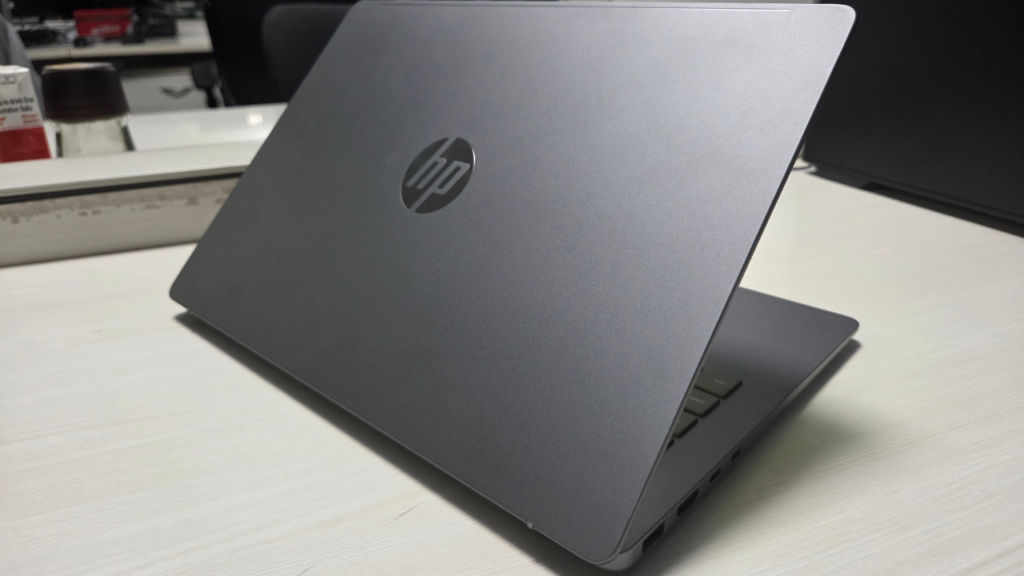
Weighing just 1.3kg and only 13.6mm thick, the Omnibook 5 is easily stowed away in a shoulder bag, then forgotten entirely. The metal casing feels solid and substantial, while the matt finish deals with fingerprints as well as an adult would, and all of this packed into dimensions of 312 × 217mm – still relatively compact for a 14-inch model.
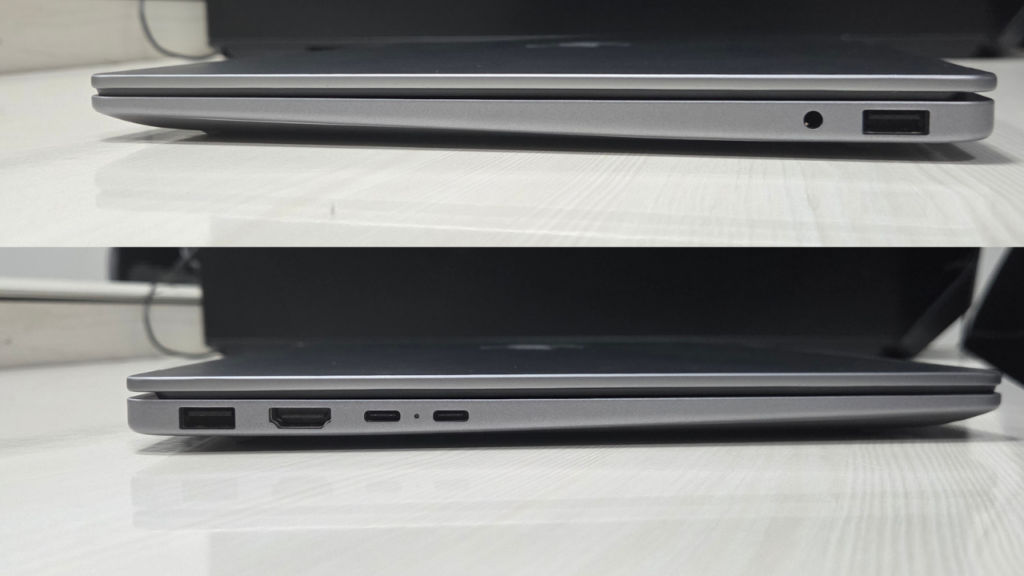
Keyboard design is neat and makes sense, with no numpad and nothing too fancy. FN key sharing for media controls and backlight adjustment is now expected at this price point, so we’re not getting any sleepless nights from it. The touchpad is sensitive and responds well. There’s absolutely nothing flashy here in terms of construction – except some solid quality and precision behind it.
Display: Cinematically good
Let’s get the numbers out of the way: 14-inch 2K OLED panel with 300 nits of brightness. By any display standard, this is a very colour accurate and beautiful display. In practice, the display is the part of this laptop you’ll brag about. Playing Star Wars Jedi: Survivor on it – a game that’s full of cinematic lighting – felt genuinely good. Not “good for a budget laptop” good. Just good. And watching Project Hail Mary, a film that deserves the best screen you can give it, the Omnibook 5 held its own. It’s not IMAX. But you’ll finish the movie satisfied.
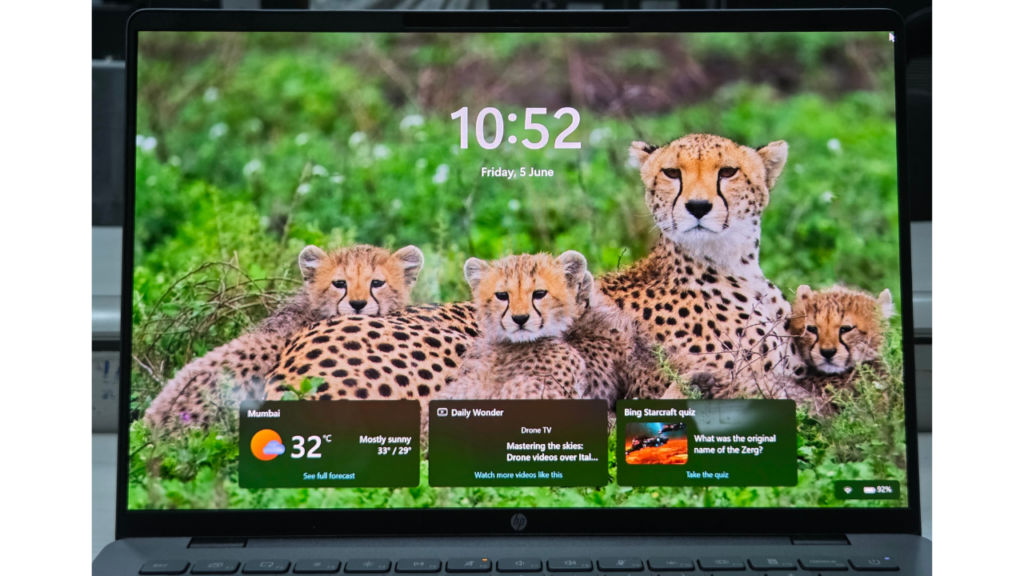
It’s a matte panel too, which means no ghostly reflections of your ceiling fan while you’re trying to work. A decision HP got right. The one asterisk: 60Hz. For productivity and content, pretty much invisible. For some light gaming, we’ll get to that.
Performance: Solid, for the most part
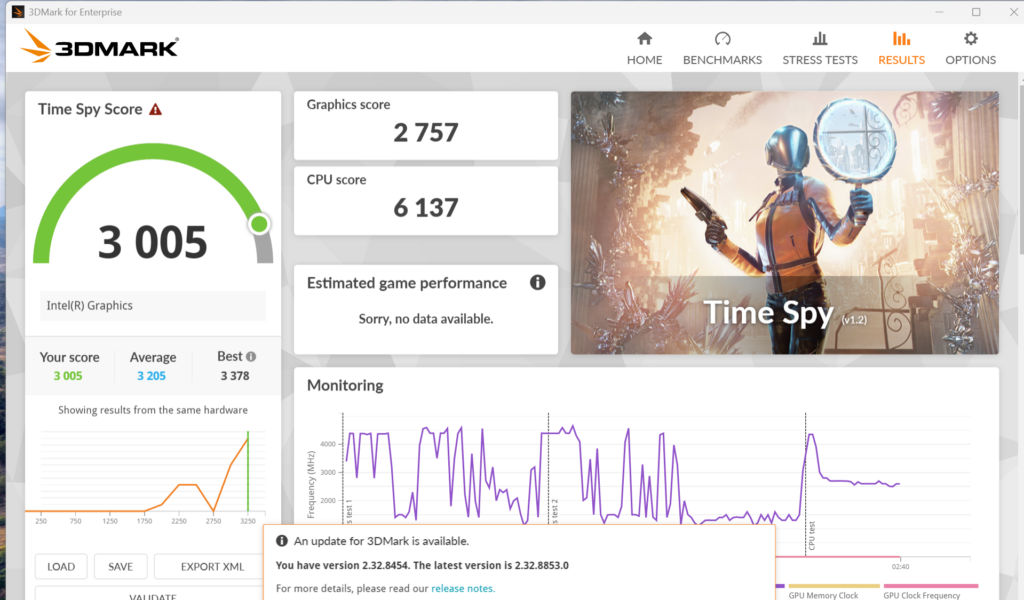
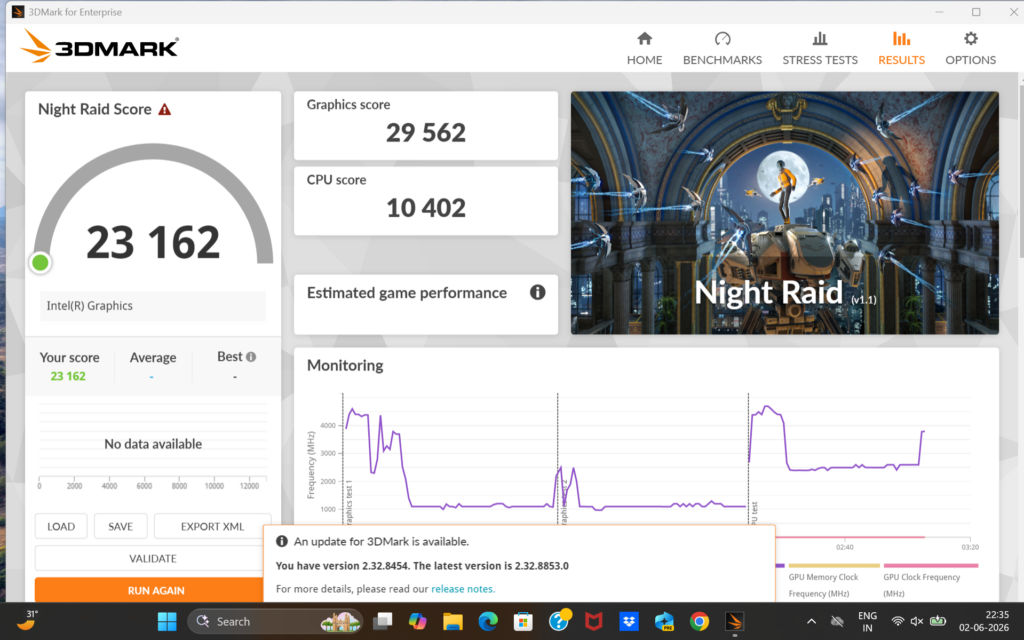
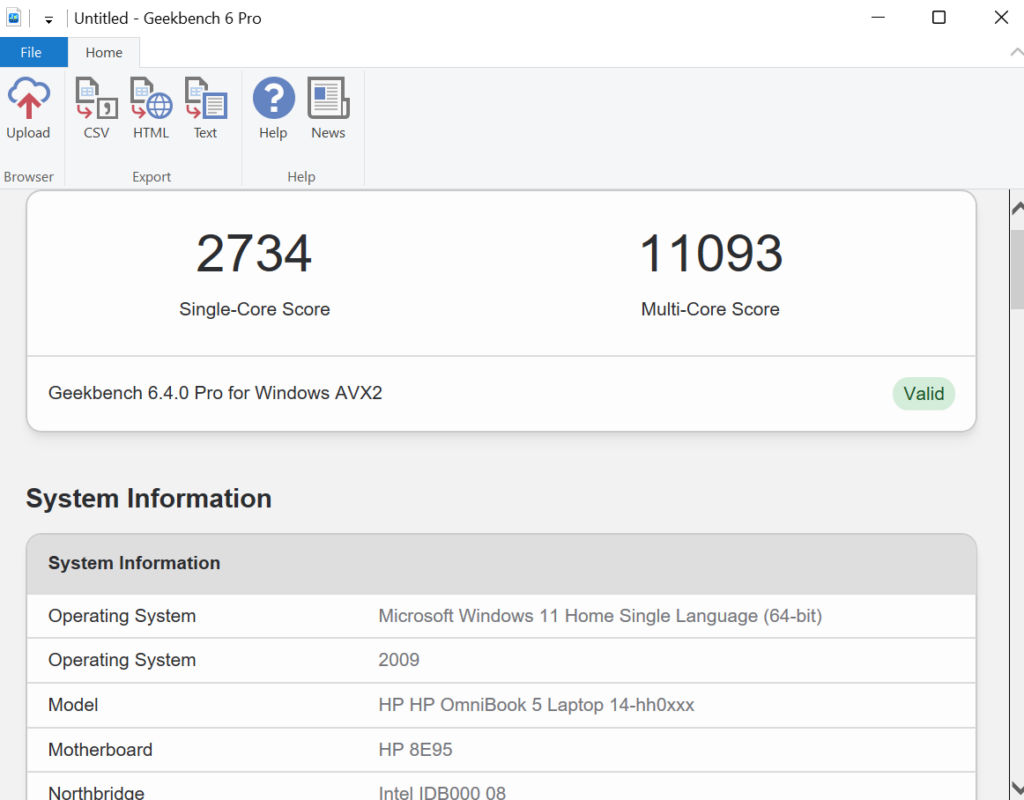
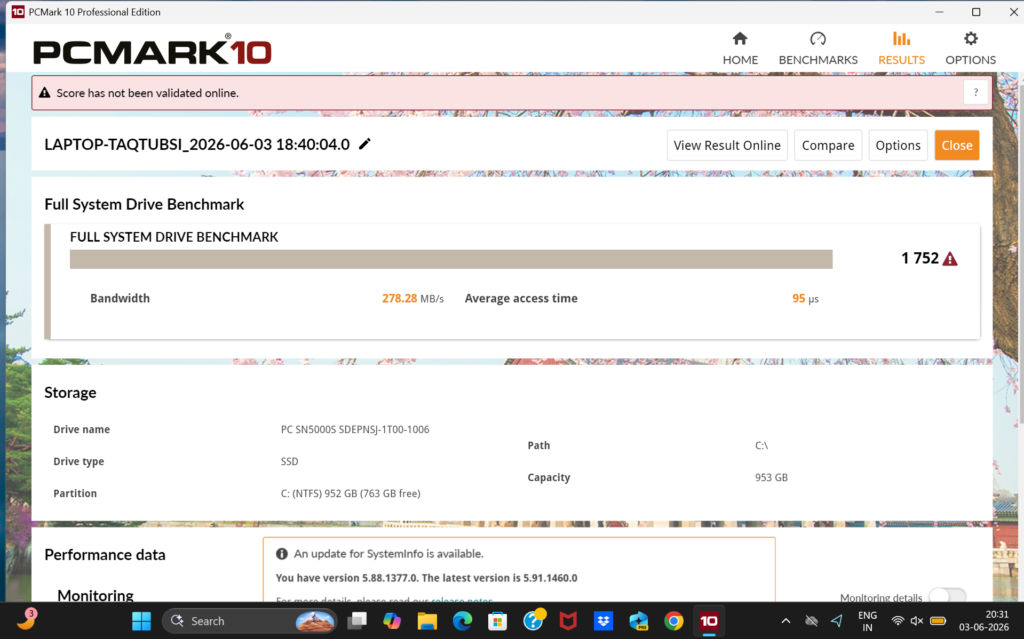
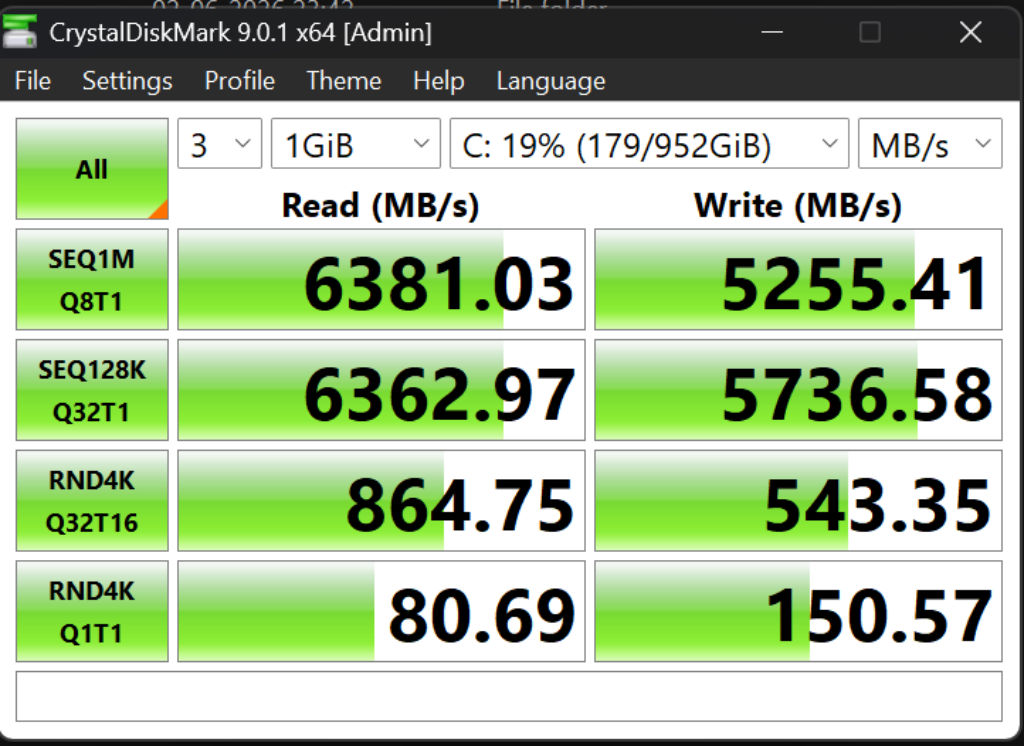
With 16GB of LPDDR5X at 6,800MHz, the Core Ultra 7 355 is a competent everyday CPU that can get through pretty much anything a regular person would do with a thin-and-light laptop without any trouble. The 1TB NVMe SSD delivers sequential read/write speeds of 6,381 MB/s and 5,255 MB/s, respectively, on CrystalDisk, which translates into quick app launches and large file transfers. PCMark 10 gave the laptop an overall rating of 7,482, a good score for this kind of machine – productivity tasks such as writing documents or making video calls run smoothly. As for performance, Cinebench R23 returned a multithreading score of 10,067 and a single-thread result of 1,899, a decent score for a thin-and-light notebook that operates almost completely silently. Geekbench 6 gave the Intel CPU 2,734 single-core points and 11,093 multi-core points – not amazing, but still quite good. Finally, as far as AI is concerned, Procyon AI Computer Vision benchmark (Windows ML Float32) scored the onboard NPU 85 points, placing it in the realm of everyday computing power – enough for some basic noise cancellation and live captions.
Also read: I used the Primebook 2 Max for a month: Here’s what it’s actually like
One honest caveat: under sustained heavy load, the CPU peaked at 96.3°C during our Cinebench stress test, and we saw a throttle gap of around 2,859 points in back-to-back runs. In other words, it slows itself down to stay cool when you push it hard for extended periods. That’s expected behaviour for a 13.6mm chassis but it’s not just an internal story. Surface temps under load tell it plainly: WASD hit 35°C, the centre cluster reached 32°C, above the keyboard was 34°C, and the palm rest came in at 34°C. The bottom panel was the coolest at 29°C, which is cold comfort when your hands are sitting on the warm end. You will feel the heat when you push this machine. It won’t burn you, but it’ll remind you it’s working.
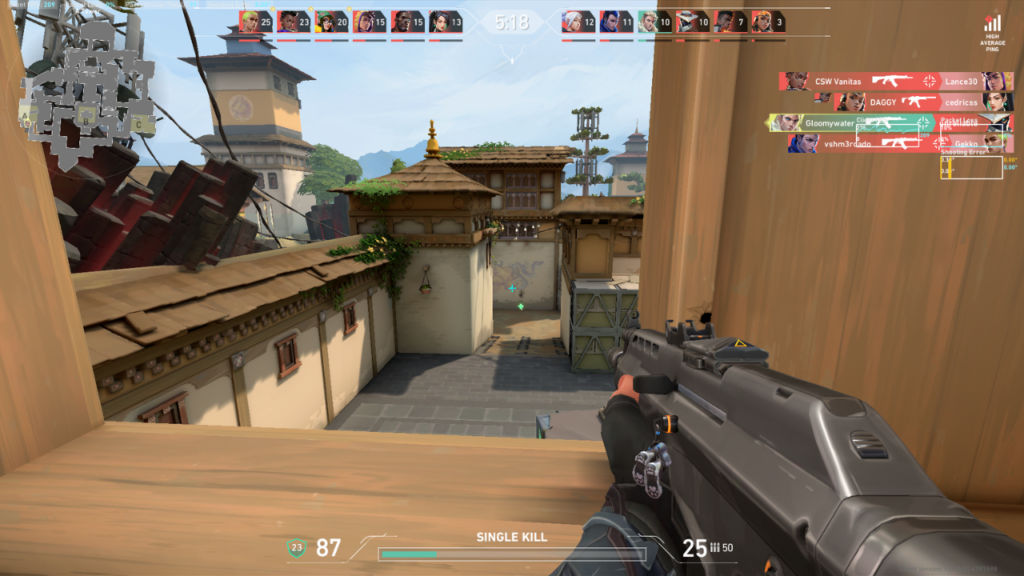
Gaming isn’t quite what you would buy this laptop for but who doesn’t like to take it easy and play something fun every once in a while. Performance for that is also pretty decent, but with a caveat. Jedi: Survivor, a graphically intensive third-person game, maintained a rock-solid 60 fps performance throughout. At that resolution, it looked beautiful, too. Pure joy to play. Valorant ran at an incredible 200 fps on low graphics, which might sound amazing until you consider that the panel runs at 60 Hz. FPS gaming at 60 Hz in 2026 will be hard enough even for your average consumer. The Omnibook 5 is not a gaming laptop by any means – its panel says it all. Some story-driven game on the weekends? Yes please. Grinding ranked in Esports titles? Try something else.
Battery life: The reason to buy this laptop
The number? 1,017 minutes from the Modern Office test of PCMark 10. That equates to just under 17 hours. But before you sigh and say “benchmark numbers are meaningless”, this particular benchmark number actually meant something in the real world. Work days, Photoshop, Illustrator… no power cable. None at all.
And that’s what makes the Omnibook 5 special, in a really big way. You’ve all had those laptops where you are constantly counting down your battery percentage and trying to find some place to plug in somewhere along the way. The Omnibook 5 means you never have to do that again. It charges in around an hour, and once that’s done, it simply runs all day long. Add that to its weight of 1.3 kg, and you have a computer you don’t have to think about until you actually use it.
Camera and Audio: Gets the job done
The webcam is 1080p – decent, solidly usable for video calls, nothing you’ll be writing home about. It won’t replace a dedicated webcam for creators, but for its intended use – Teams calls, Zoom check-ins, the occasional video interview – it holds up without embarrassment. The bottom-firing speakers are a genuine pleasant surprise. Loud, clear, and competent enough to fill a room with music or make a movie actually enjoyable without headphones.
Verdict
This is not a device that aims to outperform others in terms of technical specifications. With its 60 Hz screen, lack of a fingerprint sensor, and CPU downgrading under heavy loads, this is an outdated device.
But I am here to give my true opinion about this device, and I must say that it does not matter for the person it was designed for. If you are a student or a professional, someone whose main requirement from the laptop is mobility, reliability, and stylishness – there’s no better alternative than this. Battery life alone will pay for itself; the screen is just a cherry on top, and the build-quality guarantees that you will never regret your choice in six months’ time. The HP Omnibook 5 is a very subtle laptop indeed. Sometimes, this is precisely what you require.
Also read: GIGABYTE AMD Radeon RX 9070 GRE OC Graphics Card review
HP OmniBook 5 NGAI 14-hh0030TU (D5DJ7PA) Key Specs, Price and Launch Date
| Release Date: | |
| Market Status: | Launched |


