WhatsApp announces multiple accounts support: Two accounts, one device
 Follow Us
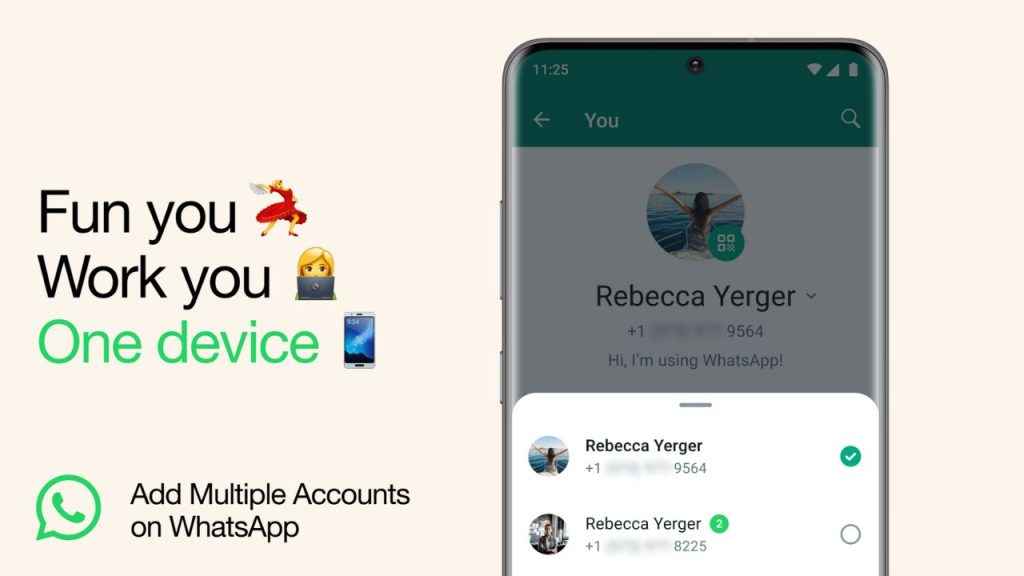
WhatsApp has announced the ability to have two accounts logged into one device.
This feature will especially be helpful for individuals who switch between multiple accounts.
It eliminates the need to log out each time or carry two separate phones.


Meta-owned messaging platform WhatsApp today announced the ability to have two accounts logged into one device. This feature will be particularly useful for individuals who want to maintain two separate accounts, one for personal use and the other for professional purposes.
 Survey
The multiple accounts support eliminates the need to log out each time, carry two separate phones, or worry about sending messages from the incorrect account. Also, you can control your privacy and notification settings on each account.
Also read: WhatsApp unlocks passwordless logins for Android users with passkeys: Know more
This will be rolling out to Android users in the coming weeks and months, so just wait a little while if you haven’t received the feature yet.
Also read: WhatsApp will let you send view-once voice notes: Here’s how

In our opinion, with multiple accounts, users can keep their personal and professional communications separate, reducing the risk of accidentally sharing sensitive information with the wrong contacts. Also, as users will no longer need to carry two phones or switch between different devices to manage multiple WhatsApp accounts, this feature simplifies the user experience and makes it more efficient.
Moreover, for business owners or freelancers, this feature will be particularly helpful, as it will enable them to manage their business communications alongside personal ones without the need for a separate device.
How to set up a second account on WhatsApp
To set up a second account, you will need a second phone number and SIM card, or a phone that accepts multi-SIM or eSIM. Now, follow the below steps.
Step 1: Open WhatsApp.
Step 2: Open the WhatsApp settings.
Step 3: Now, click on the arrow next to your name, and click “Add account”.
The company also suggested that you should only use the official WhatsApp and not download imitations or fake versions as a way of getting more accounts on your phone.


