
Your Android phone could save you in an earthquake: Here’s how
 Follow Us
Android uses your phone’s sensors to detect early tremors and alert users before damaging waves hit.
The feature is gradually rolling out across India, supported on Android 5.0+ phones with Google Play Services.
You can enable alerts via Settings > Safety & Emergency > Earthquake Alerts. Location must be turned on for it to work properly.
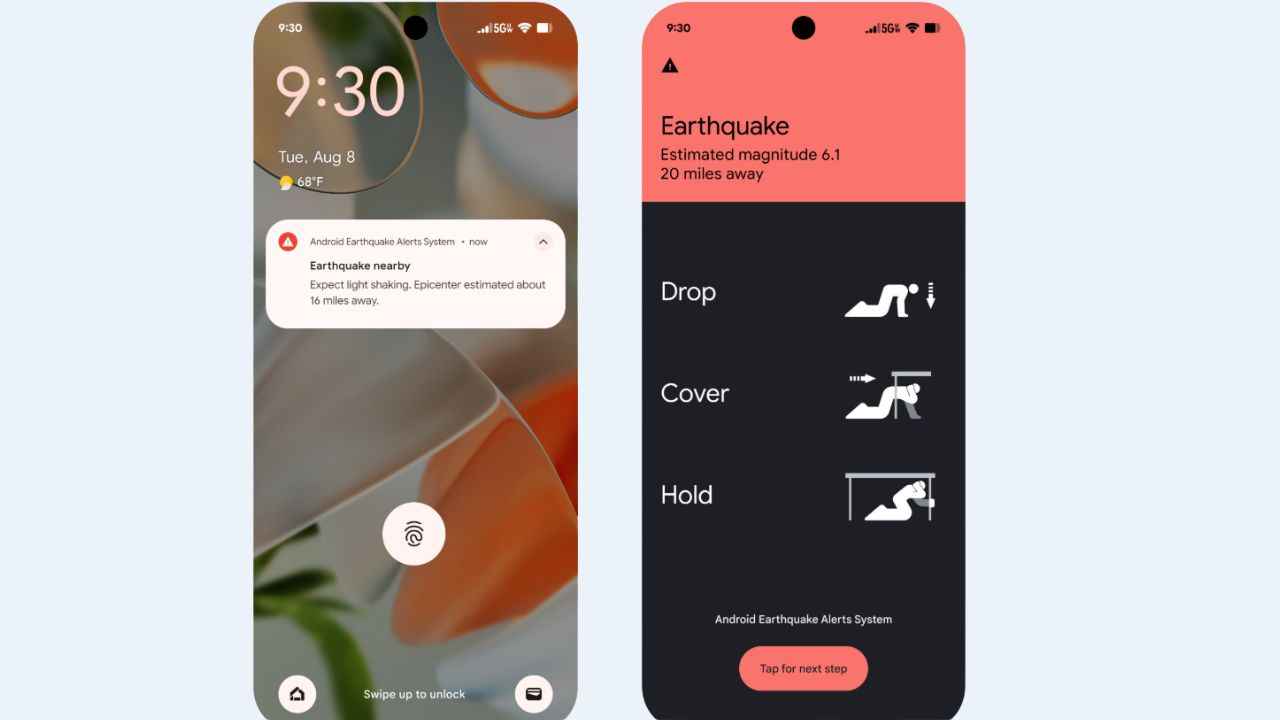

With recent earthquake tremors felt across North India, getting even a few seconds’ warning before the shaking starts can prevent people from getting panicked and help them stay safe. Thanks to the Android system, you can now receive a prior warning before the earthquake. The Android smartphones come with a built-in earthquake alert system that can warn you before it hits you. All you have to do is enable the earthquake alert in your system’s settings.
 Survey
Here’s how it works and how you can enable it on your device.
How does the Android earthquake alert work?
Your phone’s accelerometer, the sensor that detects when you rotate your screen, picks up the initial, faster tremors of an earthquake, known as P-waves. These early waves aren’t harmful but signal that a bigger shake may be coming. Once your phone detects these signals, it anonymously sends your location and motion data to Google’s servers.
When enough phones in one area detect the same early tremors, the system confirms an earthquake is underway. Before the slower, more damaging S-waves arrive, Google sends out an alert to your phone, giving you a few seconds of time to prepare.
Who can use this in India?
The earthquake alert system is being rolled out gradually across India, with initial activation already underway in many major cities and quake-prone regions. If your Android phone runs version 5.0 or higher and has Google Play Services enabled, you’re probably covered.
Alerts activate automatically in supported areas; however, you must still enable them in your settings.
How to enable earthquake alerts on your phone?
- Open the Settings app.
- Scroll to Safety and emergency (or Location on some phones).
- Tap on earthquake alerts.
- Toggle the switch to Enable alerts.
- Ensure your location is enabled, as it helps the system function more efficiently. The data is anonymous and used only to detect quakes.
What to do when you get an alert?
If your phone buzzes with an earthquake warning act quickly by moving to a safe place like a corner of your room or under the table or hold on to a sturdy surface. Also, stay away from windows and anything that might fall and most importantly, don’t panic.


