
Not only Siri AI, here are the biggest Apple Intelligence features unveiled at WWDC 2026
 Follow Us
Photos gains AI-powered Spatial Reframing, image expansion tools and improved object removal capabilities.
Safari can now organise tabs automatically, monitor webpages for updates and even create custom extensions using natural language prompts.
Apple Intelligence is also coming to Messages, Mail, Calendar, Home and Shortcuts with smarter automation, scheduling and communication features.
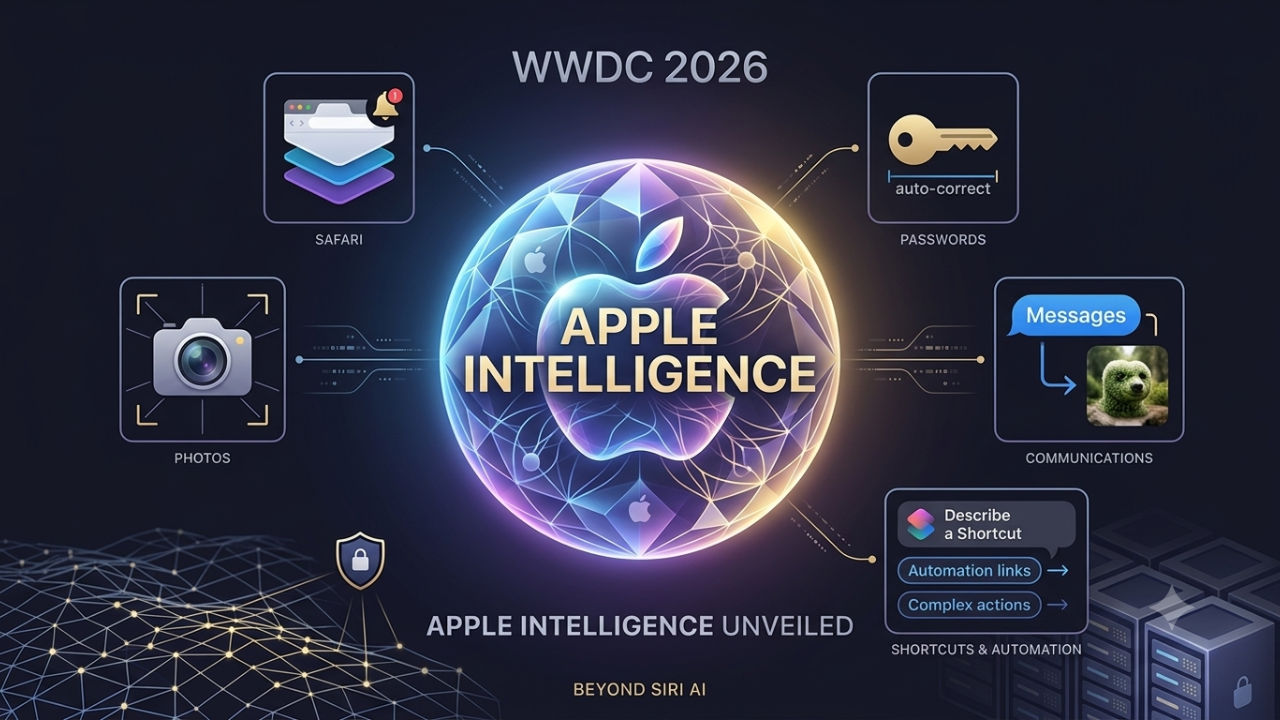

Apple has just concluded one of its most important WWDC events in history and it turned out to be what we expected. Apple has gone big with its Apple Intelligence features and also introduced the much needed Siri AI for all the platforms. As mentioned earlier, there are a broad range of AI features that we can talk about in apps, including Photos, Safari, Passwords, Messages, Home, Shortcuts and accessibility tools. And if you missed watching the events, here are the Apple Intelligence features that were announced.
 Survey
Apple Intelligence gets a major upgrade at WWDC 2026
Apple, along with the new Siri AI, announced advanced photo editing tools, smarter browsing experiences, AI powered writing assistance, intelligent scheduling features and upgrades for accessibility. Apple said that the new features are powered by a new architecture built around its latest Foundation Models and Private Cloud Compute infrastructure. The company claims the approach allows users to benefit from advanced AI capabilities while keeping personal data protected. These features are said to roll out later this year with iOS 27, iPadOS 27, macOS 27, watchOS 27 and visionOS 27.
- Spatial Reframing and Smarter Photo Editing
Apple has offered some AI upgrades to the Photos app. It includes Spatial Reframing, which basically allows users to adjust the perspective of an image after it is captured. So, instead of simply cropping a photo, the tool can generate additional content to maintain a natural-looking composition.
It also introduced an Extend tool which can also expand the edges of an image to accommodate different aspect ratios or straighten horizons without losing the elements. This means all your Instagram and Facebook posts are sorted. Adding on, the Clean Up feature is also improved to better remove distractions from complex scenes.
- Safari becomes more intelligent
Safari is also getting several AI upgrades. The company showcased a new tab organisation system that can automatically group related tabs into topics, helping users manage cluttered browsing sessions.
Along with this, the company introduced Notify Me. This feature allows Safari to monitor webpages and alert users when something changes, such as a product coming back in stock or a price drop. Apple is also introducing Describe an Extension, which lets users create custom Safari extensions by simply describing what they want the extension to do.
- Passwords can now update weak credentials automatically
The Password app is also becoming more proactive. In addition to warning users about the compromised credentials, it can now automatically navigate supported websites and replace weak passwords with strong alternatives. Apple says the process happens securely and is designed to reduce the friction involved in maintaining good password hygiene.
- Image Playground gets photorealistic image generation
Apple has also expanded Image Playground. It can now make photorealistic visuals in addition to its existing artistic styles. The users will be able to modify generated images via natural language prompts, resize objects and make adjustments via simple gestures. Apple is also allowing generated images to be used for Lock Screen wallpapers and Contact Posters.
Also Read: WWDC 2026: What new tools Apple is giving parents to manage kids’ screen time
- Smarter Messages, Mail and Calendar
The company has also made the Messages, Mail and Calendar smarter just by integrating the Apple Intelligence into communication tools. Messages will now be able to suggest actions based on conversation context, including creating reminders or locating photos mentioned during a chat.
Mail has also got a Smart Reply feature, which can adapt to the user’s writing styles, while Calendar will be able to create or edit events simply by understanding natural language descriptions.
- Describe a Shortcut and AI-powered automation
Apple has also announced that it wants to make automation easier. And for that, it announced Describe a Shortcut. Instead of manually building workflows, users can explain what they want to achieve and the Shortcuts app will make automation automatically. The users will also be able to modify existing shortcuts using natural language commands, making the feature far more approachable for beginners.
- New Home app intelligence and accessibility improvements
Lastly, the company also announced that Home app can now summarise activity from connected devices and generate descriptions for security camera footage. Along with this, the accessibility features have also got new addons. The VoiceOver gains richer image descriptions, Voice Control becomes more flexible with natural language commands and the Accessibility Reader can summarise and translate more complex content.
Siri AI isn’t the only story
While most headlines mention Siri AI, Apple appears to be pushing for a comeback after falling behind for more than a year. When it comes to AI features and integration, Google, Samsung and other competitors may already have an advantage.. But with the personal context and App actions, it can turn around the narrative. However, it remains to be seen as Siri will ship as a ‘Beta’ first and we still do not known when it will roll out to the public.


