

Logitech launches new MX Keypad for developers, here is what it can do
 Follow Us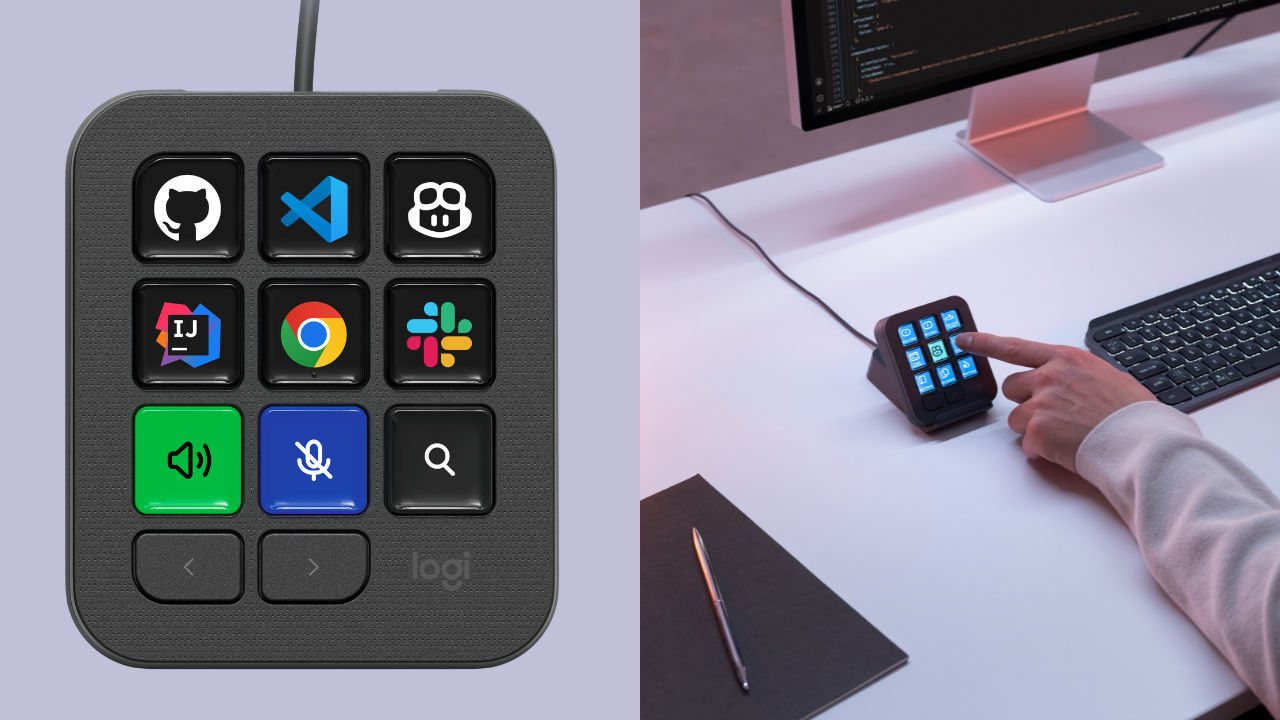

Developers across the world have adapted to AI and while it has reduced the time taken to complete various tasks, it also has added another layer of tools to keep track of. Think about it. There are coding agents, IDEs, prompts, commands, and whatnot. And we all know that switching between different apps can get tiring pretty quickly. Logitech is now trying to simplify that with its latest MX Keypad. It is essentially a physical control centre for AI-powered coding workflows, with keys that can be customised to perform different actions across multiple apps. The company says it has been designed with developers in mind and can work with tools including GitHub Copilot, Claude Code, VS Code and IntelliJ IDEA.
 Survey
Also read: The Blood Of Dawnwalker sells 1 million copies in 3 days, Rebel Wolves confirms
Logitech has partnered with GitHub
Logitech has developed the MX Keypad in collaboration with GitHub, with native integration for GitHub, VS Code and the GitHub Copilot app available at launch.
The company says it plans to expand the functionality to more tools over time. This could make the keypad more useful for developers who work across multiple coding platforms rather than sticking to a single IDE or AI assistant.
There is also a small bonus for GitHub Copilot users. Every MX Keypad comes with three free months of GitHub Copilot Pro+, which can be redeemed through Logitech’s Logi Options+ software. The offer is available to both new and existing users.
What can the Logitech MX Keypad do?
The main idea behind the MX Keypad is to give developers a tool where instead of constantly switching between different applications and typing the same prompts or commands, they can just assign actions to the physical keys and trigger them directly.
According to Logitech, any key on the MX Keypad can be configured to control one or multiple apps and agents. This means developers can create shortcuts based on the way they actually work, whether that involves launching commands, running prompt macros or refactoring code.
The keypad is designed to work across multiple AI coding tools and IDEs, with Logitech specifically mentioning GitHub Copilot, Claude Code, VS Code and IntelliJ IDEA. The company is also including plugins for GitHub Copilot and Claude Code, which have been created and tested by developers.
Logitech is also opening up the MX Keypad through its Logi Actions SDK. The idea is to let software engineers create their own tools and integrations instead of being limited to what Logitech provides out of the box.
The company says the SDK comes with AI-friendly documentation, allowing coding agents to generate custom integrations directly from it. Logitech describes this as something developers could potentially build in an afternoon rather than a large development project.
There are already plugins for Claude Code and OpenAI Codex on the Logi Marketplace. These can provide things such as real-time agent status tracking and command-line control through the physical keys.
Logitech says the SDK can work across more than 100 million compatible Logitech devices, giving developers a fairly large ecosystem to build around.
The Logitech MX Keypad will be available in India in a Graphite colour variant. It is priced at Rs 15,999.
Also read: Apple cancels two MacBooks that were in the works, says report


