

iOS 26 release date announced: Top 5 features that are worth waiting for
 Follow Us
A new translucent design makes icons and menus look layered and more dynamic.
Photos app fixes navigation; Phone app adds call screening with caller reason prompts.
Default app settings in one place and live translation in iMessage, FaceTime, and calls.
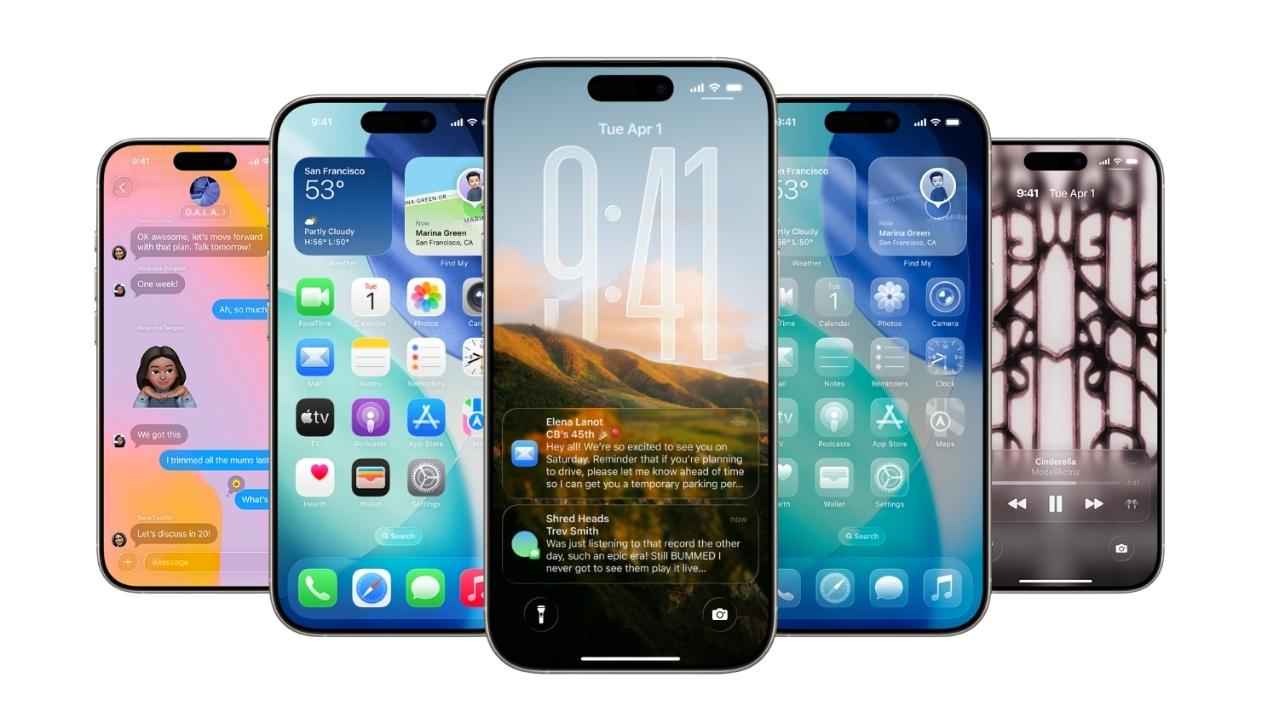

Apple is getting ready to roll out iOS 26 on September 15. However, the company has already given a sneak peek of the upcoming upgrades and features via the developer beta versions. The update feels like one of the most significant iPhone upgrades in years. The update will be available for iPhone 11 and later, SE 2nd and 3rd gen, and the new iPhone 16e. Apple Intelligence features, however, will be exclusive to iPhone 15 Pro, 15 Pro Max, and the entire iPhone 16 lineup.
 Survey
Here are the top 5 features that are worth trying.
1. Liquid Glass
The first thing you’ll notice in iOS 26 is Liquid Glass, Apple’s new design style. It makes your iPhone look like everything is layered behind translucent glass. Icons pop out with more depth, menus turn semi-transparent, and the whole interface feels more alive. Some testers aren’t fans of the shiny new look, but side by side with iOS 18, it’s hard to deny that iOS 26 feels fresher and more modern.
2. Photos app
With iOS 18, Apple altered the layout in the Photos app. However, with iOS 26, the company will offer a clear and neatly organised app. The Photos app will get two simple icons at the bottom: Library and Collections. The Library view is the default for scrolling through all the photos, while Collections will neatly organise albums, people, and memories. You can even rearrange the order of collections to keep your favourite ones right at the top.
Also read: Redmi Note 14 Pro Plus 5G price drops by Rs 6,895 on Amazon
3. Call screening in the Phone app
For the first time in years, Apple is giving the Phone app a big update. The app will get a clean layout with Favourites, Recents, and Voicemail shown together. However, the most anticipated feature is call screening. When enabled, unknown callers will be asked to type who they are and why they’re calling before letting users decide whether to pick up or ignore. The feature will help users avoid spam calls. Android phones like Google’s Pixels have had it for a while, and now it’s finally arriving on iPhones as well.
4. Set your default apps
In the past, Apple hasn’t made it easy to change the default apps. Now, with iOS 26, users can choose all their default apps in one place. To enable this, users will be required to go to Settings, select Apps, and then tap Default Apps. There, you can modify the defaults for email, messaging, calling, call filtering, browser, translator, passwords, contactless payments, and keyboard.
5. Live translation to iMessage, FaceTime and Phone app
Apple is still trying to catch up when it comes to AI, but the company did announce a slew of AI-related upgrades at WWDC 2025. Live Translation is finally coming to Messages, FaceTime, and the Phone app, helping users to communicate across languages by translating both text and audio on the go. This is a feature that Samsung’s flagship phones and the Pixel phones have had for a while.


