
Digit.in
  • News
  • Reviews
  • Top 10s
    • Best Phones Under 10000
    • Best Phones Under 20000
    • Best Phones Under 30000
  • Features
  • How To
  • AI
  • Digit Binge
  • Mobile Recharge Plans
  • Web Stories
  • DIGIT ZERO1 AWARDS
  • Digit Shop
  • English
  • Hindi
  • Tamil
  • Kannada
  • Telugu
  • Malayalam
  • Bangla
  • Marathi
Login / Register is disabled Login
  • Mobiles
    • Latest
      • Redmi 15 6 GB 128 GB
      • Oppo K13 Turbo Pro 8 GB 256 GB
      • Oppo K13 Turbo 8 GB 128 GB
      • Vivo V60 8 GB 128 GB
    • Popular
      • OnePlus Nord 5
      • Apple iPhone 17 Pro
      • OnePlus 15 5G
      • iQOO 15
    • News
      • Oppo Find X9 Ultra to launch with 200MP camera: Check expected specs, launch timeline and more
      • Motorola Edge 50 Fusion price slashed to under Rs 19,000 on Flipkart: How to grab this deal
      • Samsung Galaxy S25 Ultra price cut alert! Save up to Rs 30,000 on Amazon
      • Apps could be dead? OpenAI AI agent phone plans leak ahead of 2028 launch
    • Reviews
      • Realme 16 5G review: A budget phone wearing a midrange price tag
      • Motorola Edge 70 Pro review: One of the most complete phones you can buy, but…
      • Vivo V70 FE review: Where it shines and where it falls short
      • Vivo T5 Pro review: 9020mAh big battery for Rs 30000, but what is the catch?
  • Laptops
    • Latest
      • MSI Crosshair A16 HX (RTX 5060 GPU, AMD Ryzen 9 8940HX)
      • MacBook Air 15 inch (M5 / 512 GB SSD / 16 GB memory)
      • Asus Zenbook S14 2026
      • Razer Blade 18
    • Popular
      • Asus ROG Strix G15 G513RM-HF328WS Gaming Laptop (Ryzen 7 6800H/ 16GB/ 1TB SSD/ Win11 Home/ 6GB Graph)
      • HP Victus 15-fa1319TX Gaming Laptop (13th Gen Core i5/ 16GB/ 512GB SSD/ Win11 Home/ 6GB RTX 4050)
      • Zebronics ZEB-NBC 5S Laptop (12th Gen Core i7 / 16GB/ 512GB SSD/ Win11 Home)
      • HP EliteBook 8 G1a (C10Y4PT)
    • Best
      • Best MacBook alternatives from ASUS
      • Best MacBook alternatives from MSI
      • The Best AI (Artificial Intelligence) Laptops for Programmers in 2025
      • Best MacBook alternatives from HP
    • News
      • Asus launches the Expertbook Ultra laptop in India: All details
      • Dell 15 laptop launched in India with Intel Core Ultra 2 series chip, price starts from Rs 69,699
      • Apple touchscreen MacBook Pro may not arrive until 2027: Here is why
      • MacBook Air M4 can be yours for under Rs 85,000 but there is a catch: All details
    • Reviews
      • Razer Blade 18 review: The best of both worlds at a premium price
      • Apple MacBook Neo review: A gift for Apple fans
      • Dell Pro 14 Premium PA14250 Review
      • Asus Zenbook 14 review: Your next work bestie
  • Top 10s
  • Phone Finder
  • Apps
  • Mobiles
  • SKOAR!
  • Magazine
  • DIGIT ZERO1 AWARDS
  • Amazon Center
  • Web Stories
  • Digit Shop
Home » How To » Apps » How to use and manage two WhatsApp accounts simultaneously on your phone

How to use and manage two WhatsApp accounts simultaneously on your phone

By Ayushi Jain | Updated on 15-Dec-2023
Add DIGIT as a preferred source
Follow Us on Google News Follow Us
HIGHLIGHTS

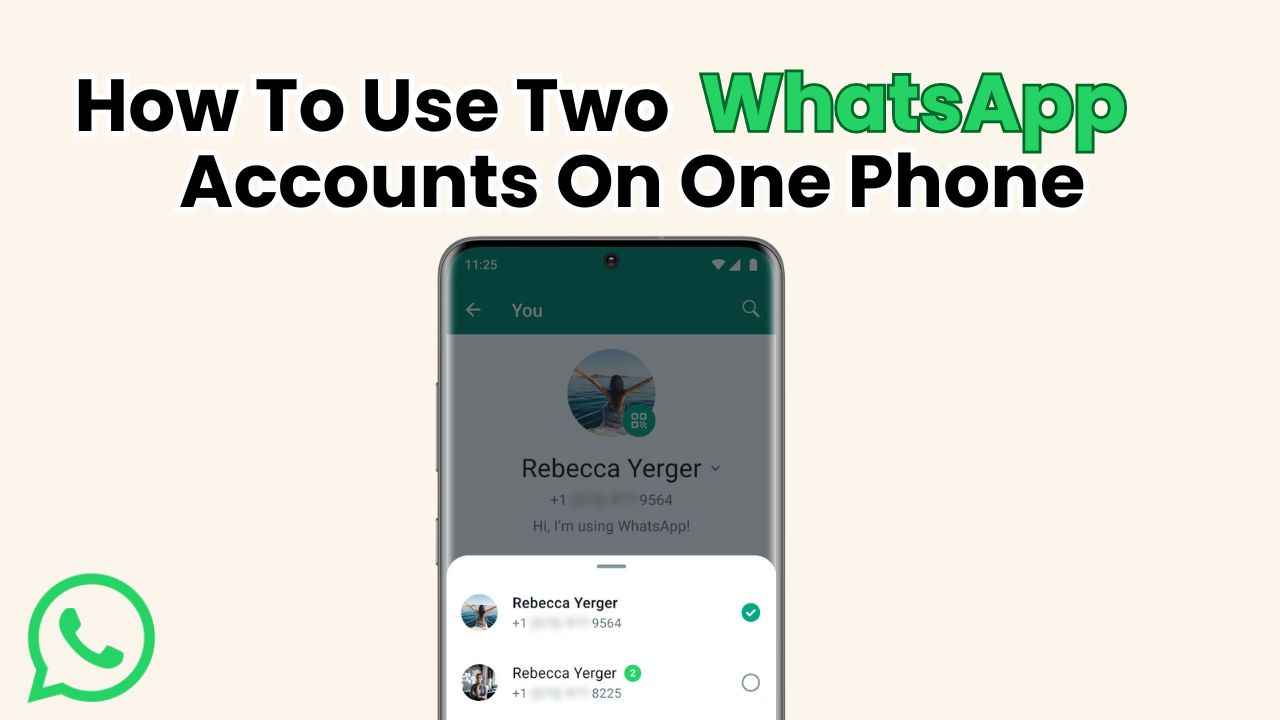
WhatsApp's multiple account feature allows you to have two different accounts on a single device.

To set up a second account, you'll need another phone number or a device that supports multiple SIM cards.

This feature is only available for Android users.
How to use and manage two WhatsApp accounts simultaneously on your phone
Ayushi Jain Ayushi Jain
15-Dec-2023

Staying connected has become more crucial than ever in today’s digital age, and one of the most widely used instant messaging services is WhatsApp. Nevertheless, it can be difficult to manage several WhatsApp accounts on a single phone. Whether it’s for personal and professional use or having separate accounts for different purposes, the need to juggle between two accounts on a single device has become a common necessity.

Digit.in Survey
✅ Thank you for completing the survey!

The good news is that you don’t need to invest in a second phone to manage multiple WhatsApp accounts. You can simply use two WhatsApp accounts on a single phone with WhatsApp’s multiple account feature.

This easy-to-follow guide will help you to set up and manage two separate WhatsApp accounts on your device. Before delving into the process, let’s know what exactly WhatsApp’s multiple account feature is.

Also read: How to create and send a status update on WhatsApp: Step-by-step guide for Android & iOS
How to use and manage two WhatsApp accounts simultaneously on your phone

What is the multiple account feature on WhatsApp?

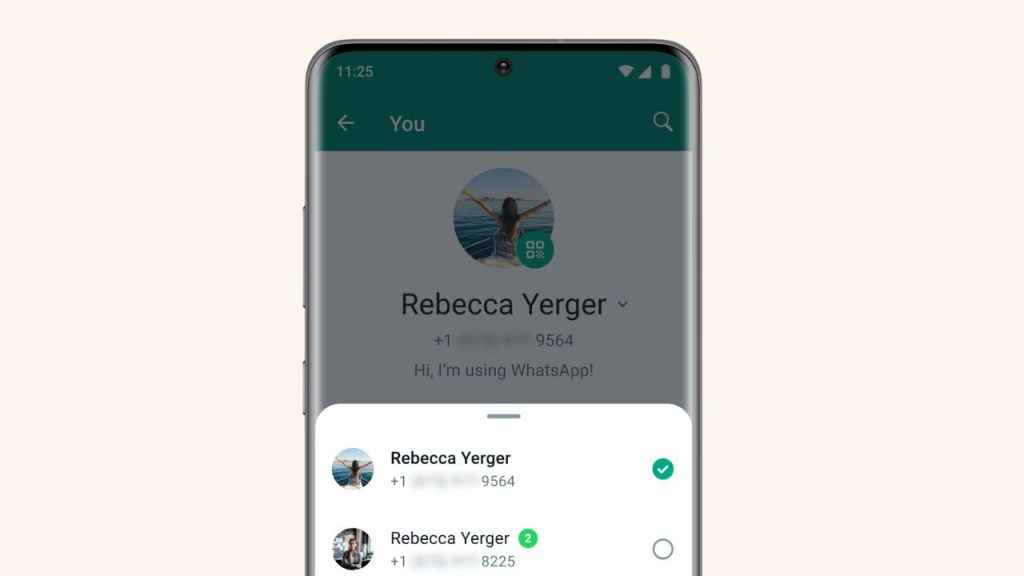
WhatsApp’s multiple account feature allows you to have two different accounts on a single device. To set up a second account, you’ll need another phone number or a device that supports multiple SIM cards. Once both accounts are registered, you can effortlessly switch between them on the same device.

WhatsApp allows users to maintain two accounts simultaneously, both offering standard features and capabilities. The account you are presently signed into is your active account and the account you are not using at the moment is your idle account. Even when your account isn’t being used, you can still get alerts about messages and phone calls. To see the content, just switch to the appropriate account.

For each account, you can customise your profiles by setting different pictures, about fields, notification settings and privacy settings.

It’s important to note that the multiple account feature is only available for Android users, and only supports a maximum of two accounts.

Also read: How to make a group video call on WhatsApp: Easy guide

How to use and manage two WhatsApp accounts simultaneously on your phone

How to create a second account on WhatsApp?

Step 1: Open the WhatsApp app.

Step 2: Tap the three vertical dots present at the top right corner.

Step 3: Open Settings.

Step 4: Tap Account.

Step 5: Select the Add Account option. You will see a pop-up box at the button, tap Add account.

Step 6: Read the Terms of Service and Privacy Policy, then tap Agree and Continue to accept the terms.

Step 7: Select your country from the drop-down list to add your country code. Step 8: Enter your phone number in international phone number format.

Step 9: Hit Done or Next.

Step 10. Now, tap Ok to receive your 6-digit registration code through SMS or phone call.

Step 11: To complete registration, enter your 6-digit code.

Step 12: In your new profile, enter your name, and then tap Next. You can also add a profile photo and fill in the about field.

How to switch between accounts on WhatsApp?

Step 1: Open WhatsApp.

Step 2: Tap the three vertical dots present at the top right corner.

Step 3: Select the Switch accounts option.

How to remove an account on WhatsApp?

Step 1: Open WhatsApp, and then tap the three vertical dots present at the top right corner.

Step 2: Tap Settings.

Step 3: Select the Account option.

Step 4: Tap Remove account.

Step 5: Finally, hit Confirm to confirm that you want to remove this account from this device.

If you remove an account, it will only be removed from the device you’re currently using. If you have linked devices, the account will be removed in 14 days. You will lose any messages or data that are not backed up, and your WhatsApp groups and channels will remain unaffected.

Ayushi Jain

Ayushi Jain

Ayushi works as Chief Copy Editor at Digit, covering everything from breaking tech news to in-depth smartphone reviews. Prior to Digit, she was part of the editorial team at IANS. View Full Profile

Latest Article
Amazon Prime Day sale in July: Offers, discounts and everything else we know Amazon Prime Day sale in July: Offers, discounts and everything else we know
V-Guard Zivardo 100 air cooler with 100L tank launches in India: Price and availability V-Guard Zivardo 100 air cooler with 100L tank launches in India: Price and availability
OpenAI introduces Advanced Account Security for ChatGPT users: Here is what will change OpenAI introduces Advanced Account Security for ChatGPT users: Here is what will change
Tired of contract reviews? Microsoft’s new AI Legal Agent could change that Tired of contract reviews? Microsoft’s new AI Legal Agent could change that
Split AC vs Window AC: From price to cost and cooling, every aspect explained Split AC vs Window AC: From price to cost and cooling, every aspect explained
Most Searched Mobile Phones
  • Best Phones Under 10000
  • Best Phones Under 20000
  • Best Phones Under 30000
  • Upcoming Phones in 2026
  • Latest Mobile Phones
Latest Phones
  • Vivo T5X
  • Apple iPhone 17e
  • motorola edge 70 fusion
  • Samsung Galaxy S26 Ultra
  • Iqoo 15R
Mobile Recharge Plans
  • Airtel Recharge Plans
  • BSNL Recharge Plans
  • Reliance JIO Recharge Plans
  • VI Recharge Plans
Most Searched Laptops
  • Best Laptops Under 30000
  • Best Laptops Under 40000
  • Best Laptops Under 50000
Trending Movies
  • Dhurandhar: The Revenge
  • Bhooth Bangla
  • Love Insurance Kompany
  • Battle Of Galwan
Movies & Web Series
  • Best Movies
  • Latest Movies
  • Upcoming Movies
  • Best TV Shows & Web Series
  • Latest TV Shows & Web Series
  • Upcoming TV Shows & Web Series
Trending Web Series
  • Sankalp
  • Aspirants Season 3
  • Chiraiya
  • Maamla Legal Hai Season 2
OTT Providers
  • Netflix
  • ZEE5
  • JioHotstar
  • SonyLiv
  • icon
  • icon
  • icon
  • icon
SUBSCRIBE Subscribe for the industry's biggest tech news
Enter your email to get notified about our new solutions
By submitting your email, you agree to our
Terms and Privacy Notice.
CONNECT WITH US
  • icon Times Center, FC-6, 1st Floor, Sector 16A, Film City, Noida - 201301
  • icon (+91-120-6776999)
    (1800 121 0005)
  • icon Suggestion: editor@digit.in
    Business: business@digit.in
    Website: sales@digit.in
© 2026 Digit.in, All rights reserved
  • icon
  • icon
  • icon
  • icon
icon
  • About Us
  • Contact Us
  • Advertise with us
  • Regulatory
  • Terms & Conditions
  • Privacy Policy
  • Disclaimer
© 2026 Digit.in, All rights reserved
Digit.in
Logo
Digit.in
Logo
