
Claude Code’s computer use: How it works and what it can do on your Mac
 Follow Us

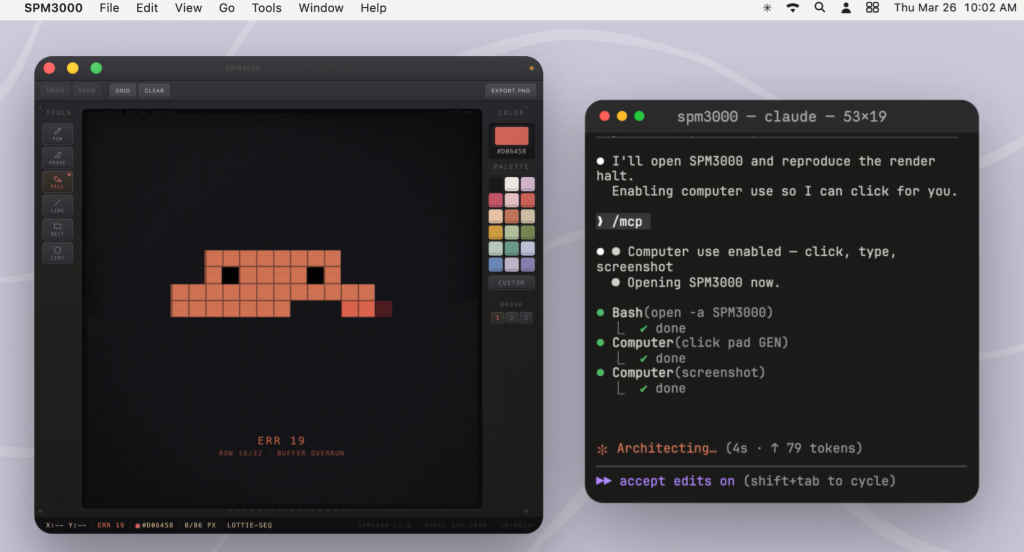
There’s something nice about not having to over-explain things to an AI anymore. With Claude Code’s new computer use feature, you can just let it see what you’re doing. I’m not a proper coder, so half the time I’m stuck trying to describe what I want instead of actually getting it done. If Anthropic gets this right, Claude can look at the screen, open apps, click around, type, scroll, and grab screenshots on its own. It’s only on macOS for now and still in preview so I haven’t been able to try it yet, but getting it running takes barely a couple of minutes. You just enable the computer-use server in the MCP menu, give it the usual permissions, and that’s about it.
 Survey
Also read: You can now run OpenAI’s Codex inside Claude Code: Here’s how
Anthropic claims it is very restrained. It doesn’t immediately start taking over your screen the moment you ask for something. It tries easier routes first like running a command, using an API, or handling things through the browser. Only when none of that works does it step in and actually use your screen after you allow it.
Also read: How well does NVIDIA DLSS 4.5 actually perform?
And when it does, it’s pretty controlled. It locks things so nothing else messes with your cursor, hides other apps, and keeps your terminal visible but out of its screenshots. If anything feels weird, hitting Escape instantly stops it. That part matters the most in-case you need a fail safe.
Where this really clicks for me is the boring stuff. The in-between phase. You’ve built something, but now you need to check if it actually works. Clicking through menus, testing flows, resizing windows to see if something breaks, taking screenshots of bugs. It’s the kind of thing you should do yourself anywhere but Claude will also go through it once and fix any bugs that it finds making it easier for you later.
It’s not flawless. It’s slower than just running a command, and yeah, you are letting an AI mess around on your actual desktop, so there are the privacy concerns that I am not yet sure how I can let go. However, if you need this kind of assistance during your coding nights, it might be a feature worth checking out.
Also read: Lyria 3 vs Lyria 3 Pro in Gemini: Differences explained


