
Sony Bravia 7 II review: The best LCD TV I’ve tested this year
 Follow Us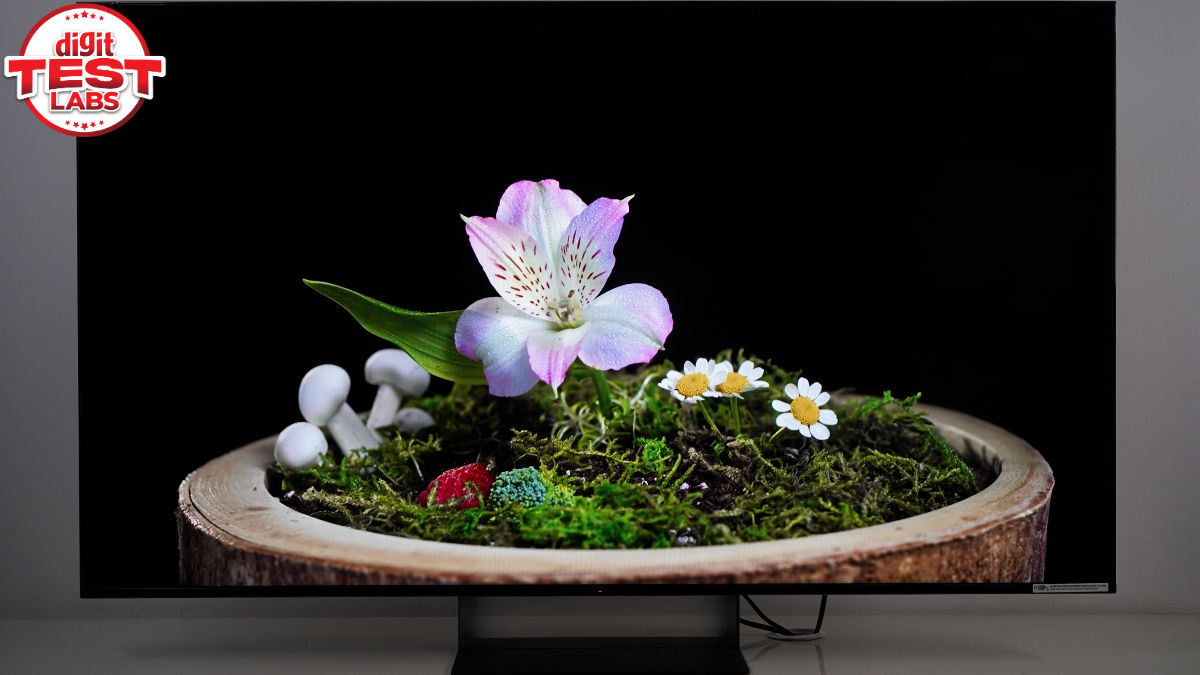

Sony Bravia 8 II and Bravia 5 (review) were the top OLED and Mini LED TVs, respectively, in last year’s Digit Zero1 Awards. So, when the Japanese TV maker launched the Bravia 7 II in India, like many TV enthusiasts, we were also intrigued and excited. The Sony Bravia 7 II is a new mid-range 4K HDR TV with an advanced RGB LED backlight technology, billed as True RGB. It also brings an XR processor with AI upscaling, XR motion clarity, X-Wide Angle Pro viewing, PS5 optimisations, etc. The 55-inch model (K-55XR70M2 IN5) that came in for review is available in India at Rs 210890.
As a Sony mid-premium flagship TV, we had some expectations for its picture quality and overall offering. Let’s see if the Bravia 7 II’s new True RGB backlight and Sony’s tuning meet that?
Verdict
The Sony Bravia 7 II delivers one of the best LCD TVs currently available in India. It combines accurate colours, deep blacks, refined local dimming and smooth motion handling with Sony’s True RGB technology and polished image processing. While the high price, limited HDMI 2.1 connectivity and lack of HDR10+ may deter some buyers, its picture quality and the overall experience are enough to justify its premium positioning.
Sony Bravia 7 II: Display performance
The Bravia 7 II uses a 55-inch 4K VA LCD panel with True RGB LED backlight, where each tiny LED cluster consists of independently controlled red, green and blue light. Sony claims this arrangement offers less colour mixing and more authentic colours. In the Calman test, the TV scores 83.01% of BT 2020 gamut coverage (1976 CIE) and 96.56% of DCI-P3 coverage. That’s for HDR content, and for SDR, it scored 92.07% in BT709 gamut. These are better figures than the Bravia 7 with regular Mini LED backlighting.
The Bravia 7 II TV is plenty bright, too. You get to see its full potential in Vivid mode. I watched some FIFA World Cup matches in this mode as the TV lacks a dedicated Sports mode. It was either this or the Standard mode, which offers more muted visuals. Vivid isn’t the most authentic in terms of colours, but the bright, saturated presentation can be captivating, even if it comes across as exaggerated to some viewers. It touched 2,110 nits in 10% and 25% windows with max brightness and peak luminance settings.
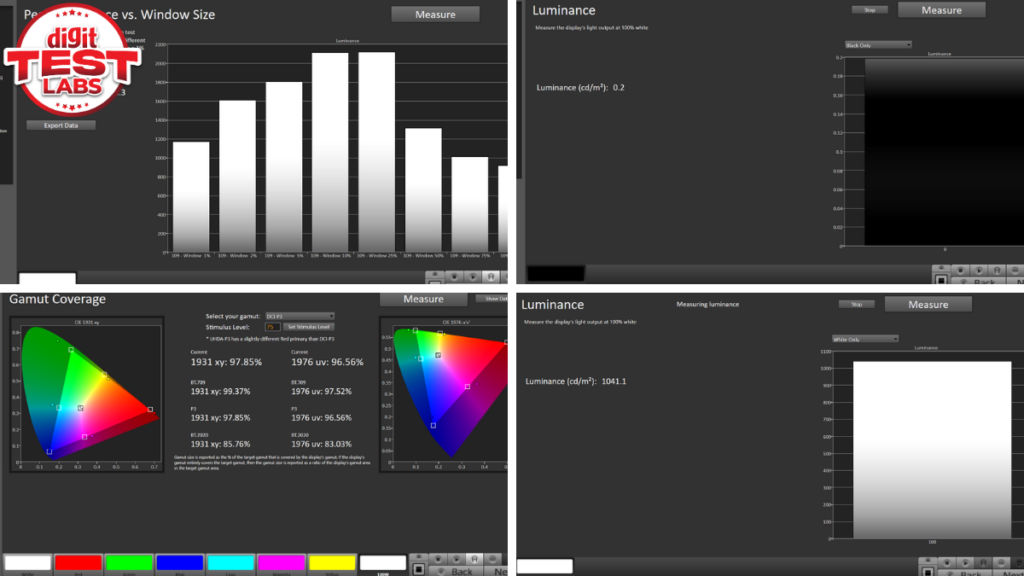
Black luminance was also excellent at 0.2 nits. So, the TV can present pitch black colour and justify. Content scenes like the night jungle sequence in Raakh Ep 02 and The Revenant; the TV produced uniform, deep blacks without any crushing. To complement this, the strong local dimming ensures there are no obvious haloing or blooming artefacts.
For the record, while watching movies, shows and everything except sports, I was using Professional mode. It offers very natural colours. The brightness is dimmer than Standard or Vivid, as authentic colours are preferred in this.
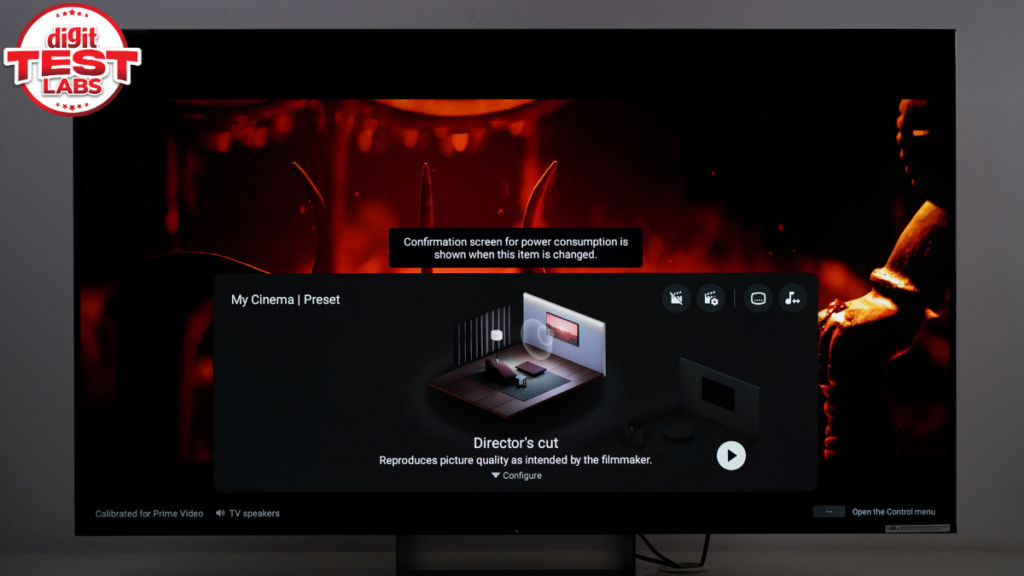
Furthermore, you can enable the My Cinema Preset, which adjusts content for the director’s cut. Sitting at around 8-10 feet from the TV, with this preset, I played the tense dogfight sequence from Top Gun: Maverick on Prime Video and everything from colour grading, dynamic range, reflections, and motion looked true to the scene. There were no artefacts or visual disturbances in the quick frames of the command room, inside the jet, the facial features of the actors, including sweat, reflections on the jet’s glass hood, and the air movement.
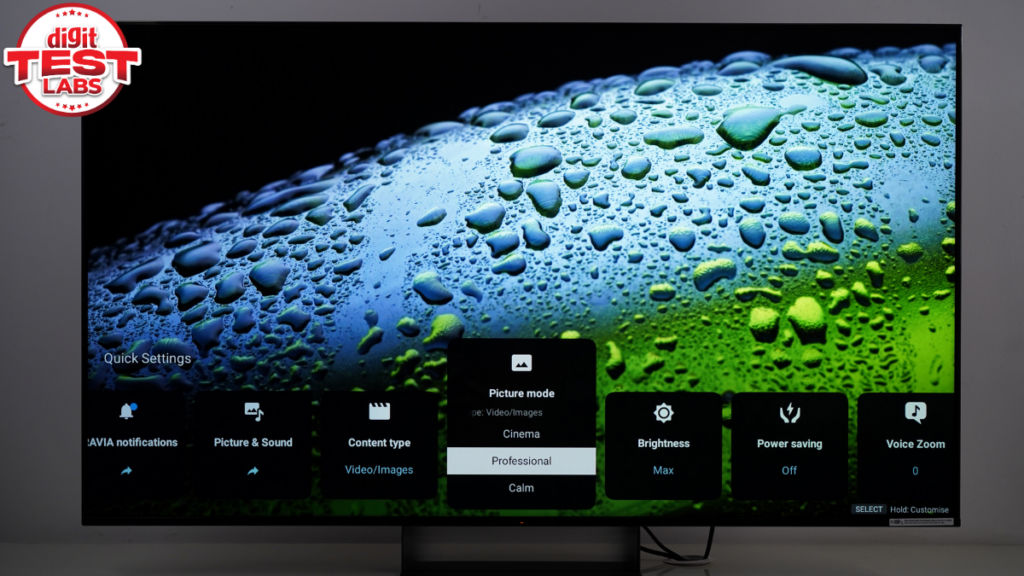
I was equally impressed by how the Bravia 7 II presented the Submarine scene from Mission Impossible: Final Reckoning. I was thinking this isn’t an OLED, and still, the level of quality is better than any Mini LED TVs I recall testing.
Oh, by the way, even sitting slightly off-axis, the viewing angles come out nice.
Sony doesn’t give HDR10+ support. But you get Dolby Vision, IMAX Enhanced and standard HDR10, which should cover a wide library of modern content out there.
Also Read: Xiaomi S Mini LED 75 2026 review: Big-screen cinematic TV under Rs 1 lakh but with some compromises
For old school shows and movies, Sony offers upscaling, but it is very aggressive, and results in these lower-resolution visuals looking waxy. Another thing you may notice in your everyday use is that the screen is slightly reflective. Even with all the curtains on and no light in the room (except for some lit monitors), I could see myself as a ghostly reflection on the screen. Sony’s higher-end Bravia 9 II (which is not released in India) boasts an anti-reflective coating, which this one lacks.
Sony has equipped the Bravia 7 II for serious gamers. It supports 4K at 120fps over HDMI 2.1. However, it includes only two HDMI 2.1 ports and two older HDMI 2.0b ports. Both HDMI 2.1 inputs support VRR (Variable Refresh Rate) and ALLM (Auto Low Latency Mode), as well as Dolby Vision gaming. While playing games, you can easily access quick controls and assistance settings via the Game Menu 2.0. As a Sony TV, you also get tight integration with PlayStation 5, including automatically switching genre modes and HDR tone mapping.
Sony Bravia 7 II: Audio output
The 55-inch model of the Sony Bravia 7 II has a 2.2-channel speaker setup with two side-firing full-range drivers and an Acoustic multi-audio, sound positioning tweeter. The side frames of the TV vibrate to produce sound, and the total output is 40 watts.
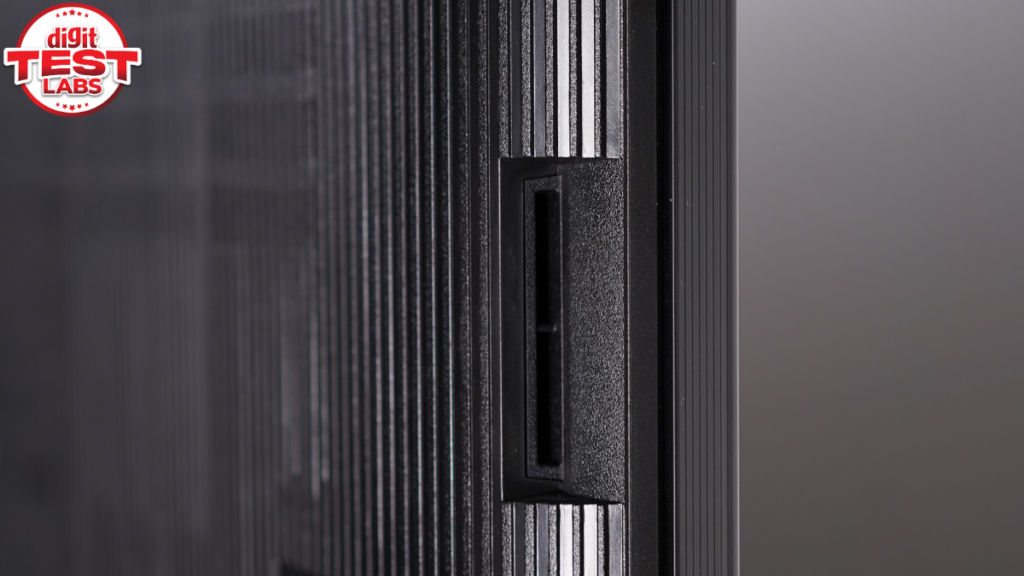
The Bravia 7 II speakers support Dolby Atmos and DTS:X, along with 3D Surround Upscaling for virtual height effects and expanded stereo sound. The company claims the sound gets calibrated in real-time to your position, the ceiling height and the room size.
The lower bass frequency is decent but not very deep. The full-range drivers produce intelligible vocals and dialogues. If you have a compatible Sony soundbar, then you can get clearer mids, highs and deeper bass.
Sony Bravia 7 II: Software and remote
At the time of writing this, the Bravia 7 II runs on Google TV with Android 14 and the March 2026 update. So, you get a familiar and easy-to-use UI. The navigation is largely smooth, with occasional slow loading of apps, and the cold boot time takes a sweet minute. Overall, the XR Processor does a respectable job. Not great, but not bad either.
Google TV gives you access to Google Assistant, Alexa, Google Cast, Apple AirPlay, and HomeKit. Sony has assured that in a future update, you will get Gemini, too.
Currently, there are plenty of automatic calibration features on this TV. Some examples include the studio-calibrated modes for Netflix, Amazon Prime Video, and Sony Pictures Core. The TV also features a My Cinema Preset that automatically calibrates the audiovisual settings to match the room conditions and the creator’s intention. There is a button for this preset on the remote.
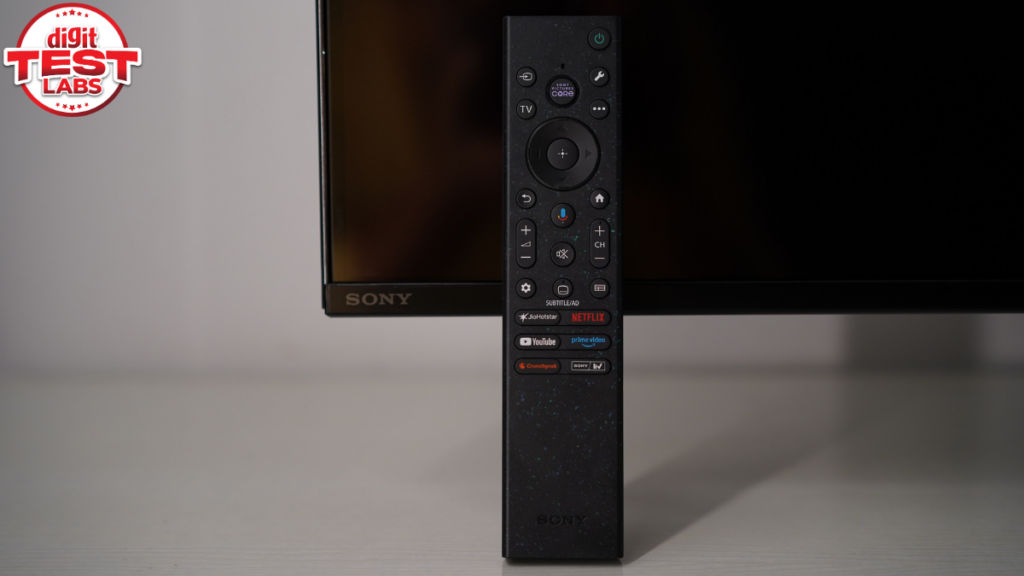
The remote is handy because of its lightweight, not-so-long length, lean build and the textured finish on the sides and back. Besides the regular buttons, you get a hotkey for Sony Pictures Core, JioHotstar, Netflix, Prime Video, SonyLiv and Crunchyroll. In case you don’t want to go through the Google TV settings menu, the remote offers a button up top that shows an overlay of key settings like picture, audio, network, etc. One qualm is that the bundled remote isn’t backlit, which may matter while using it in a dark room.
Sony Bravia 7 II: Design, build and connectivity
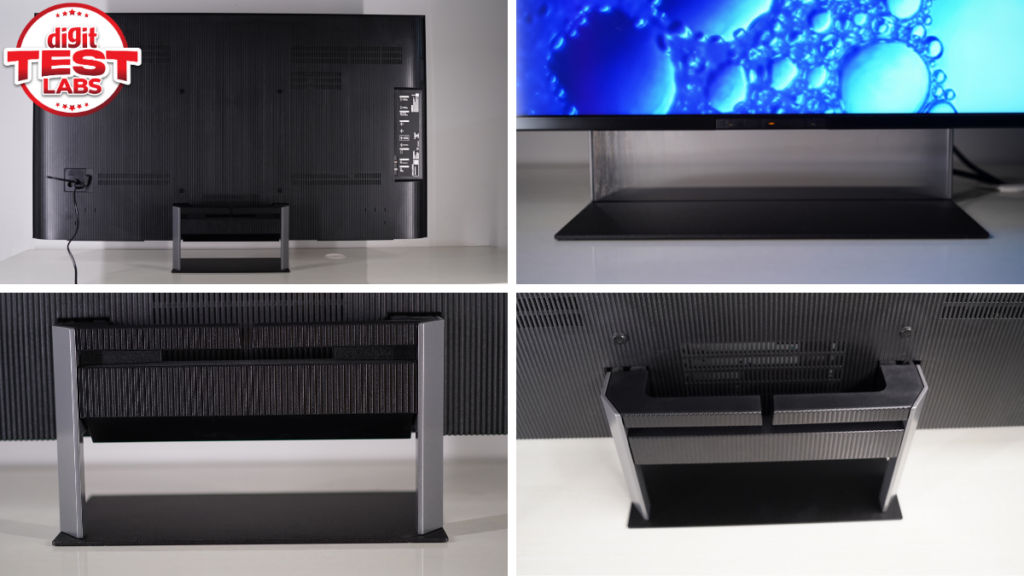
The front is mostly display with negligible bezels on three sides, and even the bottom chin is very thin. And thanks to the new transparent centre pedestal stand, the Sony Bravia 7 II TV is very pleasing to look at even when it’s off. The back of the TV is plastic with a wavy texture. It has a very lean side profile, save for the protrusion of the stand. The leanness and side-facing ports matter while mounting it on a wall. And if you decide to place it on a table, as we did, know that the TV isn’t very heavy. Just installing the stand would take some time, but you can follow an online video guide for that, if required.
Below the bottom frame, towards the left-hand side, there are manual toggles for volume, power, and even a microphone on/off button.
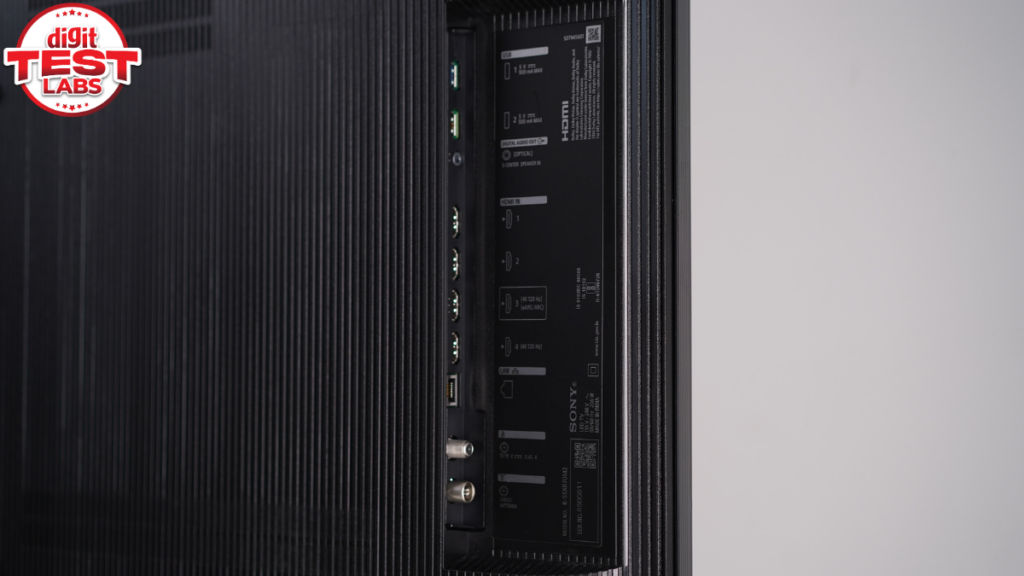
On the left side, you’ll find two USB-A ports, a Digital Audio Out, an Ethernet (LAN) port, a cable/antenna input, a satellite tuner, and four HDMI ports. Of these, only two are HDMI 2.1, with HDMI 3 also supporting ARC/eARC. Gamers should note that ALLM is available on all four HDMI ports, while VRR is limited to HDMI 3 and HDMI 4.
Should you buy Sony Bravia 7 II True RGB LED TV?
The Sony Bravia 7 II offers one of the best LED LCD picture experiences currently available in India. Its combination of accurate colour reproduction, deep black level performance, refined local dimming and smooth motion handling puts it among the strongest performers in its category. Add to this an elegant design with a transparent stand, a handy remote, fairly loud and engaging audio, an intuitive software experience, and useful gaming features, including PS5-specific enhancements, and you get a television that feels every bit like a premium Sony product.
However, value-conscious buyers should know that the market has several more feature-packed alternatives. The Bravia 7 II is expensive compared to many Mini LED rivals, offers only two HDMI 2.1 ports, lacks HDR10+ support, and misses out on features such as an anti-reflective coating and dedicated subwoofer setup that are reserved for larger Sony models. I also found the upscaling a little too aggressive with lower-resolution content.
Ultimately, in true Sony fashion, the Bravia 7 II is not a TV you buy because it offers the longest feature list for the money. You buy it for Sony’s image processing, colour tuning and overall picture quality. The rest of the package is solid and contributes to a genuinely premium viewing experience. If those are the qualities you care about most, and you’re willing to pay extra for Sony’s refinement, the Bravia 7 II is a compelling choice.
Keep reading Digit.in for similar reviews.
Also Read: Amazon Echo Dot Max review: A good-sounding smart home hub, still waiting for Alexa+


