
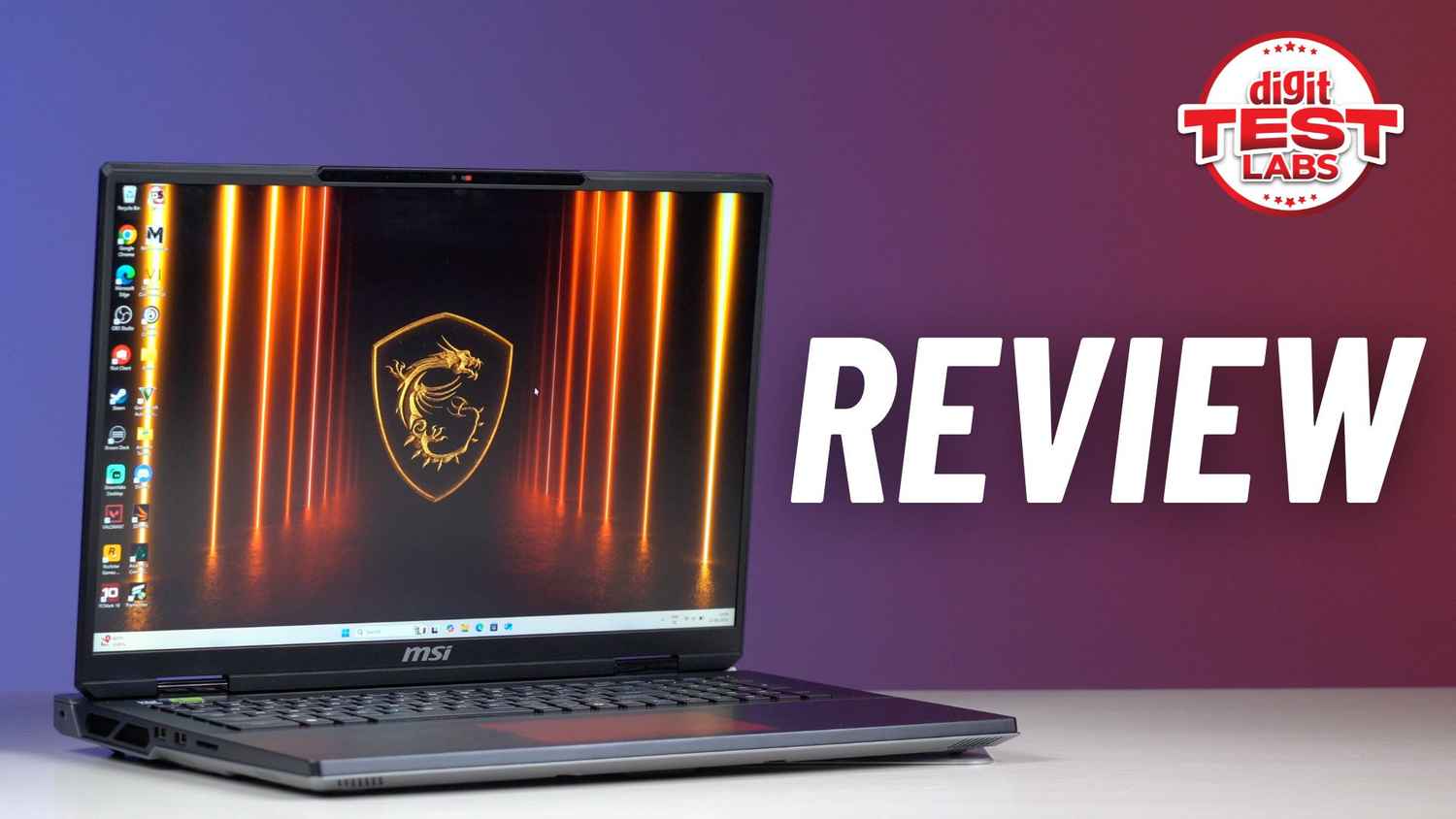
Every once in a while, a gaming laptop shows up that skips the whole subtlety thing and just screams performance. The MSI Titan 18 HX AI is that machine for 2025. With a 24-core Intel Core Ultra 9 285HX, Nvidia’s top-tier RTX 5090 GPU, 64GB of DDR5-6400 RAM, and 6TB of PCIe Gen 5 storage in RAID 0, it doesn’t pretend to be reasonable, and that’s the point.
But in a market moving toward thinner, smarter machines like the ROG Strix Scar 18 and Alienware m18, you have to wonder: is there still room for a laptop this massive? Or is the Titan now just a flex for the few who need (or want) everything, all at once?
To put it through its paces, I also paired the Titan with a bunch of Thunderbolt 5 accessories, from ultra-fast SSDs to hubs and cables, to see how far the new port standard can stretch when it’s backed by a system this powerful.
MSI Titan 18 HX AI Review: Specifications
- Processor: Intel Core Ultra 9 285HX (24 cores, up to 5.5GHz boost)
- Graphics: Nvidia GeForce RTX 5090 Laptop GPU (24GB GDDR7, 175W TGP)
- Memory: 64GB DDR5-6400 (2x 32GB)
- Storage: 6TB PCIe SSD (3x 2TB, RAID 0 — includes 1x Gen5 + 2x Gen4)
- Display: 18-inch Mini-LED, 3840 x 2400, 16:10, 120Hz
- Ports: 2x Thunderbolt 5, 3x USB-A 3.2, HDMI 2.1, SD card reader, 2.5G LAN, 3.5mm audio jack
- Connectivity: Killer Wi-Fi 7, Bluetooth 5.4
- Camera: 1080p IR webcam with privacy shutter
- Battery: 99.9 Whr
- Weight: 3.6kg
- Price (as tested): ₹5,34,999 approx.
MSI Titan 18 HX AI Review: Design, Build Quality, Keyboard and I/O
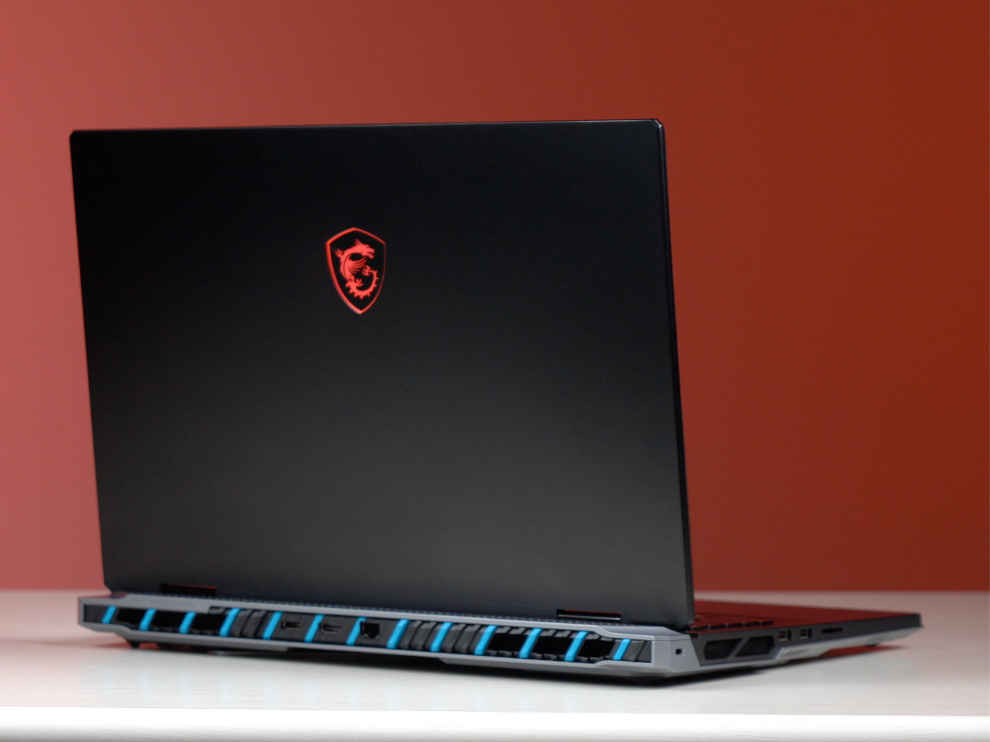
This laptop is massive. At nearly 8 pounds (3.6 kg), the Titan 18 HX AI isn’t trying to be portable, it’s more like a desktop with a hinge. But the magnesium-aluminium chassis goes a long way in making it feel solid and premium, without feeling plasticky or flimsy like some other oversized gaming machines. There’s zero deck flex, the hinges are robust, and the lid opens with one hand, MSI has clearly paid attention to structural integrity.
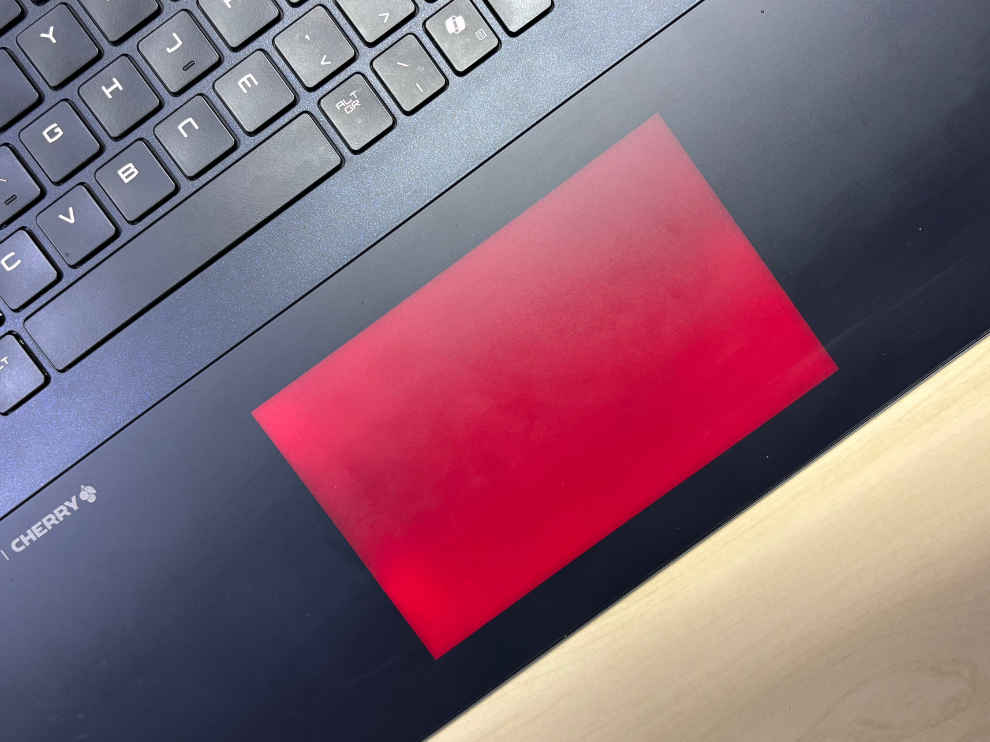
Visually, it’s a blend of brute force and polish. The RGB-lit touchpad and glowing dragon logo give it the gamer flair you’d expect, but it’s the subtle turquoise accents on the rear vents that add character. Despite its size, the laptop doesn’t scream “gamer” obnoxiously, which is appreciated for anyone planning to use this machine for creative workloads too.
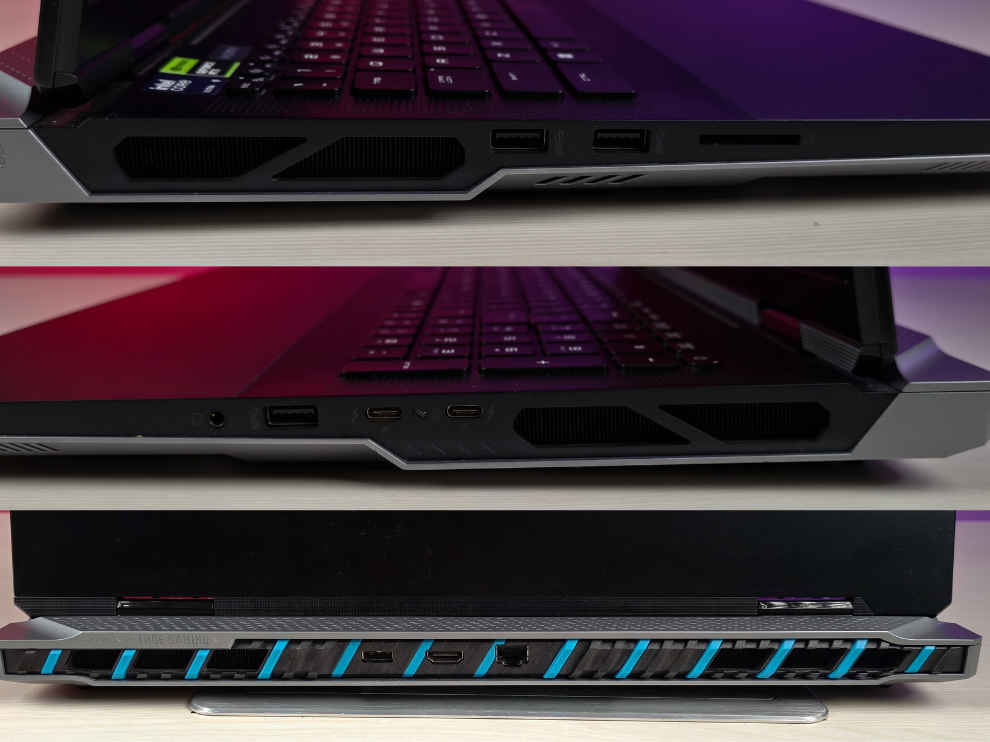
Port selection is excellent, and MSI hasn’t skimped here. You get three USB-A, two Thunderbolt 5 (USB-C), HDMI 2.1, a full-size SD card reader, 2.5G LAN, and a separate headphone/mic combo jack, all spread smartly across the sides and rear for cable management. Even the proprietary 400W charger, while heavy-duty, is surprisingly compact for what it delivers. There’s no barrel-like bulk here, which makes it easier to carry in a large backpack.
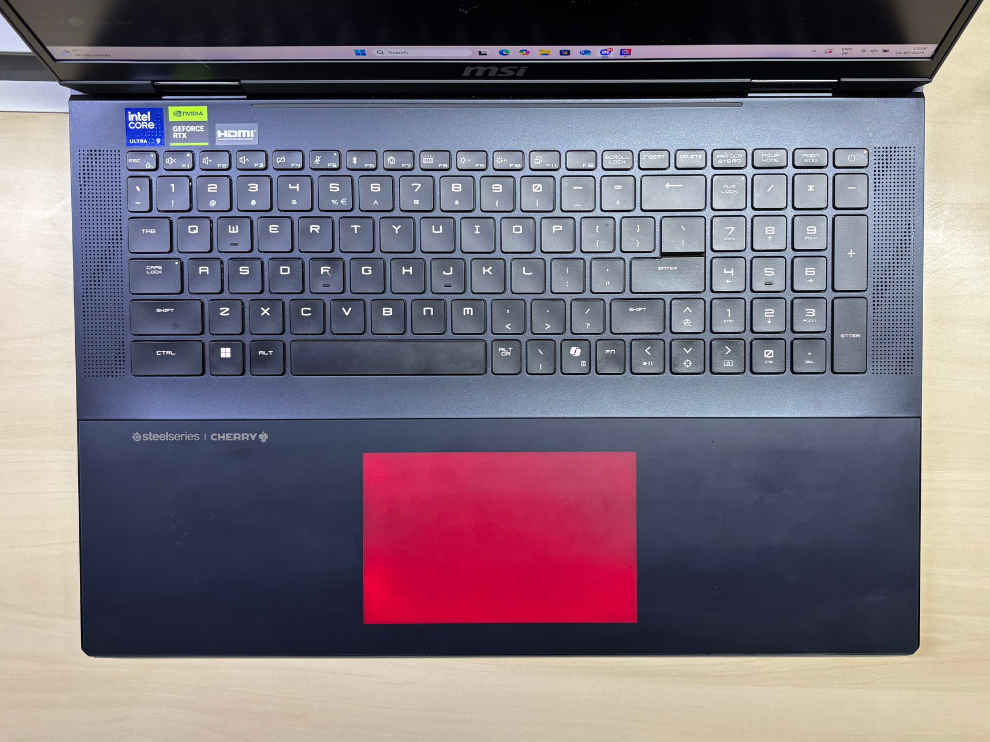
The keyboard is a star feature. It uses Cherry MX mechanical switches for the main layout, offering that unmistakable clicky, tactile feedback that’s rare in laptops. It’s fast, accurate, and an absolute joy to type or game on. That said, not all keys are mechanical, the arrow keys and number pad use standard membrane switches, which feels like a strange omission on a ₹5 lakh+ machine. It’s not a dealbreaker, but it’s a detail that hardcore keyboard nerds will notice.
As for the touchpad, it’s large, RGB-lit, and visually stunning. But the experience doesn’t quite match the aesthetics. The haptic feedback feels soft, drag gestures occasionally miss, and there’s a perceptible delay between tap and response. Most gamers or creators will plug in a mouse anyway, but for casual use, this pad doesn’t hold up to the expectations set by the rest of the machine.
MSI Titan 18 HX AI Review: Thunderbolt 5 & Accessories
With two full-bandwidth Thunderbolt 5 ports, the MSI Titan 18 HX AI is designed to support high-performance peripherals, next-gen display setups, and ultra-fast external storage. Whether you’re a content creator, gamer, or power user with demanding workflows, Thunderbolt 5 opens the door to an ecosystem of accessories that truly complement the Titan’s overkill specs.
UGREEN USB-C to DisplayPort 2.1 Cable (16K@30Hz, 2M)
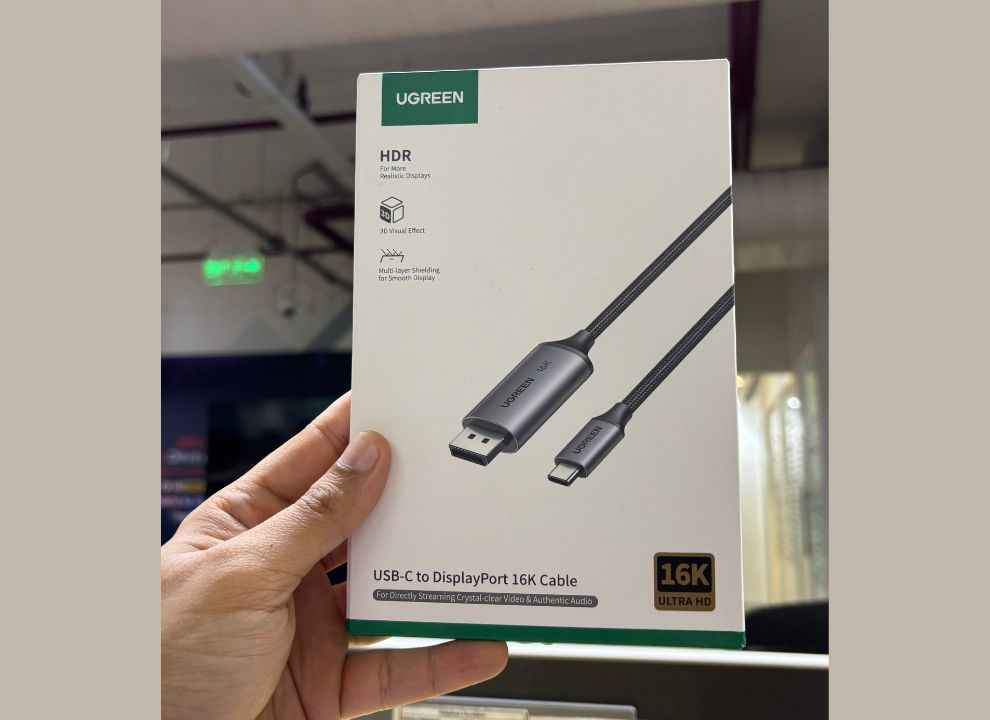
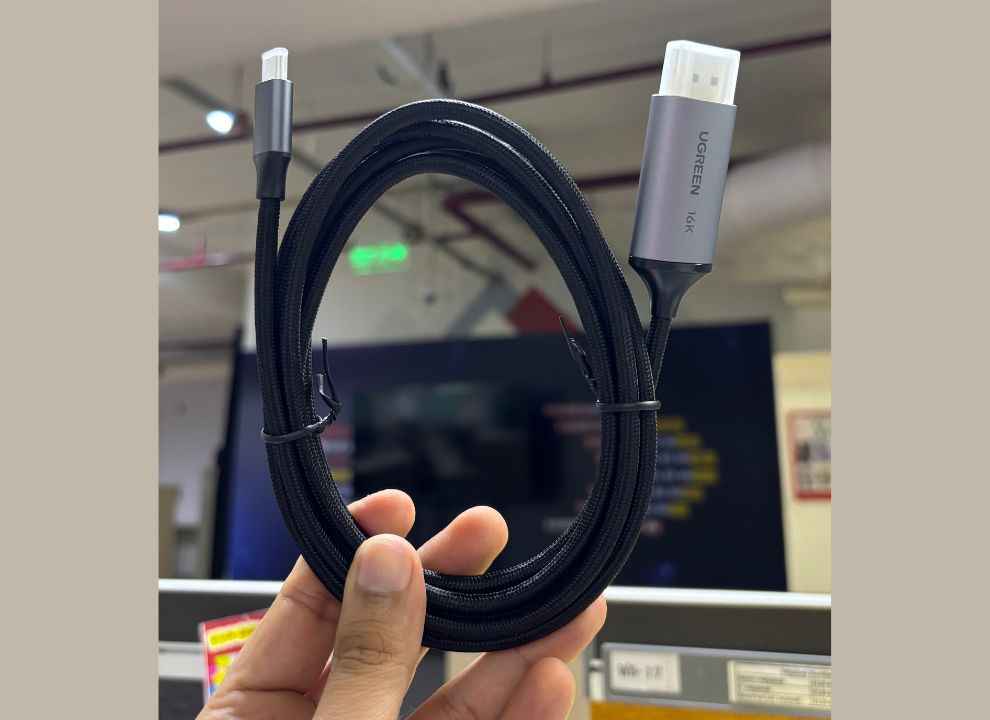
This cable appears to be a no-compromise pick for users with DisplayPort 2.1 monitors. It supports up to 16K at 30Hz, 8K at 120Hz, and 4K at 240Hz, and works flawlessly with G-SYNC, HDR, and Variable Refresh Rate (VRR) features. With 40Gbps bandwidth, UHBR10, and eARC support, it’s great for gaming or content creation.
Belkin Connect Thunderbolt 5 Cable (3.3 ft / 1m)
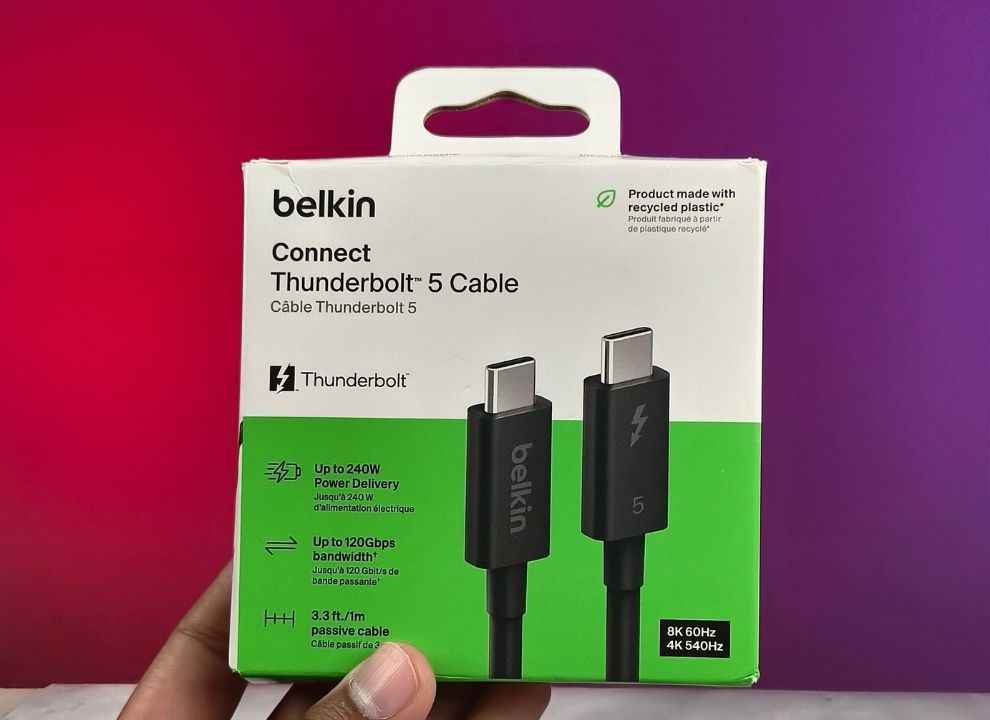
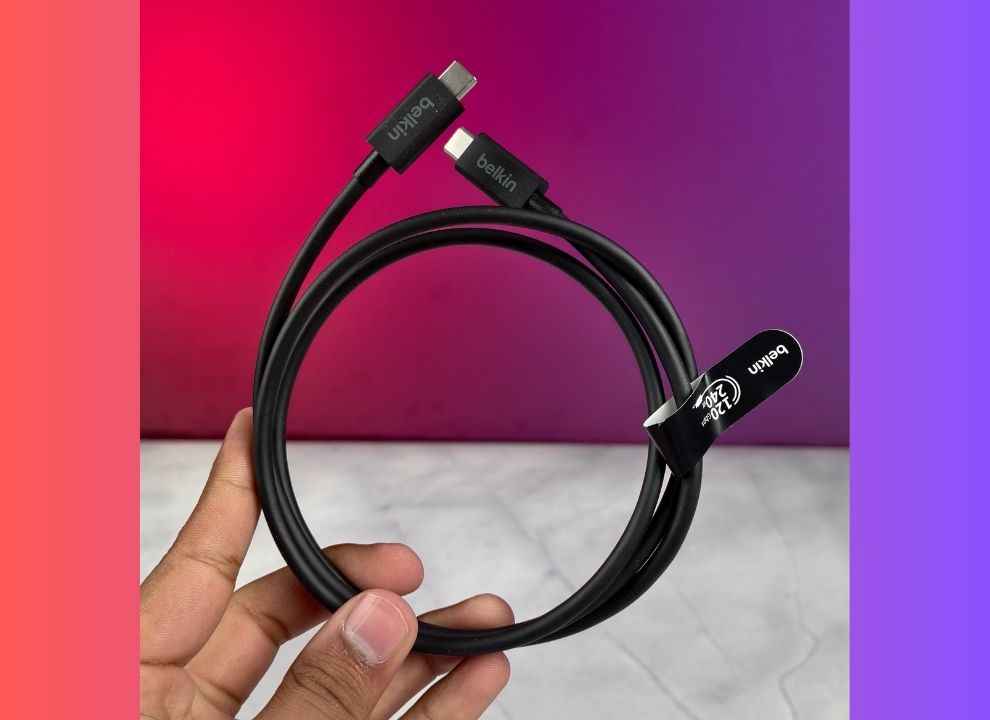
This Intel and Thunderbolt-certified cable truly shows off what Thunderbolt 5 can do. Offering up to 120 Gbps with Bandwidth Boost and 240W Power Delivery, it’s built for next-gen data and charging needs. Whether it’s supporting triple 4K@144Hz monitors or 8K/4K at 540Hz, this cable is ready for demanding workflows. A very suitable option for those building out a multi-display battle station or pushing high-res renders through external eGPUs.
UGREEN USB-C to HDMI 2.1 Cable (8K@60Hz, 2M)
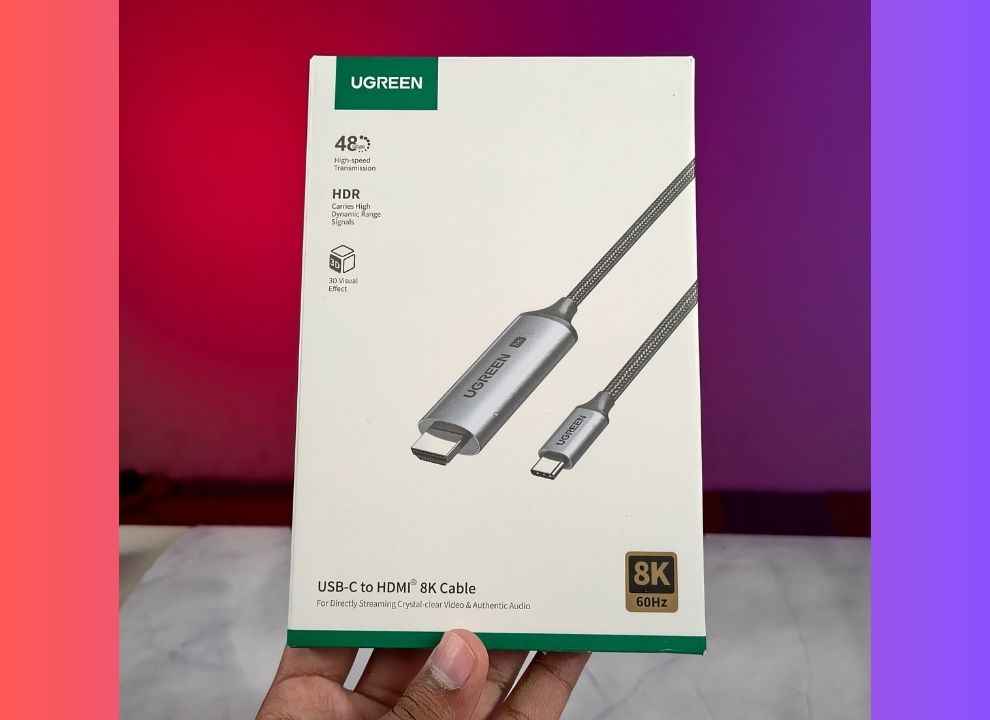
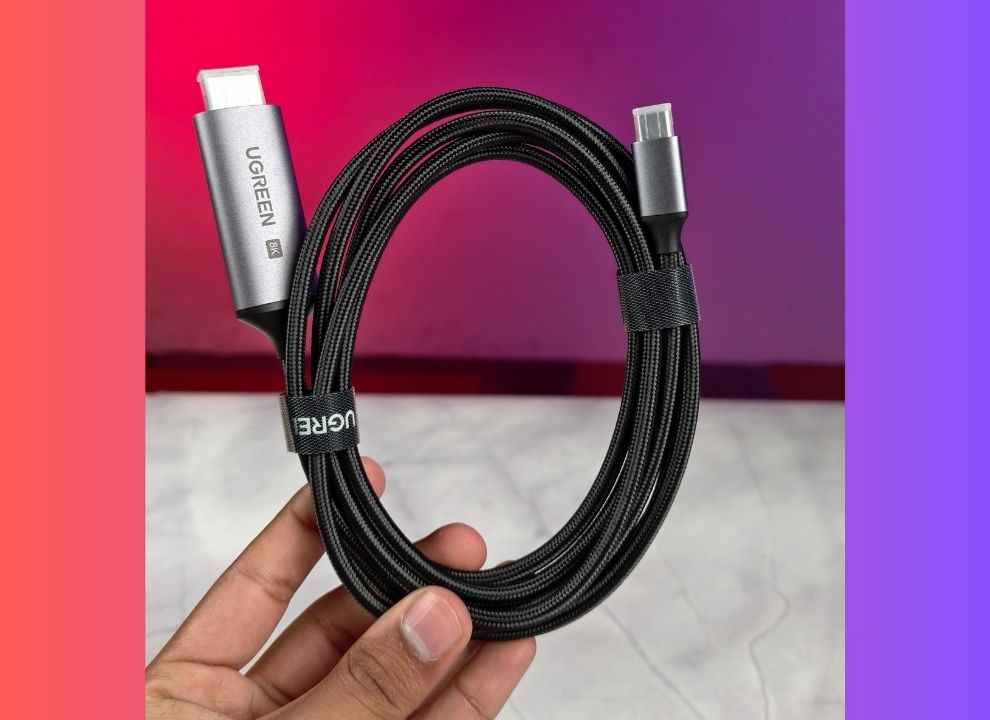
If your setup leans more towards HDMI, this UGREEN USB-C to HDMI 2.1 cable is a solid choice. It supports 8K at 60Hz, 4K at 240Hz, and delivers 48Gbps bandwidth, all while maintaining HDR, HDCP 2.3, and eARC support. With a durable braided design and a built-in EMI-resistant chipset, this unidirectional cable ensures clean signal output from the Titan to TVs or monitors.
CalDigit E5 Element 5 Thunderbolt 5 Hub
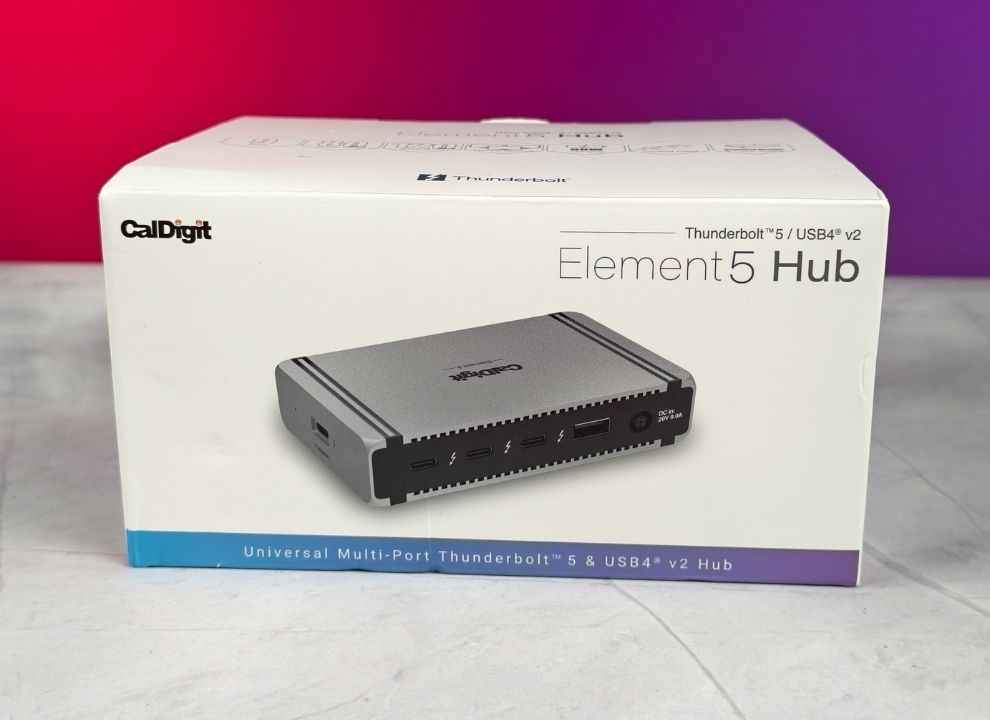
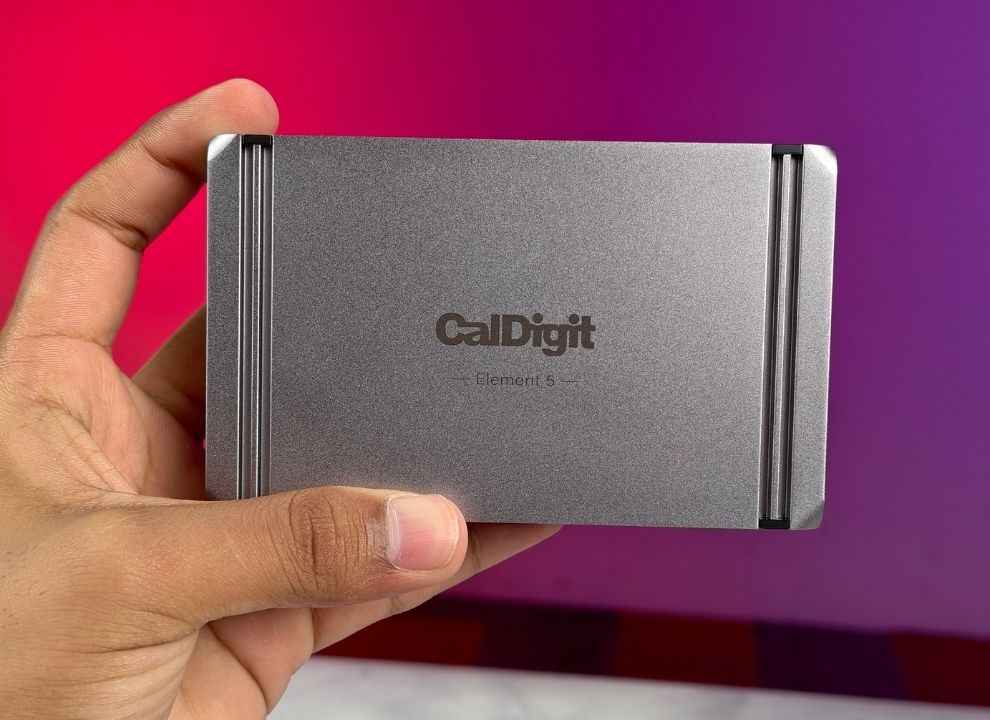
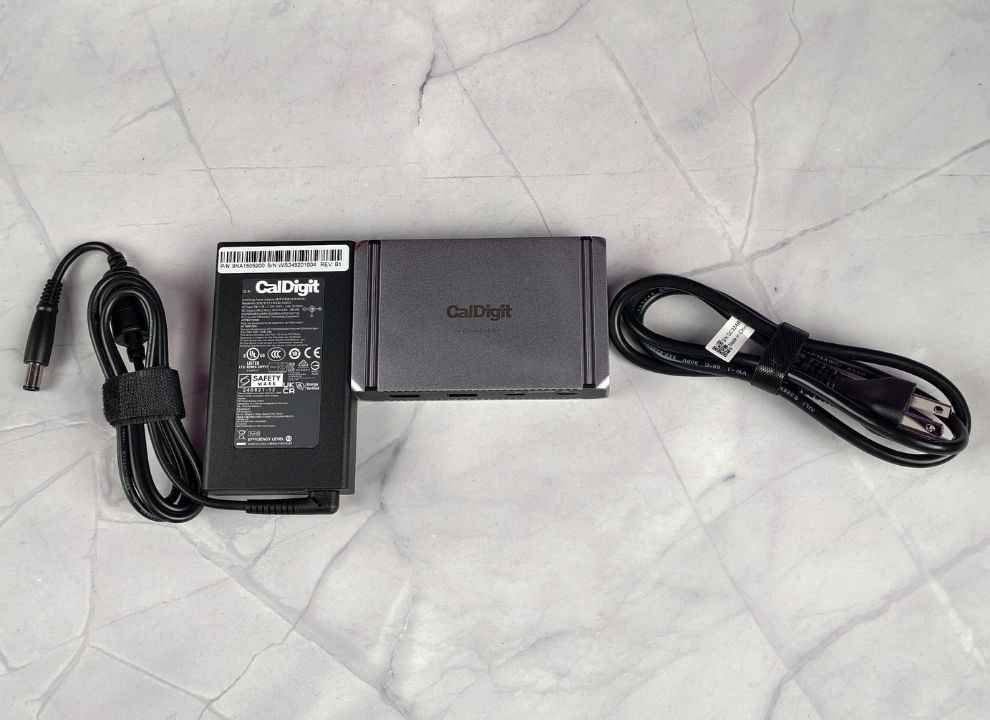
For users looking to expand the Titan’s I/O capabilities, the CalDigit E5 Element 5 Hub is as future-proof as it gets, at least at the time of writing. This compact dock offers three downstream Thunderbolt 5 ports, three USB-A, and two USB-C Gen 2 ports, all running at 10 Gbps. With 90W sustained charging to the host, it can keep the Titan powered while simultaneously running dual or triple 4K displays, RAID SSDs, and other high-bandwidth devices. You also get offline charging, daisy-chaining support, and a macOS utility to safely eject multiple drives at once.
OWC 2TB Envoy Ultra Thunderbolt 5 Portable SSD
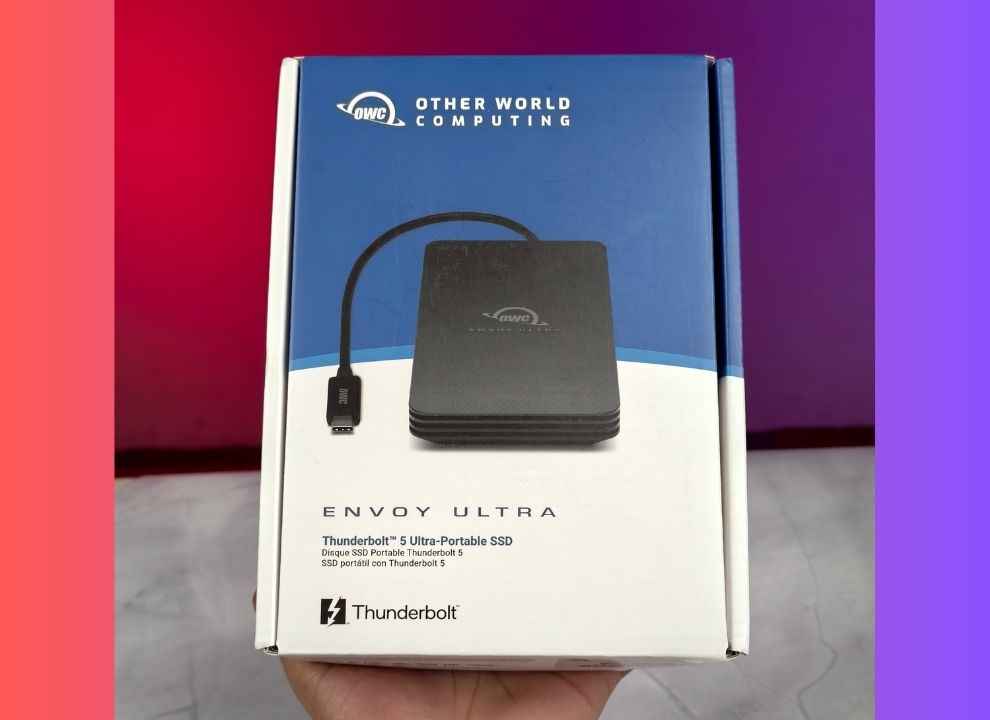
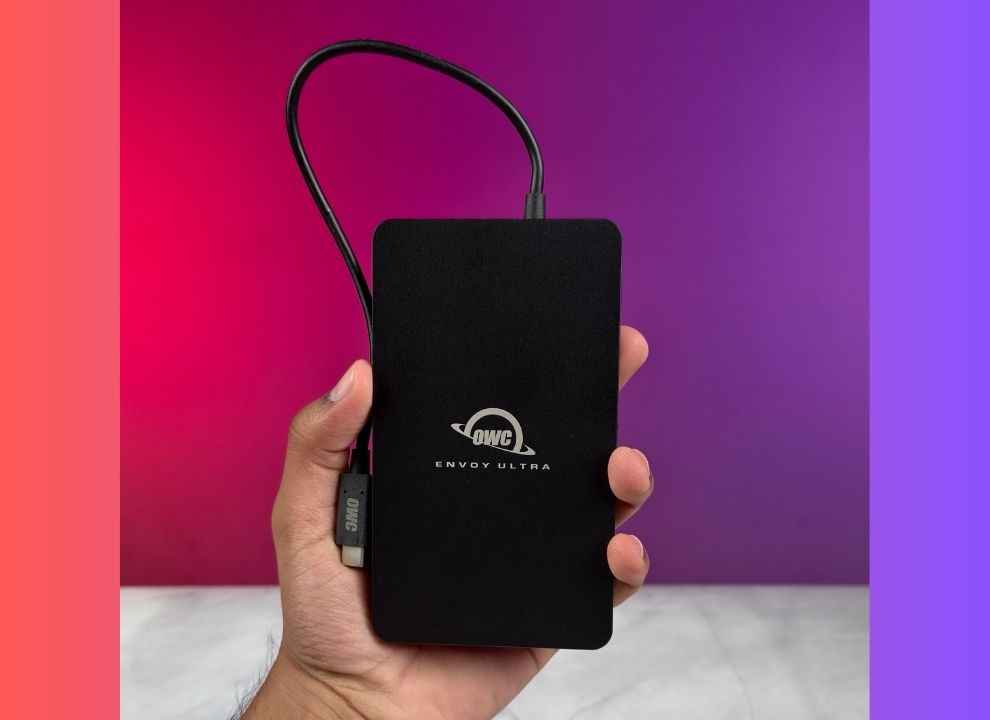
The OWC Envoy Ultra is one of the first true Thunderbolt 5 portable SSDs, and it doesn’t hold back. Offering sequential read/write speeds of over 6000 MB/s, this rugged 2TB drive is ideal for creators working with high-bitrate video, large project files, or real-time media playback. Built from fanless aluminium and IP67-rated for water and dust resistance, it’s both silent and tough enough for field work. The integrated Thunderbolt 5 cable might not be ideal for everyone, but if you can look past that, it at least ensures you won’t misplace it.
MSI Titan 18 HX AI Review: Display & Audio
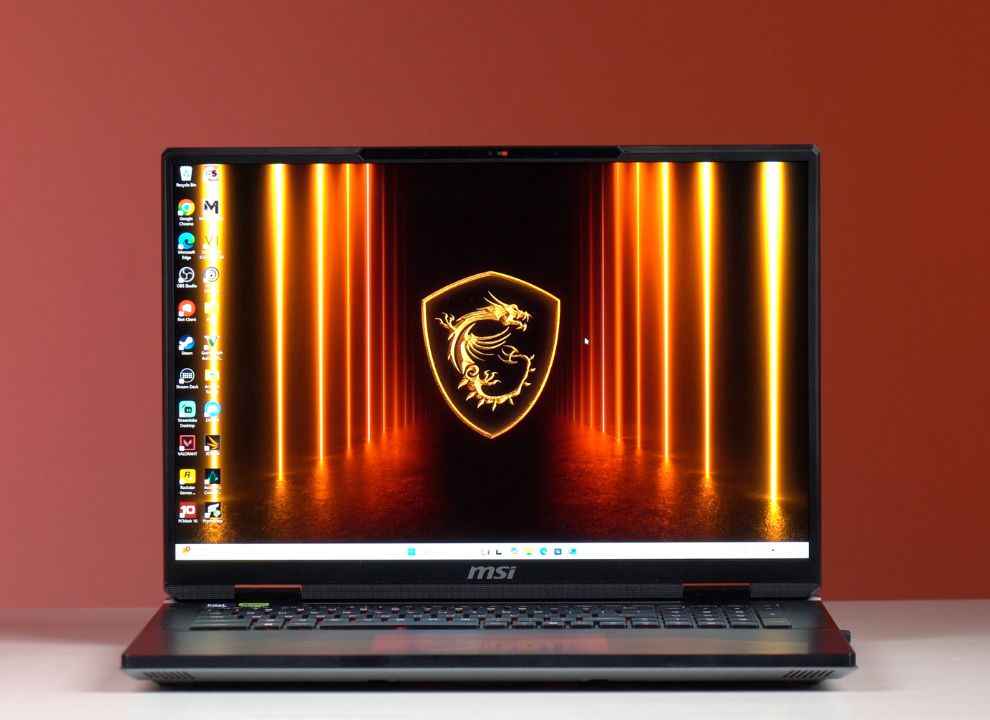
If there’s one component that truly makes the MSI Titan 18 HX AI feel like a flagship, it’s the display. Front and centre is a massive 18-inch 4K (3840 x 2400) Mini-LED panel with a smooth 120Hz refresh rate and a productivity-friendly 16:10 aspect ratio. This isn’t just a spec flex, the panel is jaw-droppingly bright, peaking at 762 nits in HDR and maintaining a strong 729 nits even in SDR. Whether it’s the dusty textures of Andor or the glossy tarmac of F1 24, visuals feel cinematic, layered, and detailed. The screen’s HDR performance is where it truly shines, with punchy highlights and true blacks. Colour reproduction is solid too, with 87.2% DCI-P3 coverage, not quite OLED-tier, but still premium.
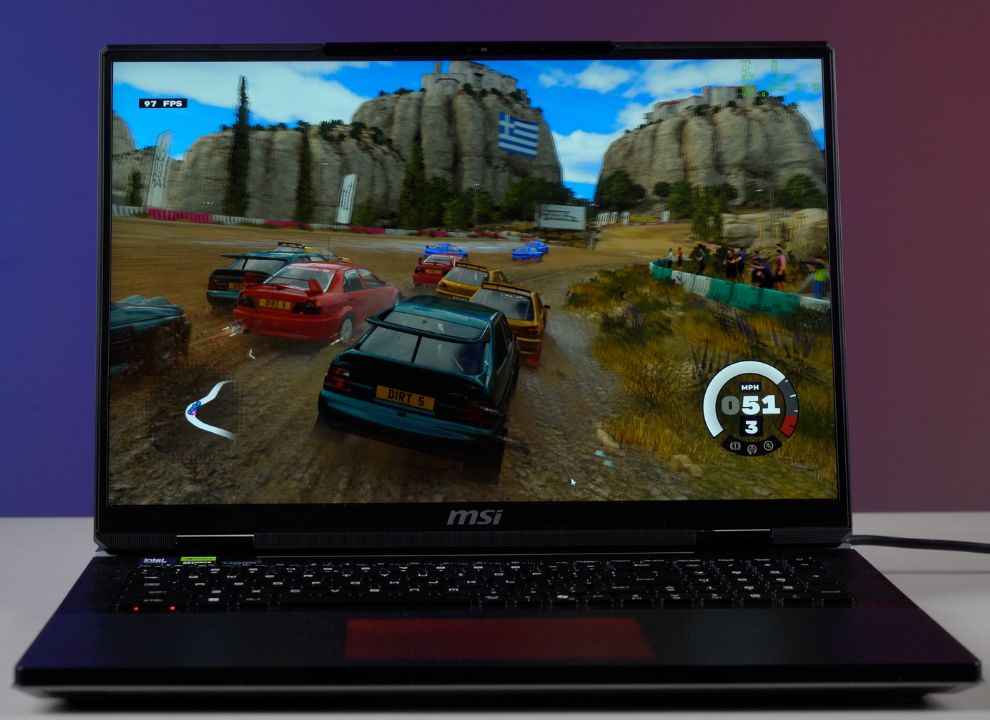
That said, while the display immerses you visually, the audio experience doesn’t quite keep up. The Titan houses a quad-speaker setup paired with dual woofers, and while it certainly gets loud enough to fill a room, the sound profile leans heavily toward the mids. Explosions in Cyberpunk 2077 feel a bit hollow, and bass-heavy music loses much of its depth and warmth. This is particularly noticeable in action-heavy games or cinematic content where sound plays a critical role. There’s clarity, sure, but the lack of low-end punch makes the experience feel incomplete without external speakers or a good pair of headphones.
Still, this slight mismatch doesn’t take away from the fact that the Titan’s display is among the best in the business, not just for gamers but for creators and power users alike. If you’re someone who regularly toggles between Premiere Pro timelines and high-refresh gaming sessions, the colour accuracy, brightness consistency, and sheer screen real estate are an everyday luxury. It sets a new bar for gaming laptop displays in 2025, even if the audio can’t quite keep up with the amazing display.
Also read: 11 Windows Tips and Tricks to Unlock Your PC’s Full Potential
MSI Titan 18 HX AI Review: Performance & Benchmarks
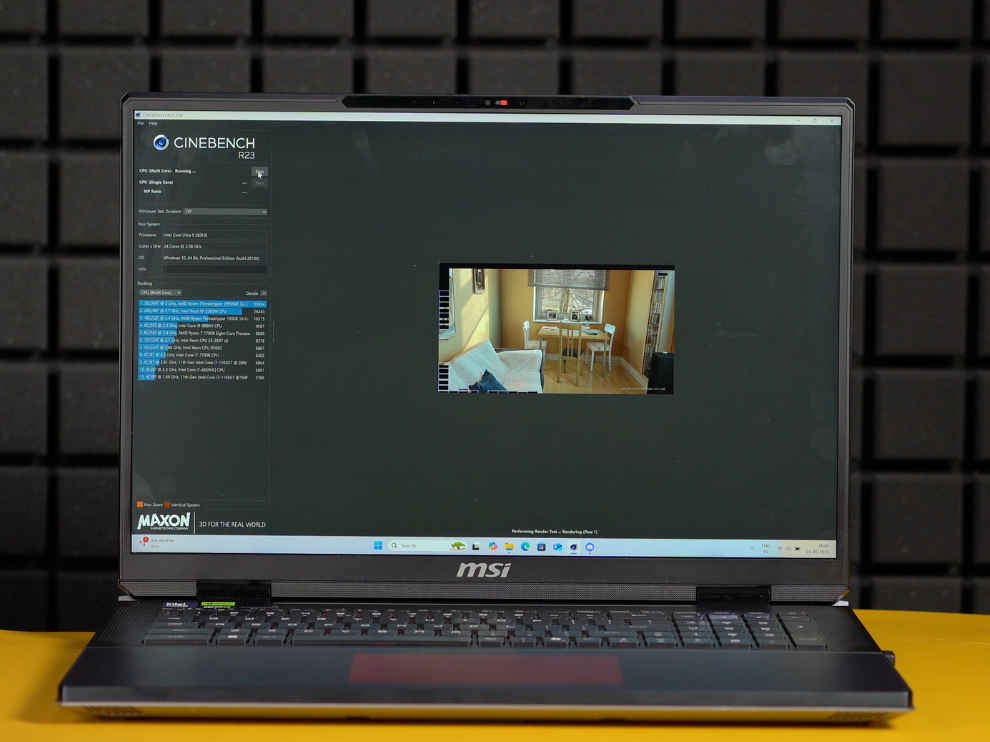
By now, it should be clear, the MSI Titan 18 HX AI is the fastest gaming laptop we’ve ever tested. Still, while some aspects of this machine are genuinely surprising, others feel exactly as expected.
First up in CPU performance, the Intel Core Ultra 9 285HX scored 34543 in multicore and 2152 in single core test in Cinebench R23. It is the highest score ever, but not by much. Because the HP Omen Max that we tested recently which has the Intel Core Ultra 9 275HX scored around 33549 in multicore and 2142 in single core tests.
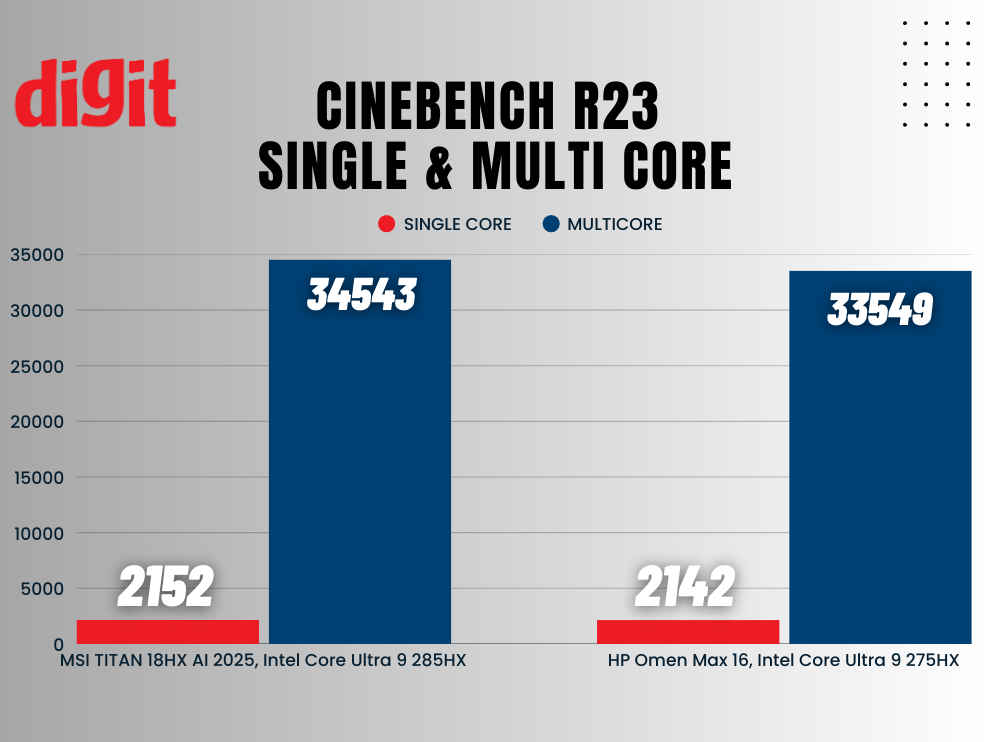
Functionally, both laptop processors offer the same core configuration: 8 Performance cores, 16 Efficiency cores, and 24 threads. The main difference lies in clock speeds: the Intel Core Ultra 9 285HX has a higher Max Turbo Frequency of 5.5 GHz versus 5.4 GHz on the 275HX. Similarly, its P-core Base Frequency is 2.8 GHz, slightly above the 2.7 GHz of the 275HX.
And that brings me to my main concern with this laptop. The Intel Core Ultra 9 285HX appears to be only a marginally overclocked version of the 275HX. At this stage, it seems Intel doesn’t yet offer a significantly more powerful laptop chip beyond the 275HX. As a result, the 285HX feels more like a slight rebranding effort to push the limits of the existing 275HX, rather than a true tier upgrade.
In terms of temperatures, the 285HX runs slightly hotter compared to the 275HX. Under maximum load, the 285HX consistently reached 99°C and hovered around 89–90°C during gaming. In comparison, the 275HX remained a bit cooler, peaking at around 95°C under load and averaging around 85°C while gaming.
The fans, while effective, are noticeably loud and occasionally spin up even when the system is idle. That said, the Titan makes up for it with easy access to internals, featuring four M.2 slots (one Gen 5 SSD with its own heatpipe) and two SODIMM slots supporting up to 96GB of DDR5 RAM. No proprietary traps, no soldered nonsense, just solid engineering.
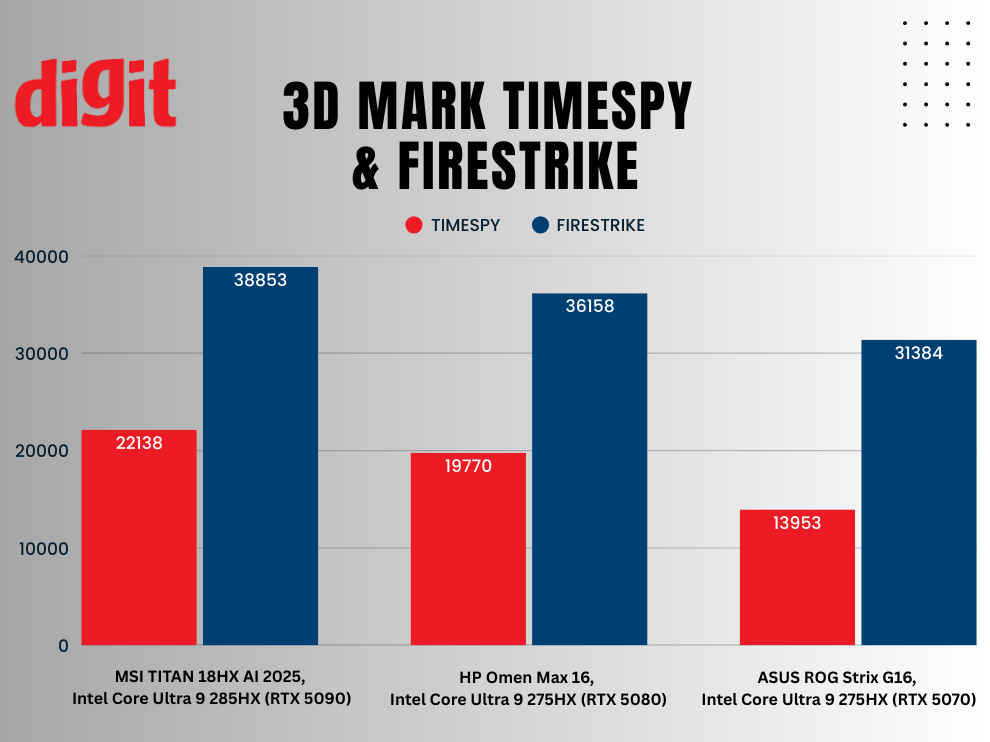
Things look much better on the GPU front. The Nvidia GeForce RTX 5090 delivered impressive scores of 22,138 in 3DMark Time Spy and 38,853 in Fire Strike. For context, the RTX 5080 scored 19,770 and 36,158 in the same tests, while the RTX 5070 trailed behind with 13,958 in Time Spy and 31,384 in Fire Strike.
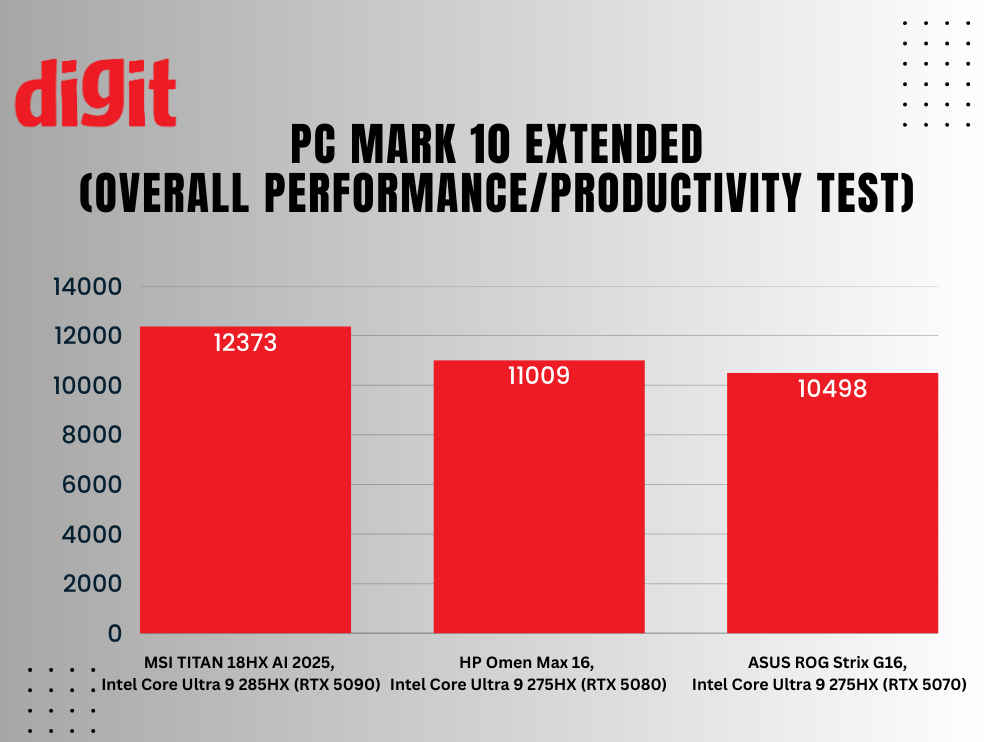
Similarly, the MSI Titan 18 HX AI outperforms both the ASUS ROG Strix G16 and the HP Omen Transcend 16 in the PCMark 10 Extended test, scoring 12,373 compared to 10,498 and 11,009, respectively.
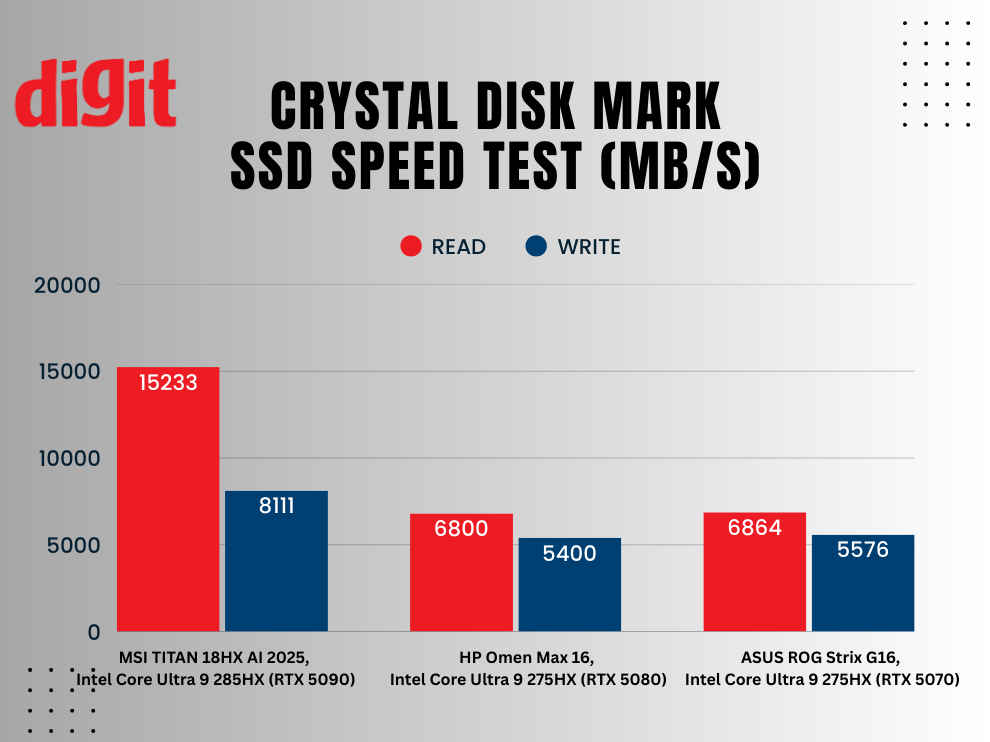
Perhaps the most significant leap for the MSI Titan is in SSD performance. It recorded sequential read and write speeds of 15,233 MB/s and 8,111.28 MB/s, respectively. In comparison, the HP Omen Transcend achieved 6,800 MB/s and 5,400 MB/s, while the ASUS ROG Strix G16 (2025) posted 6,864.06 MB/s and 5,576.47 MB/s.
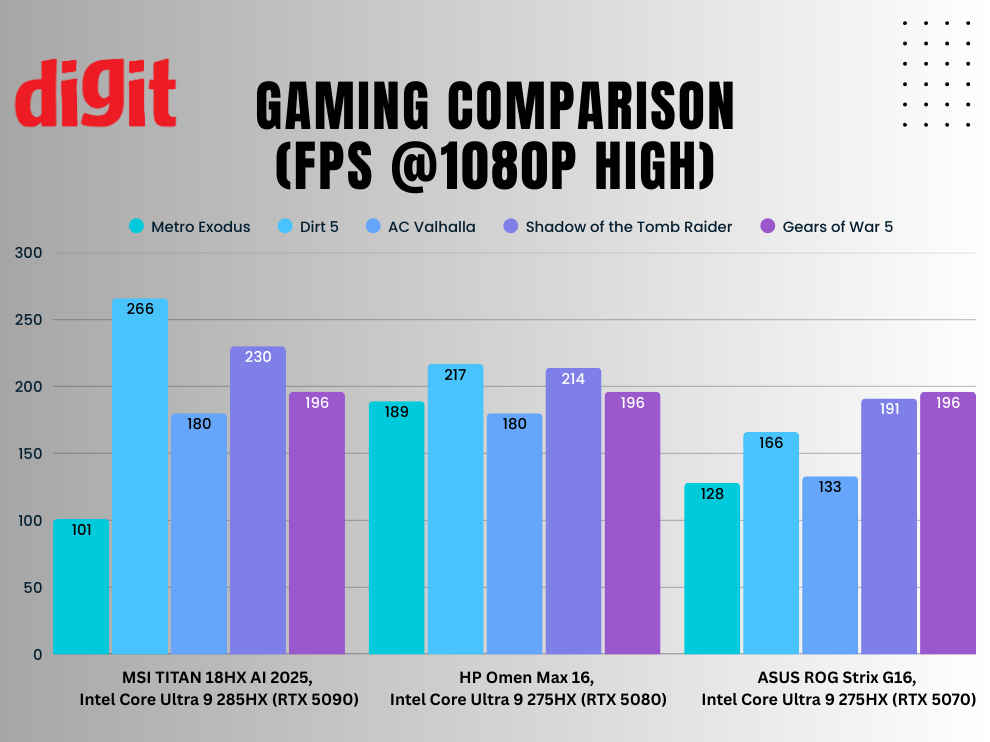
And lastly, in terms of gaming, the MSI Titan 18HX AI comes out on top with consistently higher frame rates across most titles. It delivered 213 FPS in Metro Exodus, 266 FPS in Dirt 5, and 230 FPS in Shadow of the Tomb Raider—all significantly ahead of the ASUS ROG Strix G16, which managed 128, 166, and 191 FPS respectively. Even in CPU-heavy titles like Civilization VI, the Titan scored 330 FPS, beating the HP Omen Max 16’s 300 FPS and the ROG’s 210 FPS. While the HP Omen kept pace in Assassin’s Creed Valhalla (180 FPS, same as the Titan) and tied all others in Gears of War 5 (196 FPS), MSI’s machine consistently showed the strongest overall performance across the board.
MSI Titan 18 HX AI Review: Conclusion
The MSI Titan 18 HX AI is everything you expect from a ₹5.3 lakh gaming laptop, massive, powerful, excessive, and totally ridiculous. But it’s also one of the only laptops that can truly call itself a desktop replacement in 2025. It outperforms the almost every other laptop in nearly every test, even though both are far lighter and cheaper.
Yes, the fans are loud, the touchpad is average, and battery life is a joke. But if you’re buying a Titan, you’re not after balance, you’re after bragging rights, peak performance, and uncompromising specs. For gamers, streamers, creators, and professionals who want the best, and are willing to pay for it, the MSI Titan 18 HX AI delivers just that.
Also read: 5 Free AI-Powered Windows Apps Every AI Laptop Should Have
 Follow Us
Yetnesh Dubey
Yetnesh works as a reviewer with Digit and likes to write about stuff related to hardware. He is also an auto nut and in an alternate reality works as a trucker delivering large boiling equipment across Europe. View Full Profile


