How to make viral Bollywood like vintage saree photo using Google AI: Step-by-step guide with prompts
 Follow Us
A new Instagram trend has emerged, and it’s all about vintage sarees and old-school cinema vibes.
Powered by Gemini, this latest trend is turning simple photos into dreamy portraits that look straight out of a classic film.
All over Instagram, girls are sharing edits where they appear in soft lighting, draped in sarees, surrounded by a romantic mood.

You must have recently noticed a viral trend on Instagram where people are creating 3D realistic models of themselves using AI. While this trend is not over yet, a new one has already emerged, and it’s all about vintage sarees and old-school cinema vibes. Powered by Gemini, this latest trend is turning simple photos into dreamy portraits that look straight out of a classic film.
 Survey
All over Instagram, girls are sharing edits where they appear in soft lighting, draped in sarees, surrounded by a romantic mood. The results feel like stepping into the golden age of 90s movies, with a touch of Pinterest-style retro fashion.
If you’re wondering how you can jump into this trend, here’s a quick guide for you.
How to create your own vintage saree photo with Gemini
- Download the app: Get the Google Gemini app from the Play Store or App Store.
- Sign in: Use your Google account to log in.
- Upload a photo: Pick the picture you want to edit.
- Enter the prompt: Either write your own or use one of the sample prompts mentioned in the end of this article.
- Generate and download: Tap the send button and let Gemini do the work. Once generated, you can download the image.
Also read: Apple iPhone 16 Plus price drops by over Rs 10,500 on Amazon: Check deal details here
Sample prompts you can try
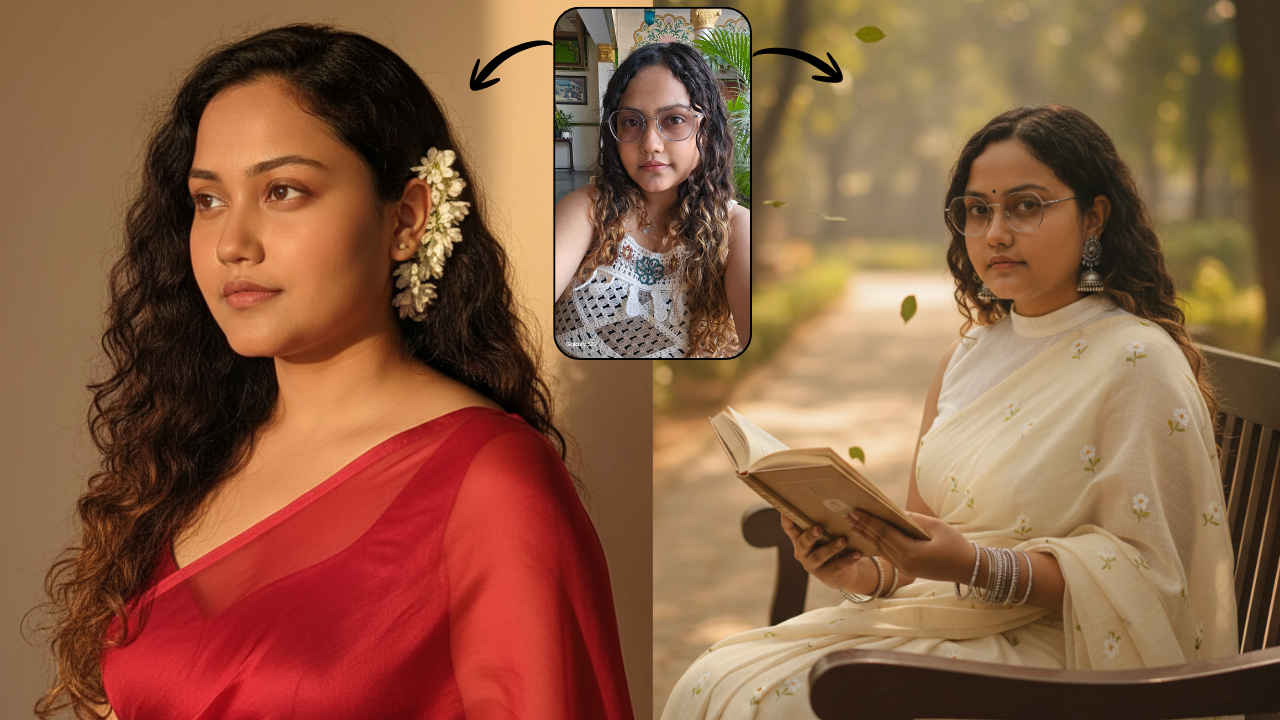
- Sample prompt 1: “Convert a hyper-realistic 4K portrait of a young Indian woman, with the exact same face as the reference photo (no alterations, 100% identical). She has long, dark, wavy hair cascading over her shoulders, with fresh white flowers tucked behind her right ear. She is wearing a sheer, elegant red saree draped gracefully over one shoulder, revealing a fitted blouse underneath. Her expression is soft and serene as she gazes slightly to her right. The background is a plain, warm-toned wall illuminated by a warm light source from the right, casting a distinct yet soft-edged shadow of her profile and flowing hair. The atmosphere should feel retro and artistic, with cinematic lighting and a timeless mood.”

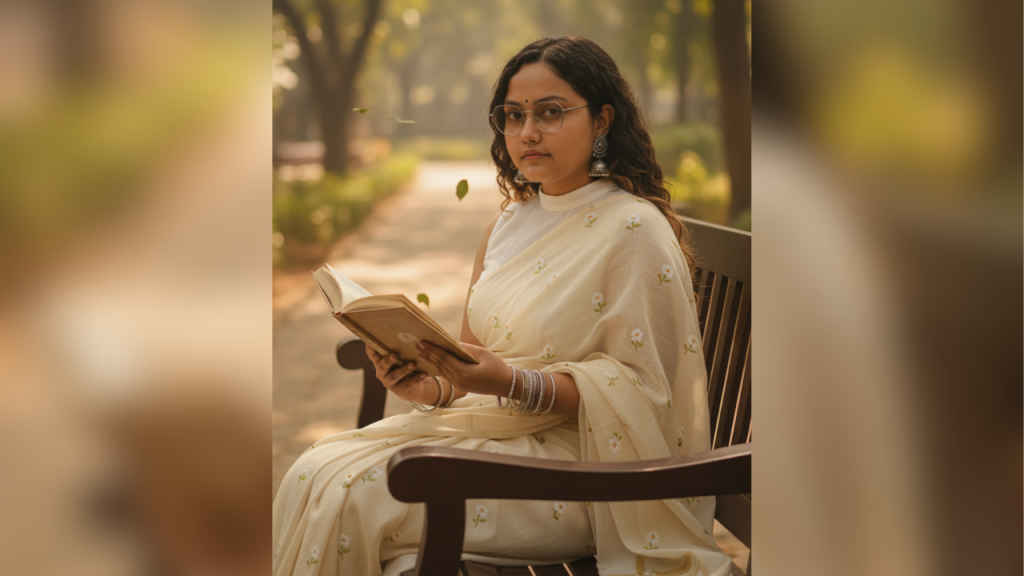
- Sample prompt 2: “A hyper-realistic 4K portrait of a young Indian woman with the exact same face as the reference photo (no alterations). She is dressed in a retro cotton saree with delicate small white flower prints, paired with a simple white blouse. She sits gracefully on a wooden bench, holding and reading an open book in her hands. Gentle leaves are blowing in the air around her, adding a touch of natural movement. The mood evokes a vintage 1990s film soft heroine aesthetic, with soft cinematic lighting, warm tones, and a nostalgic, dreamy atmosphere inspired by Pinterest retro fashion photography. She is wearing bangles in her hands and jhumkas in her ears.”