

Exclusive: Rapido knows your location even when app is not in use and that is scary
 Follow Us
Rapido seems to detect user location even when not in use and with limited permissions.
Users are getting precise, location-based notifications like at Kashmere Gate Metro Station, raising concerns.
The case questions how apps manage location data and whether controls on Apple devices are enough.
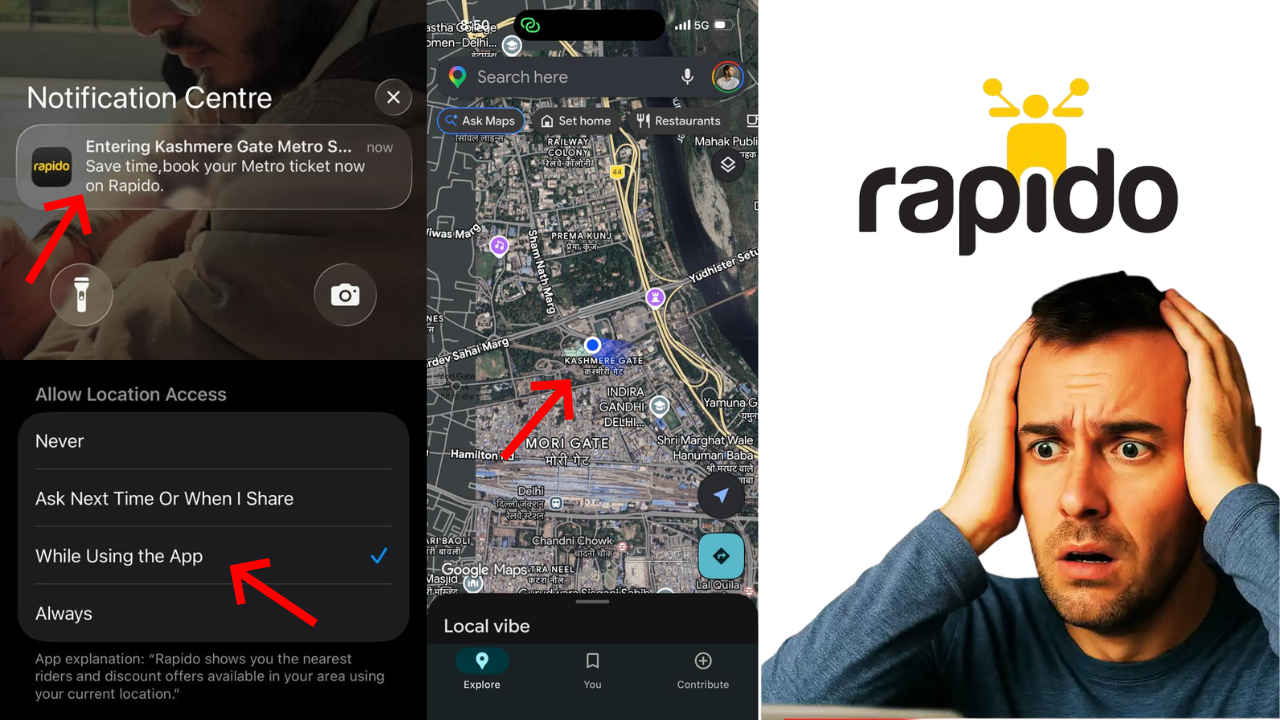

Ride-hailing apps like Rapido run on one simple idea, trust. You give them your phone number, your location, and your daily routes, and in return, they promise control. Settings like ‘only while using the app’ are supposed to protect you, and that’s the deal you sign up for. But what if I tell you that the control is just an illusion?
 Survey
I have been using ride-hailing apps for years now, and recently, something felt off. Even when I was not booking a ride using Rapido, nor was the app running in the background, it still somehow knew where exactly I was. Not just that, but the app also sends me a targeted notification every single day as I pass through Kashmere Gate Metro Station. Not randomly but precisely when I’m at the station premises. And trust me, this is not helpful but uncomfortable.
Notifications that know too much
Much like any other consumer I installed the official version of Rapido from the Apple App Store and set the location access to ‘only while using the app’. Under normal circumstances, the app should only access my location when I open the app to book a ride or are on an active ride. Even in that situation I still don’t want to be creeped out with a notification that would refer to my location.
Just to give you a brief context, I use the Metro for my daily commute, and I pass through the Kashmere Gate Metro Station on a daily basis. Now, here’s where the problem starts as each time I pass through the metro station, I receive a location-specific notification from Rapido that starts like ‘Entering Kashmere Gate Metro Station’.
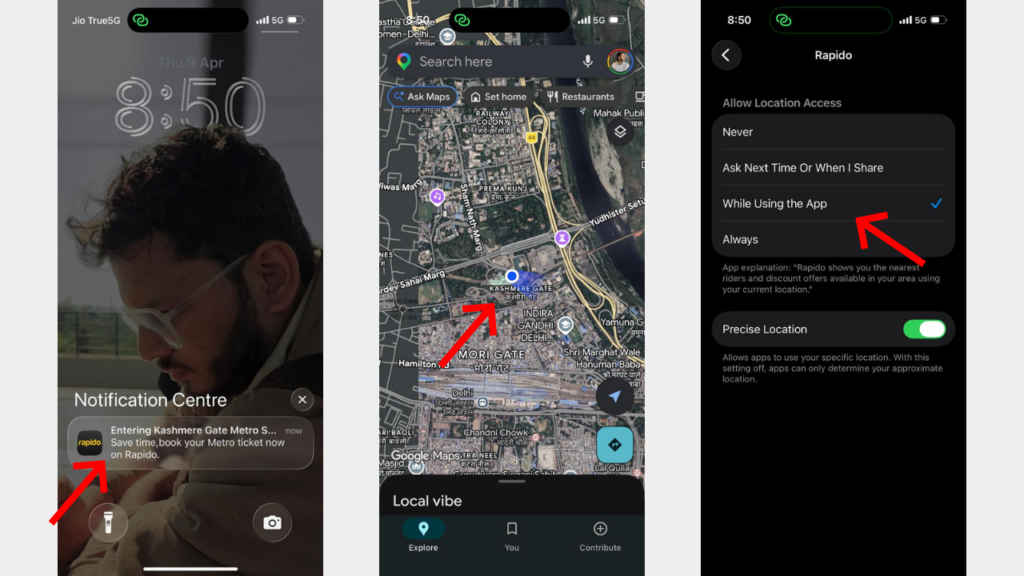
At first, I ignored the notification, much like anybody would, taking it as a coincidence. But when it started happening on a daily basis and that too no matter what time of the day I got past the station, whether it be mornings, afternoons, or evenings, coincidence stopped being an explanation.
Even iOS isn’t enough?
I’ve two devices, an iOS and an Android-based device, and both of them are on the latest builds with the updated Rapido app. But to my surprise, I’ve only faced this issue on my iOS-driven device, and my Android device just receives normal promotional push notifications from the company and has not received any of the location-based notifications to date.
Apple is considered to be one of the safest device manufacturers, but if an app can still figure out where I am with this level of precision, despite limited permissions, then what exactly are these controls doing?
Also read: Snap cuts 16 pct of global workforce, bets big on AI to boost profits
I’m not the only one
While I’ve recently noticed the issue of these creepy location-based targeted notifications, I’m not alone, as a quick search will tell you that a few other users have also been raising similar concerns on forums like Reddit and even professional platforms like LinkedIn. One user even put up a detailed post on LinkedIn pointing out the same Rapido issue on his iOS device over a year ago.
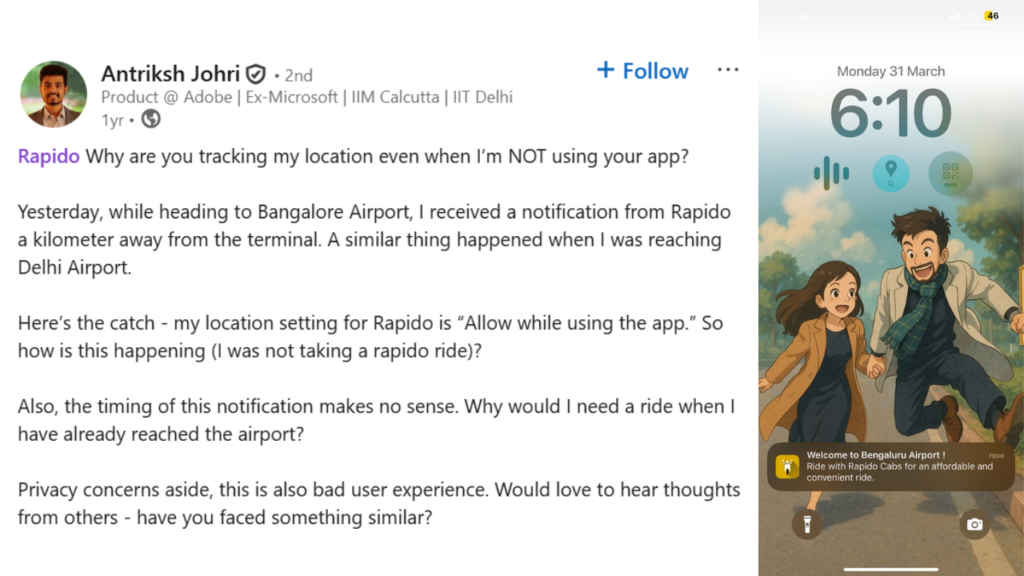
The post is a testament that the issue is not something that has recently emerged but rather has been there for a while now.
Response to the LinkedIn post
Responding to the LinkedIn post, the Rapido Support page added a comment stating, ‘Our notifications are designed to enhance user experience by suggesting rides based on common travel patterns and location data provided by the system.’
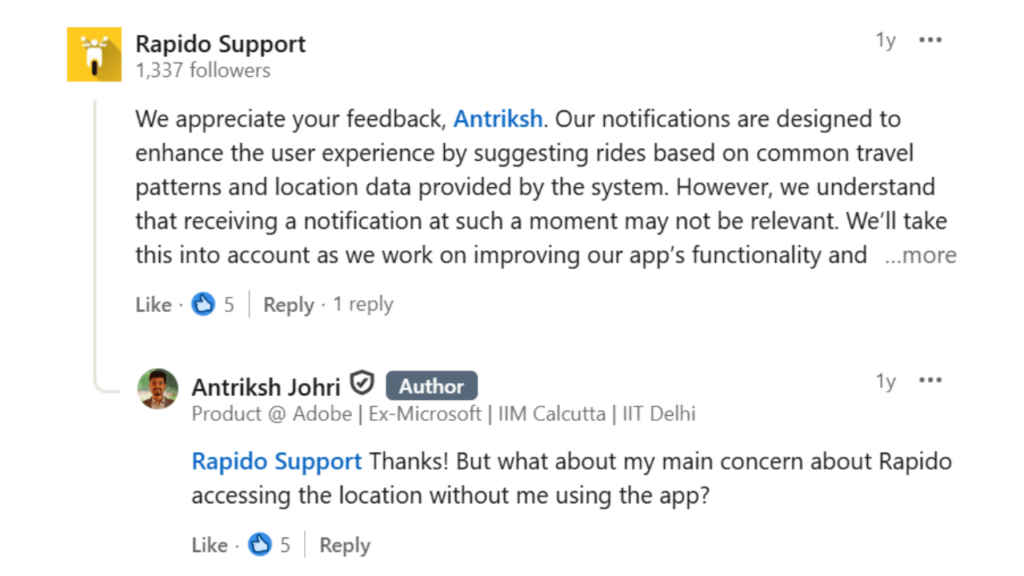
While the response sounds polished and all good, it doesn’t answer the real question or even acknowledge the issue.
If the app is not in use, not running in the background, and permissions are restricted, then how is it accessing location data in the first place? Enhancing experience cannot be an excuse for bypassing user consent.
Why this should concern everyone
This is not just about Rapido, but rather it’s about how app-based services treat user data. Smartphones are designed to give users control so that the user can decide when their location is shared with an app. That is also the foundation of digital privacy of a user.
But if apps can work around these limits, then that control starts to look meaningless, and that is where the real problem begins. If in the wrong hands, the location can be a deadly weapon against the privacy of a user.
Your location is not just a pin on a map, but rather it reveals your daily routine, where you work, where you travel, when you leave home, and when you return. It builds a pattern of your life.
Also read: Mark Zuckerberg moves desk to AI lab, codes alongside researchers amid AI race
Rapido points to Apple
Responding to our query, Rapido stated that the notifications on the iOS devices are not based on live location tracking; rather, ‘Apple may, through its published operating system features, send a notification directly to the user if they are in an area of interest previously registered by the app.’
They further added that ‘in such cases, the user’s live location is not shared with Rapido, and the notification is triggered directly by Apple.’
Rapido also claimed that ‘Notifications may be based on real-time location data available while the app is active or on historical usage patterns such as previously visited locations at similar times. These are predictive in nature and should not be interpreted as real-time tracking when the app is not in use.’


