
How to create viral IPL stadium videos for Instagram: Step-by-step guide
 Follow Us
Create viral IPL stadium videos using ChatGPT and Google Flow.
It's as simple as uploading a photo and a prompt, the results take just minutes.
Google Flow's AI tool turns normal images into cinematic fan-cam clips.
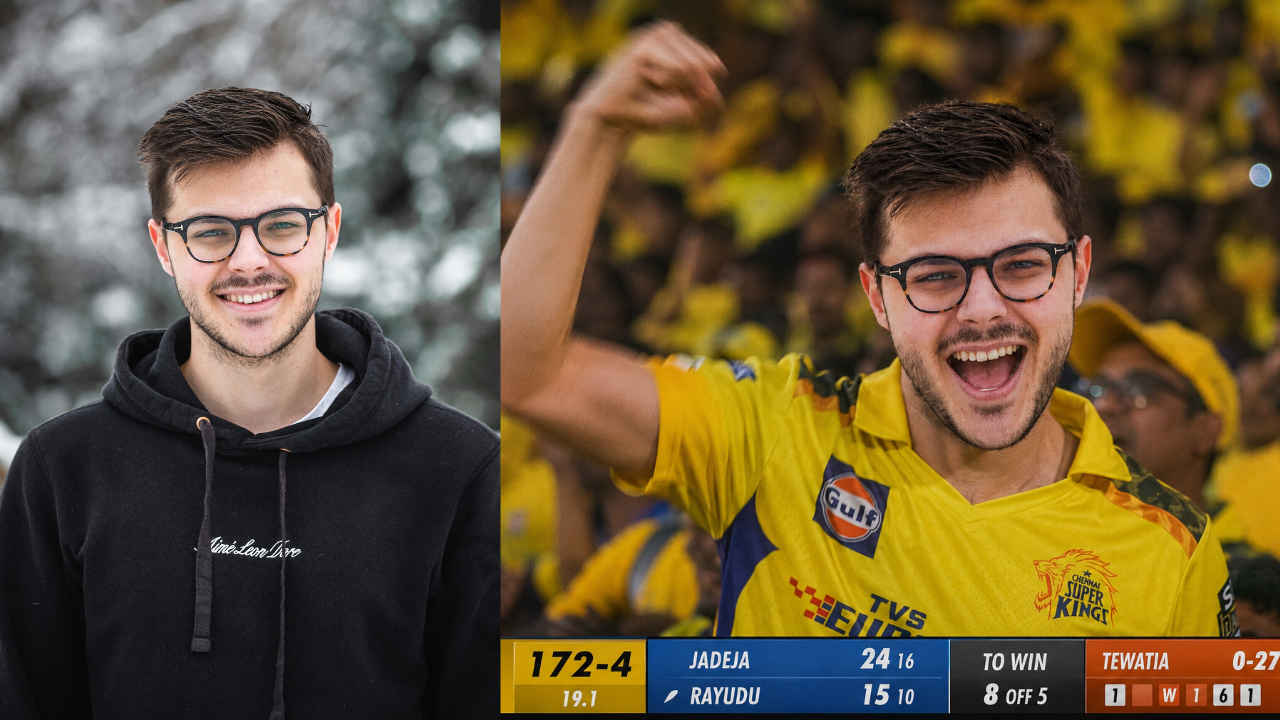

A while back, I made a guide on how you can create AI baseball stadium videos, because those videos were immensely popular over on Instagram. However, it looks like these baseball videos have finally been taken over by a new trend, and that’s IPL stadium videos. Well, the concept remains the same; however, the result is much different. Something which is much more familiar to us Indians. But the question remains the same: how do you actually make such videos? Don’t worry, as it’s pretty simple. Without wasting much time, let’s check out how you can create the viral IPL stadium videos for Instagram within minutes.
 Survey
Also Read: How to create AI Baseball viral video trend for Instagram in minutes
Why are the IPL stadium videos trending?
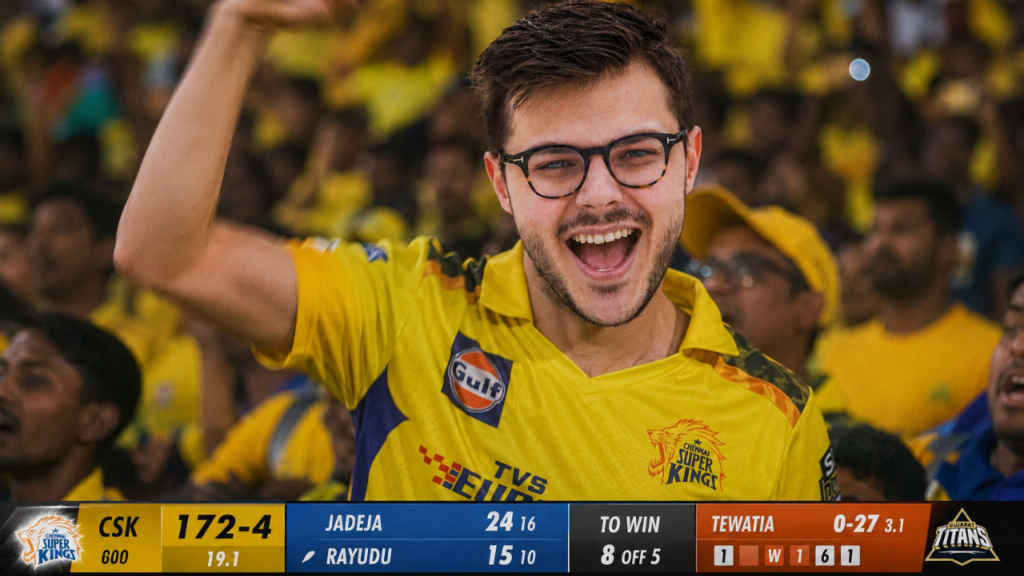
Just like every other Instagram trend, it’s hard to understand why the IPL stadium videos are currently trending. But as stated before, since the baseball videos went viral, it looks like the Indians wanted their own version of the trend. Given the popularity of the Indian Premier League in the country, it makes sense that these stadium videos have been based around IPL teams. Let’s now have a look at how you can actually create such videos.
IPL stadium viral video trend: Step-by-step guide
Step 1: Creating an image using ChatGPT/Gemini
Our first step involves creating the base image, as that would be used to create the video going forward. Creating the image is pretty simple; all you need to do is take a picture of yourself and upload it onto either ChatGPT or Google Gemini, along with a prompt.
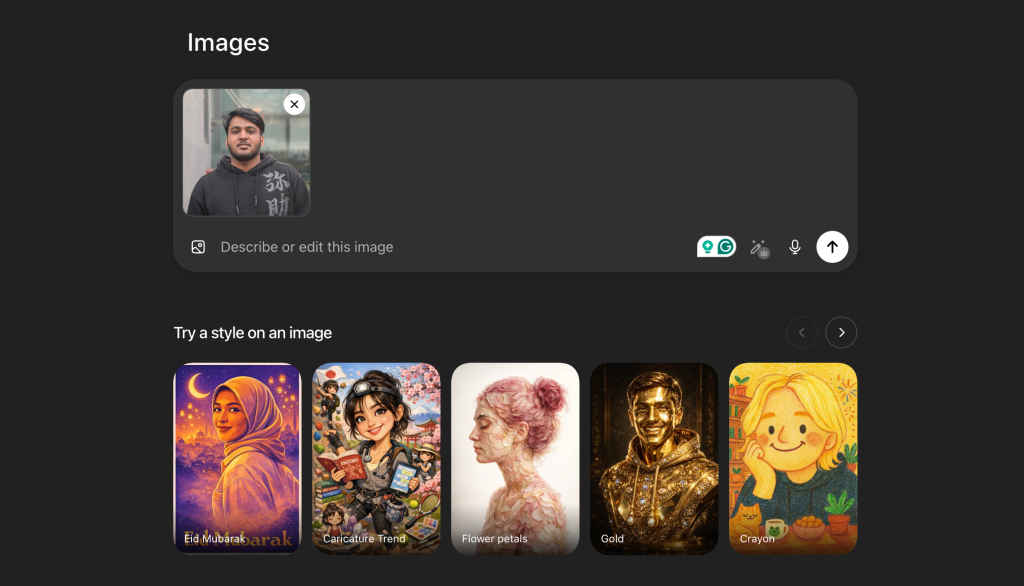
Personally, I use ChatGPT for creating images, as I’ve found it to be better than Gemini in comparison. It is recommended to use a good portrait picture for the best results. As for the prompt, simply copy and paste the one mentioned below:
Image prompt:
“Reference image person caught mid-celebration in a packed IPL stadium crowd — face structure fully preserved, natural euphoric expression, mouth open in a victory shout, one fist punched in the air. Wearing a [Team Name] jersey, surrounded by a sea of matching colours. Broadcast-quality stadium lighting — warm tungsten floodlights mixing with cool LED wash. Shallow depth of field, crowd dissolved into bokeh. Star Sports broadcast frame: live score ticker at bottom, match clock top right. Shot on a 300mm telephoto, heavy cinematic compression, slight motion blur on the fist. Documentary fan-cam aesthetic — no studio, no pose, pure stadium chaos.”
Step 2: Importing the generated image onto Google’s Flow
Once the image has been created, you can either edit or download it locally by clicking on the image. Next up, to create the video, you’d need to use Google’s latest image and video generator called Flow. Simply open the Flow website on either your phone or desktop. Once there, you should see the ‘Start’ and ‘End’ templates. Click on them, and upload the image that you just generated.
Step 3: Creating video using Flow
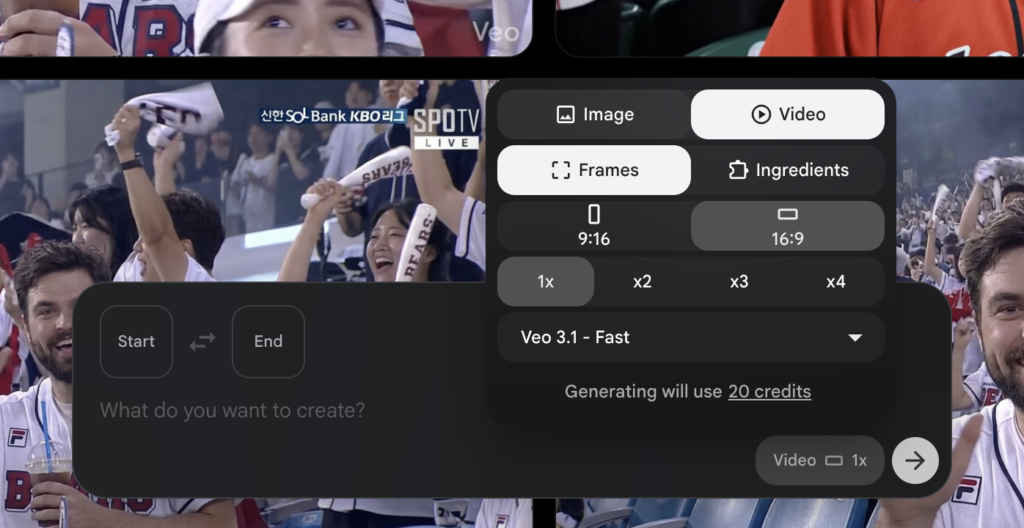
Once the image has been imported onto Google Flow, all you need to do is use the correct prompt and make sure the settings are right. As for the settings, make sure you’ve selected videos, and choose the aspect ratio as you want it. For the prompt, you can find it mentioned below:
Video prompt:
“A short broadcast-style video clip of a reference-image person seated in a live IPL night match crowd — face identity preserved. The camera starts on a wide shot of the packed stadium stand, then slowly zooms in on the subject via a telephoto broadcast lens. The subject is clapping rhythmically, glancing toward the pitch, then briefly making eye contact with the camera with a natural grin. [Team Name] jersey and stadium lighting are clearly visible. Crowd surging around them. Live TV broadcast overlay: Real-time scoreboard. Handheld-smooth camera movement, lens flare from floodlights, shallow depth of field. 4–6 second clip. Cinematic, photorealistic, authentic fan-cam energy.”
You will have to wait a few minutes as Flow takes some time to generate the videos. But once that’s done, you can simply click on the video, and you should see the option to either share the video or download it onto your device locally. In case you want to make any changes to the video, you can do so then and there.
With that said, I hope you were able to create the viral Instagram IPL stadium videos with ease. Do share your results on social platforms, and don’t forget to tag us there. For more such informative guides like this, keep on reading Digit.in
Also Read: How to create the viral chibi style image for Instagram using ChatGPT


