
Windows search box cleanup: Microsoft fixes years of bloat, here’s how
 Follow Us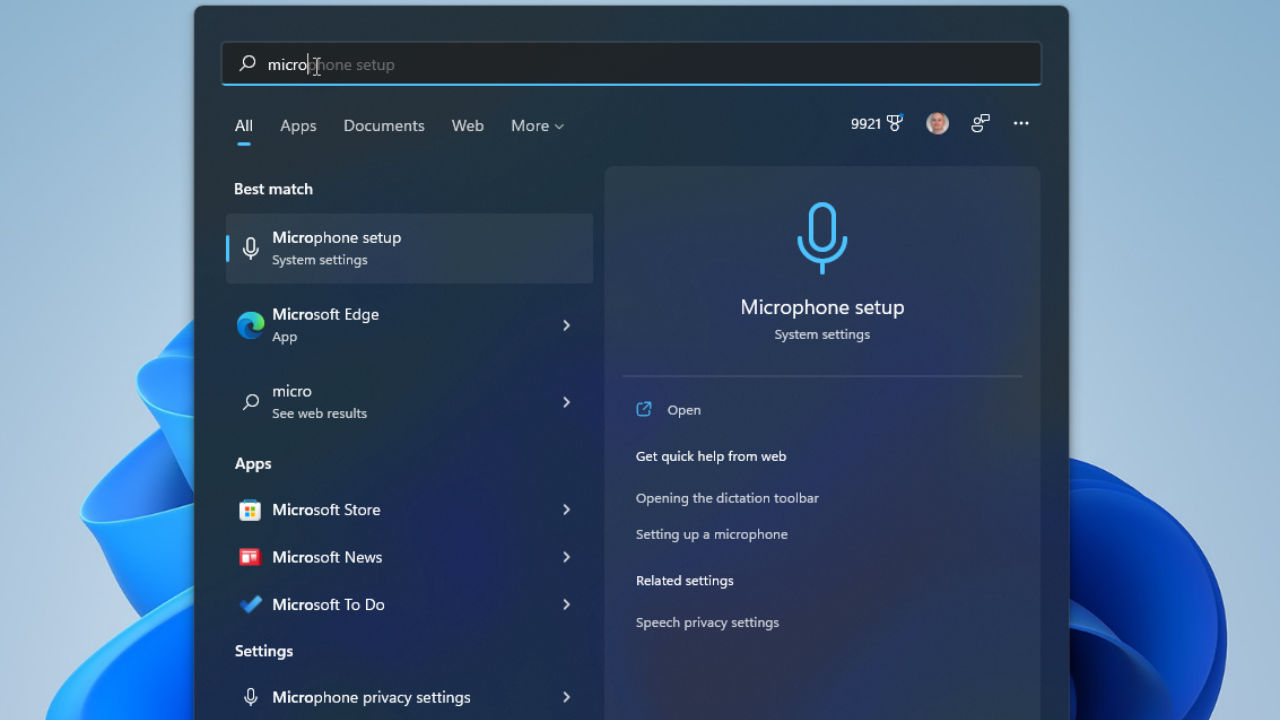

I have wasted at least a decade hitting the Windows key, typing in three characters, and wondering whether it would return me the application I was after or take me to a Bing search result page for a shoe sale. It is not an exaggeration either. The Windows Search has been the most unpredictable tool to work with on this platform, but finally, Microsoft seems to be addressing the issue.
 Survey
Also read: macOS Golden Gate public beta is here: How to install, supported devices and all new features
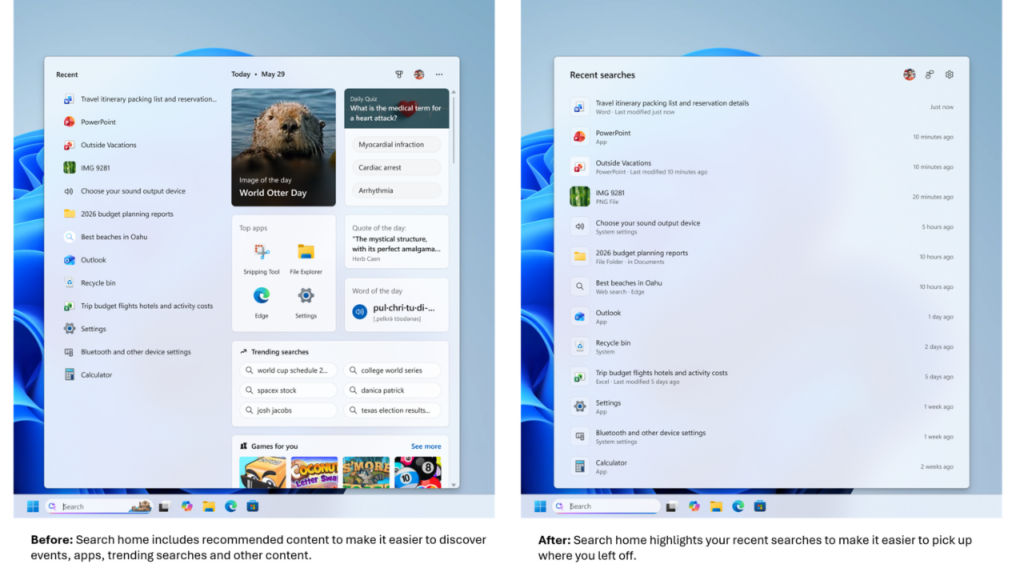
Microsoft has released some updates regarding the Windows Search Box for the Insiders in the Experimental build, and reading through the release notes feels more like a confession than anything else. The home screen has become more concise to help avoid visual overload and provide an easy way to access recent searches. The results have become better by indicating the source of the content, which could be an app, a setting, a file, a web result or something suggested in the Store, helping you understand where you are going before you even go there. And probably the most awaited change is the fact that promotional content has disappeared from web results, making the search deliver the most relevant result rather than promoting products and advertisements.
And if you’ve spent even a bit of time using Windows 11, then you’ll know precisely what the last line is referring to in terms of euphemism. For years now, trying to find a local file would result in getting the full-width Bing card which tried to promote something you weren’t interested in, right above the file you were looking for.
The off switch
Also read: Apple and OpenAI’s breakup to lawsuit: What went wrong in their partnership?
The visual polish is welcome, but the meat of the matter is control. There’s now an option within Settings under Privacy and Security, Search that enables you to choose whether web and Microsoft Store suggestions appear together with your local results. Turning it off returns Search to how it should have been from the beginning, apps, settings, and files first.
It feels like this is too little, too late rather than being generous because of something that Windows Central brought up, which is that there’s actually been a toggle to turn off web results for a while now in Europe because of regulatory demands there. It didn’t take anyone else fighting to get back their search bar; it just took enough people getting vocal about not liking it. One column on Windows Central put it succinctly by saying Microsoft should have had this control available from day one since most people are searching for files, apps, or settings anyway.
In addition, there’s another lesser fix hidden within the same update. The idea is that local results will get preference when they are the better matches, and therefore your applications, settings, and files will always appear before web and store results when the latter aren’t what you actually need. The system shortcuts – This PC and Recycle Bin have become much easier to find as well, and the search for apps has become less strict. They all seem to be some minor improvements from a theoretical point of view. But in reality, they are about Microsoft finally realizing how poorly the ranking algorithm worked for search needs.
An overdue update
This is not Microsoft making a declaration of victory for their search engine. These changes are behind a toggle in the Experimental channel and being rolled out slowly via what Microsoft refers to as a Controlled Feature Rollout, which means that most Insiders will not have these changes immediately. This makes all the difference in the world. It shows that Microsoft is testing this reversal out carefully before making any declarations of victory because this solution has been a while in coming.
And it’s important to keep in mind that this doesn’t happen in a vacuum. Windows 11 has spent the past year in a gradual process of clean-up. Copilot has been scaled back after pushing it too hard. Windows Update now gives users more control rather than demanding restarts at its own whim. Widgets have been silenced. File Explorer got actual functionality changes instead of simply cosmetic improvements. This latest update of the search bar looks like a continuation of the previous story: Features which have been pushed too fast, too soon, and have to be backed off due to user complaints.
For longtime Windows users, this is the big news. Not the redesign of the search bar but the fact that Microsoft is finally paying attention after years of ignoring users’ complaints.
If you use the Experimental Insider build, a reboot may give you the update today. Everyone else has to wait once again for an update which should have been released this way from the start.
Also read: AI has a hidden cost, warns Satya Nadella: What does he mean by that?


