
I replaced my PC with the Asus ROG ecosystem, here is what happened
 Follow Us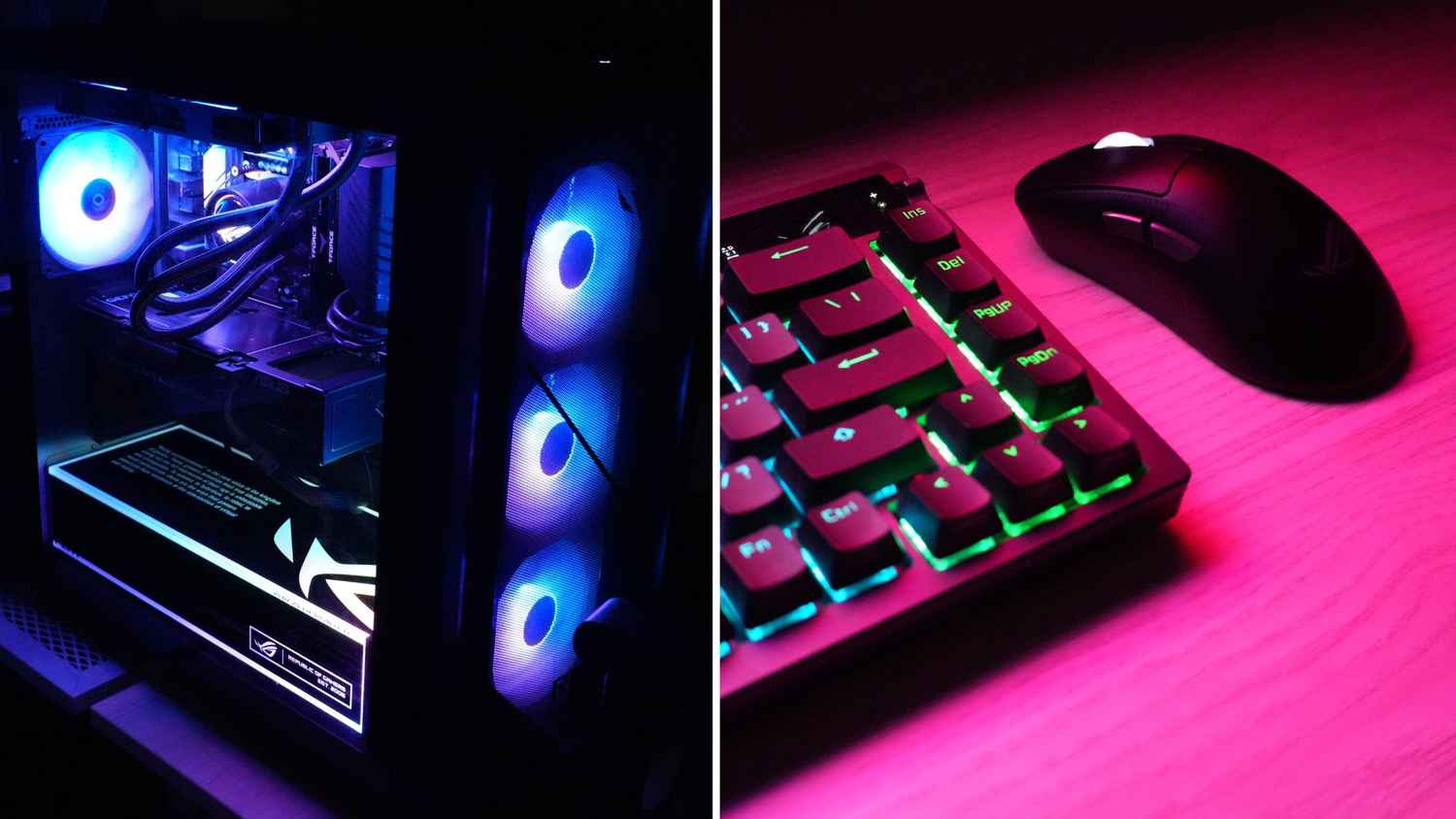

There is a room in my home that I have declared as my sanctuary. And as you might have already guessed, this is where my most precious possession lives, the gaming setup. It is the one place where everything feels just right. The desk is arranged near a window that overlooks a tree, the lighting is exactly how I like it, and every accessory is carefully placed within my arm’s reach. So naturally, I do not really like the idea of changing things around there. At all.
 Survey
But last week, I made an exception and replaced my entire setup with the Asus ROG ecosystem. And a week later, I realised that I had not thought about my old setup even once. And that is probably the biggest compliment any device can receive from a gamer who is extremely particular and loves her gear. ROG is also celebrating its 20th anniversary this year, which made this the perfect time to try something like this.
Here is the ecosystem I used:
- The ROG Azoth M701 keyboard
- ROG Keris II Ace mouse
- ROG Pelta A501 headset
- ROG Swift 360Hz monitor
- ROG G700 desktop tower
- ROG Xbox Ally X handheld
With the rig now set, it is now time to dive in and see how each piece of this ecosystem fits together.
Also read: 5 things you need to know before playing Resident Evil Requiem
Peripherals that just ‘click’
Every gamer has a very specific preference when it comes to keyboards. Some want silent typing while others want a soft tactile feel. As for me, I like my keyboard loud. The kind of loud that makes a satisfying click every time you press a key. And the kind that can probably be heard in the next room.
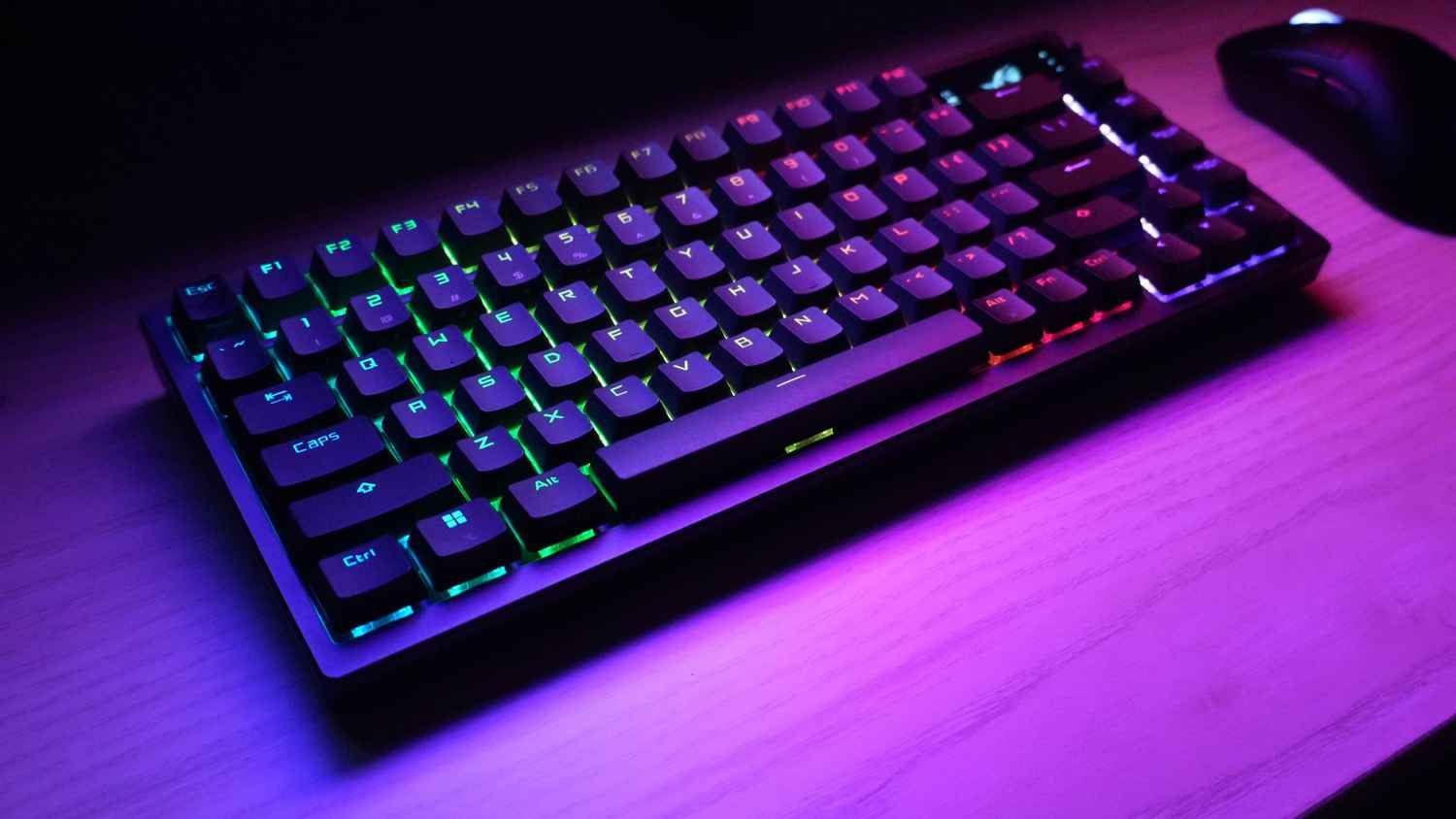
So when I unboxed the ROG Azoth M701 and pressed the keys for the first time, I instinctively smiled. There it was. That familiar mechanical click that I enjoy so much. For someone who loves mechanical keyboards, the Azoth M701 instantly felt like home.
Now I mostly play games using a controller as I transitioned from console gaming to PC gaming only two years ago. So, a controller still feels natural to me. But some games simply demand a keyboard and mouse. And CS: GO is one of them. I played a few matches with friends and the keyboard performed beautifully. The response felt instant and precise. My friends could even hear the clicking sounds through my microphone and while it annoyed them, I personally enjoyed every second of it.
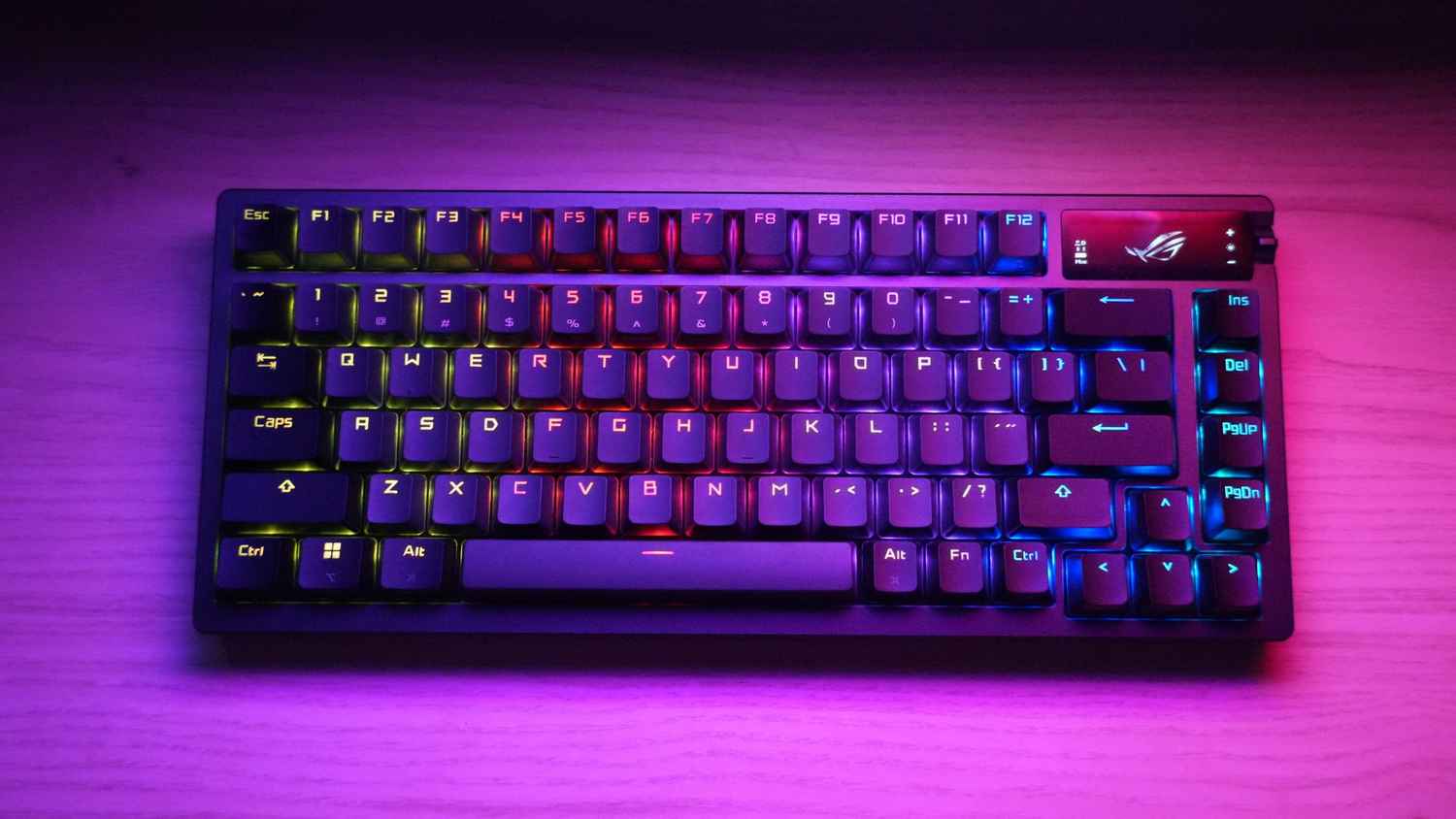
The keyboard also has a small OLED display on the top right corner. It might sound like a small addition but it quickly becomes useful. The screen shows indicators like caps lock status, connection mode, battery levels and even system parameters such as CPU temperature. It can also display multimedia information or custom animations if you want to personalise the look of your setup.
Right next to the display is a switch which allows quick volume adjustment. This turned out to be extremely helpful while playing story driven games. Instead of reaching for system settings or the taskbar, I could simply toggle the switch and instantly tweak the volume. It is that kind of convenience that you miss when it is no longer there on other keyboards.
Connectivity is another strength here. The Azoth M701 supports tri mode connectivity which means you can use Bluetooth, 2.4GHz wireless or wired USB. I frequently switch between my MacBook Air and my gaming PC, so Bluetooth pairing was quite useful. The keyboard can connect to up to three devices at once and switching between them is quick and seamless.
For gaming, I mostly used the 2.4GHz wireless mode powered by ROG SpeedNova technology. During my time with it, latency was practically non-existent. Asus claims the keyboard can deliver more than 2,000 hours of low-latency gameplay in this mode with RGB and the OLED display turned off. That is an impressive figure for a wireless gaming keyboard.
Design-wise, the Azoth carries the signature gaming aesthetic with RGB lighting. The keyboard also includes two pairs of feet that allow three different tilt angles. I experimented with all of them before settling on a comfortable angle for long sessions. Asus even includes hot swappable switches, which means you can change the switch type if you want a different typing feel.
Interestingly, Asus also provided a DIY switch lube kit with the keyboard. The kit includes tools like a switch opener, keycap puller, switch puller, lube station, brush and lubricant. Enthusiasts who enjoy customising their keyboards will absolutely appreciate this level of detail.
Now, let’s talk about the ROG Keris II Ace gaming mouse. The first thing you notice about it is the weight. At just 54 grams, it is incredibly light. When I took it out of the box, my immediate reaction was ‘wow’.

Despite being so light, the mouse feels solid and well-designed. The sides are slightly sloped inwards, which makes it easier to grip during intense gaming sessions. Even after four hours of continuous gameplay, my hand did not feel tired. That is a big win for a competitive gaming mouse.
The clicks feel crisp and responsive, and the mouse supports wired USB, Bluetooth and 2.4GHz wireless connectivity. Through the Armoury Crate Gear software, you can customise RGB lighting, adjust performance settings, calibrate the surface and map buttons to your preference. For the unversed, the Armoury Crate is a powerful piece of software that lets you fine-tune the experience exactly the way you want.
The ROG Pelta A501 headset
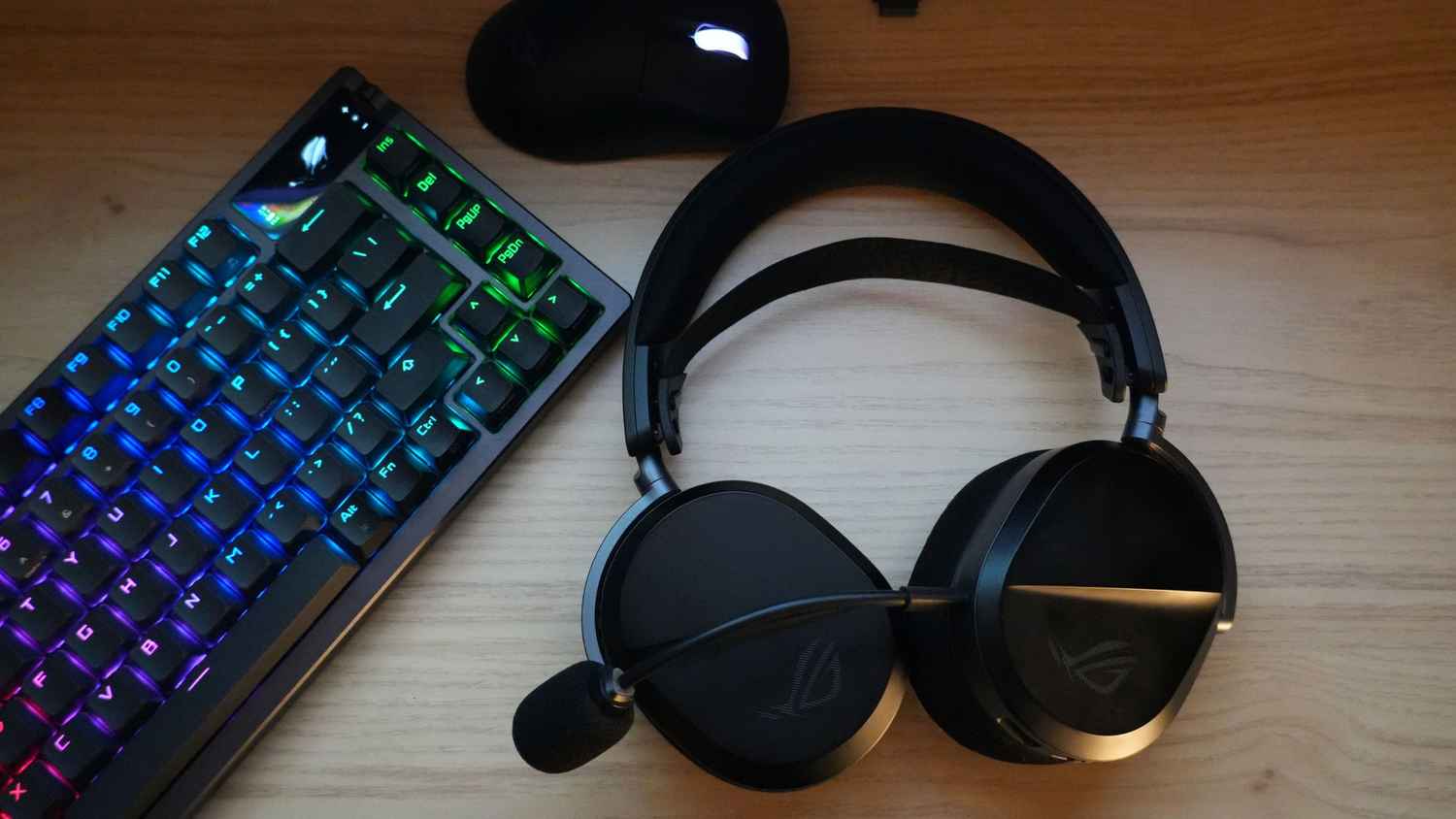
A good headset can completely change the way a game feels. And that’s exactly what the ROG Pelta A501 gaming headset did for me. The headset weighs around 309 grams, which means it feels light enough for long sessions. It uses a three-level adjustable elastic headband that reduces pressure on the head. The fit is quite snug, which I personally like because it keeps the headset stable. That said, people who prefer a looser fit might need a little time to get used to it.
Coming to audio quality, it is simply excellent. The Pelta uses 50mm titanium-plated diaphragm drivers that deliver a wide frequency range from 20Hz to 20kHz. In practical terms, this means you get rich and detailed sound across different types of games.
I spent a lot of time playing Resident Evil Requiem during this test period and the headset really enhanced the experience. The background music sounded dramatic while the environmental sound effects made every hallway feel tense and unpredictable. Horror games rely heavily on sound design and the Pelta captured those details beautifully.
The headset also includes a 10mm super wideband boom microphone that gets the job done. I could communicate easily with my friends during multiplayer games.
As far as the battery is concerned, it is a real win. Asus claims up to 70 hours of battery life in 2.4GHz mode. And in my week of usage, I played around three hours every day and never had to charge it even once. Fast charging is also supported. A quick 15-minute charge can deliver around three hours of usage.
ROG Swift 360Hz monitor
Asus says that the ROG Swift 360Hz monitor is designed specifically for competitive gaming. It is a 24.5-inch Full HD Fast IPS panel with a staggering 360Hz refresh rate. And when you play fast-paced games, you’ll know what they are talking about. The monitor delivers extremely smooth visuals and the 1ms response time ensures sharp motion clarity. Nvidia G-Sync support also keeps gameplay free from tearing and stuttering.
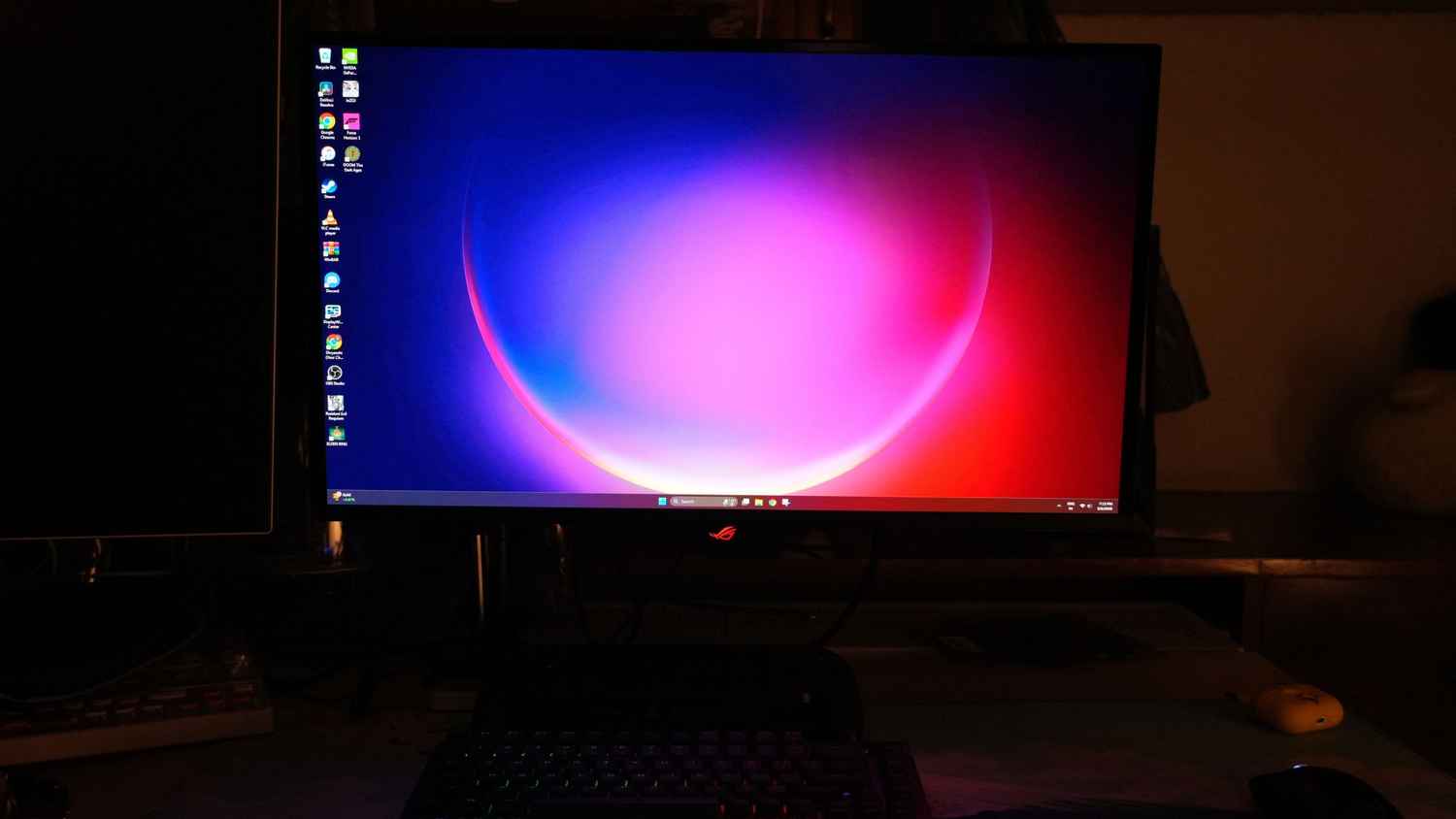
I tested several games on this monitor including Elden Ring, Forza Horizon 5, Doom and Resident Evil Requiem. Each world looked detailed and fluid. Moreover, even during intense battles or high-speed racing sequences, the screen remained stable without tearing. Colours felt natural and balanced rather than overly saturated, which is exactly how I prefer my gaming monitors.
Brightness was also sufficient. I mostly kept the brightness level around 70 % during my sessions. On the back, there is an RGB-lit ROG logo, which adds a stylish touch to the setup.
ROG G700 desktop tower: The ultimate powerhouse
The entire ecosystem won’t be a possibility without the ROG G700 desktop tower, the ultimate powerhouse, as I like to call it. Asus calls it the birth of a legend on its website and honestly, that description does not feel exaggerated.
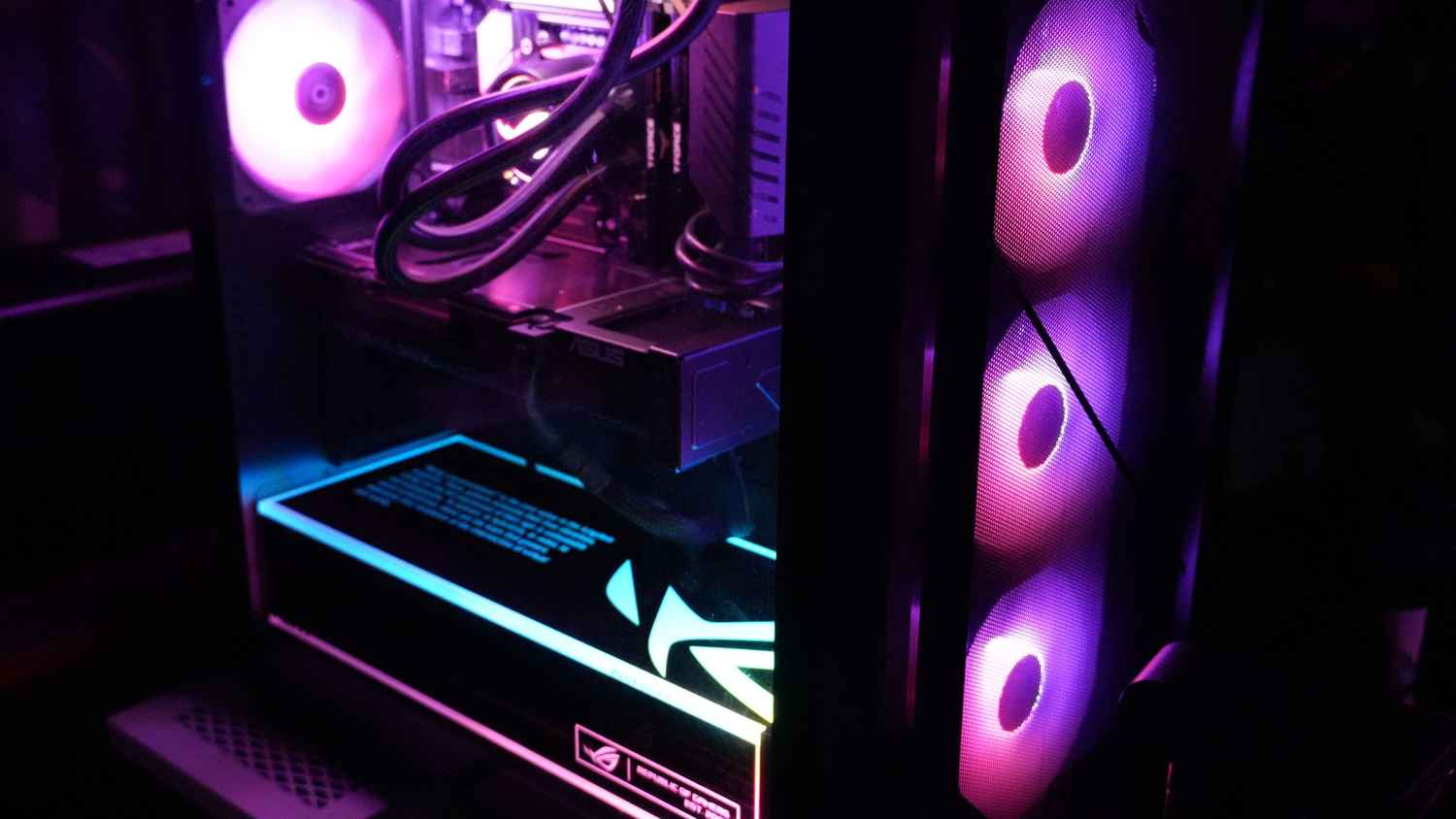
The moment I turned it on and saw the RGB fans spinning behind the glass panels, it reminded me of all those stunning gaming setup videos you see on YouTube. My previous PC was quite powerful as well, with an RTX 4070 Ti Super and an AMD Ryzen 7 9800X3D processor. But visually, it does not look nearly as dramatic because it is housed in a simple, compact black case.
The G700, on the other hand, looks like a true showpiece. The case features glass panels on both the front and one side, allowing you to see the internal components including the GPU, cooling pipes and fans. The design highlights the signature ROG slash pattern and the Fearless Eye logo, which instantly makes it recognisable as part of the ROG family.
The only small detail I did not love was a quote printed inside the chassis. Personally, I prefer cleaner setups without text inside the case. But that is a minor observation and certainly not a deal breaker. Overall, the system looks absolutely stunning.
Under the hood, the G700 packs serious power. It is powered by an Intel Core Ultra 9 processor paired with the Nvidia GeForce RTX 5080 graphics card. The configuration also includes up to 32 GB of high-speed DDR5 RAM and up to 2 TB of PCIe 4 storage which can be upgraded to PCIe 5. Cooling is handled by a quad fan system with a tri fan intake and rear exhaust.
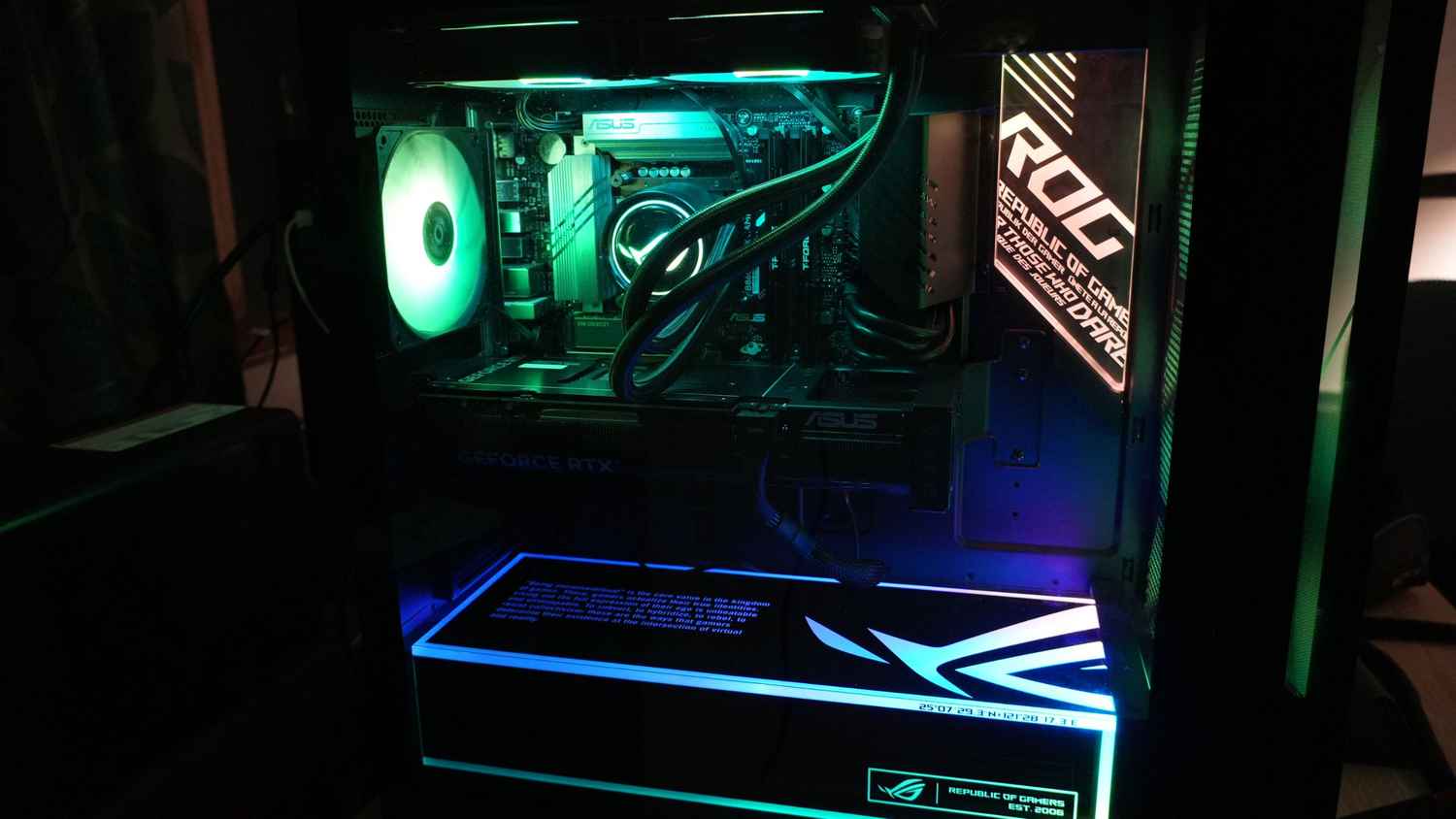
In terms of connectivity, the tower offers a wide selection of ports. At the back, you get a Display Port output, a USB 10Gbps Type A port, a USB 20Gbps Type C port, 4 USB 2.0 Type A ports and 4 USB 5Gbps Type A ports. There is also a Realtek 2.5Gb Ethernet port, a Wi-Fi module and 3 audio jacks.
On the top panel, the tower includes 2 USB Type A ports, a USB Type C port, a microphone input, a headphone output and the power button.
If there is one improvement I would personally like to see, it would be an additional USB Type-C port on the top panel. I often connect external accessories and another Type C port would have been extremely convenient.
As far as performance is concerned, the G700 performs exactly how you would expect a Rs 4 lakh machine to (It currently costs around Rs 3.5 lakh on discount). Modern titles ran smoothly and the system never slowed down, even when I pushed it with demanding settings. The Armoury Crate software also proved extremely useful.
Armoury Crate is like the control centre of the entire ROG ecosystem. There’s a single dashboard with which you can monitor system performance, control fan speeds, manage power profiles and synchronise RGB lighting across devices. Instead of juggling multiple utilities for different components, everything is neatly integrated into one interface.
The software also provides real-time monitoring for CPU and GPU usage, temperatures and fan speeds. This information becomes valuable when you are running demanding games or workloads because you can quickly check system health and adjust performance settings if required.
Aura Sync lighting is also integrated into Armoury Crate. This feature allows RGB lighting across compatible ROG products to synchronise perfectly. It creates a unified visual theme across the keyboard, mouse, PC and other accessories.
Interestingly, RGB lighting can also be functional instead of just sitting still, looking pretty. For example, lighting can change colour depending on system temperature or game events. If temperatures rise, the lighting can shift from blue to red to alert the user. Some supported games can even trigger lighting changes during gameplay.
Gaming performance and the ROG Ally X
Performance is ultimately what matters the most in a gaming setup and the ROG ecosystem delivered impressive results.
While playing Resident Evil Requiem with DLSS 4 frame generation enabled, path tracing turned on and graphics set to maximum, I was getting a stable 220 frames per second at 1080p resolution. When switching to 1440p resolution, the frame rate stayed around 150 FPS.
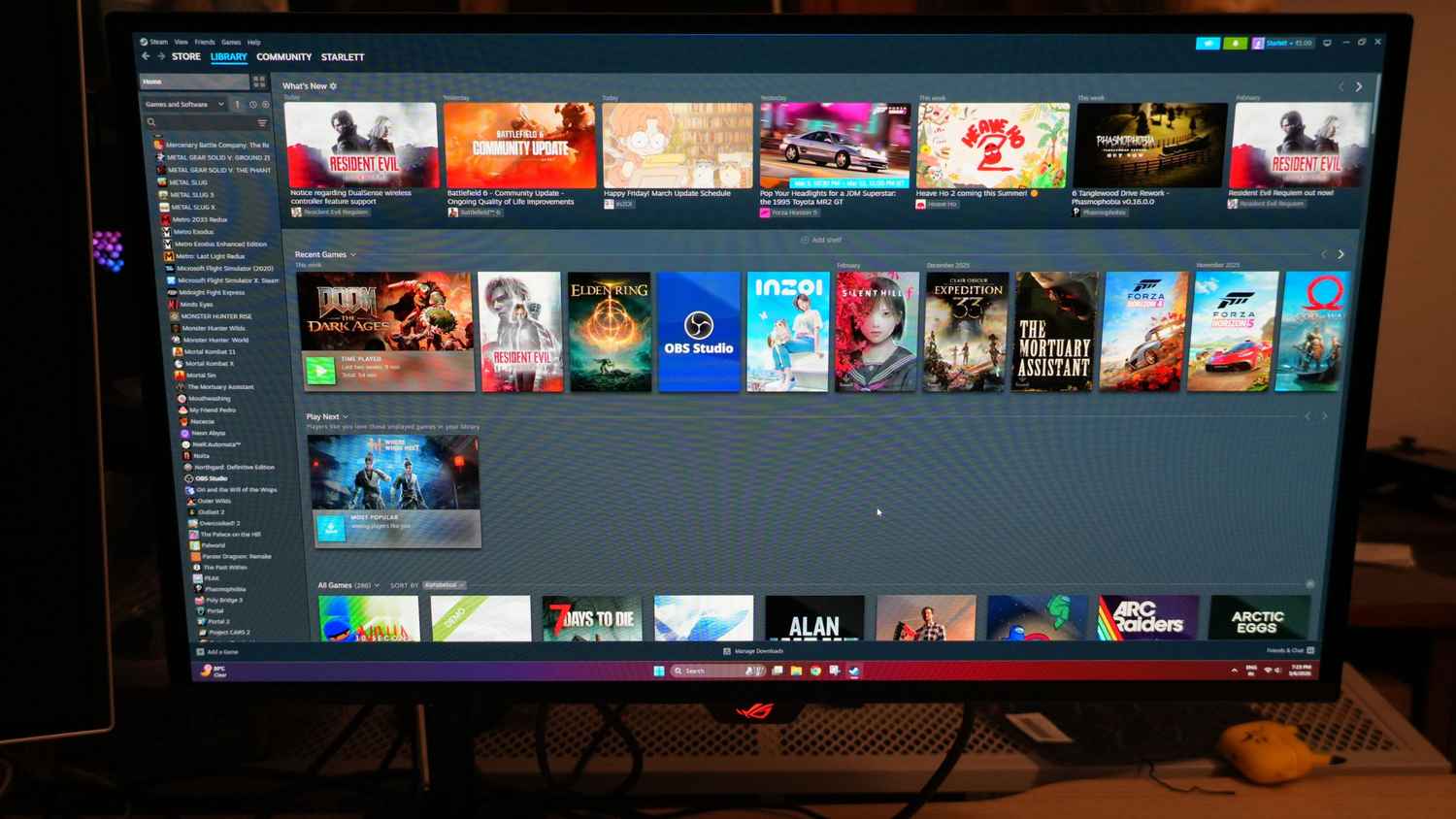
Doom: The Dark Ages performed even better. With all graphical settings maxed out, the system easily delivered more than 250 FPS. And Forza Horizon 5 pushed performance even further, reaching close to 300 FPS during gameplay.
These numbers translate into a very smooth and enjoyable experience. The high refresh rate monitor ensured that every frame was visible, while the mouse and keyboard delivered precise control. The headset completed the immersion by delivering clear positional audio and powerful sound effects.
Another interesting part of this ecosystem is the ROG Xbox Ally X handheld. This device allowed me to continue gaming even when I had to step away from my desk. With an internet connection, I could easily pick up where I left off and continue playing while travelling or relaxing in another room.
For anyone curious about the handheld itself, I have already reviewed it separately in detail. You can read the full review here.

So, after spending a week with the complete ROG ecosystem, I can say that this is a setup designed for gamers who want both performance and visual appeal. And, have no budget constraints. It looks stunning on the desk, delivers excellent performance in modern games and offers enough flexibility for different gaming styles.
For me personally, replacing my old setup even for a week was a big decision. But after living with the ROG ecosystem, I feel it was an experiment worth doing. For a gamer, this kind of setup really does feel like a dream come true.
Also read: Asus launches V501 desktop with 64 GB expandable memory, price starts from Rs 42,990


