
I tried Veo 3 on Canva: Brilliant stuff, but here are 4 limitations you should know about
 Follow Us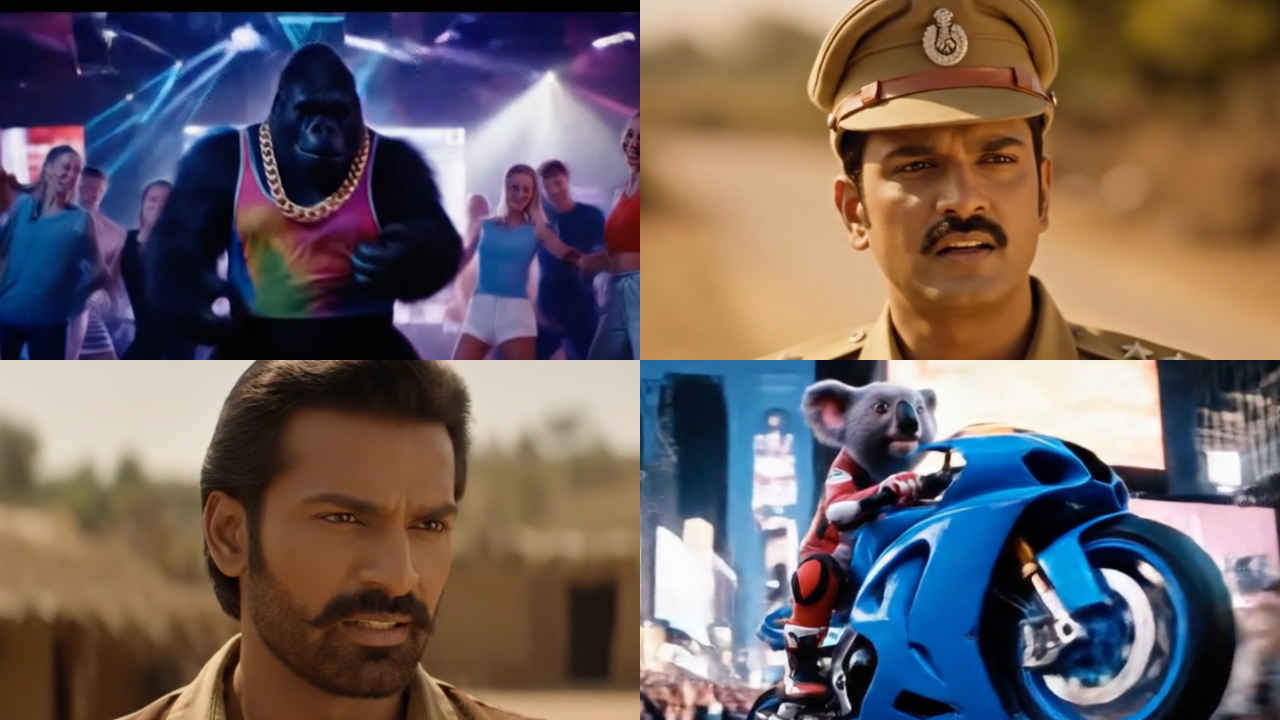

Move beyond image generation, tech giants are now making video generation the new normal. And guess what, the videos that AI generates from a single prompt look more realistic than you would expect. Google’s new AI video generation tool, Veo 3, allows you to generate videos from text-based prompts, and that’s okay, but the best part here is that these videos have audio too, something you don’t get with the famous OpenAI Sora. Recently, Canva announced that it is using Google’s Veo 3 as its source of generating AI videos. And guess what? We tried it out!
 Survey
Veo 3 on Canva
I feel that Canva collaborating with Google for Veo 3 is a pretty smart move. Those of us who aren’t pro at video editing do use Canva for edits, and the addition of Veo 3 makes the process a bit more futuristic
How to use Veo 3 on Canva:
So, you must be wondering if it might be another set of dos that you will have to follow to be able to generate a video on Canva using Veo 3, but on the contrary, it is pretty simple. Follow along-
Step 1: Log in to your Canva account.
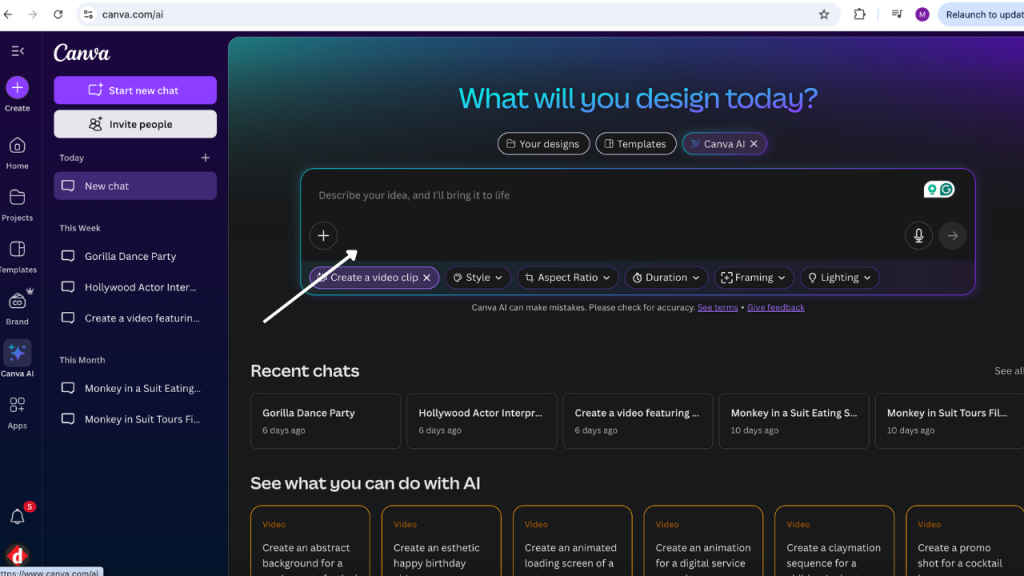
Step 2: Click on Canva AI. You will find it on the left-hand menu.
Step 3: It will open the AI interface, then click on “Create a video clip”.
Step 4: Then just type your prompt, and it will generate your video.
The videos that Veo 3 generates look pretty realistic, especially if you are creating a character. Moreover, the audio is also perfectly synced with the visuals. And even the transitions in fictional videos are pretty smooth. I was left super impressed.
But, you don’t get everything good all in one place, or so is the rule of life. Apologies for going philosophical. All I am trying to say is that this also comes with some limitations.
Limitations of Veo 3 on Canva
- First up, you can only access Veo 3 on Canva if you have a pre-existing Canva subscription. The annual plan for an individual costs Rs 4,000, and if you are opting for a monthly subscription, it’s Rs 500. So it is not free of cost.
- Next, and the biggest limitation is that in a month, you can only generate 5 videos on Canva. So for the entire month of June, let’ say, you can generate only 5 videos. If you exhaust that, then you will have to wait until the month changes.
- And for now, the AI-generated videos are limited to a horizontal format, with an output resolution of 1280×720 pixels (HD). So if you were planning to create reels, you will have to struggle a little.
- Oh yes, and one more thing, you can only generate 8-second video clips using Veo 3 on Canva for now.
Now, coming to Veo 3, Google announced it at the I/O 2025 conference. Its standout feature is not just video generation, but the addition of native audio integration as well. The clips include synchronised dialogue, ambient sounds, and background music, making them feel highly life-like. In a recent development, Veo 3 is now also available in public preview for all Google Cloud customers and partners via Vertex AI, as well as on Canva.


