
OnePlus Pad 4 review: A great tablet unless you already own the last one
 Follow Us

The moment I started using the OnePlus Pad 4, I immediately felt that there was a certain familiarity. If you haven’t guessed it, by familiarity, I am referring to the OnePlus Pad 3. Compared to last year’s model, the design feels the same, the display looks similar, and even the overall experience doesn’t feel drastically different at first. Yes, on paper, the Pad 4 comes with its fair share of upgrades, but they don’t stand out instantly, and at first glance, it all feels predictable. Of course, predictability is not always a bad thing. When a product already works well, the focus shifts from adding new features to refining the overall experience. That is exactly what OnePlus seems to be doing here.
After spending a couple of weeks with the OnePlus Pad 4, one thing is clear: this is more of an evolutionary upgrade rather than a revolutionary one. What I mean to say is that the improvements are there, but they’re subtle, and you only start noticing them over time.
Let’s dive into my full review of the OnePlus Pad 4.
Display and audio experience
The display continues to be the centrepiece of the OnePlus Pad 4. It uses the same 13.2-inch LTPS LCD panel with a 3.4K resolution and a super smooth 144Hz refresh rate. Most of the time, it delivers a sharp and fluid experience. The noticeable change is brightness.
OnePlus claims up to 1,000 nits in high brightness mode (HBM), and in our testing at Digit Test Labs, the display easily went past the claims and reached around 1,080 nits. That extra difference, especially outdoors or in bright environments, really adds up to the overall experience.
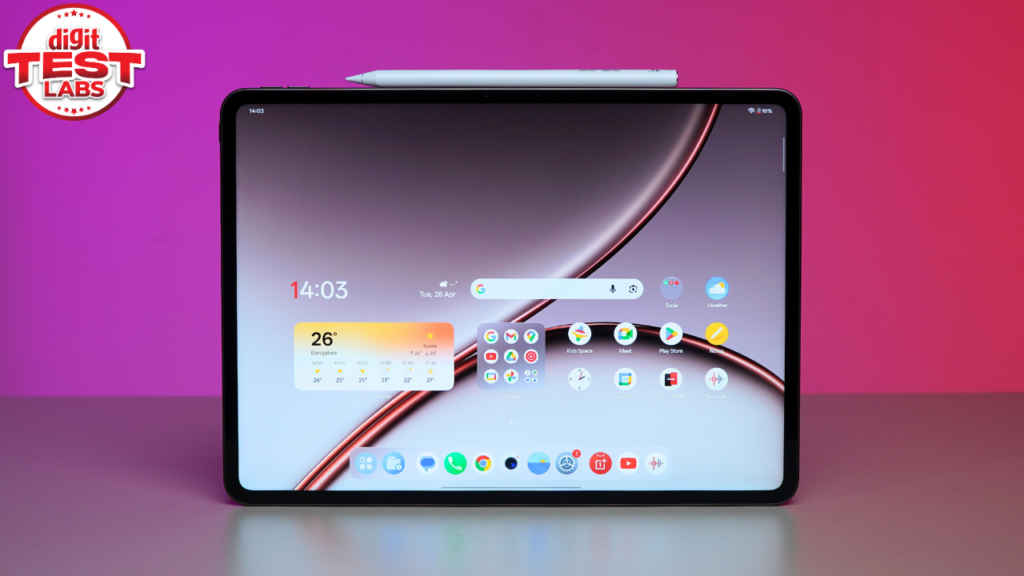
Even indoors, the OnePlus Pad 4 delivers a consistent experience. The display is vibrant, smooth, and sharp. Being an IPS LCD means blacks and the contrast are not as deep as you’d get on an AMOLED screen. Plus, there is a slight colour shift when you look at different angles. But, looking at it head-on, and generally for most use cases, it performs well.
For me, the 7:5 aspect ratio continues to stand out. It feels more practical for reading, browsing, and multitasking compared to traditional widescreen formats. While watching content, there are black bars, but that’s acceptable given the overall usability.
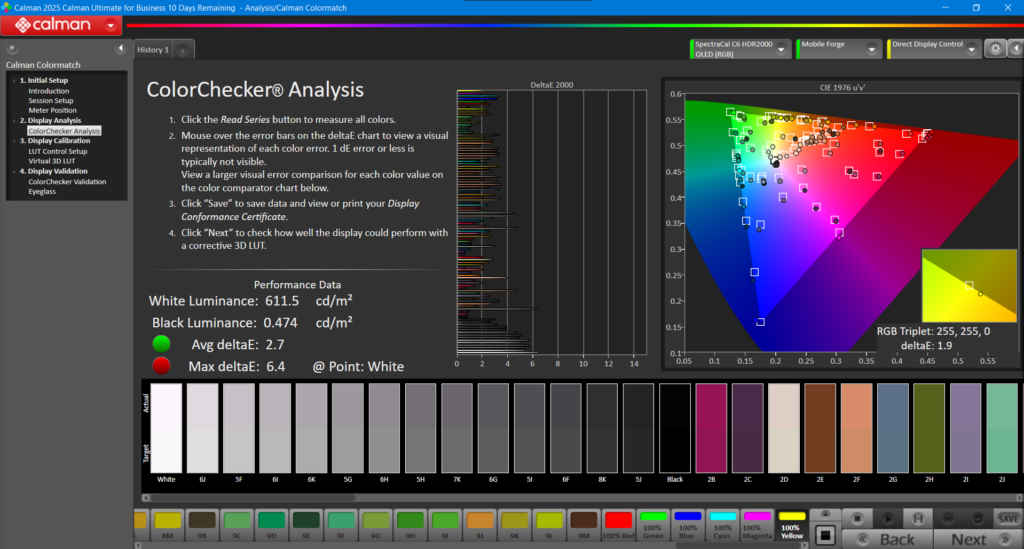
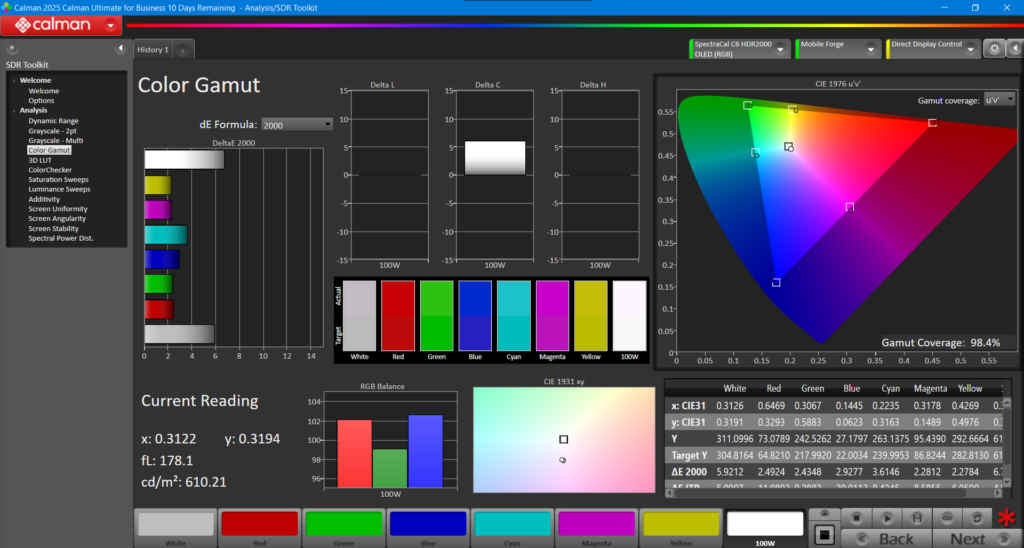
I have tested the OnePlus Pad 4’s display quality at our Digit Test Labs, and the display recorded an average Delta E of 2.7 in the Calman colour test. In the Colour gamut test, it measured 98.4 per cent. These are solid numbers, no doubt, but not class-leading.
Audio is where it gave me a hands-down strong impression. The 8-speaker setup delivers high volume, with clear vocals and balanced overall output. Whether you’re streaming or casual listening, the experience would be reliable. You also get support for a wide variety of codecs, including LDAC, SBC, AAC, aptX, aptX HD, aptX Adaptive, LDAC and LHDC5.0.
Design and utility
OnePlus didn’t touch the design, and, in my view, that decision makes sense. Because the aluminium build, flat yet very slightly curved edges (more like 2.5D curves), and slim profile still feel well executed. However, the OnePlus Pad 4 is thinner and lighter than its predecessor. The build quality is top-notch, and the overall design continues to deliver that sleek, simple look. OnePlus also reduced its bezels, so now the screen-to-body ratio is 89.4 per cent compared to 87.3 per cent on the Pad 3.
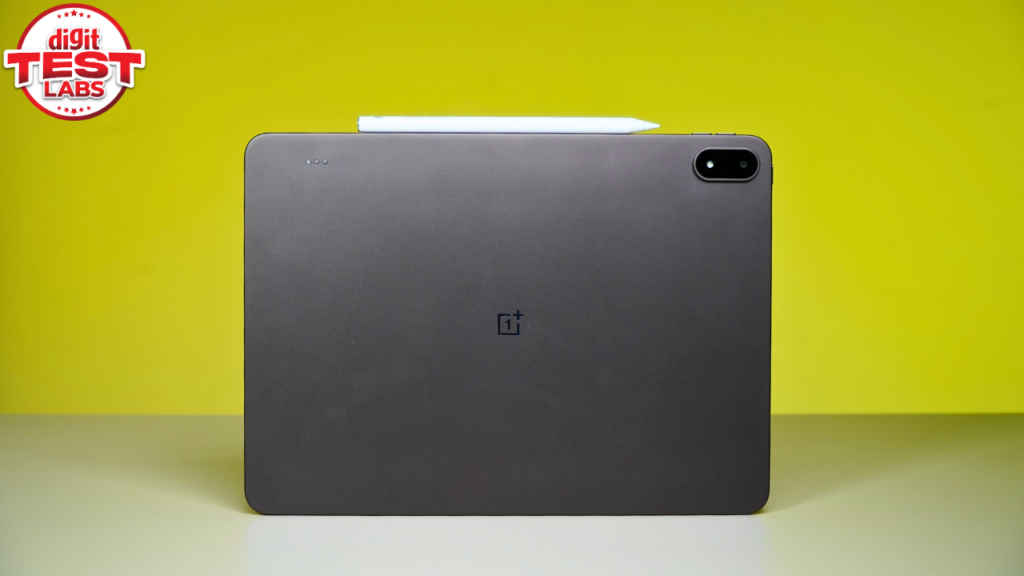
There are still a couple of limitations that carry forward. There is no cellular option this time as well, and there is no fingerprint scanner. For a moment, I can still live without cellular connectivity, as I have fast Wi-Fi access both at home and at the office. However, not having a fingerprint sensor is a big miss. Considering this is a high-end Android tablet with all the bells and whistles, missing out on the fingerprint sensor doesn’t make sense.
Apart from this, in terms of colour options, you get to choose between two: Sage Mist and Dune Glow (which I’ve been using), and both look clean and stylish.
Stylus Pro and Smart Keyboard
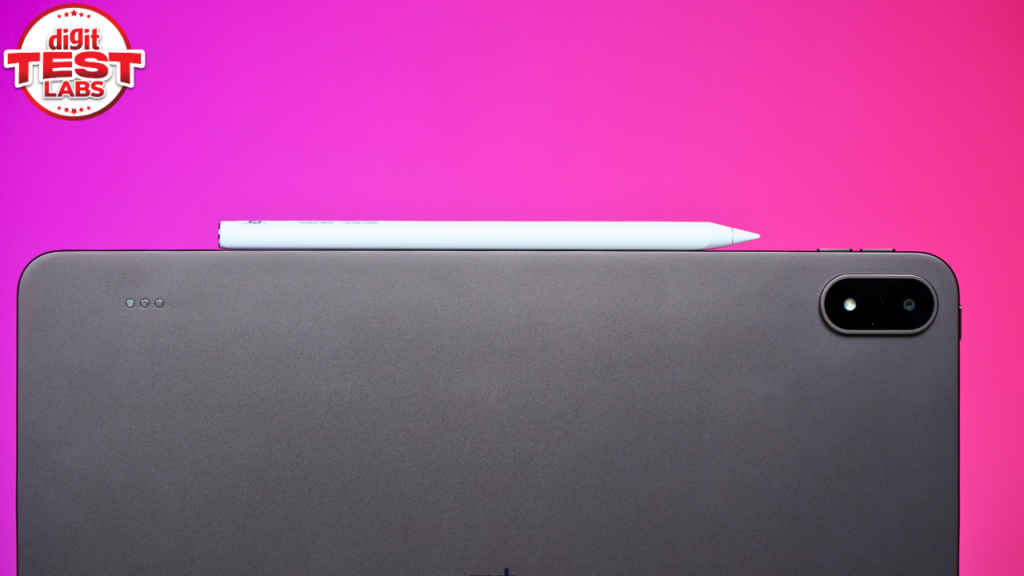
Along with the OnePlus Pad 4, OnePlus also introduces the Stylus Pro, which is one of the more meaningful upgrades this time. It offers 16,000 levels of pressure sensitivity, making it more suitable for sketching, drawing, and note-taking with better precision and control.
There are gesture controls as well, which add a layer of convenience, and there are practical features like magnetic attachment and the ‘Find My Stylus’ function that improve day-to-day usability. They also add an extra tip in the Stylus box, and it noticeably changes the writing and drawing experience depending on how the tablet is being used. Whether you prefer a smoother glide or a little more friction while writing, having that option is genuinely useful.
Now, OnePlus didn’t send over the keyboard. But from what I’ve seen, this time they’re going with a floating or levitating design, much like Apple’s Magic Keyboard. It has a trackpad and 16.05mm keycaps, which are larger than those on some laptops. That should help make typing feel more spacious and comfortable, especially if you are someone like me whose work involves a lot of typing.
The pogo pins have also shifted, and they are on the top left of the tablet now, so the old OnePlus smart keyboard will not work with the OnePlus Pad 4. That means existing users looking to upgrade may need to buy the new accessory separately.
Performance and benchmarks
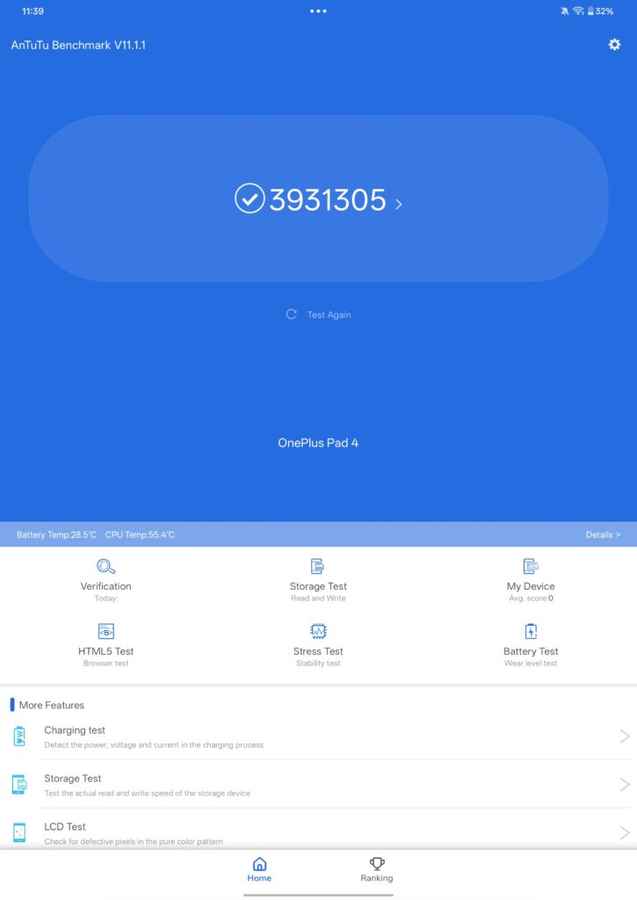
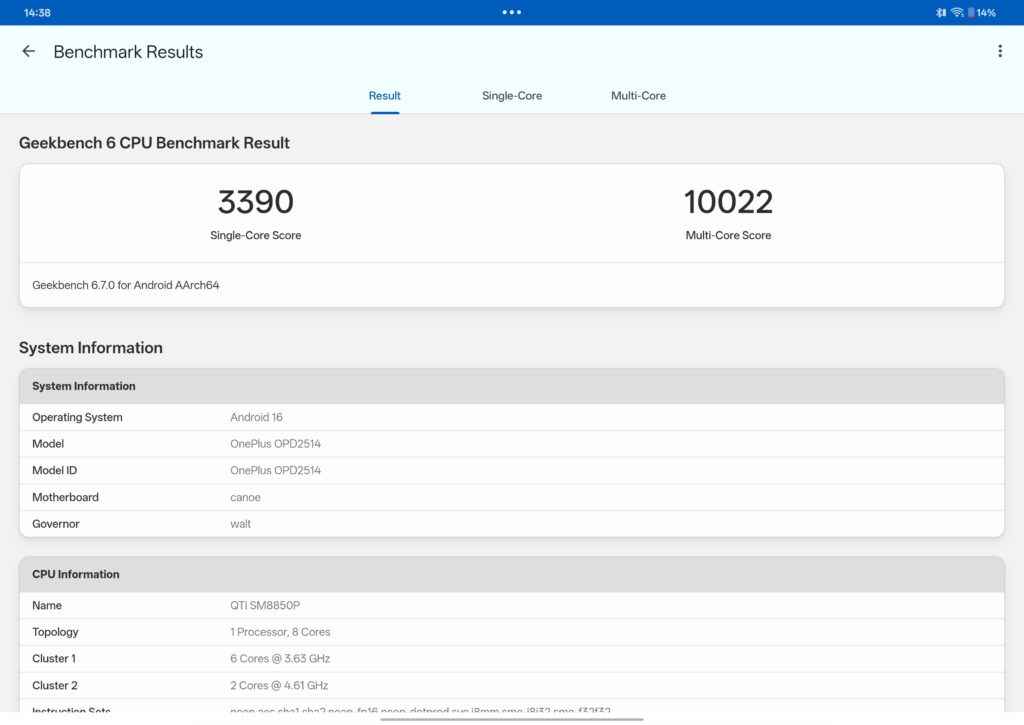
Performance is where the OnePlus Pad 4 moves forward. The device is powered by the top-tier Snapdragon 8 Elite Gen 5 chipset, and in benchmarks, it delivers strong numbers. It scored 39,31,305 on Antutu, while Geekbench results came in at 3,390 for single-core and 10,022 for multi-core. In the 3DMark Wildlife Extreme test, it achieved an overall score of 6,868, and in the CPU throttling test, it retained around 78 per cent of its peak performance.
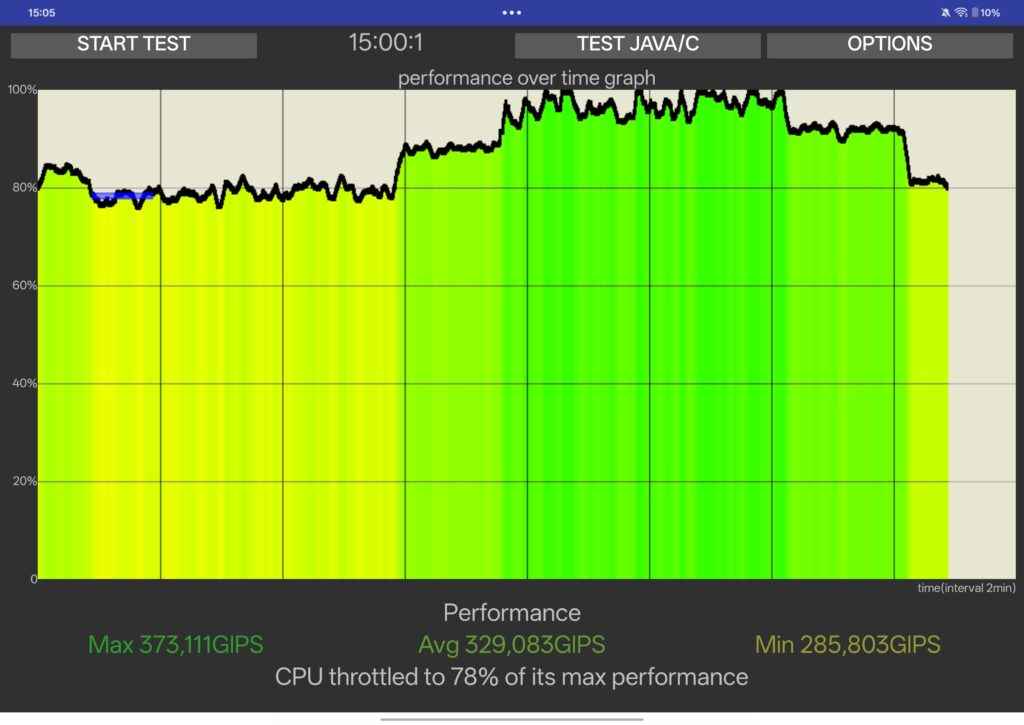
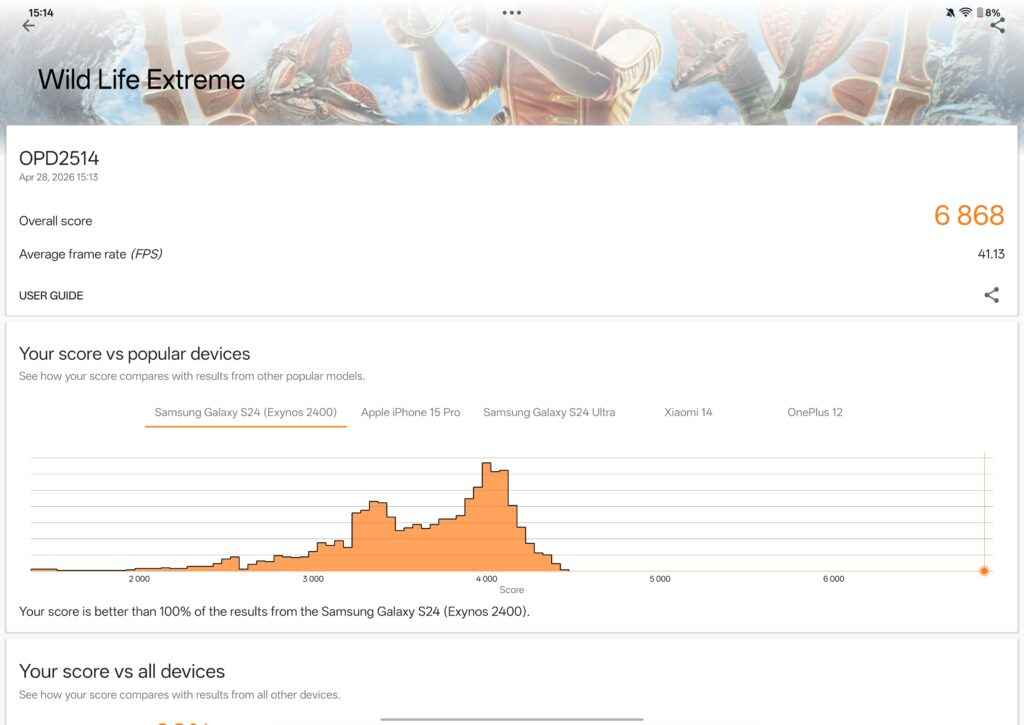
Now, the results say that the hardware is capable. However, in day-to-day usage, I didn’t feel any noticeable difference when compared to the OnePlus Pad 3, which was already powerful. Now, don’t get me wrong here, the OnePlus Pad 4 delivers a buttery smooth and responsive experience. However, I couldn’t find a tangible and practical difference where I could straight off say that the new machine offers a leap in performance. Which again, is true on paper, but in the real world, the experience feels very similar to the older model.
You just know that if you are buying this as a brand-new tablet, everything on the OnePlus Pad 4 will feel effortless. You name it: multitasking, app transitions, app switching, gaming, and much more, all remain fast and fluid. Which reminds me, I tested BGMI and Asphalt: Legends on this tablet, and both games natively support 120fps without any hiccups. Even under sustained load, there’s no performance dip.
That said, if you are coming from the OnePlus Pad 3 and upgrading to the Pad 4, you won’t really notice a world of difference in performance.
Software experience
OnePlus Pad 4 runs on OxygenOS 16 based on Android 16, and the overall experience remains clean and smooth.
I like the Open Canvas feature, which continues to give me one of the most effective multitasking experiences. You can run multiple apps side by side in three windows. Additionally, you can add a floating window to it, and it feels fast, while the tablet handles everything very smoothly.
There are some integrated AI features on the Pad 4, like AI Writing, AI Translation, AI Painting, and AI Recorder, and they are useful, especially if you’re using this for work.
The ecosystem experience is also strongest within OnePlus devices. You can transfer your files through Quick Share and O+ Connect. However, if you’re coming from an iPad, you can still feel that gap.
Cameras
The camera setup remains the same as last year, as we saw on the OnePlus Pad 3. The Pad 4 includes a 13MP rear camera and an 8MP front camera.
Image quality is sufficient for video calls, document scanning, and occasional use. Beyond that, you can shoot videos in 4K at 30fps, but the overall quality is acceptable, which is expected, given this is a tablet we are talking about here.
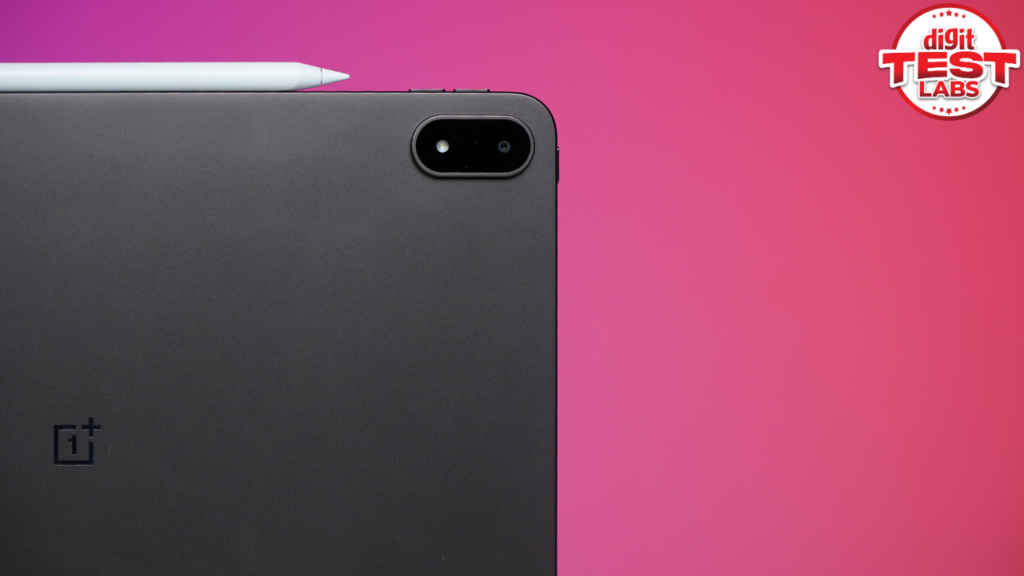
On the front, you get an 8MP sensor capable of recording 1080p video at 30fps, which is once again pretty decent for taking video calls and meetings. Although the output is clear enough for everyday use, that’s really all you need from a tablet camera.
Battery and charging
Battery life is also one of the more practical improvements this year. The OnePlus Pad 4 now includes a 13,380mAh battery, and in heavy use, it gave me 10 to 11 hours of screen-on time, consistently. This makes it reliable for extended sessions without frequent charging.
Speaking of which, charging remains the same at 80W, and despite the larger battery, charging times remain manageable. The OnePlus Pad 4 takes about 1 hour and 45 minutes to fully charge from 0 to 100 per cent.
OnePlus Pad 4: Verdict
The OnePlus Pad 4 feels like a product made with confidence. I feel that the company clearly understood that the foundation was already strong, so instead of changing everything for the sake of it, it focused on improving the areas that really matter in daily use. To give you a refresher, the Pad 4 brings a brighter display, excellent battery life, dependable speakers, smooth software, and flagship-grade performance that never leaves you wanting for more. Add to that useful extras like Open Canvas multitasking and the improved Stylus Pro, and the overall package feels polished and easy to live with.
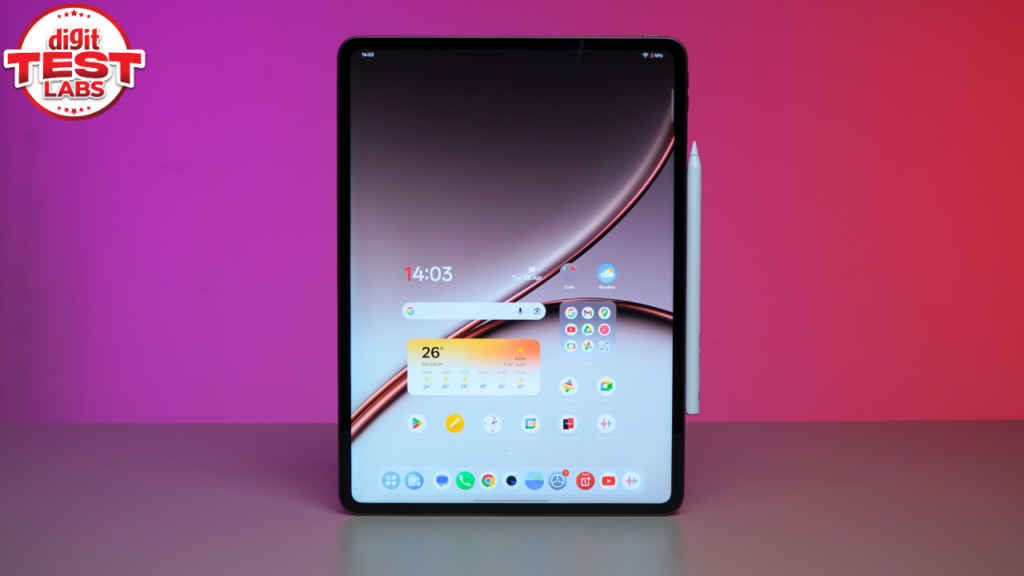
However, I also won’t deny that this is probably not the most exciting upgrade for existing OnePlus Pad 3 users. If you already own the previous model, the jump to the new one is not big enough to feel essential unless you specifically want the better battery or new accessories.
But for anyone buying their first premium Android tablet, the OnePlus Pad 4 is a very solid option. More importantly, it feels complete, and that is not something every Android tablet manages to achieve.


