
WD Red Pro WD103KFBX review: A fast, sturdy NAS drive for the pros
 Follow Us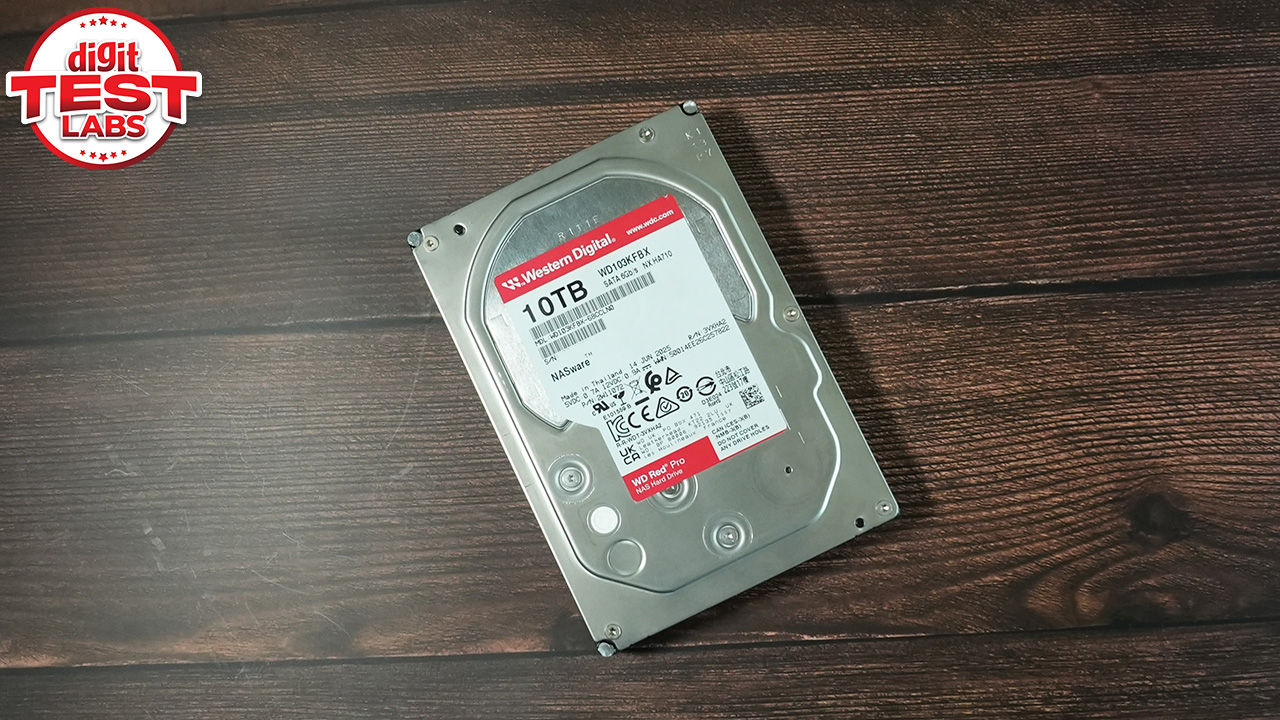

The WD Red Pro WD103KFBX is a very specialised hard drive. While it’s easy to assume that hard drives are commoditised and barely stand apart from each other, the truth is that the firmware that sits at the heart of these drives have been fine-tuned for the applications that they’re meant to be used. The WD Red Pro, for example, is meant for round-the-clock usage with negligible downtime. So these are the ones that go into NAS (Network Attached Storage) devices that need to maintain significant uptime. Unfortunately, it’s not the cheapest way to add 10 TB of stage given its price tag of Rs 49,599. It’s basically meant for folks who want reliability in a heavy-use scenario. So you might see ingest servers in media houses use drives like these unless they’ve already switched to SSDs. The WD Red Pro drives are NAS-focused 3.5-inch mechanical hard drives built for users who want dependable capacity, stronger sustained performance and RAID-friendly behaviour inside a network storage box.
Specifications
At first glance, the WD103KFBX has the right ingredients for heavy use. It uses CMR recording, spins at 7200 RPM, carries a large 512 MB cache and is rated for NAS environments rather than occasional desktop use. A lot of NAS drives used to be 5400 RPM drives but of late, we’re seeing more of 7200 RPM drives being pushed into the segment. That’s great for performance but the main trade-off is acoustics. This is a performance-oriented mechanical drive, and under random access, it sounds like one.
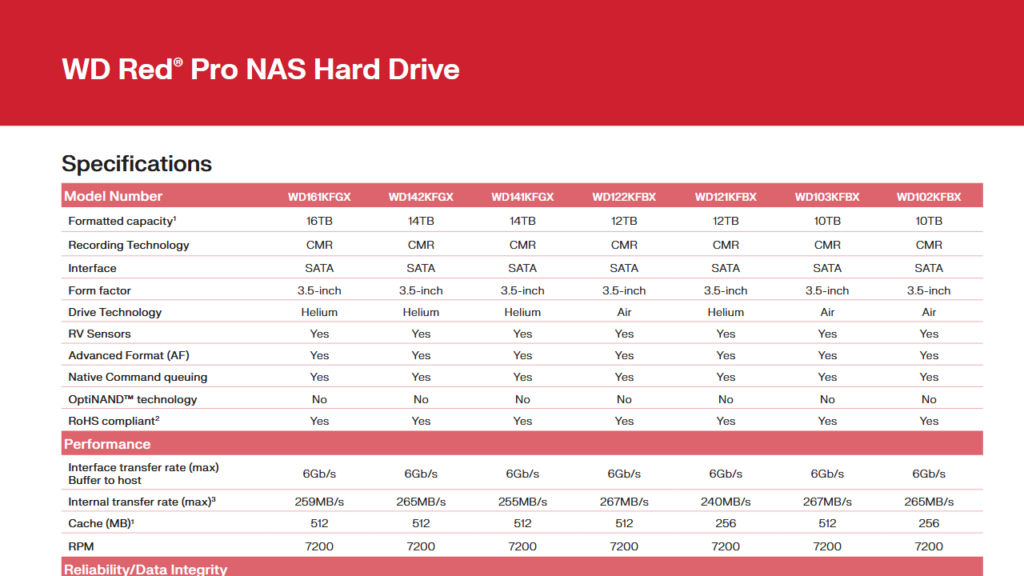
Aside from being a 10TB 3.5-inch SATA hard drive, the WD Red Pro WD103KFBX uses conventional magnetic recording, which is important for those seeking performance in multi-drive storage because CMR drives generally handle sustained writes and RAID rebuild behaviour more predictably than SMR-based drives. WD rates this 10 TB model for up to 267 MB/s transfer speeds, and the Red Pro family is also positioned for RAID-optimised NAS systems. Surprisingly, this is an air-filled drive. Looking at the data sheet for the WD Red Pro family, we can see a mix of air-filled and helium-filled drives with slightly different performance characteristics. So, it’s a little weird that such drives would be clubbed together. While transfer speeds are close to each other, there are other parameters such as shock tolerance, power consumption, etc which are vastly different.
Setup and initialisation
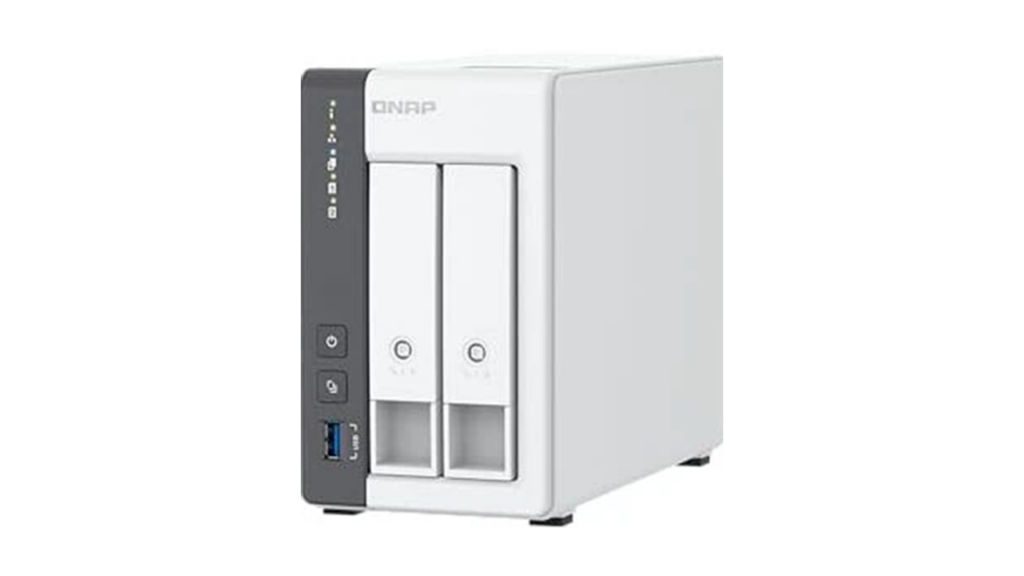
For this review, two WD Red Pro WD103KFBX 10TB drives were installed in a QNAP TS-216G NAS and configured in RAID 1. We went for this test environment because it reflects how many home-office users, creators and small businesses are likely to deploy a pair of high-capacity NAS drives: mirrored for redundancy, connected over 2.5 GbE and used for media libraries, backups, shared folders and light application workloads.
Installation in the QNAP TS-216G was straightforward. Once the two WD Red Pro drives were added and the storage pool was created, QTS reported healthy S.M.A.R.T. status for both drives. There were no reallocated sectors, no spin retry count warnings and the power-on hours matched the testing window.
The initial RAID 1 synchronisation took approximately 14 to 18 hours. That sounds long, but it is expected when the NAS has to initialise and mirror a high-capacity pair of mechanical drives. The important bit is that the NAS remained usable during the process. File access, the QTS interface and basic app behaviour continued to work, although response times were slightly higher while the background sync was active.
This is one of the areas where NAS drive behaviour matters. A weaker desktop-class drive may technically work inside a NAS, but long background operations such as initialisation, rebuilds and indexing are precisely the sort of tasks that separate purpose-built NAS drives from general storage. The WD Red Pro drives did not throw up health warnings or obvious responsiveness issues during this stage.
Synthetic performance
The strongest numbers came from sequential testing. Inside QNAP’s Storage & Snapshots benchmark, the individual drives posted sequential read and write speeds in the 260 MB/s to 270 MB/s range. That is very close to the official rated ceiling for this model and is strong for a mechanical hard drive. Over the network, the results were even more telling. CrystalDiskMark runs over the TS-216G’s 2.5GbE connection produced stable read and write speeds between 280 MB/s and 295 MB/s for both 1 GB and 16 GB test sizes. That effectively means the NAS network link became the limiting factor rather than the drives. In a two-bay RAID 1 setup, the WD Red Pro pair had no difficulty filling the available 2.5 GbE pipe.
On a basic Gigabit Ethernet NAS, these drives would spend most of their time waiting on the network. Gigabit Ethernet typically caps real-world transfers a little above 100MB/s, far below what the WD103KFBX can deliver. The Red Pro makes much more sense in a 2.5GbE or faster setup, or in larger NAS boxes where multiple users and services may be hitting the storage pool simultaneously.
Random 4K behaviour was also good for mechanical media. It was nowhere near SSD territory, of course, but for a 7200 RPM hard drive inside a NAS, we observed healthy metrics. The large cache and WD’s firmware behaviour appear to help with small bursty operations, particularly when the workload involves many smaller writes being absorbed before being committed to the platters.
Real-world transfers
The large-file transfer test was the cleanest demonstration of what these drives can do in a modern 2.5 GbE NAS. Copying a 50 GB 4K movie file produced an almost flat transfer graph, with speeds locked around 285 MB/s from start to finish. The transfer completed in just under three minutes, and there was no obvious drop-off once the copy operation settled.
This makes the WD Red Pro WD103KFBX a strong fit for media-heavy workflows. Large video files, RAW photo archives, project backups and system images are exactly the kind of workloads where this drive feels comfortable. The combination of high sustained sequential throughput and predictable NAS behaviour makes it feel less like a bottleneck and more like the natural storage layer behind the network connection.
Small-file performance was more variable, as expected. A 10 GB folder containing around 5,000 mixed photos and documents transferred between roughly 45 MB/s and 90 MB/s. That is a wide range, but it is not erratic in a worrying way. Small files are simply harder for mechanical drives because the heads have to move more frequently and the file system has to process more metadata. The 512 MB cache helps smooth out some of this behaviour, but physics still applies. And the more you use the drive and data gets fragmented across the drive, the more mercurial the speeds will be.
At the end, there were no sudden freezes, no prolonged stalls and no dramatic collapse in throughput. Backing up thousands of photos, moving document archives and syncing mixed folders all felt consistent enough for a NAS of this class.
NAS apps and media use
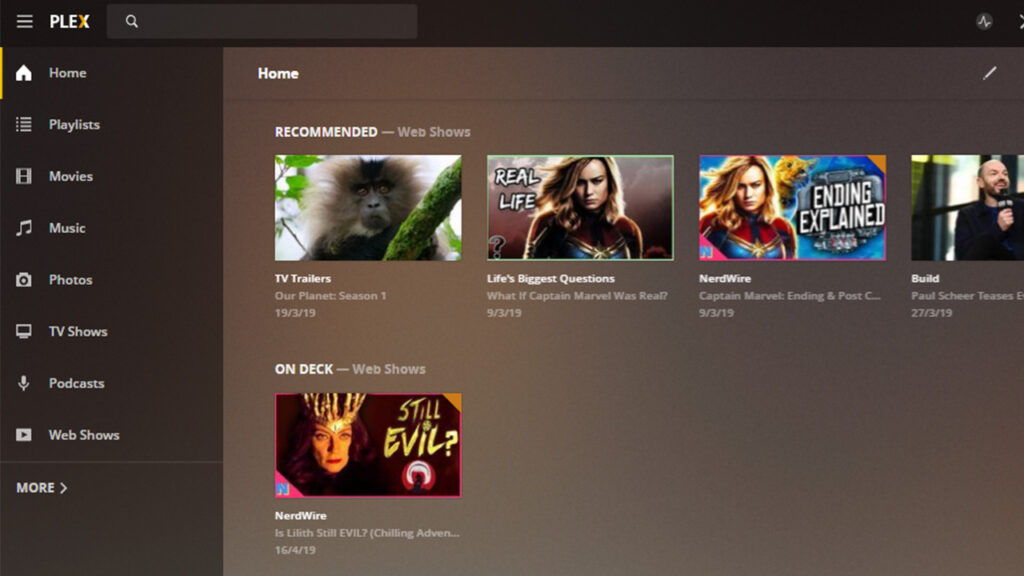
The WD Red Pro drives also behaved well when the NAS was asked to do more than simple file transfers. Plex Media Server library operations, thumbnail generation and basic timeline scrubbing were handled with minimal delay. Mechanical hard drives are not ideal for every app-heavy NAS workload, especially where databases and constant random writes are involved, but the Red Pro pair handled typical media-library behaviour without making the QTS interface feel bogged down. If you’re going for a similar setup, try to look for a NAS with an SSD Caching drive.
QNAP’s own background tasks, indexing and management interface remained responsive during testing. This is where NAS-oriented firmware tuning becomes relevant. The drive has to manage command queuing and background work sensibly so that one task does not make the entire NAS feel sluggish. In this setup, the Red Pro drives handled that balance well. For a home media server, shared family backup system, small studio archive or office file server, this level of behaviour is exactly what is needed. The drive is not pretending to be an SSD, but it does deliver enough responsiveness for a two-bay NAS that is also running everyday services.
Thermals
Thermal performance was well controlled inside the QNAP TS-216G. At idle, the two drives settled between 36°C and 39°C. After an hour of continuous small-file transfer stress, they peaked between 43°C and 46°C. Those are safe figures for a 7200 RPM NAS drive and comfortably below the operating temperature ceiling.
The TS-216G’s internal fan did ramp up slightly under sustained stress, but not in a disruptive way. The drive temperatures also did not show worrying heat accumulation over the test period. This is encouraging because two high-capacity 7200 RPM drives inside a compact two-bay NAS can generate enough heat to expose weak chassis airflow.
For long-term use, the usual NAS hygiene still applies. The enclosure should not be placed inside a closed cabinet, and dust build-up around the intake and exhaust paths should be avoided. But within a normal open-room setup, the WD Red Pro drives remained comfortably within safe thermal limits.
Acoustics
Noise is the one area where expectations need to be set properly. At idle, the drives produce a faint and steady spinning hum. In a normal office or living room with background noise, it fades away easily enough. In a quiet bedroom or silent study, it is noticeable.
Under random seek loads, the character changes. The head movement produces a distinct rhythmic thumping or clicking sound. This is normal behaviour for a performance-oriented 7200 RPM hard drive, especially one designed for NAS and enterprise-adjacent workloads, but it is clearly audible across a quiet room. Being in India, we had to wait until the middle of the night to hear it clearly. This does not make the WD Red Pro unsuitable for home use, but it does affect placement. It is better suited to a study, office, equipment shelf or utility area than a bedside table. Users upgrading from quieter 5400 RPM or lower-power NAS drives will notice the difference. The trade-off is that the Red Pro delivers stronger performance and a more robust workload profile.
Verdict
The WD Red Pro WD103KFBX is a strong 10TB NAS hard drive that performs exactly the way a Pro-class NAS drive should. In the QNAP TS-216G, a pair of these drives in RAID 1 delivered excellent sequential throughput, stable real-world transfer behaviour and healthy operating temperatures. The drives were fast enough to saturate the NAS’s 2.5GbE interface, which is a clear sign that they are not the limiting factor in this setup. The large-file transfer results were particularly impressive for mechanical storage, with sustained speeds around 285 MB/s and no visible mid-transfer drop-off. Small-file workloads were naturally slower and more variable, but still stable. QNAP app behaviour was also smooth enough for everyday media and file-server use.
The main drawback is noise. The WD Red Pro’s 7200 RPM design and assertive seek behaviour make it clearly audible under load. That is not a fault, but it does mean the NAS should be placed thoughtfully. For users building a serious two-bay NAS, especially one connected over 2.5GbE or faster, the WD Red Pro WD103KFBX is a very capable choice. It brings the performance headroom and workload confidence expected from a NAS-focused hard drive, while still offering the simplicity and capacity benefits of traditional mechanical storage. It is best seen as a dependable workhorse for active storage, media libraries and backup-heavy environments, rather than a silent archival drive for a quiet corner.


