

I’ve been using the ASUS ProArt P16 Copilot+ PC for close to two weeks now, and I’ll get straight to the point. This is a very good laptop, but it is also a very expensive one at Rs 4,49,990. And that price changes the way you look at everything it does right, and everything it doesn’t. Actually, the pricing starts at Rs 3,99,990 for the RTX 5080 GPU version; however, the one I was reviewing is the highest-end one, with all the bells and whistles.
From what I have understood, the ProArt P16 feels like a machine that wants to sit perfectly between creators and power users, but not fully commit to either camp. That’s both its biggest strength and its biggest limitation. Here’s all the good and bad about Asus’ latest and greatest creator laptop and whether it’s worth your hard-earned cash.
Build, keyboard and daily feel
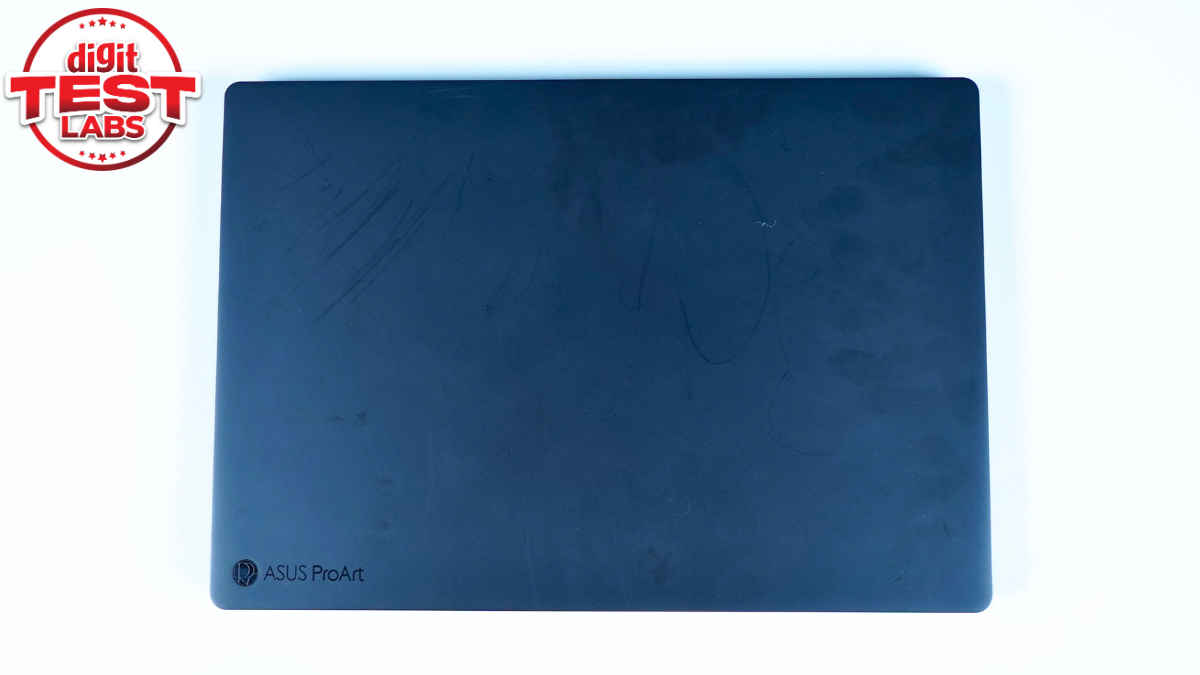
The first thing you notice about the Asus ProArt P16 is how solid it feels. The build quality is genuinely excellent. It feels dense, premium, and reassuring in the hand. There’s no flex where it shouldn’t be, and it very much feels like a laptop that’s built to last. That said, my review unit already had visible scratches on the lid when it reached me. This wasn’t wear from my usage, but clearly a unit that had done the rounds before landing with me, likely with another reviewer. Even so, it’s worth mentioning because the matte finish does seem prone to showing marks, and at this price, that’s something buyers should be aware of. It doesn’t affect functionality, but visually, it does take away from that pristine, premium feel you expect out of the box.
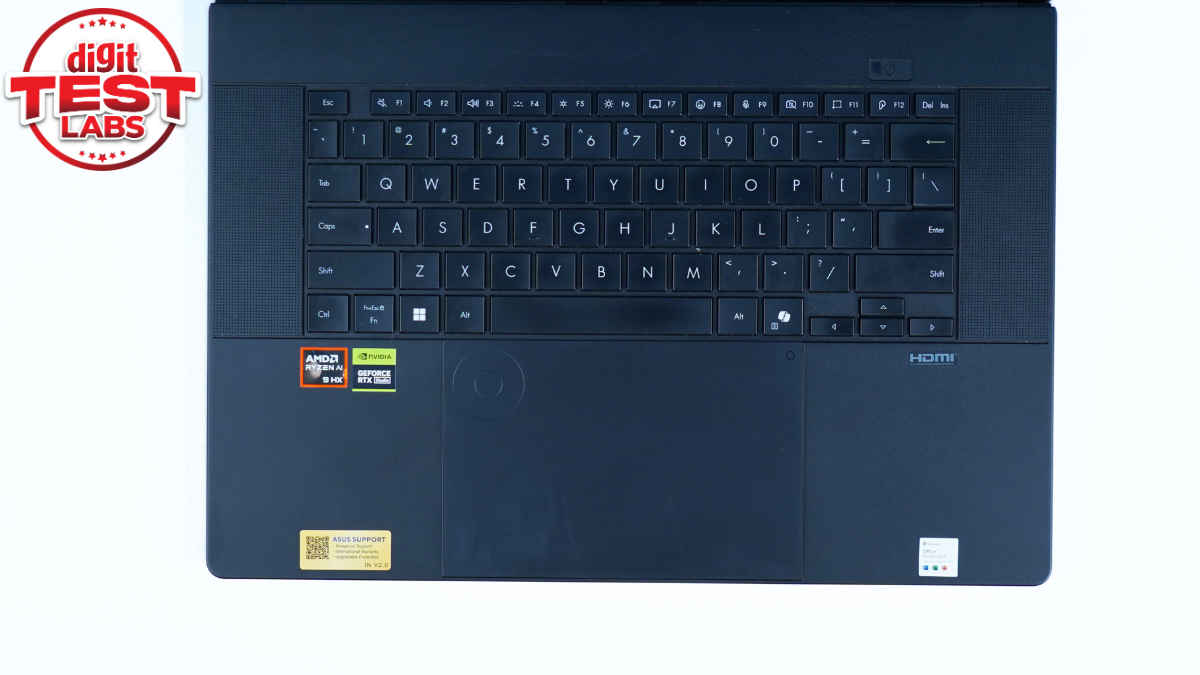
The backlit keyboard, thankfully, is a far more positive part of the experience. The keys are well spaced, have good travel, and feel confident under your fingers. It’s one of those keyboards that doesn’t try to impress immediately but quietly grows on you the more you use it, which is exactly what you want from a laptop that’s meant to get real work done.
The hinge is where the ProArt P16 shows some clear limitations. The screen only tilts back to around 130 to 140 degrees, and you notice that fairly quickly. On a desk, it’s absolutely fine, but if you’re using it on your lap or in tighter spaces, that limited angle can feel restrictive. For a premium creator laptop, a bit more flexibility would have been welcome. To be fair, the hinge itself feels solid and well-engineered. It’s smooth, sturdy, and allows for one-finger opening without the base lifting. Asus uses a ‘stealth hinge’ design here, and there’s a functional reason behind the limited tilt. The hinge is integrated into the cooling system, and restricting the angle helps ensure the rear exhaust vents aren’t blocked during use. Given the kind of high-performance hardware inside, that explanation makes sense.
Overall, the ProArt P16 feels extremely well built and thoughtfully designed, but it’s also very clear that Asus has prioritised performance and cooling over flexibility and pristine aesthetics. Whether that trade-off works for you will depend on how you plan to use it day to day.
Also read: MSI Prestige 16 AI review: Strong performance that gets the job done
Trackpad and speakers
The ProArt P16’s trackpad is large and nicely positioned, but it’s also one of the more confusing parts of the experience. It works well, it’s responsive, and it gives you plenty of room to move around. But it’s also extremely slippery. I’m not sure if that’s a Windows 11 thing or just how Asus has tuned it, but it never feels as precise or controlled as a MacBook trackpad. You’ll get used to it, but you’ll also always be aware that it’s not best-in-class. At this price, that comparison is unavoidable.
Speakers, on the other hand, are solid. They’re loud, clear, and have enough body to make videos, films, and even casual music listening enjoyable. No, they won’t replace a good pair of headphones, but they’re good enough that you won’t immediately reach for them either.
Display: Easily one of the highlights
The 16-inch OLED display with a 4K resolution and a 120Hz refresh rate is honestly where the Asus ProArt P16 makes its intentions very clear. The moment you open the lid, you can tell this is a screen the laptop is built around. To the naked eye, it looks genuinely superb. Colours have that rich and punchy look without feeling oversaturated. Blacks are deep, contrast is excellent, and everything looks incredibly sharp and clean. It’s one of those displays that makes even normal content look better than it has any right to. Whether you’re watching a film, editing photos, or just sitting there staring at the screensaver for no real reason, it’s a screen you enjoy spending time with.
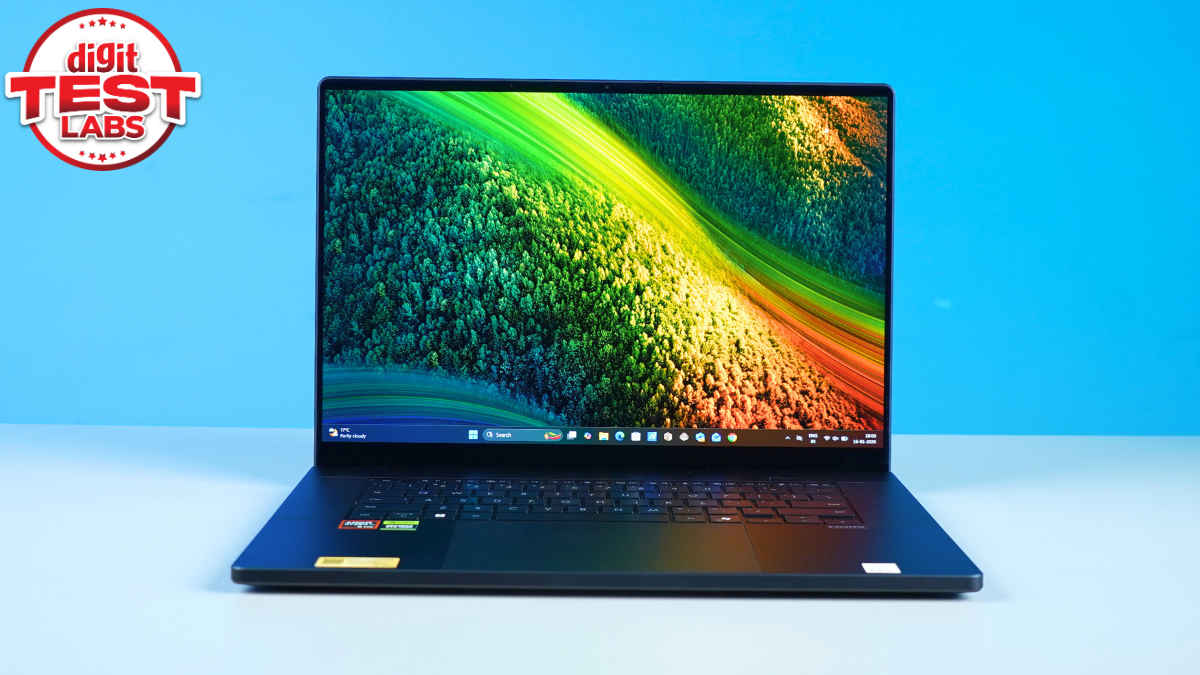
What I liked is that it doesn’t feel like it’s trying too hard. The 120Hz refresh rate makes scrolling and animations feel smooth, but it’s not something that screams for attention. You notice it more when you go back to a regular 60Hz screen, and suddenly everything feels a bit sluggish. For everyday use, it just adds to that sense of polish.
The Calman results back up what your eyes are telling you, which is always reassuring. Peak brightness touching 664 nits is impressive and means the screen holds up well even in bright rooms. Colour accuracy is strong too, with an average delta E of 1.2, which is comfortably good enough for serious work. You also get full 100% sRGB coverage, so anything meant for the web looks spot on. DCI-P3 coverage sits at 83%, which is decent, though not quite best-in-class for a creator-focused laptop at this price. On paper, that might sound like a compromise, but in real-world use, it’s not something that ever bothered me.
What really matters is how it feels day to day, and that’s where this display shines. It’s consistent, easy on the eyes during long sessions, and just very pleasant to work on. You don’t constantly feel the need to tweak settings or second-guess colours. You just get on with your work. For me, that’s the biggest compliment you can give a display and easily one of the strongest reasons to consider the ProArt P16.
Performance and benchmarks in real life
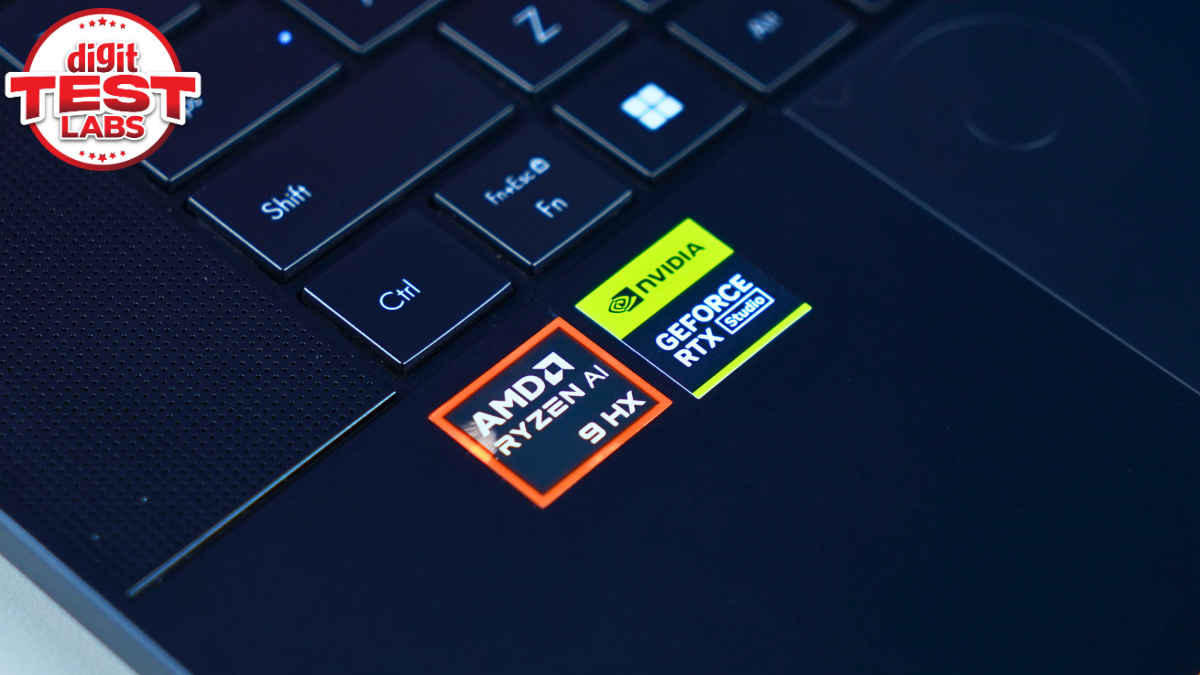
On paper and in benchmarks, the Asus ProArt P16 performs exactly like you’d expect from a high-end creator laptop. For starters, my review unit is powered by a 2.0 GHz AMD Ryzen AI 9 HX 370 chip, with 12 cores and 24 threads. This is paired with up to 50 TOPS AMD XDNA NPU, a 24 GB GDDR7 NVIDIA GeForce RTX 5090 GPU, 64 GB LPDDR5X on-board RAM and 2TB M.2 NVMe PCIe 4.0 SSD storage.
PCMark 10 Extended scored 10,776, indicating that it can comfortably handle everyday productivity and creative workloads. Cinebench R23 scores of 1,957 for single-core and 20,930 for multi-core indicate that CPU performance is strong, particularly for sustained tasks such as rendering and exporting.
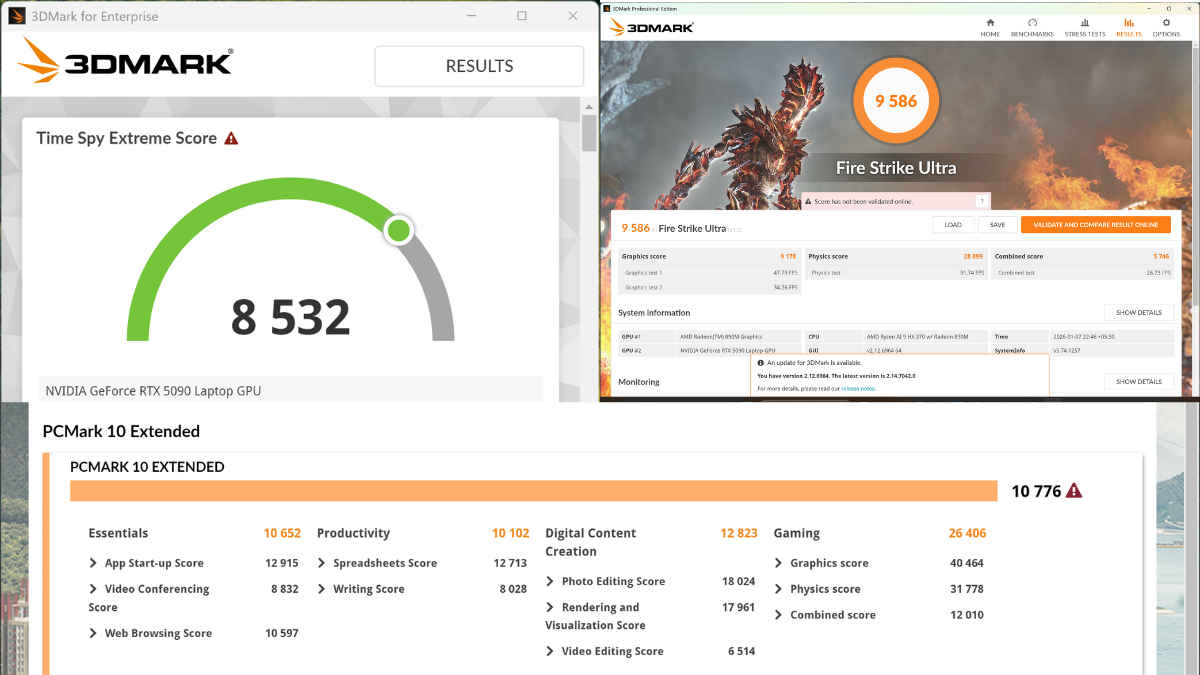
The GPU numbers are respectable, too. A Time Spy Extreme score of 8,532 anda Fire Strike Ultra score of 9,586 suggest there’s plenty of graphical power here. In real-world terms, that means creative apps, such as Premiere Pro, feel fast and responsive.
Gaming is where you have to pause for a second and reset your expectations, because on paper, this laptop looks far more gaming-friendly than it actually is. My unit has an RTX 5090 GPU, so naturally, you go in thinking this should be able to brute-force its way through pretty much anything. In practice, it’s a bit more nuanced than that.
I installed Spider-Man Miles Morales, Shadow of Tomb Raider, NFS Heat and GTA V, and to be clear, all of them ran well. These are very playable experiences. Frame rates were stable, visuals looked great, and at no point did the laptop feel like it was gasping for air. If you’re someone who occasionally fires up a game after work or during the weekend, the ProArt P16 will absolutely handle that without complaint.

But the thing is, this isn’t a laptop that’s tuned to chase big frame-rate numbers, even with a powerful GPU on board. The lack of a MUX switch plays a role here, as the system doesn’t always give the GPU a completely free run, the way dedicated gaming laptops do. On top of that, the overall thermal and power tuning is clearly geared more towards sustained creative workloads than short bursts of maximum gaming performance.
So while the RTX 5090 gives you plenty of headroom and ensures games run smoothly, it doesn’t automatically translate into sky-high fps, especially in newer or more demanding titles. The end result is that gaming on the ProArt P16 is enjoyable, just not thrilling in the way a proper gaming laptop can be.
Thermals and daily use
Under load, the Asus ProArt P16 does get warm, and it doesn’t try to hide it. It’s not the kind of ‘getting warm’ that immediately makes you panic or shut things down, but it’s enough that you’re constantly aware the system is working hard, especially around the underside and the area above the keyboard. Fan noise also becomes part of the experience once you start doing anything remotely demanding. The fans spin up fast, and they’re clearly audible. It’s not an unpleasant or high-pitched sound, but it is persistent. My suggestion would be to use a nice pair of headphones if you do long creative sessions, and if silence is important to you, that’s something to keep in mind.

Because of this, the ProArt P16 is also not a great laptop once you move beyond light tasks. Browsing, writing, or casual use is fine, but as soon as you start running anything demanding, such as exporting a video on Premiere Pro or gaming, keeping it on your lap for extended periods isn’t something I’d recommend. It’s very much a desk-first machine, and that feels intentional.
Used the way it’s meant to be used, though, the thermals make sense. On a desk, with proper airflow, the ProArt P16 behaves exactly like a powerful workstation-class laptop should. It maintains performance, doesn’t throttle aggressively, and feels stable even during longer workloads.
Asus ProArt P16: Should you buy it?
Here’s where it gets tricky. At Rs 4,49,990, the Asus ProArt P16 demands a lot from the buyer. It delivers premium build quality, an excellent display, strong performance for creative work, good speakers, and a keyboard that’s genuinely pleasant to use. But it also makes some choices that are hard to ignore at this price. The trackpad isn’t great for the money, gaming performance is only decent, there’s no MUX switch, and visible wear on the lid doesn’t inspire confidence in long-term aesthetics.
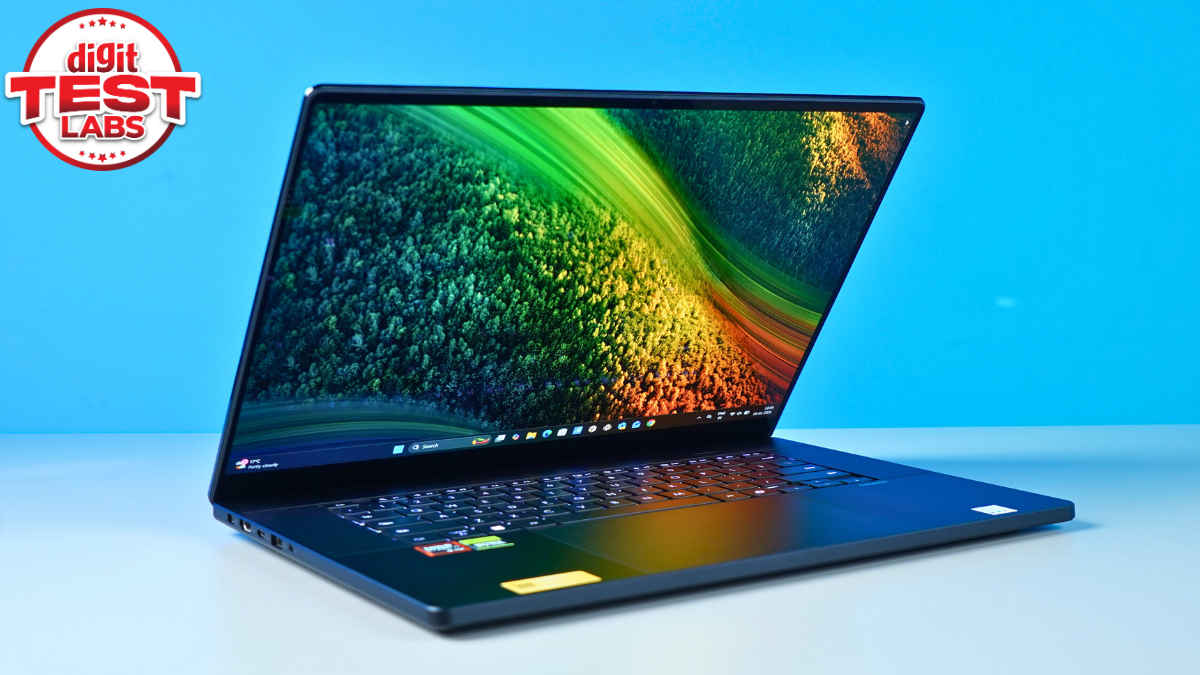
In a nutshell, the ProArt P16 is a very capable, very polished laptop that does most things well, but it doesn’t quite justify its price for everyone. If you’re a creator who values display quality, solid performance, and a premium feel over everything else, you’ll probably be happy with it. If you’re looking for the absolute best value, or a machine that also doubles as a serious gaming laptop, this isn’t the one.
It’s good. It’s powerful. It’s just not an easy recommendation at this price.
Also read: Samsung 9100 Pro 8TB Gen5 SSD review: Not afraid to take up space!
Asus ProArt P16 2025 Key Specs, Price and Launch Date
| Release Date: | |
| Market Status: | Launched |
Key Specifications
 Follow Us
Aman Rashid
Aman Rashid is the Senior Assistant Editor at Digit, where he leads the website along with the brand’s YouTube, social media, and overall video operations. He has been covering consumer technology for several years, with experience across news, reviews, and features. Outside of work, Aman is a sneaker enthusiast and an avid follower of WWE, Dragon Ball, and the Marvel Cinematic Universe. View Full Profile


