Samsung 9100 Pro 8TB Gen5 SSD review: Not afraid to take up space!
 Follow Us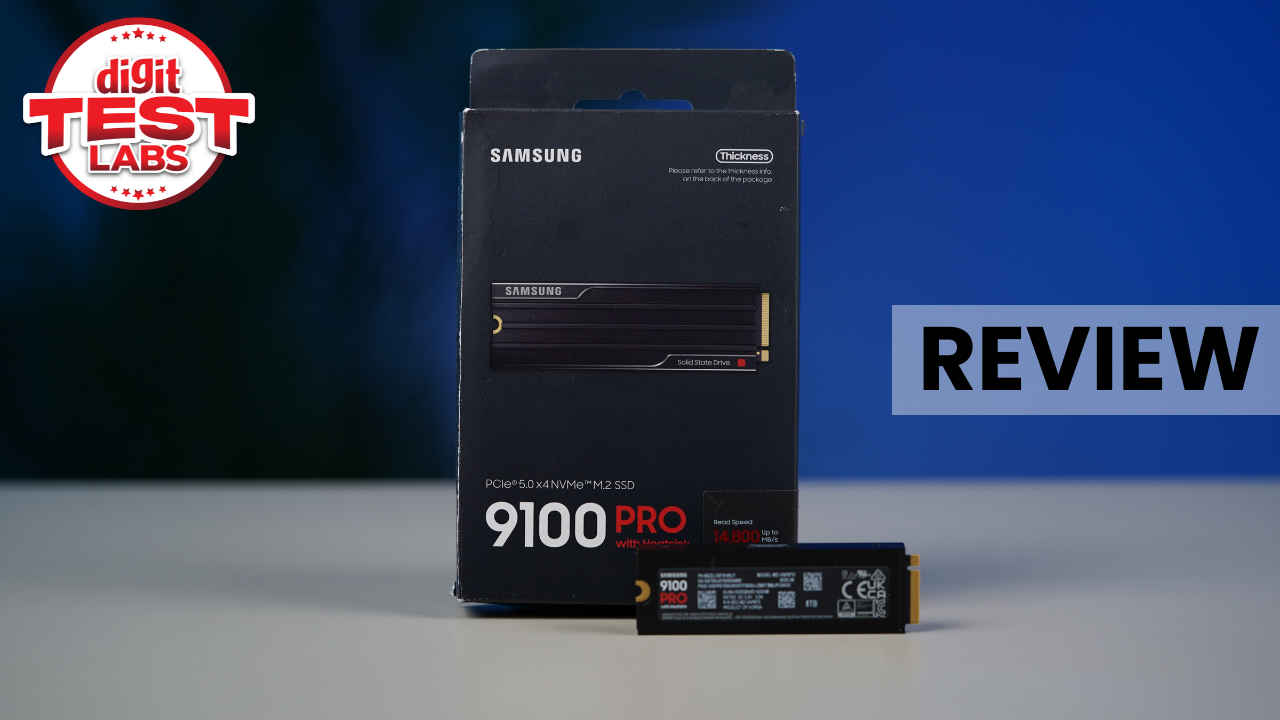

As someone who reviews tech and is also an avid gamer with hundreds of titles sitting in my Steam library, storage is one of those components I can never seem to have enough of. Between modern AAA games that routinely exceed the 100 GB mark, large project files, and the need to keep multiple installations ready to go, running out of space is no longer an inconvenience. It is a workflow breaker. And that’s exactly why, when it comes to SSDs, I have always leaned towards the ‘larger the better’ school of thought.
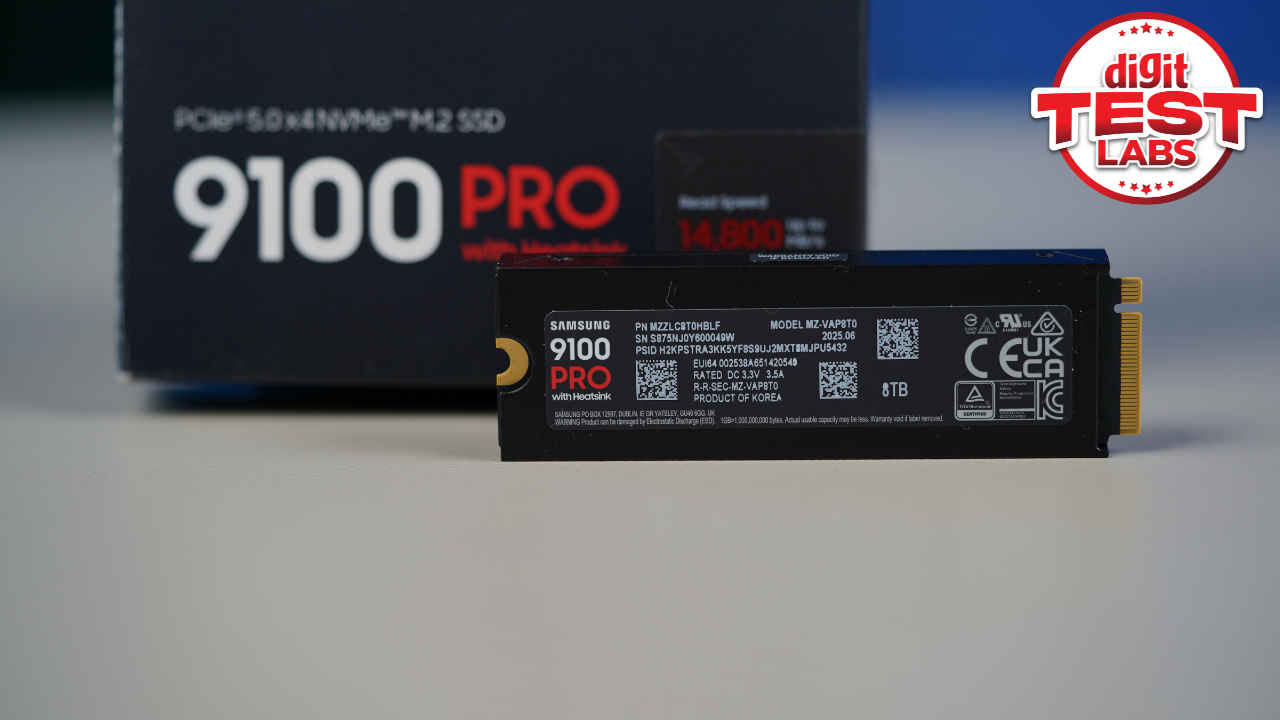
When I got a chance to review the 8TB heatsink variant of the Samsung 9100 Pro SSD, I was quite excited to see how it turned out. First off, this is not an SSD designed for casual upgrades or modest game libraries. It is built for users who want everything in one place, fast and always accessible. With PCIe Gen5 speeds and an unusually high capacity packed into a single M.2 drive, the 9100 Pro aims to remove storage limitations altogether. But it is also quite expensive when compared to other SSDs. Now, the question is, should you invest in it? Read on, and let’s try to find the answer.
Also read: Rollable screens to expanding frames: A look at Lenovo’s bold laptop concepts at CES
Samsung 9100 Pro 8 TB SSD: Specs
Before we delve deeper into the review, let’s take a quick look at the main specs of this SSD.
| Variant | Samsung 9100 PRO with Heatsink (8TB) |
| Form factor | M.2 (2280) |
| Interface | PCIe 5.0 x4, NVMe 2.0 |
| Dimensions (W × H × D) | Max 80.15 × Max 25 × Max 11.25 mm |
| Weight | Max 35.0 g |
| Storage memory | Samsung V-NAND TLC |
| Controller | Samsung in-house controller |
| Management software | Samsung Magician Software |
| Endurance (TBW) | 4,800 TB |
| Warranty | 5-year limited warranty |
Test system and setup
I tested the Samsung 9100 Pro 8 TB on my PC, which has the following configuration:
Motherboard: Asus ROG Strix X870E-E
Processor: AMD Ryzen 7 9800X3D
Memory: 32 GB G.Skill Trident Z5 DDR5-6000
Graphics card: Nvidia RTX 4070 Ti Super
Operating system: Windows 11
For context, I had previously had the Samsung 990 Pro 2 TB Gen4 SSD installed on my system as the primary drive. Hence, I am no stranger to Samsung SSDs and have a fair idea of what I can expect from this massive storage upgrade.
Now, the Samsung 9100 Pro series starts at 1 TB and goes all the way up to 8 TB. I am testing the top-end variant here, which is very clearly aimed at professionals rather than everyday users. This is a PCIe Gen5 SSD, which means it can theoretically deliver far higher bandwidth than Gen4 drives. It is also fully backwards compatible, so you can run it in a Gen4 slot, but you will be capped at Gen4 speeds.
To actually experience what this SSD is capable of, a modern Gen5 platform is essential. On older systems, you are paying a premium without unlocking its full potential.
Design and build
At a glance, the Samsung 9100 Pro does not try to look flashy. The overall design is clean and functional, which is something I personally appreciate. Lower-capacity models in the lineup are single-sided, with all the components mounted on one side of the PCB. But the 8 TB model is different.
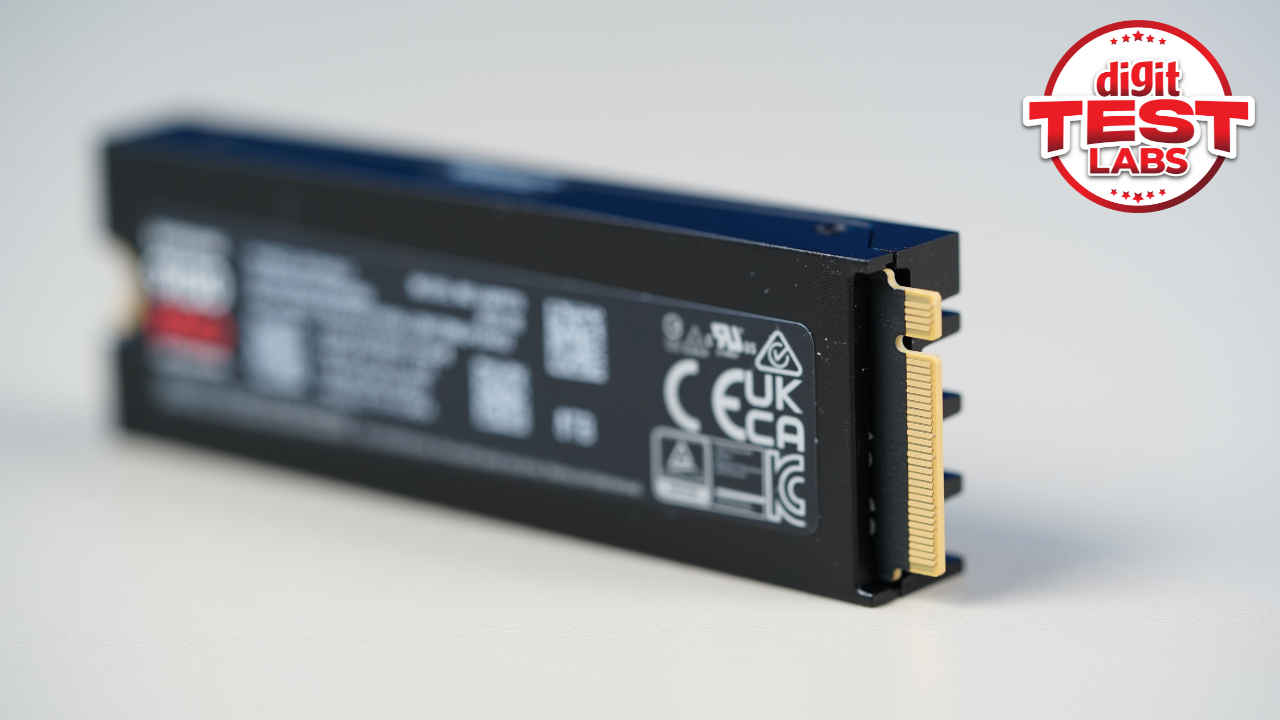
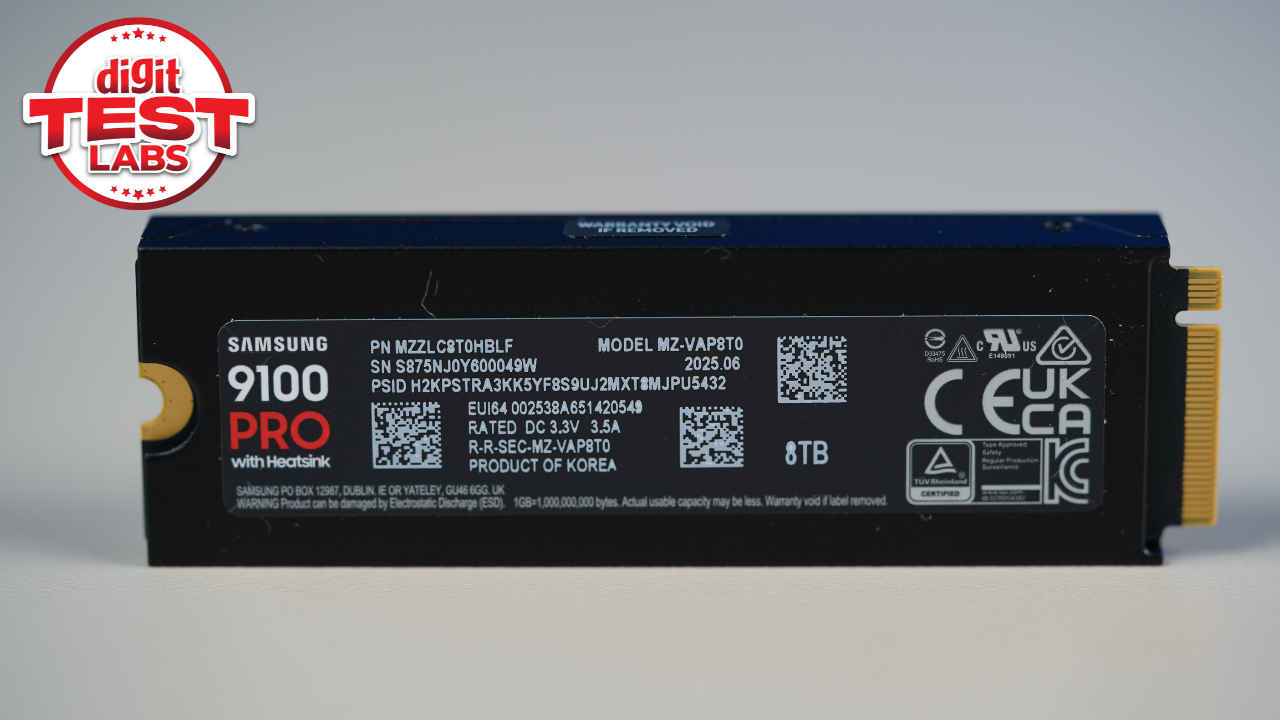
To achieve this capacity, Samsung has gone with a double-sided PCB for the first time in its consumer SSD lineup. That is because the highest-capacity NAND packages currently top out at 2 TB, so fitting 8 TB into an M.2 2280 form factor requires NAND chips on both sides.
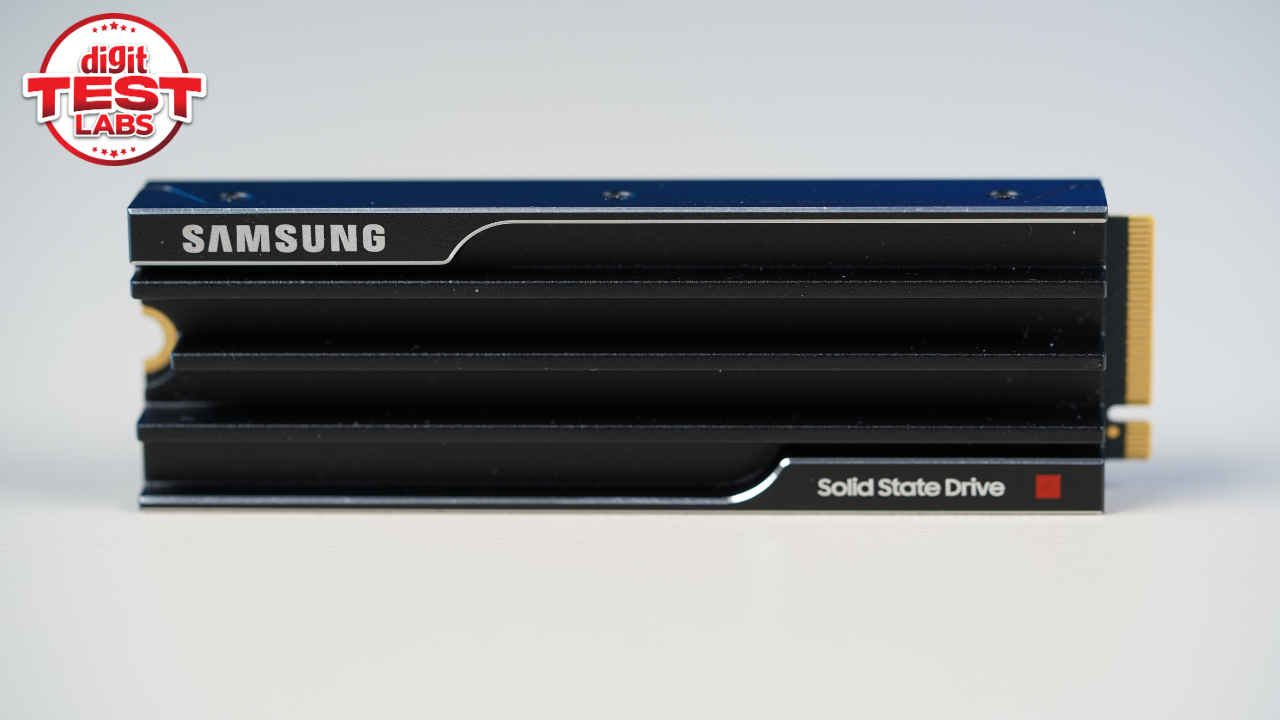
The heatsink version I tested is clearly designed with practicality in mind. The updated heatsink is slim, compact, and finished with subtle grooves that give it a professional, almost industrial look. It does not scream for attention, but it feels purpose-built.
One thing worth noting is thickness. The 8 TB model is slightly thicker than the 1 TB to 4 TB variants. While the smaller models measure around 6.5 mm on top and 1.5 mm on the bottom, the 8 TB version measures roughly 8 mm on top and 2.45 mm underneath. Including the PCB, the total thickness comes to about 11.25 mm, compared to roughly 8.88 mm on the lower-capacity drives. Despite this, I had no issues installing it on my PC.
Software experience
The SSD comes with Samsung Magician software, which gives you everything you would realistically need. This includes drive information, health monitoring, firmware updates, built-in benchmarking, diagnostics, and secure erase tools.
Samsung’s Data Migration software is also extremely useful. It allows you to clone data from one Samsung SSD to another, even when the source drive is your OS drive. The only limitation is that it works exclusively with Samsung SSDs, but within that ecosystem, it works reliably.
You also get multiple performance profiles. The drive runs in Standard mode by default, with options for Full Performance, Power Saving, and a custom profile. For most users, Standard mode is the sensible choice. Full Performance mode offers only minor gains while introducing some meaningful compromises, which I will get into later.
The only real downside here is the interface itself. Compared to older versions, Samsung Magician now feels a bit more cluttered. Sidebar ads and promotional elements make the experience feel less clean than it used to be. This isn’t a dealbreaker, however, once you get used to it. The tool is quite polished otherwise.
Performance and benchmarks
In synthetic benchmarks, the Samsung 9100 Pro 8 TB performed admirably, and the same was reflected in real-world usage as well when I used my system to edit some photos and videos, play games, multitask, and a lot more.
In Crystal Disk Mark, the Sequential read and write speeds were excellent, and the drive sits comfortably among the fastest consumer SSDs available today. The IOPS and latency scores too, were well within what you would expect from a flagship PCIe Gen5 drive, especially under mixed and random workloads.
In PCMark 10, the drive scored 7,702 in the Full System Drive benchmark and 7,108 in the Quick System Drive test. These scores mean that in everyday usage, tasks like OS booting, file transfers, application launches, and game loading will be quick and hassle-free.
In day-to-day use, the 9100 Pro 8 TB feels effortlessly fast. Boot times are near-instant, applications open without hesitation, and working with large files feels smooth and predictable. Moving large video files, handling backups, or managing massive datasets is where this drive truly shows its strengths.
For gaming, the experience is once again excellent. Load times are short, but the difference compared to a premium Gen4 SSD like the 990 Pro is subtle. With that being said, it is important to note that if gaming is your primary use case, you will not see a dramatic leap just by moving to Gen5 storage.
Thermals and power efficiency
As expected from a PCIe Gen5 SSD, thermals need attention. With the integrated heatsink and motherboard cooling in place, temperatures stayed within safe limits, though controller temperatures can run high during extended workloads.
Coming to power consumption, it is expectedly higher than lower-capacity models. But that is the trade-off you make when running more NAND at higher speeds. This is clearly a desktop or workstation-class SSD rather than something meant for thermally constrained systems.
Should you buy it?
The Samsung 9100 Pro 8 TB is not for everyone. It is expensive, and many high-end Gen4 SSDs cost far less while delivering excellent real-world performance. For casual users or gamers, those options make far more sense.
Where the 9100 Pro 8 TB earns its place is in capacity combined with speed. If you are a content creator working with high-resolution or 8K footage, a professional photographer dealing with massive image libraries, or a data-heavy user who wants everything on one ultra-fast drive, this SSD makes a strong case.
For everyone else, opting for a 4 TB variant or sticking with a premium Gen4 SSD will be the more cost-effective choice. In short, this is a focused, no-compromise storage solution built for users who know exactly why they need 8TB of PCIe Gen5 performance.
Also read: Resident Evil Village will soon be free to play, what we know