
Want to restore old photos? Try these 5 Google Gemini AI prompts for better results
 Follow Us
Old and damaged photos can now be restored quickly using Google Gemini AI.
Upload the image and use simple prompts to improve colour, lighting, and remove damage.
AI can turn faded photos into clearer and better-quality images in minutes.
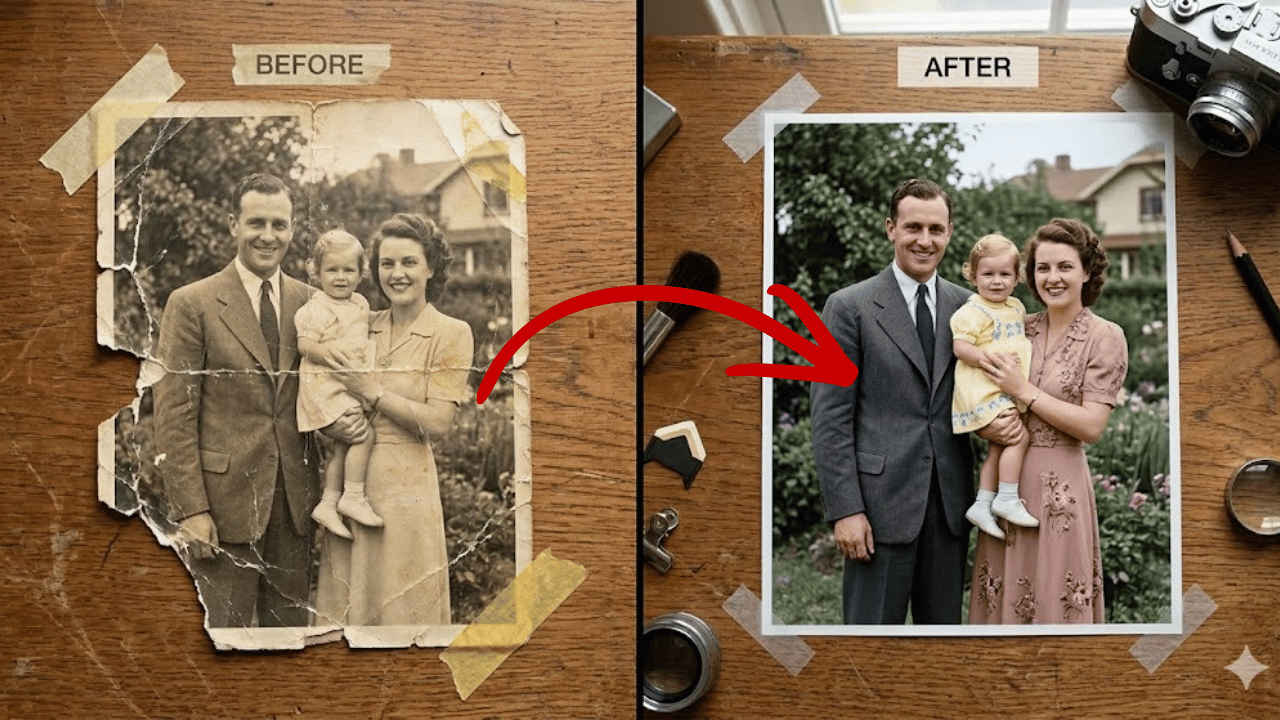

Old photos are more than just paper and ink, as they capture moments from the past. However, over time these photos can get damaged by multiple factors, including dust, sunlight, and humidity. This can cause the images to fade, tear, or get a visible crease. Fixing the old photos used to require expensive software and a lot of work. But now with the help of AI, you can bring back those old photos to life in just a few minutes. Google’s Gemini AI is one of those tools that can help you do so, and that too without adding or removing anything from the original shared image. Here is a simple step-by-step guide to restore old photos using Google Gemini AI.
 Survey
How to restore old photos using Google Gemini AI
Here are the easy steps that you can follow on Google Gemini to restore your old images:
1. Launch your web browser and head to Gemini. Alternatively, you can also open the Gemini app.
2. Select Create image from the options available.
3. Press the + icon and select Photos.
Also read: Apple iPhone 18 Pro series: 5 upgrades to expect over iPhone 17 Pro series
4. Select the old image to upload it on Gemini.
5. Write your prompt in the box and press Enter.
Note: You can also use any of the following prompts.
Prompts to revive your old photos
Using specific prompts helps Gemini understand the kind of changes needed in your old image. Here are five effective prompts you can try:
1. The colour revives
Analyse this sepia-toned image and apply a natural, realistic colour grade. Restore the original skin tones and clothing colours with neutral accuracy. The entire scene is in a shade of yellow, which must be neutralised, and natural elements such as leaves or sky must be shown in their actual colours.
2. The damage repair
Please look at this scanned image. There are several white creases and a large tear in the bottom-left corner. Use your AI capabilities to fill in these gaps seamlessly by matching the surrounding textures. Remove all dust spots and small scratches from the background.
Also read: Google Pixel 10 Pro deal: Get over Rs 10,000 discount, here’s how
3. The lighting and contrast fix
This photo is very dark and lacks depth. Increase the level of brightness and contrast so that your subjects are standing out against the background. The shadows should be soft, and the lighting should be balanced and warm instead of harsh and flat.
4. The studio-quality finish
Take this vintage snapshot and give it a professional studio finish. Remove heavy grain and noise. Soothe the background a bit to give a sense of depth of field, and make sure that the focus is sharp on those people in the photo. Deliver a clean, polished version of this memory.
Also read: Apple iPhone Fold price, variants and specifications tipped ahead of launch: What we know
5. The DSLR finish
Restore this old photo into a professional portrait of DSLR-quality colour and detail, using an advanced upscaling algorithm comparable to the results from the Canon EOS R6 Mark II. Ensure the restored image looks natural, retains exact facial features, and has excellent clarity and no noise. As if taken right now with Canon EOS R6 Mark II.


