

Seeing iOS 26.7 when installing iOS 27 on your iPhone? Here is what you should do
 Follow Us
Apple rolled out its stable iOS 27 update globally last night.
However, some users trying to install the update are facing a strange problem.
When users tap iOS 27, the update card shows iOS 26.7.
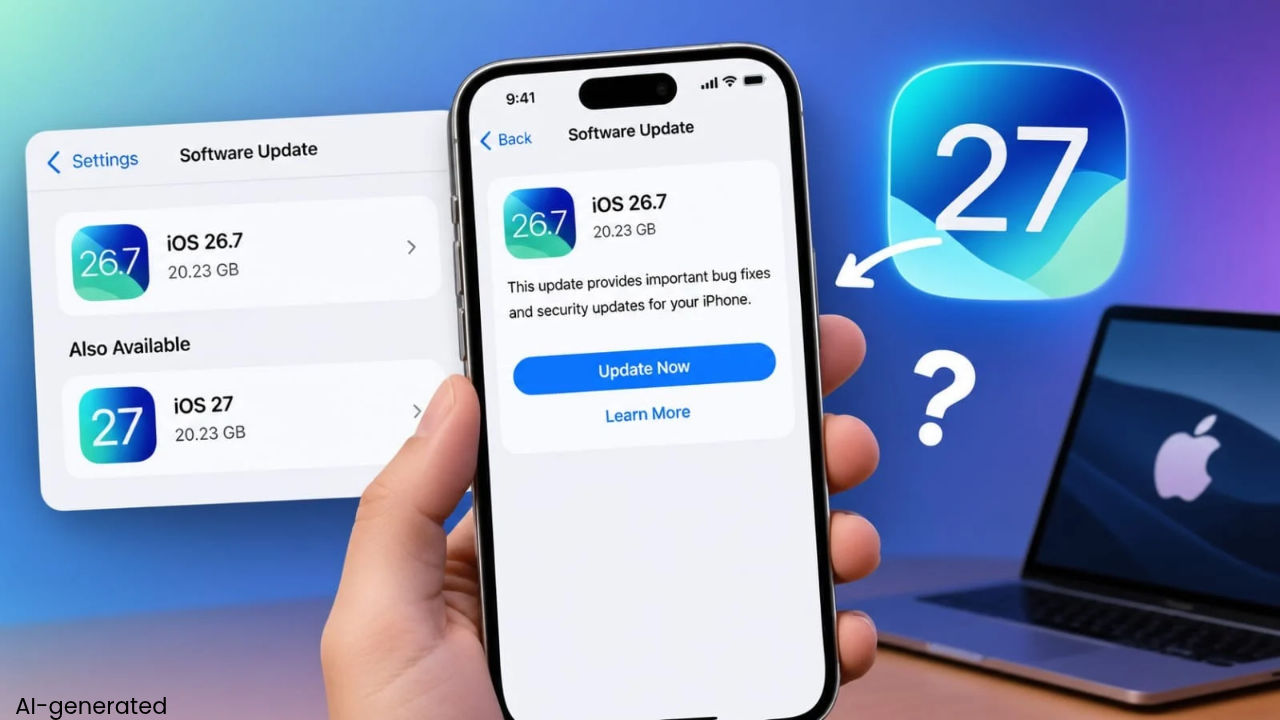

Apple rolled out its stable iOS 27 update globally last night. The latest software update finally brings the much-awaited AI-powered Siri to iPhones, along with several other new features and changes. However, some users trying to install the update are facing a strange problem. The Software Update page shows both iOS 26.7 and iOS 27 as available updates. But when users tap iOS 27, the update card shows iOS 26.7. The issue is likely widespread as many users have shared about it on X (formerly Twitter).
 Survey
iOS 27 update showing iOS 26.7
On the Software Update page, iOS 26.7 appears as the regular update, while iOS 27 is listed separately under “Also Available”. However, tapping the iOS 27 option opens a presentation card that is labelled iOS 26.7. This can make it unclear whether the iPhone will actually download iOS 27.
iClarified also saw the same issue while trying to install iOS 27. After installing iOS 26.7 first, the iPhone said that iOS 26 was up to date. It then continued to show the option to upgrade to iOS 27. Tapping the upgrade button once again opened an iOS 26.7 update card. The package shown for download was around 20.23GB.
Also read: iOS 27 is here: AI-powered Siri, new features, eligible iPhones and how to download
How to install iOS 27
If you are seeing the same issue, the safest option may be to install iOS 27 using Finder on a Mac. First, make sure your iPhone supports iOS 27 and create a backup of your data.
Now, connect the iPhone to your Mac and open Finder. Select the iPhone from the sidebar and open the General section. Click Check for Update. Finder may detect and offer the iOS 27 update directly.
If you do not want to install iOS 27 manually, you can also wait. Apple may fix the Software Update display issue soon.
iOS 27 Upgrade Confusion Leaves Some iPhone Users Seeing iOS 26.7
— Himanshi 👸 (@HimanshiTech) September 14, 2026
Apple has officially released iOS 27, but some iPhone users are seeing iOS 26.7 after tapping the “Upgrade to iOS 27” option. The unexpected version display has caused confusion among users checking for the latest…
iOS core;
— Miiro Jaliru (@miiro_xp) September 14, 2026
iOS 27 is still showing as iOS 26.7 update. lol 😂 pic.twitter.com/FWkuKYDzFe
Been desperately waiting for iOS 27 and now Apple decided to trap me in an endless iOS 26.7 loop 😭 pic.twitter.com/IV2YtMlHGy
— Amit Meena (@amit_meena) September 14, 2026


