
iOS 26 now available for download on your iPhones and here’s everything that’s changed
 Follow Us
A fluid new design with 3D effects, adaptive wallpapers, and color-tinted icons.
Apple Intelligence gets Live Translations, Genmoji, custom images, and workflow automation in Shortcuts.
Call screening, Hold Assist, intelligent Maps, AutoMix in Music, and upgraded Wallet.
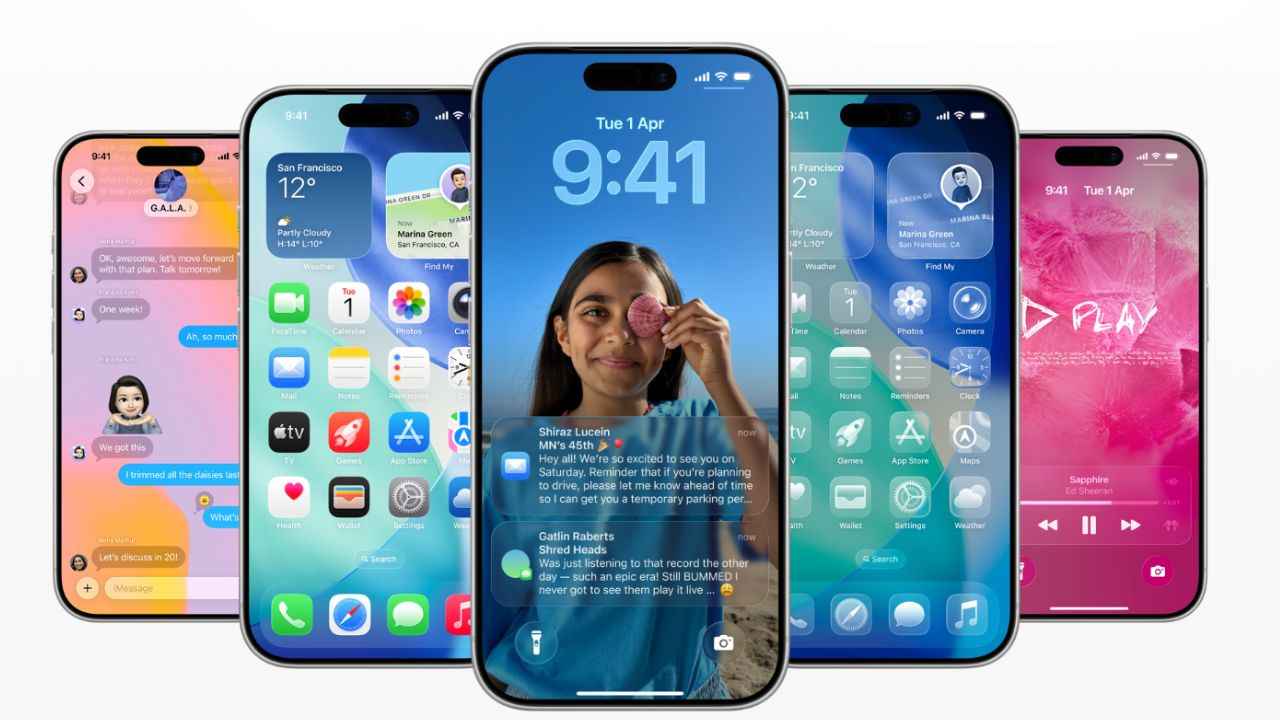

Apple has officially released iOS 26, the latest version of its mobile operating system, as a free software update for iPhone users worldwide. First previewed at the company’s annual WWDC 2025 in June, iOS 26 is one of the most significant overhauls to the iPhone in years, with new visual identity, AI-powered features and more. With its release to the general public, the focus is on the new Liquid Glass design and Apple Intelligence features powering translations, summaries, and custom emoji.
 Survey
Here are all the new changes and upgrades that iOS 26 brings.
Liquid Glass design
One of the most notable changes in iOS 26 is Liquid Glass, Apple’s most significant redesign since iOS 7. Inspired by the optical qualities of glass, the UI now features a fluid, dynamic aesthetic that extends across the Lock Screen, Home Screen, Control Centre, and apps.
The Lock Screen is redesigned with adaptive typography that blends seamlessly with wallpapers, while notifications and widgets subtly shift to keep the background image’s subject in focus. Furthermore, tilting your iPhone now produces a subtle 3D-like parallax effect in photos.
Users can also choose from light and dark modes, tinted app icons, and a new translucent “clear” appearance. Controls within apps feel more like physical glass objects, offering a tactile, responsive feel.
Apple Intelligence-powered features
iOS 26 also brought a slew of Apple Intelligence-powered new features, including Live Translation in Messages, FaceTime, and even regular phone calls, which can now display live translated captions or spoken translations in real time. Additionally, iPhones can now extract on-screen objects, letting you search inside apps, add events to Calendar, or trigger contextual queries without jumping between apps.
Genmoji and Image Playground also get new features, allowing users to generate custom emojis and images by mixing text prompts with emoji inputs. Other key features include text summarisation, image creation, and AI-powered responses directly from Shortcuts.
Call and Message screening
Apple has turned its attention to call and message management in iOS 26. Call Screening now intercepts unknown numbers, asks callers to identify themselves, and only then lets your phone ring. Similarly, Messages gains screening for unknown senders, filtering suspicious texts into a dedicated section.
There’s also Hold Assist, a feature that waits on hold for you during service calls and notifies users once a human agent is available.
Also read: ChatGPT, Gemini, Claude, Meta AI easily made phishing emails to scam elders, in a study
Maps, Music, and Wallet upgrades
Apple Maps gets new functionalities, including preferred routes, automatically learning your daily commute and alerting you about delays before you even leave. Apple Music introduces AutoMix, which uses AI for seamless DJ-style transitions, while Lyrics Translation helps fans understand songs across languages.
Wallet has also been upgraded, now allowing users to track luggage, view detailed airport maps, and share live flight statuses directly from redesigned boarding passes.


