
Google wants to protect you from fake calls with this new feature, here is how it works
 Follow Us
Google has introduced a new feature to help users spot fake calls.
The feature can detect suspicious calls and show a warning on the screen.
It is available on Pixel phones and works automatically in the background.
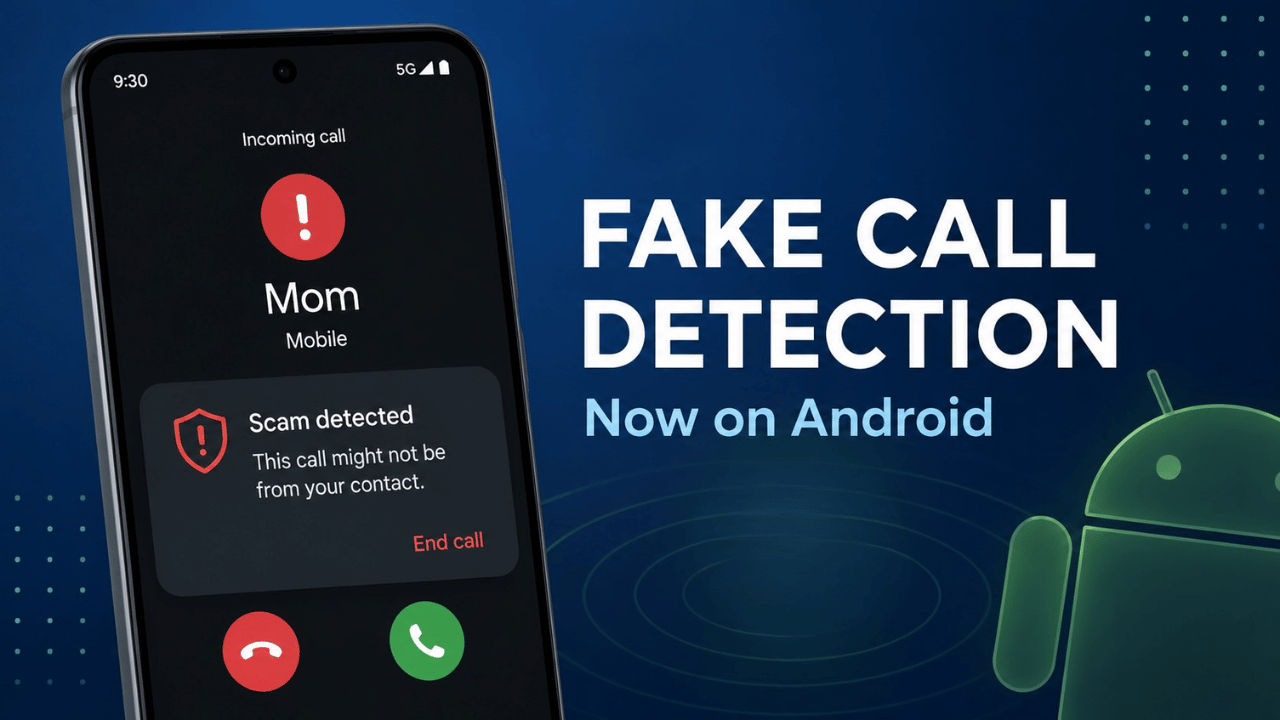

Fake call scams have been a long-standing problem, and with the inception of AI, the number of cases has only spiked. Scammers are now using AI to clone the voices of people you know and make fake calls to you asking you to send money or share personal details. Google has launched a new feature for Android phones that can detect fake calls, aimed at stopping this. As per the company, the feature can tell when someone is pretending to be a contact you trust and warns you before any harm is done. The feature runs quietly in the background without any extra steps from you.
 Survey
The fake call detection feature by Google will only be available on Pixel devices for now. Your Pixel device must be running on Android 12 or a newer version. You don’t need to juggle settings to enable the feature, as it would be active by default. However, if you don’t want to use the feature anymore, then you can disable it in the settings.
Google has also clarified that the feature will only work if both the caller and the receiver are using Pixel devices. Not only that, but as per the Mountain View-based tech giant, the verification process is private and protected through end-to-end encryption.
How does fake call detection work?

Google explained that when a person makes a call, their smartphone will send a silent verification signal to the recipient’s phone. This signal acts as proof that the call is genuinely coming from that known contact’s device.
Furthermore, if a scammer spoofs the contact’s phone number, the verification signal will not be present. The receiving device will still try to establish a contact with the caller’s device to confirm whether the device is actually being used to make a phone call. If the contact’s device confirms that no call is in progress, Android will display a warning message.
The process is done in the background even after you receive a call. Moreover, if the incoming call that you received is spoofed, then your device will show an alert that will advise you to end the call immediately. This can help you avoid potential fraud.
Benefits
The fake call detection feature comes with certain benefits, like the following:
- It helps users identify AI-generated voice scams in real time.
- Reduces the risk of falling victim to caller ID spoofing attacks.
- Adds an additional security layer to conversations between families and friends.
- The feature can function automatically without any manual intervention.


