
Best ChatGPT prompts to create a professional and ATS friendly resume in minutes
 Follow Us
Shows how ChatGPT prompts can help create a professional resume quickly.
Explains why making your resume ATS-friendly is important today.
Shares simple steps and prompts for both freshers and experienced users.


A resume is your first impression on a company you hope to join, and creating a professional one can feel difficult, especially when time is short. Moreover, unlike earlier times, HR teams no longer review resumes manually. Rather, they rely on applicant tracking systems (ATS). Therefore, your resume cannot be a jumble of words on a page but a clear, well-structured representation of your skills and experience. In this guide, I will share simple ChatGPT prompts that help you build a polished resume in minutes. Whether you are a fresher or an experienced professional, these prompts will help you create a clean, readable document that stands out in today’s job market.
 Survey
How to make resume using ChatGPT
Here are the easy steps using which you can make your resume with ChatGPT in minutes:
1. Launch a web browser and head to the ChatGPT website.
Alternatively, you can also open the ChatGPT app on your handset.
2. Copy the prompt to generate the resume from the one given below. Feel free to edit it to your liking.
3. Make sure you fill out the prompt with the right information. Make sure to include keywords from the job description as well.
4. Click the Submit button and wait a bit.
I recommend that you check the details of the resume by hand once it’s done. You can also change the formatting and wording to better fit your needs.
Also read: Apple unveils AI model that creates lifelike 3D objects from just one photo
Best ChatGPT prompts to create a resume
Here are some of the prompts you can use to create your resume:
1. Create a professional and detailed resume for me.
My details are as follows:
Full Name:
Phone Number:
Email Address:
LinkedIn / Portfolio (if any):
Location:
Professional Summary:
Write a short but strong summary highlighting my experience, key skills, and career goals.
Work Experience:
Job Title – Company Name – Location – Employment Dates
• Key responsibilities
• Major achievements
• Tools or technologies used
• Any measurable results (growth, revenue, impact, etc.)
Education:
Degree – Institution Name – Year of Completion
Skills:
List my key skills in categories such as technical skills, soft skills, tools, and languages.
Certifications / Courses:
List any professional certifications, training programs, or online courses.
Projects (if applicable):
Project Name – Description – Tools used – Outcome
Achievements / Awards:
Mention any recognition, awards, or important accomplishments.
Additional Information (optional):
Languages known, volunteer work, publications, interests, or memberships.
Instructions:
• Format the resume in a clean, professional layout
• Use bullet points for clarity
• Highlight achievements with numbers where possible
• Keep the tone professional and concise
• Optimise it for ATS (Applicant Tracking Systems)
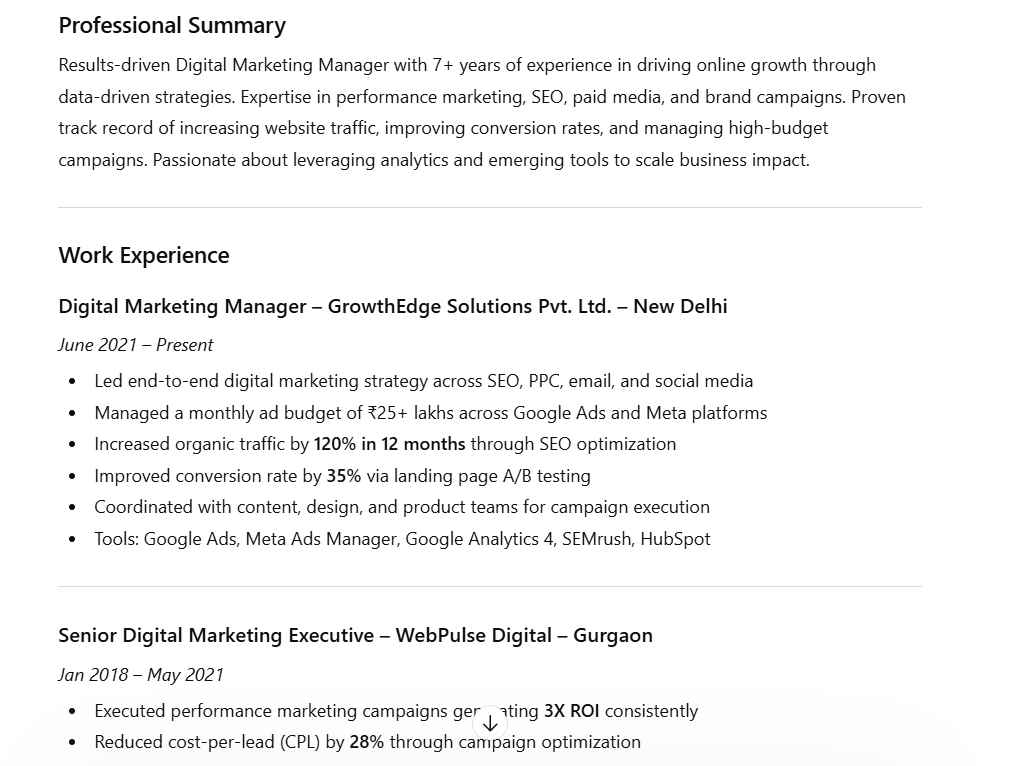
To help you better understand, I’ve added a snapshot of the result I generated using the prompt above for Aarav Mehta, who is running for a post of Digital Marketing Manager.
Also read: Apple iPhone 17 price drop: Get over Rs 6,900 discount, here’s how
2. Act as a professional resume writer and ATS optimisation expert.
Create a highly professional, ATS-friendly resume based on the information I provide. The resume should be structured to achieve a high ATS score and be suitable for modern hiring systems.
Follow these instructions carefully:
Use a clean, simple format without tables, graphics, icons, or columns.
Use clear section headings such as:
Professional Summary
Key Skills
Work Experience
Education
Certifications
Projects
Achievements
Write bullet points using strong action verbs.
Focus on measurable achievements and results where possible.
Integrate relevant industry keywords naturally for ATS optimisation.
Keep the resume concise and professional (1–2 pages).
Ensure the content is readable for both recruiters and ATS systems.
Highlight impact, responsibilities, and tools used in each role.
Resume details:
Full Name:
Phone Number:
Email Address:
LinkedIn / Portfolio:
Location:
Target Job Role / Industry:
Professional Summary:
(Brief overview of experience, expertise, and career goals)
Key Skills:
(List technical skills, tools, software, and soft skills)
Work Experience:
Job Title – Company Name – Location – Employment Dates
• Responsibilities
• Achievements
• Tools/technologies used
• Measurable results if possible
Education:
Degree – Institution – Year of completion
Certifications / Courses:
Projects:
Project Name – Description – Tools used – Outcome
Achievements / Awards:
Additional Information (optional):
Languages, volunteer work, publications, interests.
Final output requirements:
• Use professional formatting with clear headings and bullet points.
• Prioritise achievements over duties.
• Optimise the resume with relevant keywords for the target role.
• Make the resume ATS compliant and recruiter friendly.
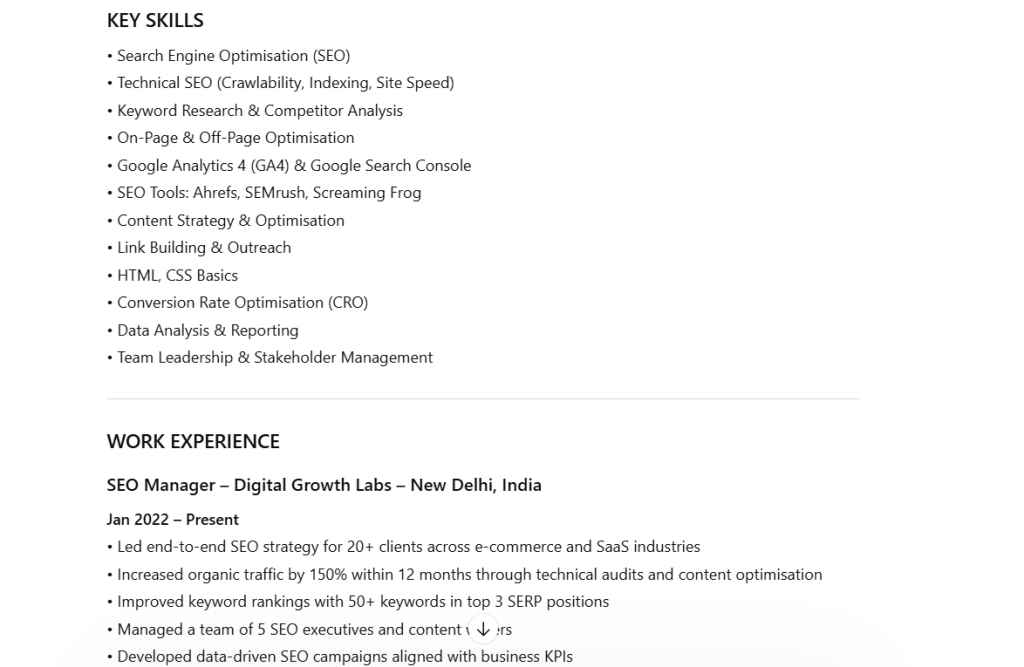
To make it clearer, I’ve included a screenshot of the result produced using the prompt above for Raghav Singh, a candidate applying for the SEO Manager position.
Create downloadable resume
Now that you have your ATS-friendly details, go to the Claude AI tool. Update the prompt below with the details you got from ChatGPT, and create your downloadable resume.
1. Professional Resume
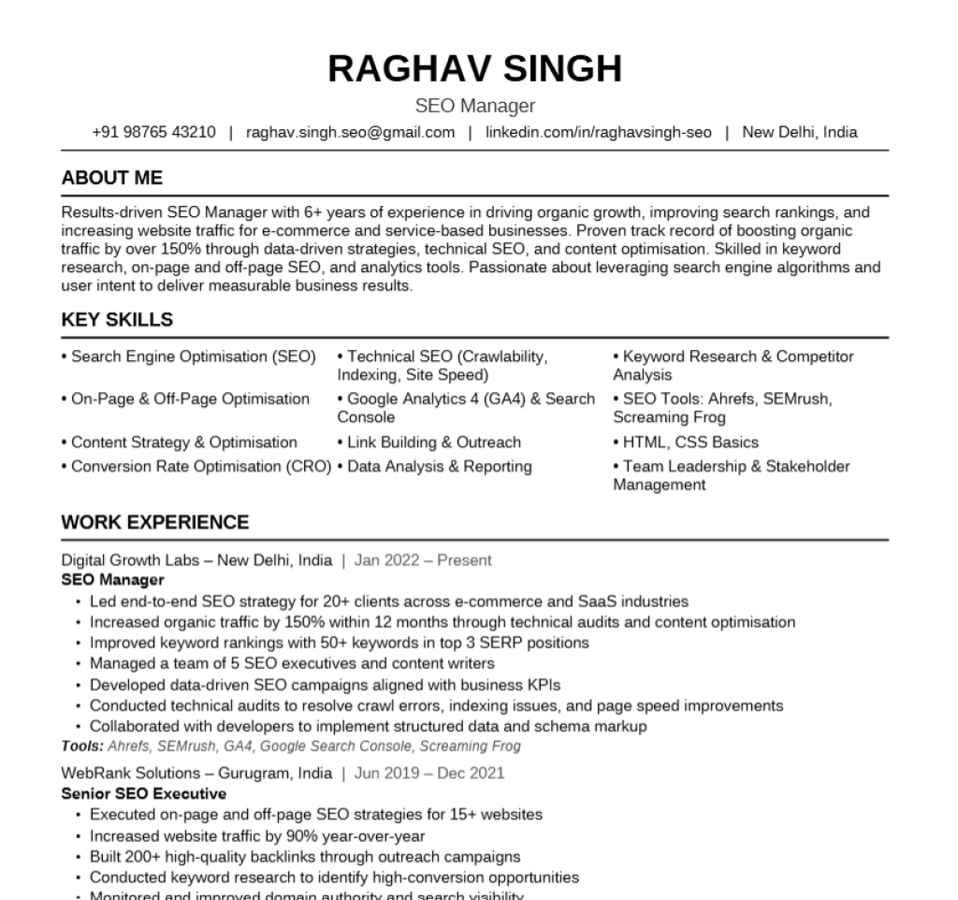
Create a clean, professional resume as a Word (.docx) file in a minimalist black-and-white style matching this layout:
Personal Info:
Full Name: [YOUR NAME]
Title: [YOUR JOB TITLE]
Phone: [YOUR PHONE]
Email: [YOUR EMAIL]
Location: [YOUR CITY]
About Me: [2–4 sentence professional summary]
Education:
[University Name] | [Year–Year] → Degree/Title → [Description]
[University Name] | [Year–Year] → Degree/Title → [Description]
Work Experience:
[Company] | [Year–Year] → Job Title → [Description]
[Company] | [Year–Year] → Job Title → [Description]
Skills: [Skill 1], [Skill 2], [Skill 3], [Skill 4], [Skill 5], [Skill 6]
Formatting rules: Bold uppercase section headers with a horizontal divider line beneath each. Name in large bold at top, centered. Contact info in one line with icons. Skills in 3 columns. Body font clean and minimal (like Calibri or Arial). No colors — black text on white only.
Here’s how it will look:
2. Fancy Resume
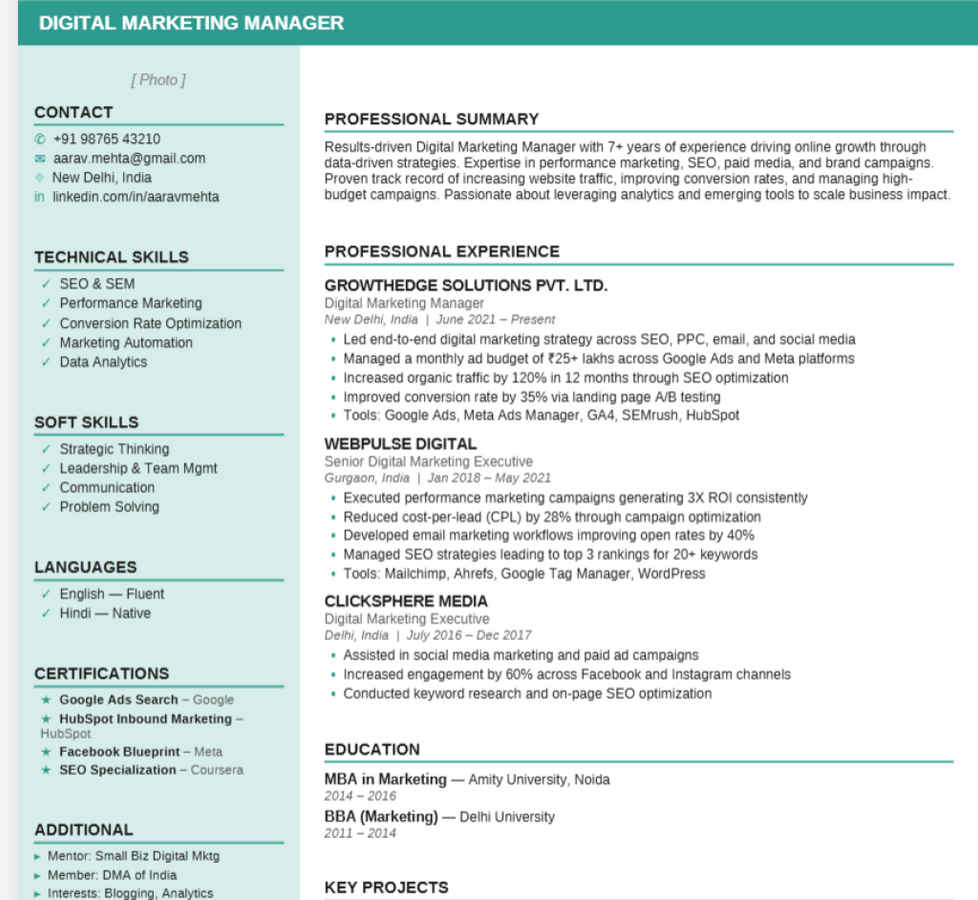
Create a professional two-column resume as a Word (.docx) file matching the Sally Branders layout exactly, including all colors and styling: Design Requirements:
Top-left header: light mint/teal background with a circular profile photo placeholder
Name displayed in two lines — first name regular weight, last name extra bold and large
Teal banner bar below the header with job title in white uppercase letters
Left column has a light mint/teal background
Section headings in bold black uppercase with a teal underline
Skills and Languages use teal checkmark (✓) bullet points
Right column is white with standard bullet points for experience
Company names in bold black uppercase, job title in gray below, location + dates in gray italic Personal Info:
Name: [FIRST NAME] / [LAST NAME]
Job Title: [YOUR JOB TITLE]
Email: [YOUR EMAIL]
Phone: [YOUR PHONE]
Location: [YOUR CITY, COUNTRY]
LinkedIn: [YOUR LINKEDIN URL] Profile Summary: [3–5 sentence professional summary about yourself] Skills:
[Skill 1]
[Skill 2]
[Skill 3]
[Skill 4]
[Skill 5] Languages:
Professional Experience:
[COMPANY NAME] | [Job Title] | [City, Country] | [Date–Date][Achievement/responsibility bullet 1]
[Achievement/responsibility bullet 2]
[COMPANY NAME] | [Job Title] | [City, Country] | [Date–Date][Achievement/responsibility bullet 1]
[Achievement/responsibility bullet 2] Education:
[DEGREE NAME] — [University] — [City, Country] | [Year–Year]
[DEGREE NAME] — [University] — [City, Country] | [Year–Year]
Here’s the final output:
Professional resume created!
Creating a strong resume no longer has to be time-consuming or confusing. With the right prompts, ChatGPT can help you organise your information, highlight your strengths, and present your experience clearly. Ensure that you check all the details manually so that there are no errors. However, if you’re still not satisfied, then you can also take the data from ChatGPT and use a template from Canva to make your resume.


