
Best prompt for Linkedin profile pic: Gemini, ChatGPT step-by-step instruction
 Follow Us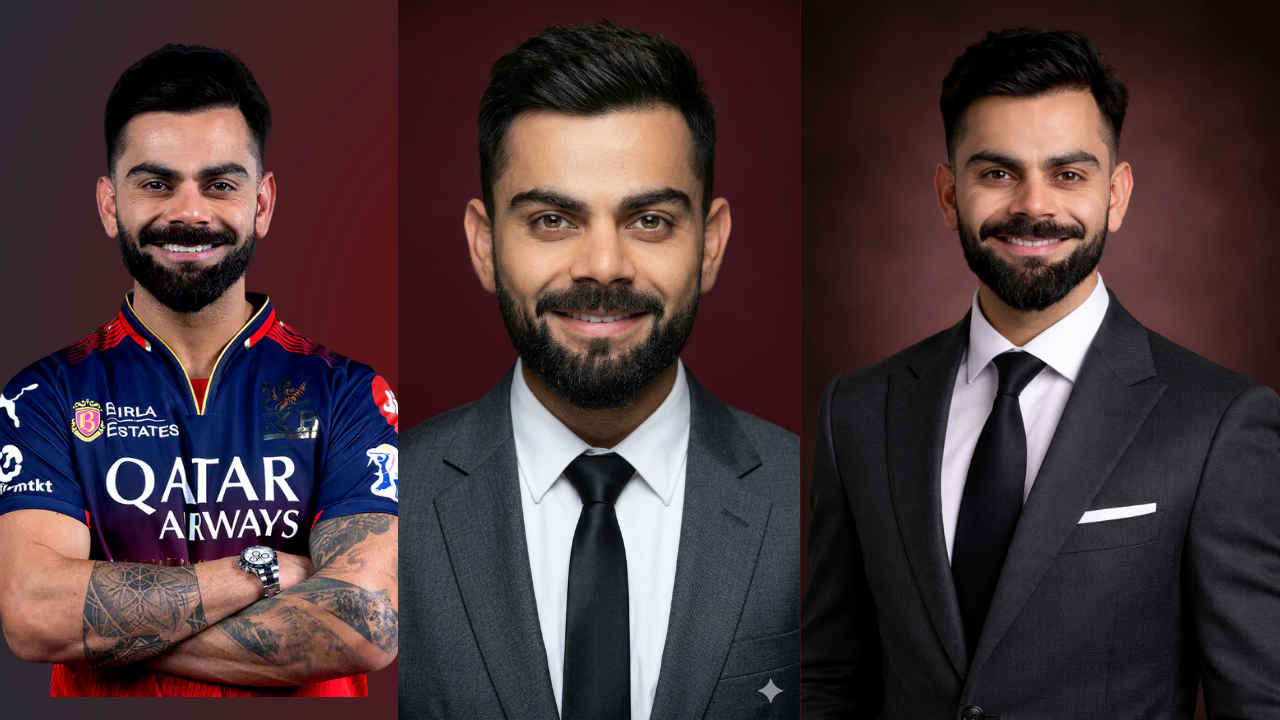

Professional headshots used to mean wearing a suit, going to a studio, setting the lights and paying a photographer. Now, with AI image tools from Google Gemini and OpenAI’s ChatGPT, you can generate a polished, LinkedIn-ready portrait from even a basic smartphone selfie in under five minutes.
 Survey
Here’s a step by step process on how to do it on both platforms, along with the prompt that will help you get the desired image.
Also read: How to import your ChatGPT memory into Google Gemini: Step-by-step guide
Step-by-step guide for generating Linkedin profile pic
Step 1: Pick your face shot
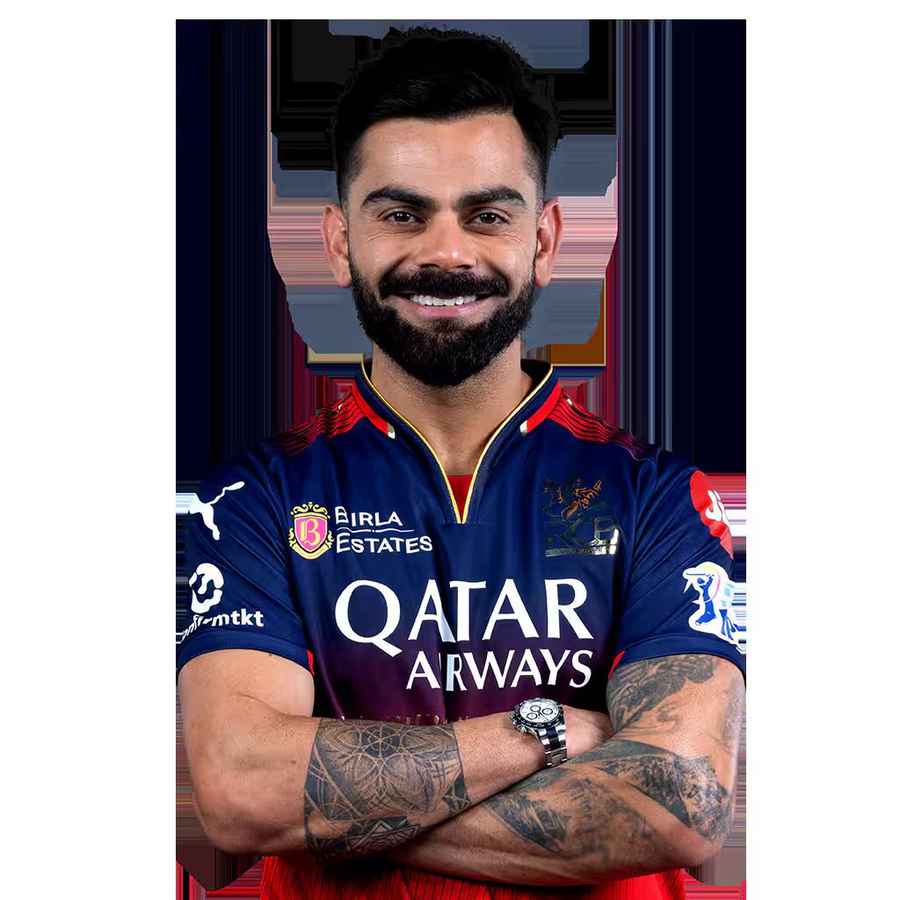
Pick a clear photo of yourself facing the camera directly. Don’t have any sunglasses or filters. Remember, the cleaner your source image, the more accurate the AI’s output will be. Natural light works the best because harsh overhead lighting or flash can confuse the model’s skin-tone correction. I am using this image of Virat Kohli as an example.
Step 2: Upload it to ChatGPT or Gemini
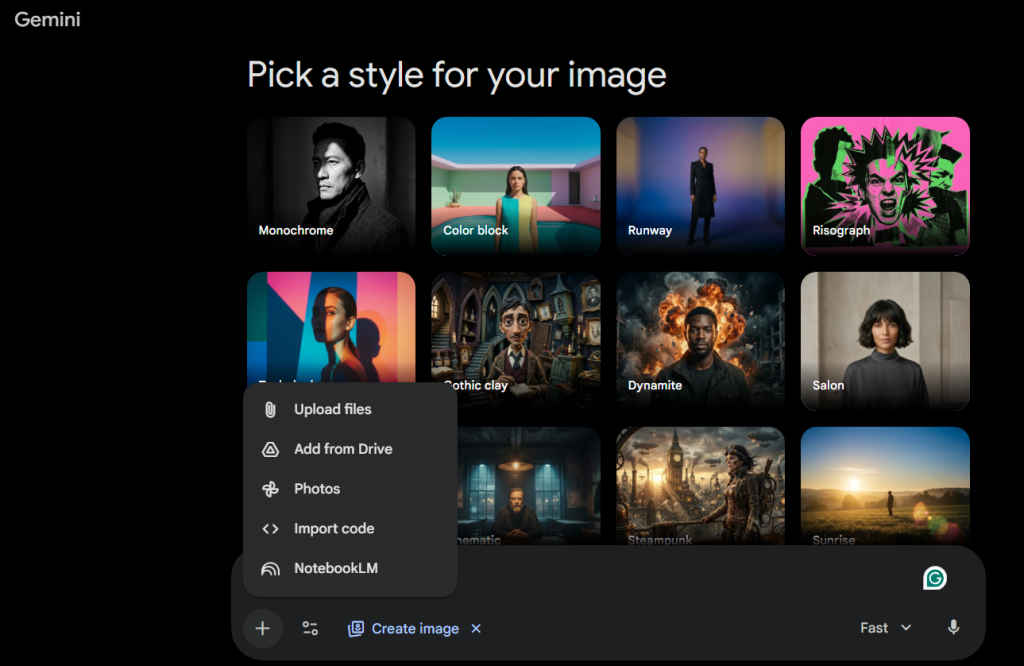
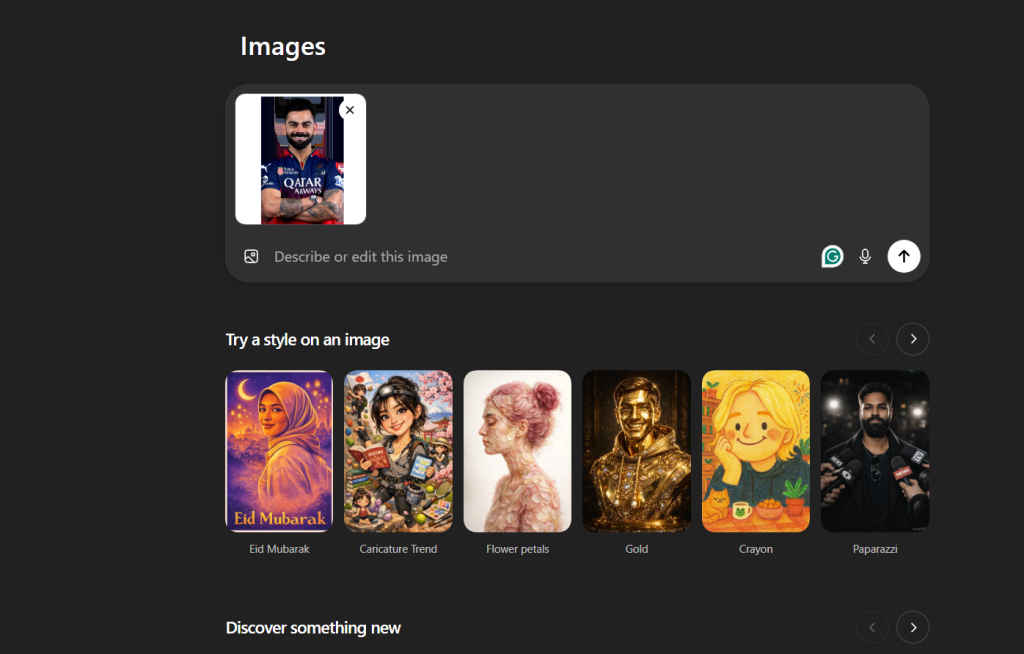
Open ChatGPT or Gemini, start a new chat and select the Images or create image option and attach your photo.
Also read: Oppo is playing the long game in India’s premium shift, and the Find X9s could be its next big move
Step 3: Prompt for generating LinkedIn profile pic
Both platforms use the same base prompt. Copy it, then tweak the details – clothing colour, background tone, crop ratio – to suit your use case:
“Transform this photo into a high-resolution professional corporate headshot, preserving the subject’s exact facial features, structure, and likeness. The subject is wearing a premium tailored charcoal gray blazer over a crisp white shirt, looking directly at the camera with a confident, approachable smile. Apply even, flattering softbox studio lighting that eliminates harsh shadows, corrects uneven skin tones, and creates a clean, bright professional look. Sharpen the eyes and face for maximum clarity while keeping skin retouching subtle and natural – smooth minor blemishes without over-editing. Ensure the hair looks neat and well-defined. The background should be a neutral, slightly blurred deep burgundy tone with no distracting elements. Crop to a head-and-shoulders composition with the face centered and taking up roughly 60–70% of the frame, rendered in 9:16 ratio with 85mm portrait lens style depth of field. The final image should be extremely detailed, DSLR quality, and look polished and confident – suitable for a LinkedIn profile or a Fortune 500 company directory.“
ChatGPT or Gemini: Which generates better LinkedIn pic?
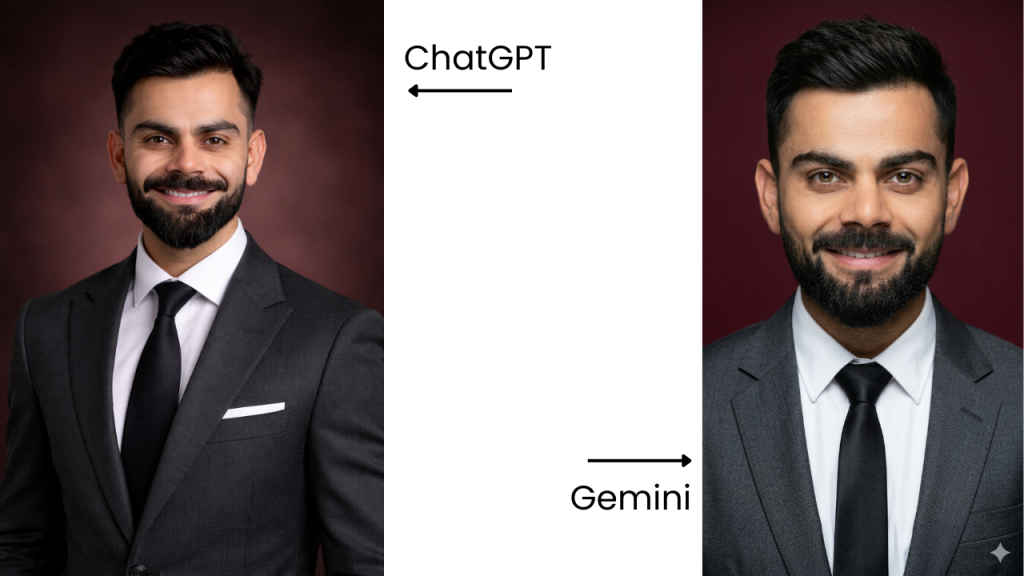
We ran the same prompt through both platforms on the same source photo of Virat Kohli – you can see the results attached. I felt ChatGPT preserved grooming details better and held the beard structure and hair texture closer to the original. Gemini gave a cleaner, softened look that some may prefer. (Note: Gemini does add a watermark to the bottom right of the image.)
Neither is objectively better. It comes down to the look you’re going for. Try both, adjust the prompt for your specific use case, compare the outputs side by side, and you have your next LinkedIn profile picture generated in minutes to enhance your professional look.
Also read: OpenAI discontinuing Sora AI video: What went wrong for ChatGPT maker?


