
How to use Apple’s Spotlight feature on your Windows laptop or PC using Google app for desktop
 Follow Us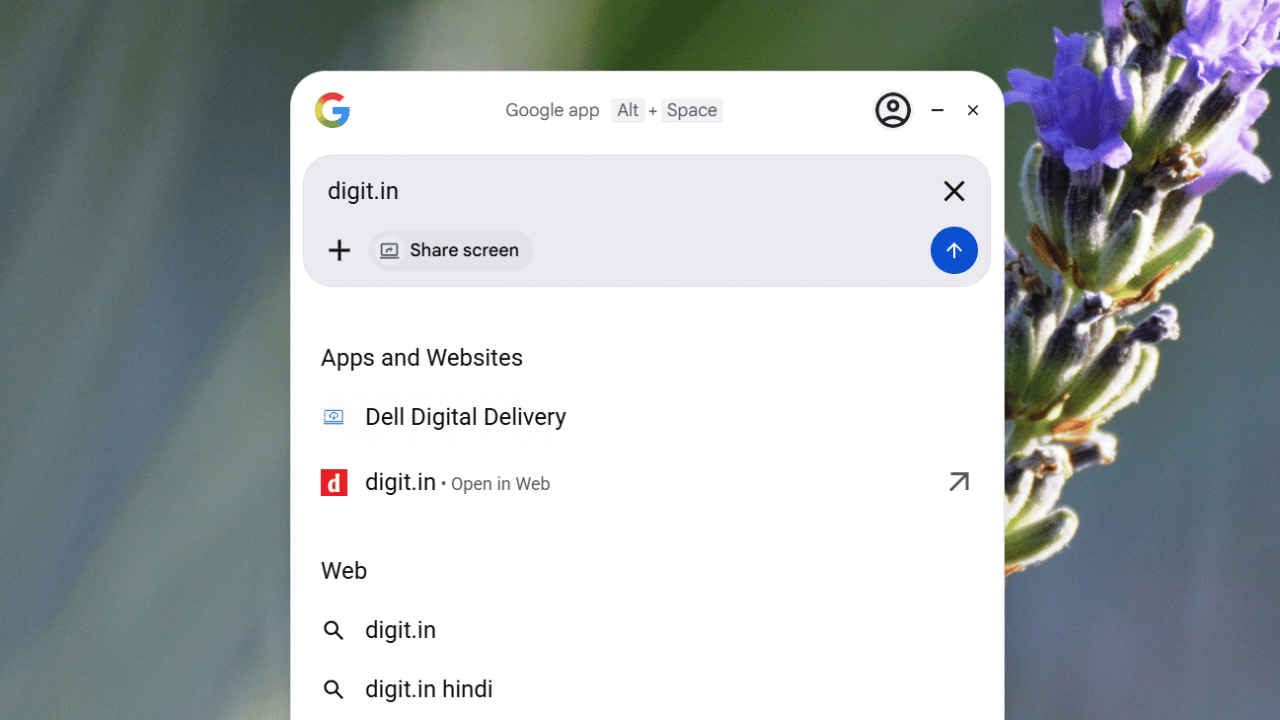

Finding the right tool to navigate your computer can change the way you work every single day. Many people admire the clean and fast search experience found on Mac computers, often wishing that Windows offered something just as seamless. While Windows has its own search bar, it often feels cluttered with web results or slow to find specific files. However, there is a clever way to bring that high-end feel to your PC. By using the Google app for desktop, you can mirror the speed and elegance of Apple’s Spotlight. It turns your cluttered desktop into a streamlined hub where every single answer is just a few quick keystrokes away.
 Survey
Prerequisites
Before you begin the setup, ensure your system meets these basic requirements:
- A Windows device running on Windows 10 or later.
- You’d require a stable internet connection.
- An active Google account.
How to download and set up the Google app for desktop
Here are the easy steps to download and set up a Mac-like Spotlight feature on your Windows PC or laptop:
1. Open your web browser and search for the Google app for desktop.
2. Download and install the Google app on your device.
3. Follow the on-screen instructions to finish the installation process.
4. You can sign in to the app using your Gmail.
Note: You can also use the app without signing in.
Congrats! You’ve installed the Google desktop app successfully.
Also read: Anthropic launches AI Safety Fellowship offering over Rs 3 lakh weekly stipend, here is how to apply
How to use the Google app for desktop
Follow the easy steps below to use the Google app for desktop:
1. Open the app by pressing Alt + Spacebar on your keyboard.
Note: It will work even if you are using another app.
2. Type any question in the search bar and get instant results. You can also open a different app using the Google app. Simply type the name of the app and choose it from the list.
3. If you wish to quickly close the app, simply press Alt + Spacebar again.
Also read: ChatGPT can now remember your face to make viral AI Image trends
Benefits of using Google app for desktop
This tool offers several advantages that make your computing experience much smoother:
- You get a central place to search for files, apps, and web answers simultaneously without the need to even touch your mouse.
- The interface of the app is minimal.
- The app stays hidden until you trigger it.
- You can also ask questions, eliminating the need to go to a web browser.
- It can also perform calculations or unit conversions inside the app.
- Once you sign in, the feature gets integrated with your other Google services and can show calendar events or recent documents.


