
5 things iPhone can do that Samsung phone still can’t
 Follow Us

So, I recently wrote an article on ‘5 things Samsung phones can do that iPhones still can’t.’ But that doesn’t mean that Apple is totally lagging behind Samsung. In fact, there are some areas where iPhones feel far more polished, more consistent, and in some areas, easily ahead. And this isn’t about spec sheets or gimmicks. It’s more about everyday usability, the kind of things you notice after using the device for a while. Because Samsung gives you various options, Apple focuses on control and integration. And for some folks, this approach just works better.
 Survey
Here are the five things iPhones can do that Samsung phones still can’t.
A native app locker
Privacy has become a part of every user, and Apple has taken this approach seriously, because on iPhones, you can individually lock apps with the help of Touch ID or Face ID without needing any third-party apps. Whether it’s your photos, notes, or any other app, Apple makes sure your data stays protected reliably.
Samsung phones, on the other hand, have Secure folder, which is secure, but it’s not the same as the native app locker found on an iPhone, where you can individually lock apps. I also have to rely on third-party apps, which I would say are less secure.
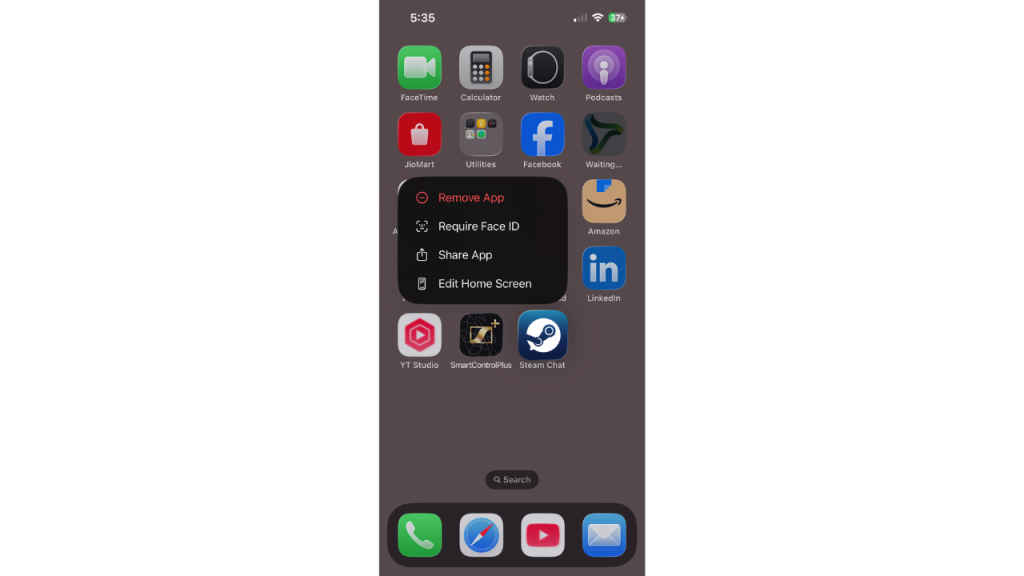
Apple gives you that simplicity. There’s no extra setup, no external apps, it’s built in, and it works incredibly well. You just have to hold any app for 1-2 seconds, and a pop-up will come where you can select the ‘Require Face ID’ or ‘Require Touch ID’ option, and your app will be locked.
Instantly scroll to the top
Now, this is one of those features that sounds easy, until you realise how often you’re going to use it every day.
On an iPhone, no matter how far you’ve scrolled down, whether it’s a web article, social feed, or simply in settings, you just have to tap on the top of the screen, and instantly it will take you back to the top. At the same time, it’s fast, helpful, and intuitive.
Samsung devices don’t have this feature built into their system. However, there are third-party apps that you can find on the Play Store, but they are not as consistent as those on iPhones.
LiDAR sensor on Pro models
Apple introduced the LiDAR sensor in the iPhone 12 Pro lineup; since then, it has been exclusive to the Pro lineup. The LiDAR sensor has practical use cases.
It enables accurate depth sensing, and it allows precise measurements of real-world objects with the help of apps like Measure.
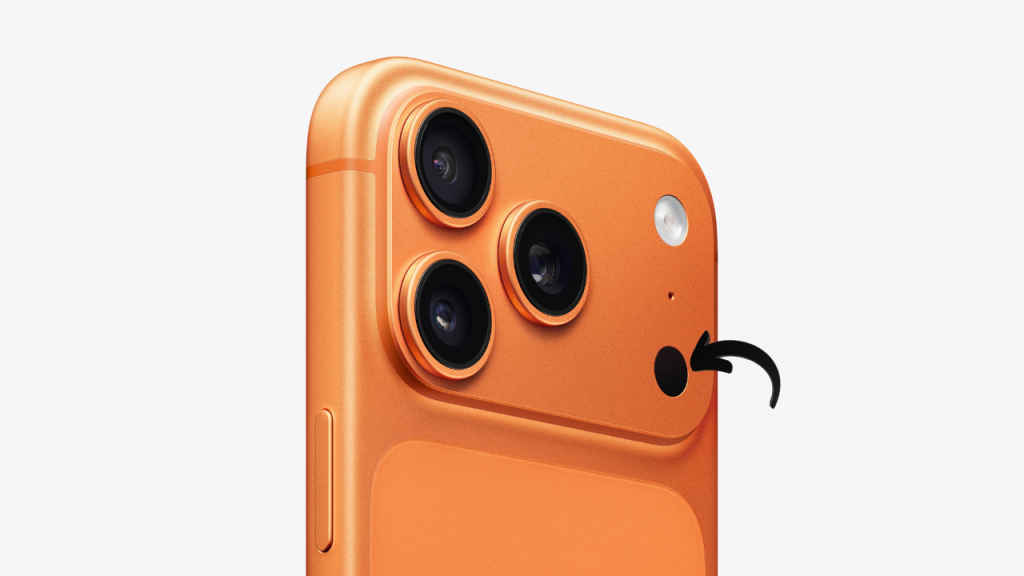
I recently went to my friend’s house, and wanted to measure his gaming desk so I could make the same desk for myself, but I forgot my measuring tape. Then this LiDAR sensor came in handy. I instantly measured the desk dimensions with it. It definitely adds a layer of functionality to the camera system.
Samsung tried to implement something similar to the LiDAR, by the name of 3D Time of Flight sensor, on the Galaxy S20 Plus, S20 Ultra, Note 20 Ultra and S21 Ultra, but they haven’t integrated it as consistently across their lineup.
Seamless Apple ecosystem
This is where Apple always had an upper hand. The iPhone is not a standalone device; it’s part of a very great ecosystem that includes iPads, Macs, Watches, and AirPods. And the way these devices connected feels seamless.
You can start a call on your iPhone and continue it on a Mac. If you copy text on your iPhone, you can seamlessly paste it on your Mac. You can send files via AirDrop without worrying and without relying on a third-party app.
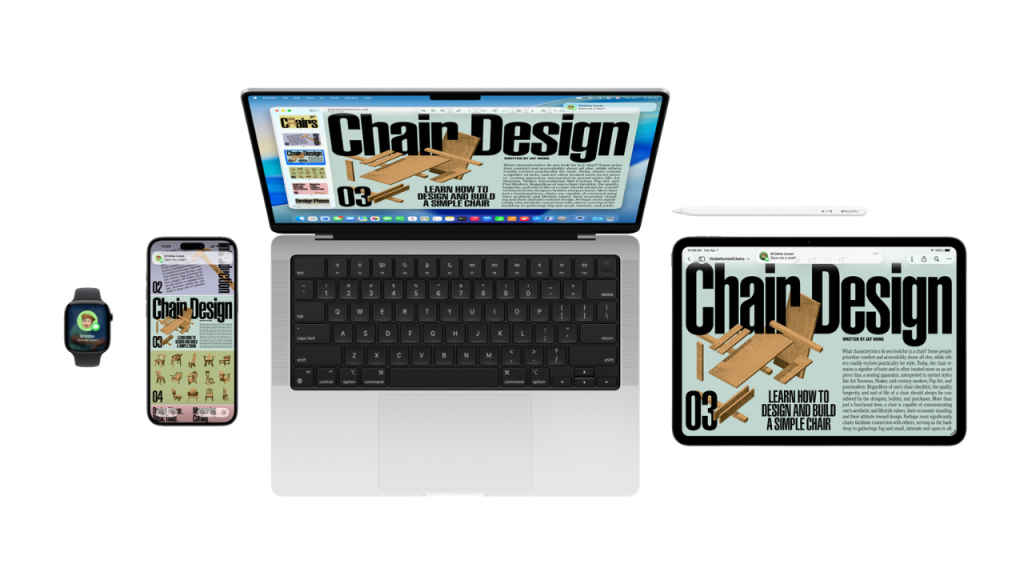
There are a lot of features like Handoff, Universal Clipboard, and Continuity that aren’t just gimmicks; they could help you move between devices smoothly.
Samsung and the overall Android ecosystem do offer cross-device features, especially with Windows integration, but the experience doesn’t feel as seamless as compared to Apple’s ecosystem.
FaceTime
These days, everyone uses video calling, and people rely on it, but the experience varies widely on the platform you use.
FaceTime easily stands out because it is a part of the Apple ecosystem. It comes pre-installed, it works across iPhones, iPads, and Macs, and it gives you a great experience.
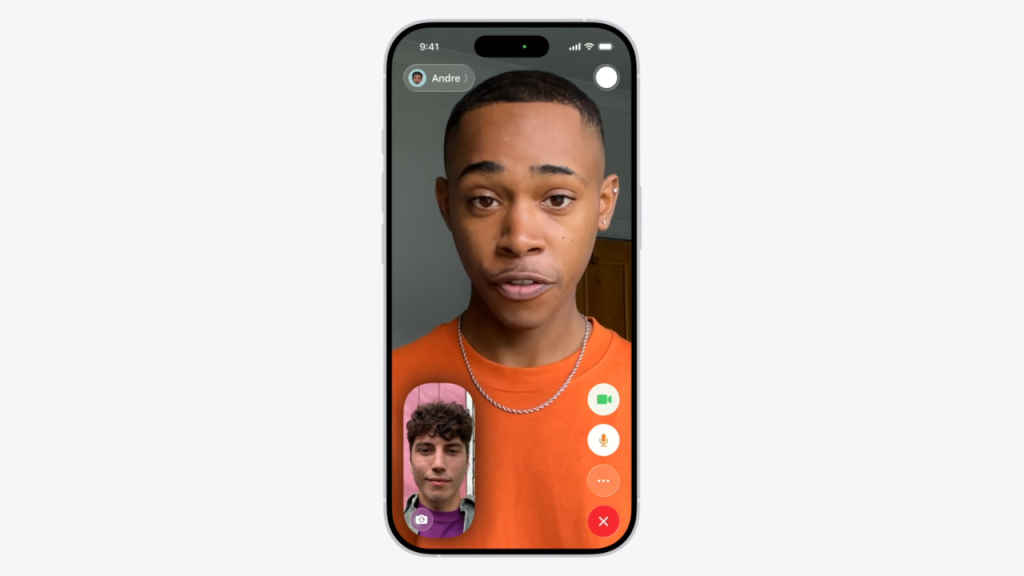
On Samsung devices or on Android devices, users often rely on third-party apps like WhatsApp, Zoom, or Skype. And this flexibility could be useful, but it’s not that consistent. Apple’s approach is simple and easy to use; it gives you one service, which is deeply integrated and universally available across its devices.
The real difference
At the end, Samsung focuses on user control, more options, and more customisation. Apple focuses on small features that are seamless and refined. There’s no clear winner here; it’s all about what you like. But when it comes to consistency, refinement and ecosystem integration, iPhones still have an edge.
Like before, neither one is perfect. Both have their own strengths; they’re good at different things, and knowing that makes it easier to choose what’s right for you.
Also Read: Nothing Phone 4a vs Redmi Note 15 Pro: Which one nails the balance under Rs 30,000?


