

5 things Samsung phones can do that iPhones still can’t
 Follow Us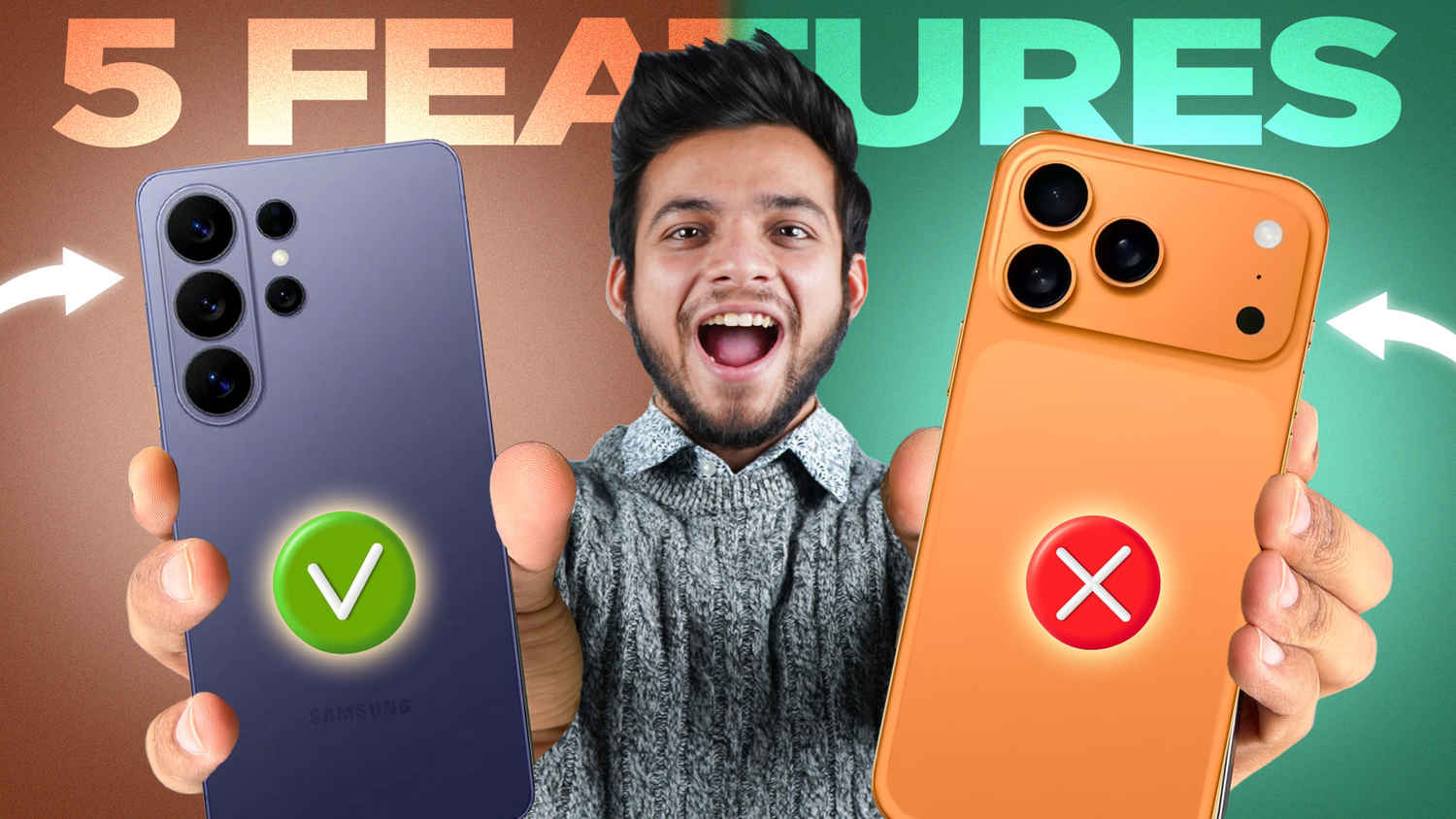

This article isn’t about Android vs iOS in the usual fanboy sense. Both platforms are refined and well-developed, and both do a lot of things extremely well. But there are these small yet practical features that genuinely make everyday usage easier, and this is exactly where Samsung pulls ahead. Of course, there’s a list of things the iPhone does better than a Samsung, but that’s a topic for another time. For now, there are some key areas where I’d say iPhones are still playing it safe and Samsung is giving you more flexibility.
 Survey
Here are the five things Samsung phones can do but iPhones still can’t, and more importantly, how you can actually use them.
1. A one-handed mode that’s actually useful
As we’ve seen over the last few years, smartphones have grown significantly. While larger displays are great for movies, using them with one hand is a struggle. To solve this, Apple offers ‘Reachability.’ Once I turned it on, I didn’t find it all that helpful because it just pulls the top half of the screen downward. You can’t type, and you can’t even fully interact with the UI.
Samsung takes a much more common-sense approach.
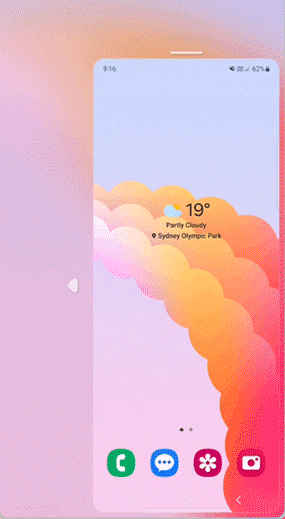
Its one-handed mode shrinks the entire display into a smaller, floating window. This lets you reach every corner of the screen with your thumb, and you can even resize the window. And yes, the keyboard shrinks too, so you can actually reply to texts.
To enable it on a Samsung phone running One UI, go to Settings, then Advanced Features, and toggle on One-handed mode. You can choose to trigger it with a gesture or by double-tapping the home button.
2. Real multitasking with split-screen
People often mistake ‘app switching’ for multitasking. On an iPhone, you can jump between apps quickly, but you’re stuck using one at a time. For many, that’s fine, but if you’ve used an Android device for years, it feels restrictive.
On a Samsung Galaxy, you get a proper split-screen experience. You can run two apps side by side, maybe watch a lecture while taking notes, reply to a friend while watching a video, or compare two products on different websites.
To use it, open your recent apps, tap the app icon, and select ‘Open in split screen view.’ You can then pick your second app and drag the middle bar to adjust how much space each one gets.
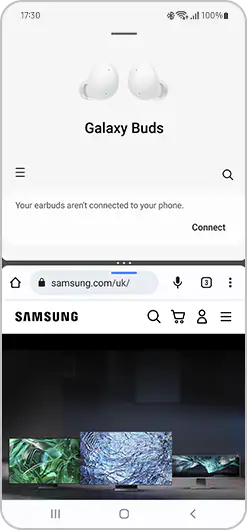
You can also use a gesture for this. Head to Settings, then Advanced Features, and tap Multi window. Switch on ‘Swipe for split-screen’ and you can just swipe up with two fingers from the bottom of the display to trigger it. Once you get used to this, there’s no going back.
3. Charging other devices on the go
A lot of people think reverse wireless charging is a gimmick, but it has saved me more than once.
Samsung devices let you use your phone as a wireless charging pad. You just place compatible accessories on the back of your phone and they start topping up. The other device just needs to support wireless charging, whether it’s a pair of earbuds or even another smartphone.
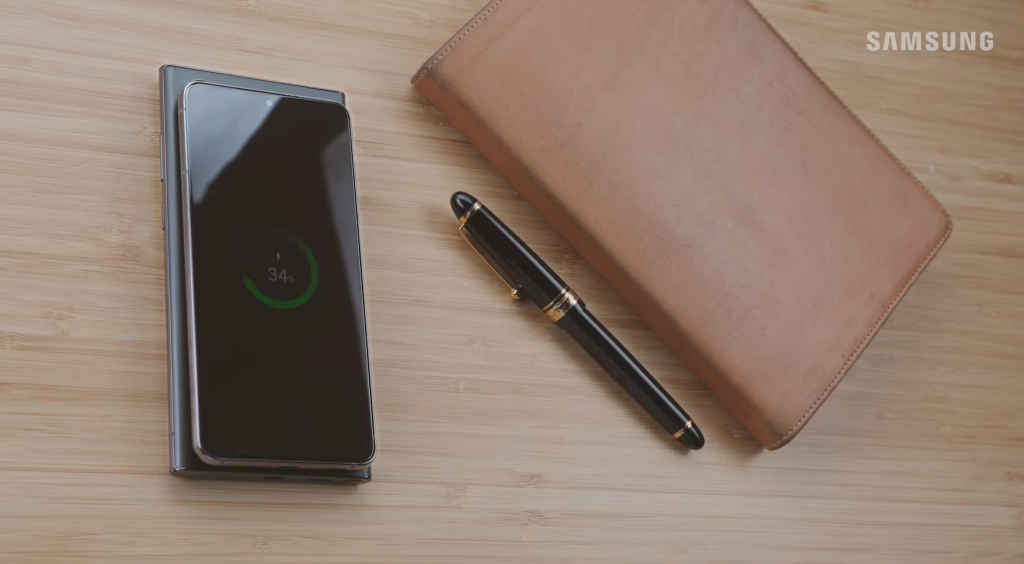
This was incredibly helpful when I was travelling recently and my earbuds died mid-flight. Interestingly, you can even charge Apple AirPods on a Samsung phone. While AirPods will stick magnetically to the back of a MagSafe iPhone, the iPhone won’t actually give them any power.
To enable this feature, go to Settings, tap Battery, and enable Wireless Power Sharing.
4. Running two accounts on one app
Most of us now juggle two accounts for the same app, one for work and one for personal life. On an iPhone, handling two WhatsApp or Telegram accounts usually means constantly logging in and out, or settling for the clunky web versions.
Samsung makes this easy with ‘Dual Messenger.’ It installs a second version of supported apps like WhatsApp, Facebook, or Messenger, letting both run independently with their own accounts.
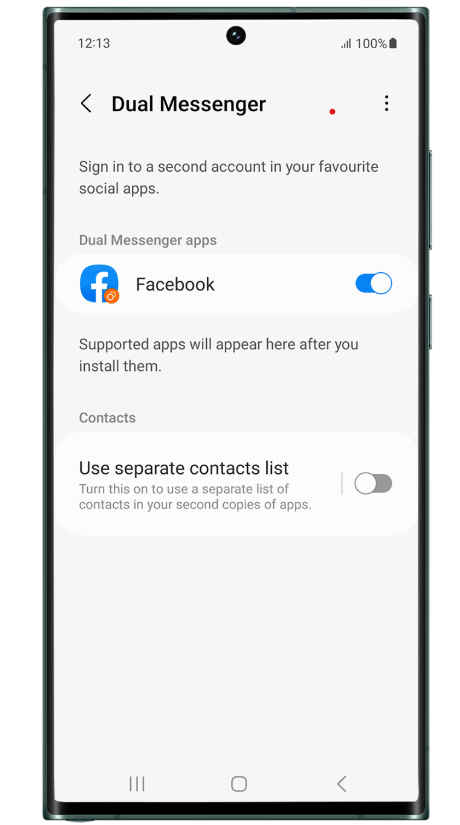
To set it up, go to Settings, head to Advanced Features, and tap Dual Messenger. Toggle the apps you want to duplicate, and that’s it. You now have two separate accounts running on the same device without any hassle.
5. Interactive live wallpapers
iPhones have beautiful wallpapers, no doubt. But Samsung takes customisation further with interactive live wallpapers on the home screen.
While Apple has improved lock screen customisation, the home screen still feels quite static. Samsung allows for fully animated wallpapers that actually react when you touch the screen.
You can find these through the Galaxy Themes app or via third-party apps like Zedge on the Play Store. Once applied, they integrate smoothly and make the phone feel a bit more alive every time you unlock it.
The bigger picture
None of these features are strictly groundbreaking, and you’ll find some of them on other Android phones too. But together, they tell a bigger story.
Samsung focuses on giving users control and flexibility, while Apple focuses on simplicity and consistency. Neither approach is wrong, but if you want to do more with your hardware, Samsung clearly has the edge. It’s not always about raw specs or benchmarks; sometimes it’s just about how a phone fits into your daily routine.
So, the next time someone tells you their iPhone can do everything, you’ll know that’s not quite the case.


