
ASUS Jelly75 KD201 review: A colourful case for ditching the gamer aesthetic
 Follow Us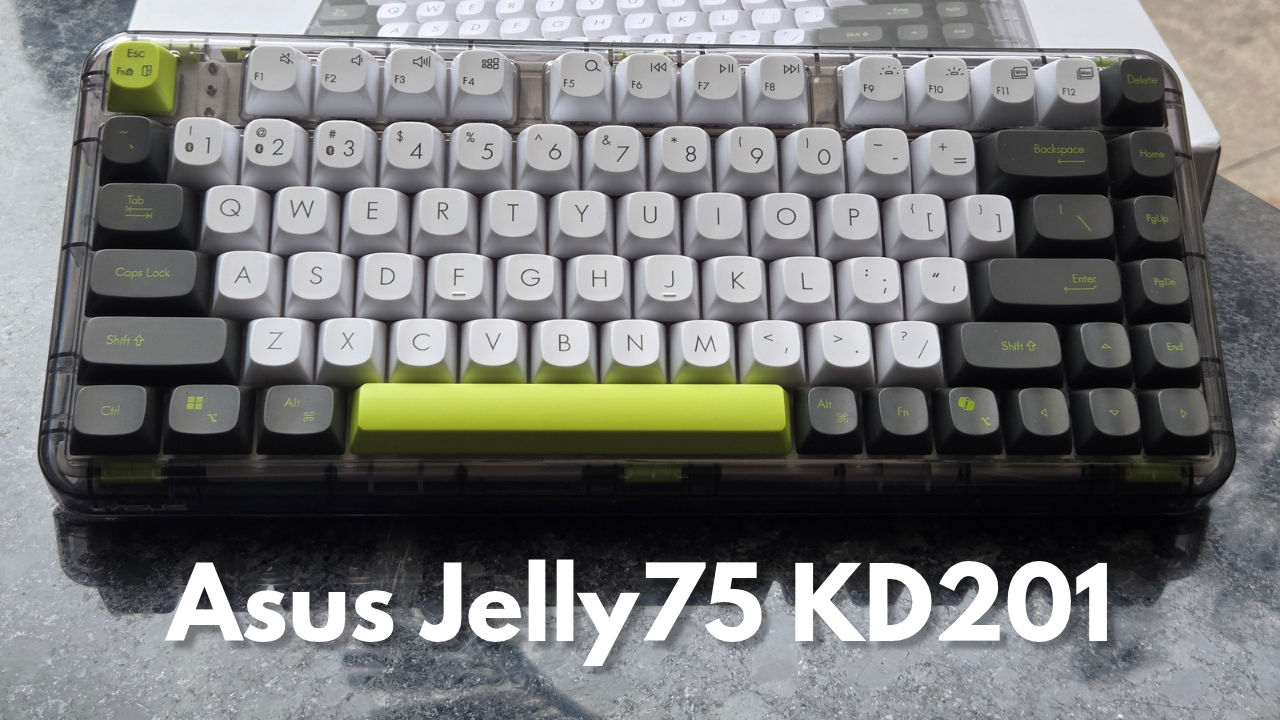

Before this, my entire mental model of an ASUS keyboard was built on a brief fling with an Azoth. Great board, wrong crowd for what I’m about to review. The Azoth is pure ROG: black-on-black styling, a chassis that could double as a projectile in a fight, RGB that insists on being noticed. Walk into the Jelly75 KD201 expecting more of that and you’ll be confused within thirty seconds. This thing looks like someone raided a candy store and decided a keyboard could use some sugar too. And somehow, ASUS makes it work.
Also read: iQOO Z11 Review: Battery beast with a catch
Design and build
The Jelly75 has a clear housing and keycaps that look like they’ve been 3D-printed from gummy bears – round, tall, and slightly squishy-looking without being squishy. Its chassis allows you to get a view of the internals, which is one of the best things about a gasket-mount board. If your desk is now an all-white shrine to “gamer minimalism,” then the Jelly75 is going to be an act of rebellion. It rejects the entire ROG approach to things and embraces its own style of life, and I mean that as a compliment.
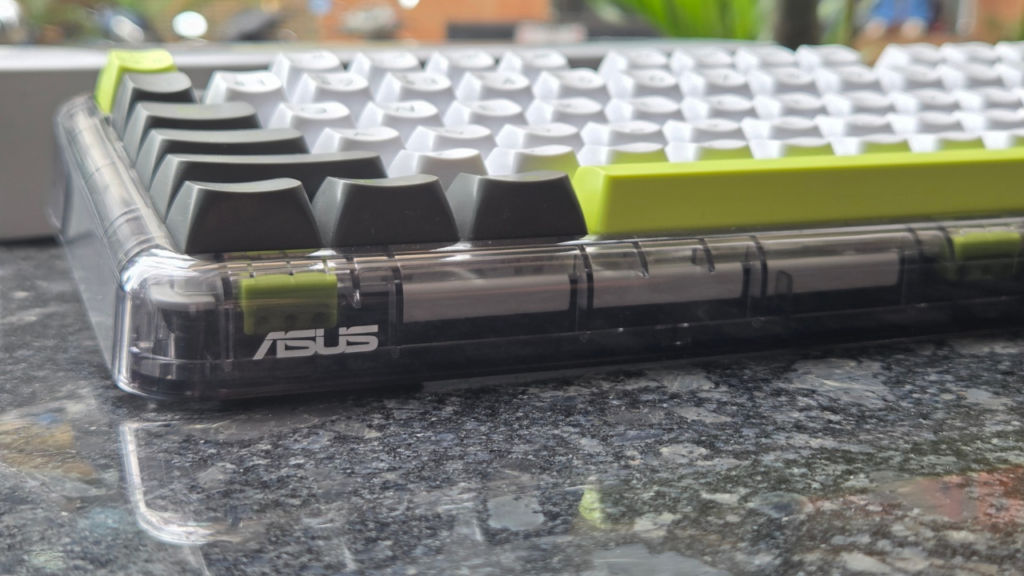
In terms of layout, it’s a 75%, the same as my daily driver – the Aula F75 – which made the learning curve very fast. But where it falls flat is density. ASUS put more keys into less space than most 75% boards do, and the result is that the arrow keys are cramped alongside the Copilot key. I need arrow keys. I do not need Copilot. In fact, avoiding that exact key is the reason I still plug in an external keyboard with my laptop instead of using the one built in. Muscle memory betrayed me here more than once, and Copilot popped up on my screen enough times that I started to wonder if it was doing it on purpose.
Unboxing and value
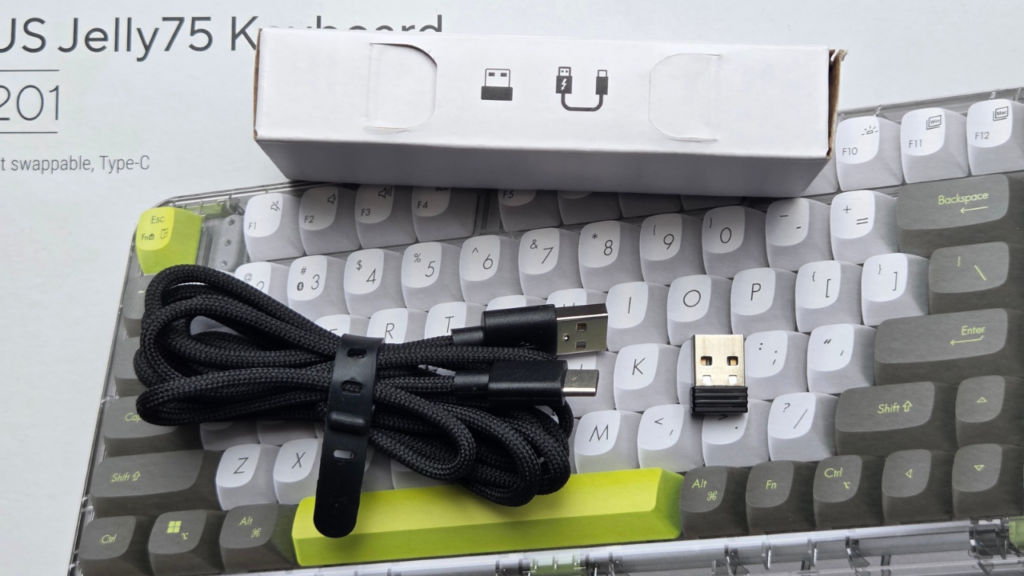
Once the box is opened, the excitement evaporates a bit. You will find a USB-A to Type-C cable, the 2.4GHz adapter and a sense of being cheated in some way. At a price of Rs. 8,999, not even one extra switch, and surprisingly, not even a hot-swap tool on a board that sells itself on the feature of hot swapping. Someone somewhere at ASUS must have forgotten the very essence of hot-swappable ports, i.e., that there was something to be swapped in the first place.
Connectivity and multitasking
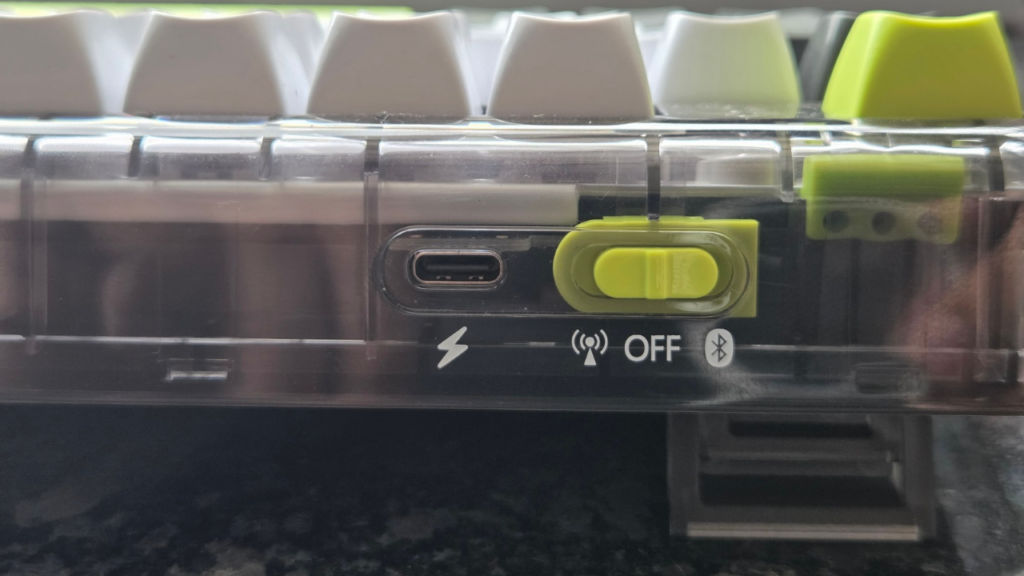
This is where the Jelly75 really earns its keep. Five computers with one keyboard: 2.4GHz, wired and three Bluetooth channels, each fully switchable with not a hitch. Visualize the traditional dual system: one Mac computer for office use and one Windows computer for playtime after work. Done with work? Flip the switch and switch from Bluetooth to wired or 2.4GHz before you even get to your mouse. There’s even a special button on the keyboard that switches your entire keyboard into the correct operating system mode at the same time you switch the connection.
Gaming performance
Polling rate, for those new here, is essentially how many times per second the keyboard shares data with the computer on what button was just hit. In wired mode, the polling rate of the Jelly75 reaches 1000Hz, making it an absolute benchmark for competitive gaming. 2.4GHz polling rate, by comparison, reaches 500Hz, which is good enough. However, a Bluetooth connection will provide no more than 133Hz of polling rate, which seems perfectly fine but not when you are checking a corner in Valorant, and your inputs come in late. I have tested each of the polling modes in the course of several ranked matches, and Bluetooth is to be avoided the minute the stakes are raised.
Typing experience
This is where the Jelly75 won me over. Look past its clear housing, and you’ll find the gasket mount at work; there are little silicone bands holding up the plate such that it bends rather than hitting the enclosure head-on with every key press. Flexibility is the only thing separating boards which clatter like a hail storm from boards like this one. The Jelly75 occupies a space which I rarely get to enjoy with my keyboards; it isn’t too crisp like a naked PC board, nor is it too mushy like budget-friendly models which have been over damped.
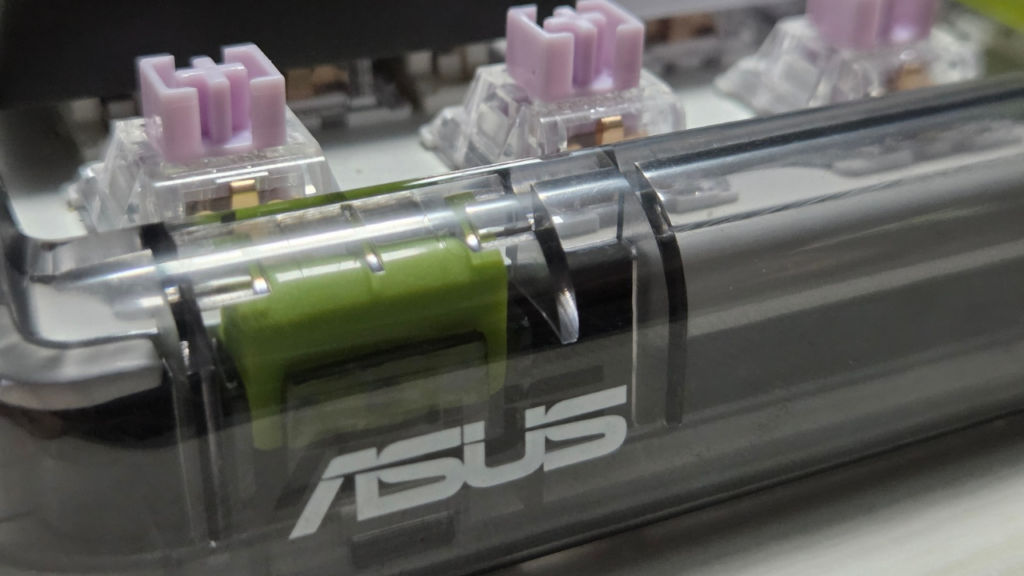
ASUS calls the layer underneath a uni-cushion silicone structure, working with the gasket mount to soak up vibration before it reaches your fingers. Put another way, it means that you can go for an entire hour of typing without hearing complaints about your wrists. As for the switches themselves, they’re linear and feature 4mm actuation distance while feeling like they come already pre-lubricated rather than raw out-of-the-box, which surprised me at this price level. There’s not much of a wobble of the switch stem, no rattling from the stabilisers when hitting the larger keys and the noise is consistent regardless of whether you are typing your fast Slack response or struggling with a 2,000-word piece of writing.
Slide your fingers over the keys of the typing test and the Jelly75 has a bounce to it, responsive to the touch on the downward press, soft on the rebound, but with just enough resistance that you’re not hitting bottom with every key press. Contrast this with your typical office membrane board (Please stop using these) and it’s not even close to being a contest. But compare it with an actual enthusiast custom build with a completely lubricated stabilizer kit and foam stuffed inside the case and yeah, the Jelly75 will come off as slightly more rough around the edges. But compared to the typical keyboard you can pick up off a shelf without ordering switches and disassembling stabilizers yourself, it’s got a custom keyboard vibe about it.
Battery life
This keyboard delivers on its promises with 4000mAh battery life. Typing for three weeks straight with the backlight active and I still did not have to plug it in once. Only complaint is that there isn’t an accompanying app to monitor the battery level. It takes complete guesswork since you have no idea when it will give out on you.
Also read: Neosapien Neo 1 review: Great at remembering, but not quite ready to be forgotten
What’s missing
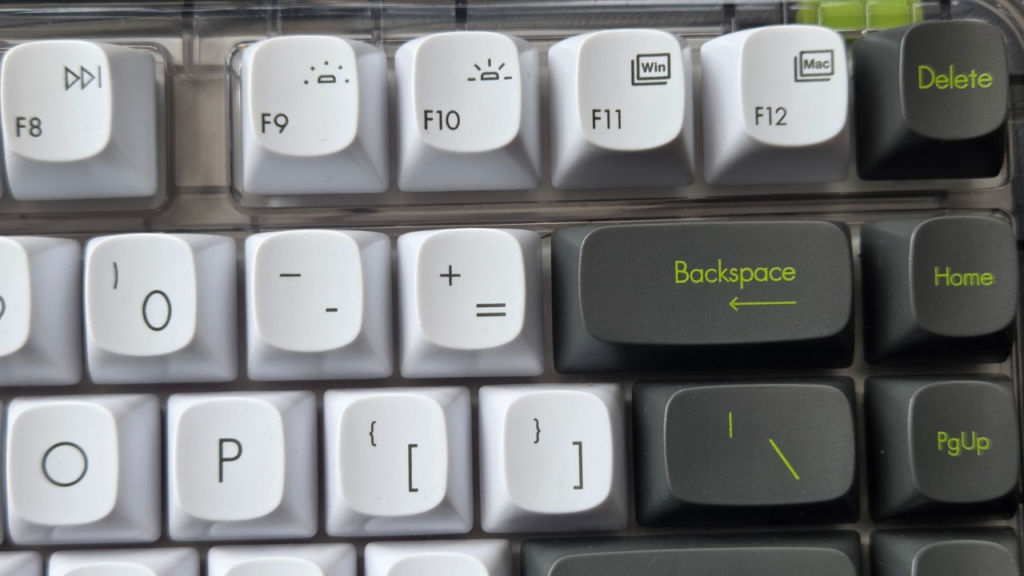
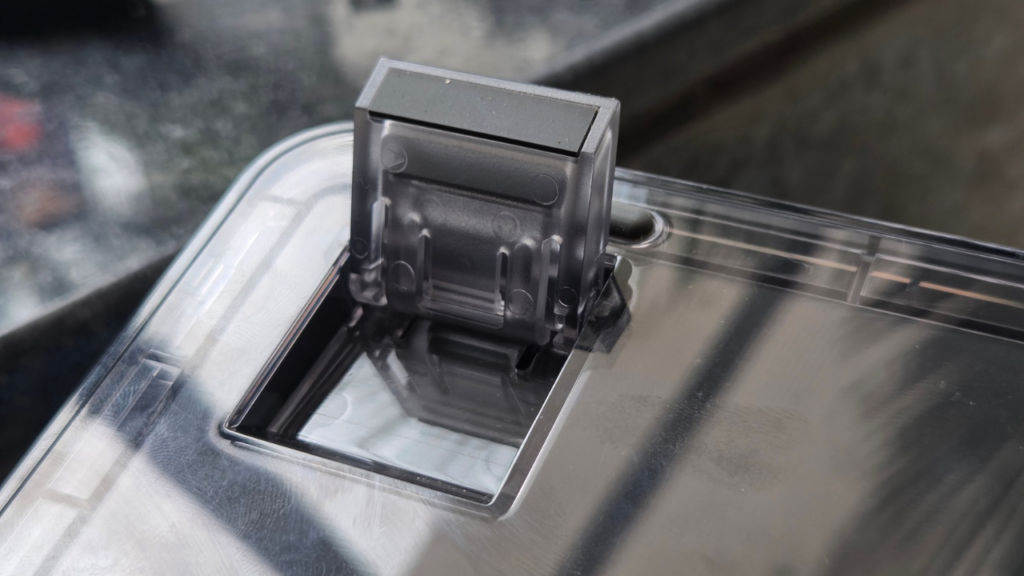
A few weird omissions are worth mentioning. There’s no place on the board to store the 2.4 GHz dongle, so now it’s up to you to make sure that you don’t lose it amid the desks. The lack of any sort of indicator for caps lock is also an omission, as well as the lack of any indicator for Mac/Windows switcher.
Verdict
The ASUS Jelly75 KD201 fulfills its mission perfectly by offering the lifestyle audience a colourful and comfortable alternative to the never-ending line of gaming boards which always come in black and gray colour options. No sacrifices have been made when designing the keyswitches, as they, combined with the gasket mount, provide exceptional performance compared to the price. Multi-device switch function is a true productivity tool, while the battery lasts long. However, there are some minor drawbacks which may hinder the experience. For example, there is nothing spectacular about the packaging, considering the price point of this keyboard. Furthermore, there is no place for the dongle, while the Copilot button sits in a very inconvenient position. There are also no status lights. None of these issues would make me recommend avoiding the product, however, they create friction which makes it difficult for me to make a clear recommendation without any disclaimers.
Also read: Brother DCP-B7620DWB review: Easy, efficient and effective monochrome printer
ASUS Jelly75 KD201 Keyboard Key Specs, Price and Launch Date
| Release Date: | |
| Market Status: | Launched |


