
HP EliteBook 8 G1a review: A cutting-edge AI PC tailored for modern professionals
 Follow Us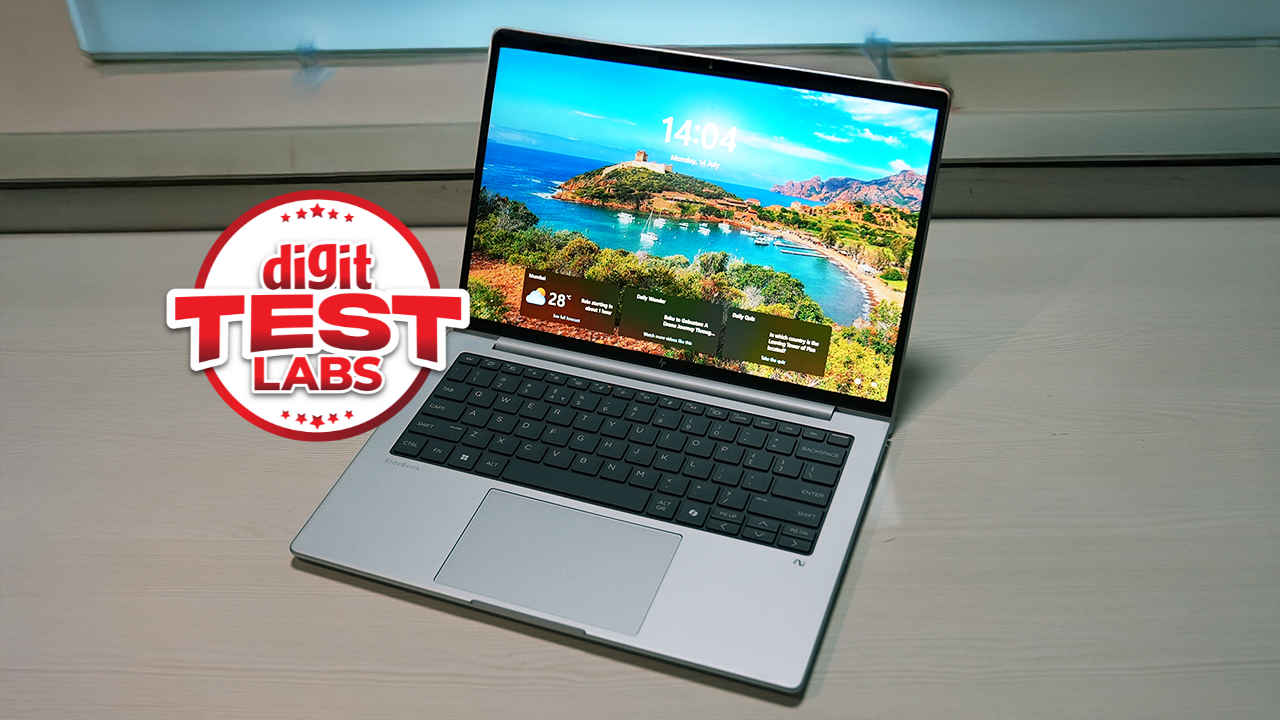

The HP EliteBook 8 G1a, unveiled back in March 2025, has finally made its way to India and from the looks of it, the G1a is part of the new wave of laptops or AI PCs with a clear focus on intelligent performance, robust security, and refined user experience. Built around AMD’s Ryzen AI 7 350 processor, the EliteBook 8 G1a is a refreshing addition to HP’s 2025 line-up giving consumers choice between Intel and AMD. And if this is the first time you’re coming across an EliteBook then you’re looking at a platform designed to empower mobile professionals who need local AI processing, enterprise-grade protection, and sleek portability. The ‘local AI processing’ is new, everything else has been there for years.
The Elitebook 8 G1a is a laptop that aims to offer more than just raw speed. For enterprises, there’s also a significant advantage from a repairability and serviving perspective. Most slim laptops are a royal pain to repair but with the ‘Right to Repair’ movement gaining momentum worldwide, OEMs have started making models more repair-friendly. Its standout features include a 50 TOPS Neural Processing Unit (NPU), a custom HP AI Companion tool for local document intelligence, and HP Wolf Security for Business, all wrapped in a recycled aluminium chassis that weighs just 1.39 kg. With its compact footprint, impressive 62 Whr battery with rapid charging, and enterprise-class credentials, the EliteBook 8 G1a promises to be your office, assistant, and creative partner, all in one.
Specifications
Under the hood, the HP EliteBook 8 G1a is powered by the AMD Ryzen AI 7 350, an 8-core, 16-thread chip with a hybrid architecture comprising 4 Zen 5 and 4 Zen 5c cores. The processor clocks up to 5 GHz on the high-performance cores and integrates an AMD Radeon 860M GPU with 8 compute units running at 3 GHz. The Ryzen AI 7 350 delivers a total AI compute of up to 66 TOPS, with the NPU alone accounting for a remarkable 50 TOPS.
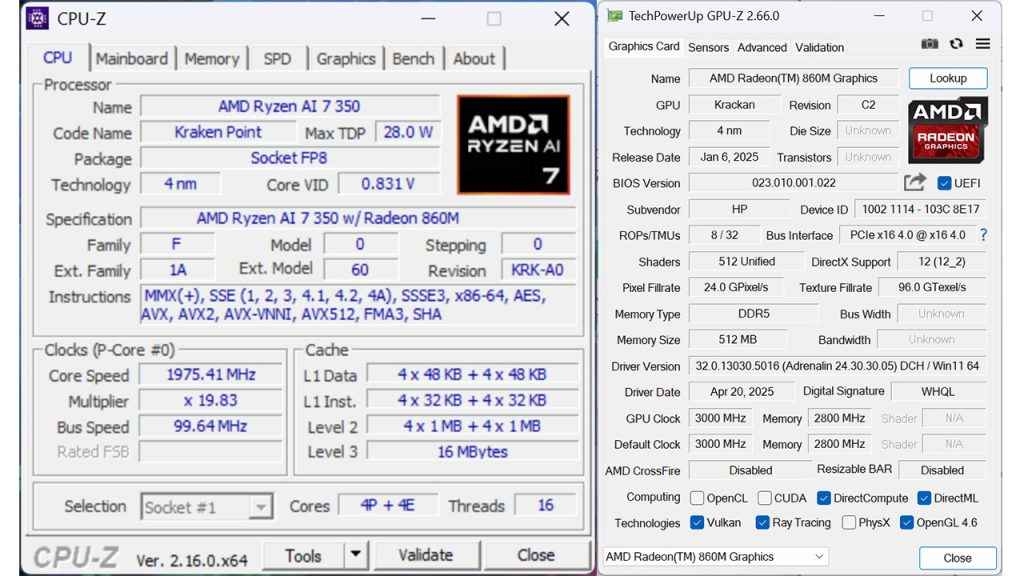
System memory stands at 32 GB of DDR5 RAM running at 5600 MT/s, which can be expanded to 64 GB, thus providing an excellent headroom for power users and AI workloads. Storage is handled by a 1 TB Western Digital PC SN5000S NVMe SSD on a PCIe Gen4 x4 interface, rated for 6000 MB/s read and 5400 MB/s write speeds.
The 14-inch WLED display sports a 1920 x 1200 resolution, a 16:10 aspect ratio, 800 nits of brightness, and 100% sRGB coverage. Connectivity is fairly modern, featuring MediaTek Wi-Fi 7, Bluetooth 5.4, and an assortment of ports including Thunderbolt 4 (via USB4), HDMI 2.1, and USB 3.2 Gen 2.
Powering this setup is a 62 Wh battery paired with a 100 Watt USB-C fast charger, promising to charge 50% in just 30 minutes.
Build quality
HP hasn’t cut corners on sustainability or design. The EliteBook 8 G1a’s chassis includes at least 80% recycled aluminium on the C and D covers, 70% ocean-bound plastic in the keyboard membrane, and 50% post-consumer recycled plastic in the keycaps. Despite its eco-conscious build, it feels anything but flimsy. The Glacier Silver finish lends it a premium aesthetic that holds up in both boardrooms and coffee shops.
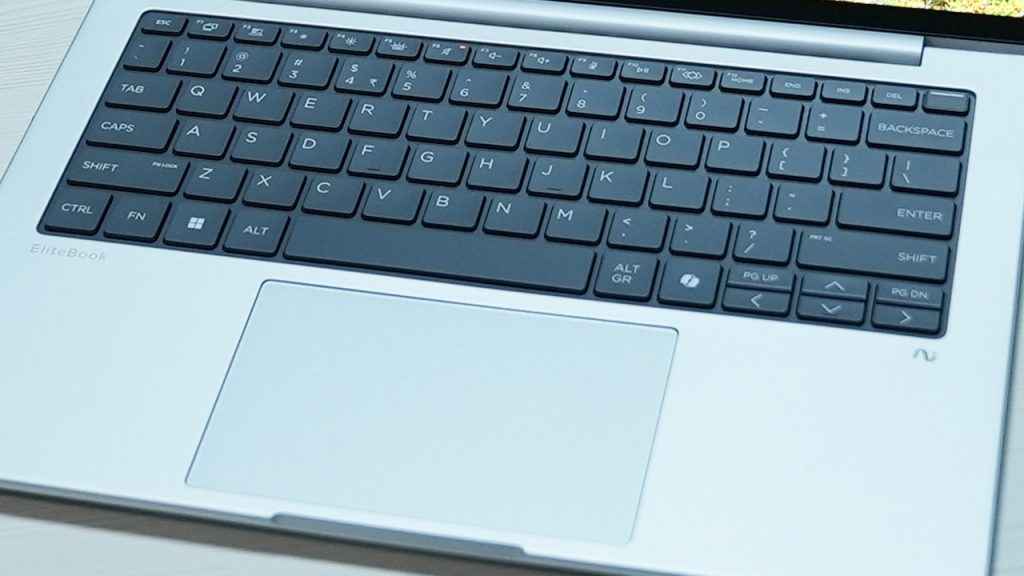
The keyboard is backlit and includes a fingerprint sensor built into the power button at the top right. Key travel is consistent, and the tactile response suits long typing sessions. The glass trackpad is generously sized, nicely responsive, and smooth to the touch.
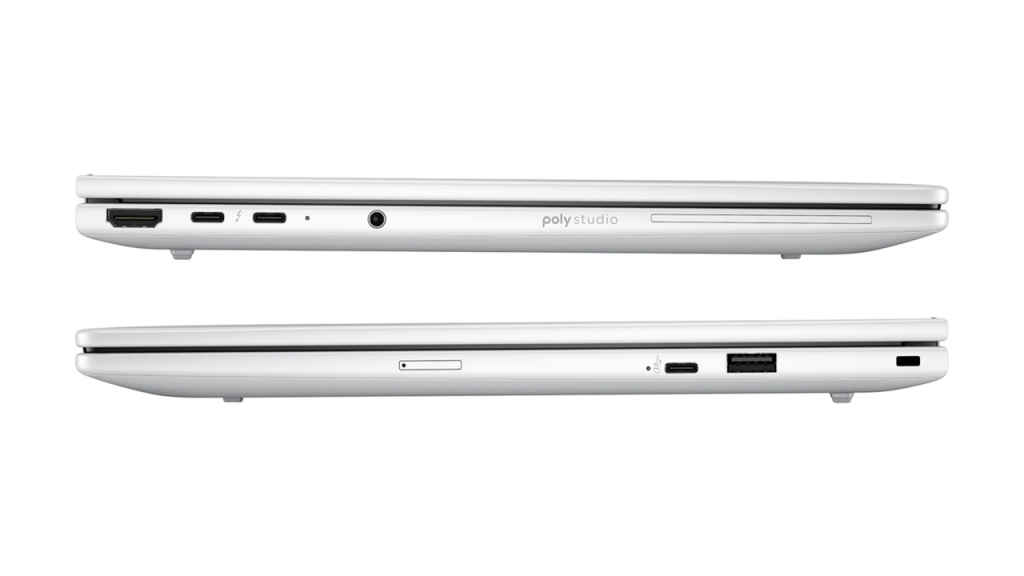
Port placement is practical, with most high-speed connectivity on the left side: two Thunderbolt 4 ports, an HDMI 2.1 port, and a headphone/mic combo jack. On the right, you get a USB 3.2 Gen 2 Type-C and a USB 3.2 Gen 1 Type-A port. The absence of an Ethernet port might irk some enterprise users, but this seems to be the trend in ultraportables now. What we prefer to receive is an Ethernet dongle in the box but the EliteBook 8 G1a which we received didn’t have one.
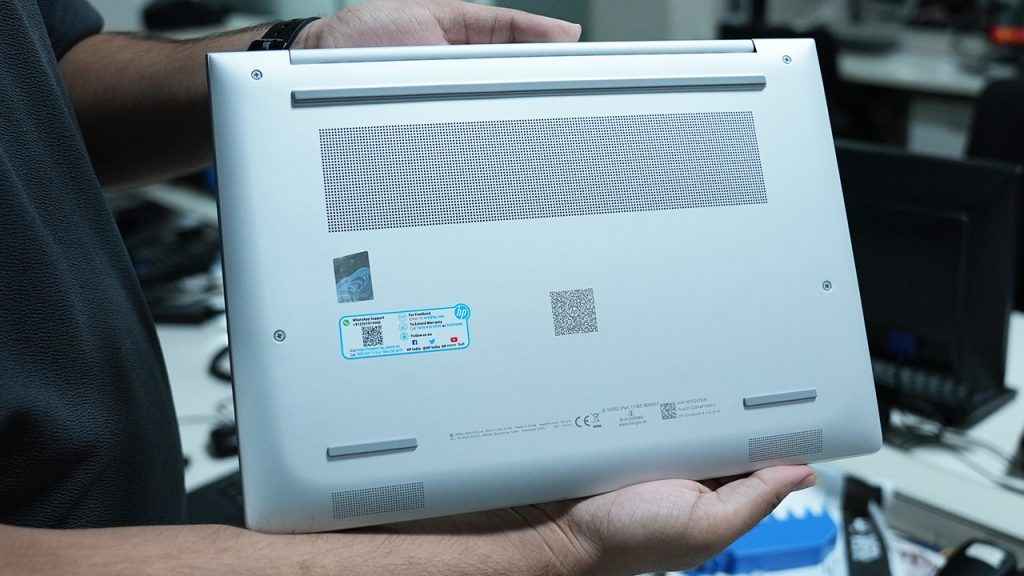
A minor annoyance is the hinge, which opens to 169 degrees which is nearly flat, but not entirely. Still, it’s solid and wobble-free, and the laptop opens easily with one hand.
Features
At the heart of the EliteBook 8 G1a’s AI chops is its 50 TOPS NPU, which enables advanced workloads like real-time transcription, summarisation, and image enhancement without taxing the CPU or GPU. This makes for quieter, cooler operation even during compute-heavy tasks.
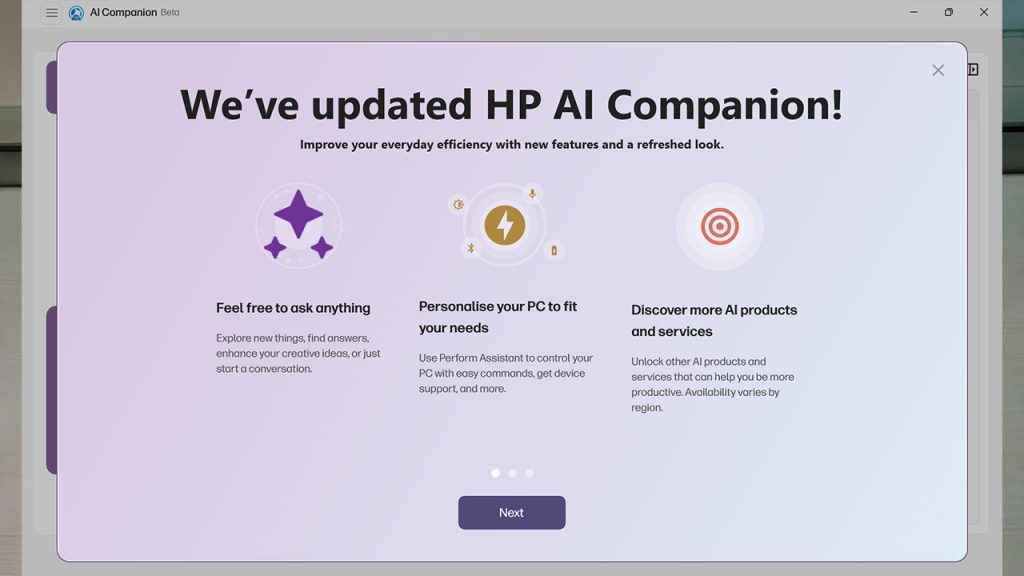
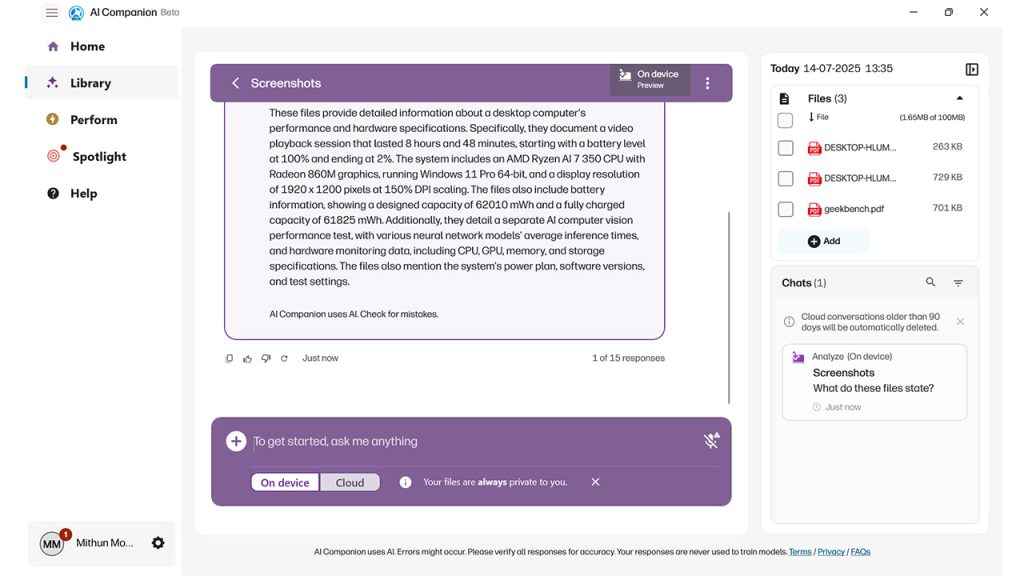
The built-in HP AI Companion is an attempt to make generative AI accessible for the average professional. It allows users to group files into libraries and interact with them through natural language prompts. Supported formats include PDFs, Word documents, PowerPoint files, and plain text. While its ability to switch between on-device and cloud inference is commendable, the user interface needs refinement, particularly the workflow around accessing libraries, which is somewhat disjointed.
Poly Camera Pro software brings a suite of AI-powered video conferencing tools such as Auto Frame, Background Blur, Spotlight, and virtual backgrounds, all handled locally via the NPU. All of these are generally found under Windows Hello. This translates into a noticeable drop in CPU usage during long video calls and a bump in efficiency.
HP Smart Sense learns your usage patterns and automatically toggles between performance and battery-saving modes, managing thermals proactively. This automation contributes to a seamless experience whether you’re in a meeting, working offline on a presentation, or casually browsing.
HP Wolf Security for Business rounds out the package with BIOS-level protections, real-time threat containment, and secure browsing. While the average user may not see its effects day-to-day, enterprise IT departments will appreciate the always-on protection that doesn’t need third-party security suites layered on top.
Performance
The HP EliteBook 8 G1a is pitched as a high-performance machine for modern professionals and for the most part, it delivers. While it’s built around AMD’s cutting-edge Ryzen AI 7 350 processor and features a powerful Neural Processing Unit (NPU), real-world performance reflects a nuanced mix of smart engineering choices, thermal trade-offs, and software overhead.
CPU and multitasking
The Ryzen AI 7 350 is a hybrid chip based on AMD’s latest Zen 5 and Zen 5c architectures. You get 8 cores in total (4 high-performance Zen 5 and 4 efficient Zen 5c), supporting 16 threads via simultaneous multithreading. It’s a chip that can clock up to 5 GHz on the performance cores and is designed for a 28W TDP envelope, although system tuning allows it to push closer to 33W in short bursts.
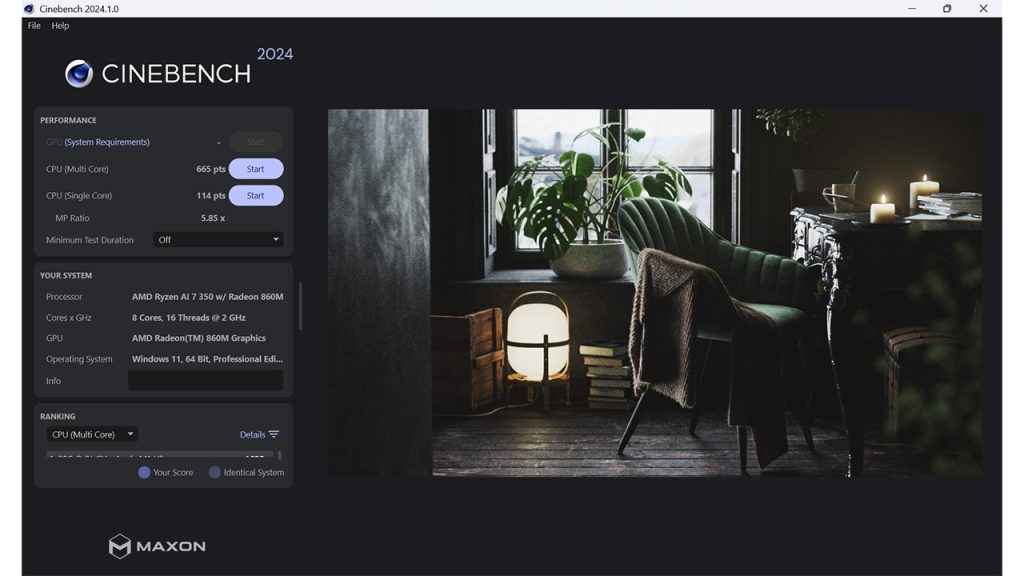
In synthetic benchmarks such as Cinebench 2024, the EliteBook 8 G1a returns a single-core score of 114 and a multi-core score of 665. These numbers place it slightly behind what the chip is theoretically capable of, especially on the multi-core front, where similar laptops have crossed the 900 mark. The culprit seems to be a combination of thermal constraints and background processes tied to HP’s always-on security features. That said, in everyday use (think Chrome tabs, Slack, Zoom, Excel, and background sync tools), the laptop feels fluid, rarely stuttering even under heavy multitasking.
Boot-up times are snappy, app launches are instant, and the system never feels bogged down even when running multiple productivity and collaboration tools in tandem. Office users, content reviewers, and analysts will find this laptop more than adequate for the day-to-day load.
Neural Processing Unit (NPU)
The standout performer in this setup is undoubtedly the integrated NPU, which HP leans on heavily for local AI acceleration. With up to 50 TOPS of dedicated AI performance, this unit enables real-time transcription, summarisation, background blur in video calls, and even local language model interactions, all without hitting the CPU or GPU.
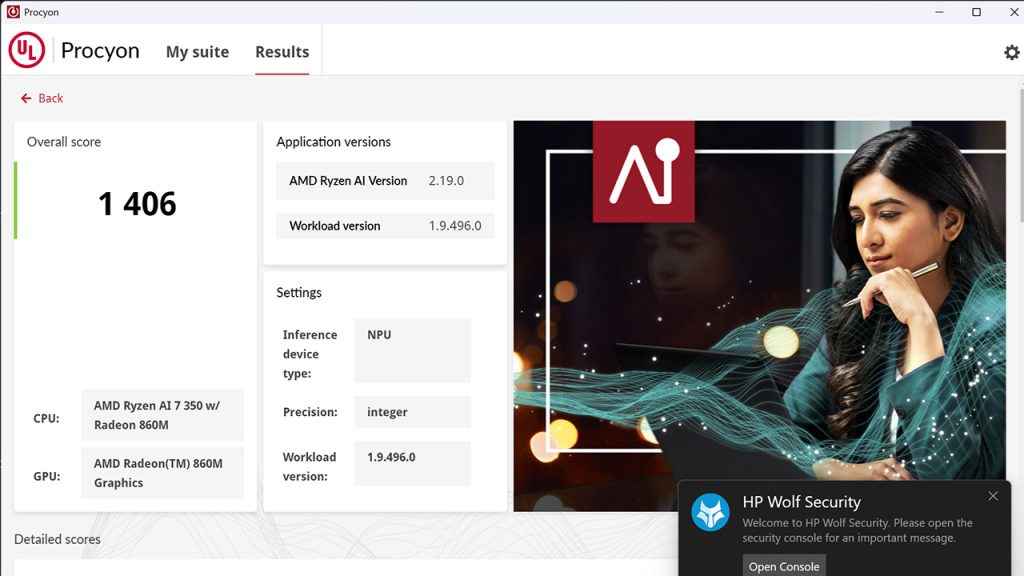
We tested the NPU with UL’s Procyon AI Inference benchmark, where it scored 1406. That’s a solid score, outpacing previous-gen AI NPUs from Intel and Apple’s M2 lineup in practical inference tasks. The benefit of offloading tasks like document parsing, image processing, or frame correction to the NPU is twofold: lower power consumption and cooler, quieter operation.
When using the HP AI Companion, the NPU helps sort, index, and generate insights from documents in real-time. It feels quick enough for general use, though power users might want more flexibility in controlling the LLM runtime. Enthusiasts will note that running Ollama on this laptop makes good use of the 32 GB RAM and benefits from the NPU’s presence but you’ll need to manually configure it, as HP’s built-in solution abstracts much of the AI interaction layer.
Graphics performance
Graphics are handled by the integrated AMD Radeon 860M, featuring 8 compute units clocked at 3 GHz. While this is not a gaming or workstation GPU, it’s perfectly fine for light creative tasks like photo editing in Lightroom, 2D vector work, and even occasional 1080p video editing. More demanding workflows, especially those involving 3D modelling or 4K multi-layer timelines, will push the iGPU to its limits.
It’s also worth noting that the GPU plays a supporting role in some of the AI workloads if the NPU is busy. This kind of dynamic compute resource management shows the strength of AMD’s architecture, though it’s mostly transparent to the end user.
In short: don’t expect gaming prowess here, HP doesn’t even claim that. But for business and light creative tasks, the GPU is more than sufficient.
SSD storage speed
The Western Digital SN5000S SSD is a highlight in this configuration. With a PCIe Gen 4 x4 interface, it delivers sequential read speeds of 6391 MB/s and write speeds of 5484 MB/s. These are excellent figures and translate into fast boot times, near-instant file transfers, and seamless multitasking even with large file operations.
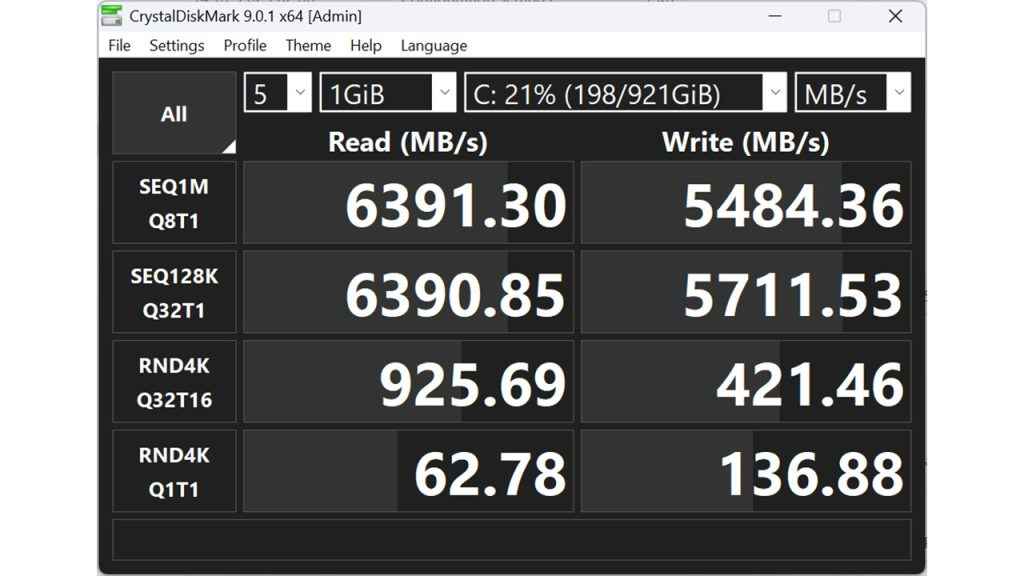
The 1 TB capacity, combined with TCG Pyrite encryption and a 300 TBW endurance rating, makes this drive suitable for high-security and high-usage environments. Whether you’re working with massive data sets, large video files, or nested folders of scanned PDFs, the SSD doesn’t become a bottleneck.
Display for productivity
While not a high refresh rate panel, the 14-inch 1920 x 1200 display is well suited for productivity work. The 16:10 aspect ratio offers more vertical space, which is ideal for reading documents or writing code. Colour coverage stands at 100% sRGB and 83.3% DCI-P3, making it usable for semi-professional photo and video editing.
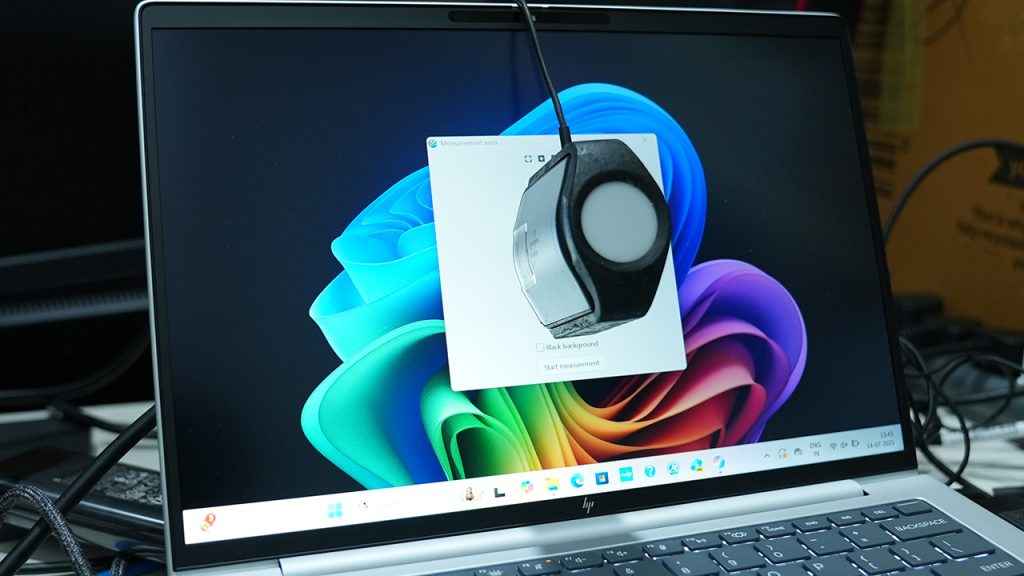
At 800 nits, brightness is sufficient for well-lit indoor spaces, though it does struggle under direct sunlight. We measured a maximum of 499 Nits on the panel. The display’s matte finish helps reduce glare, and the panel shows no signs of PWM flicker or ghosting.
Thermals and noise
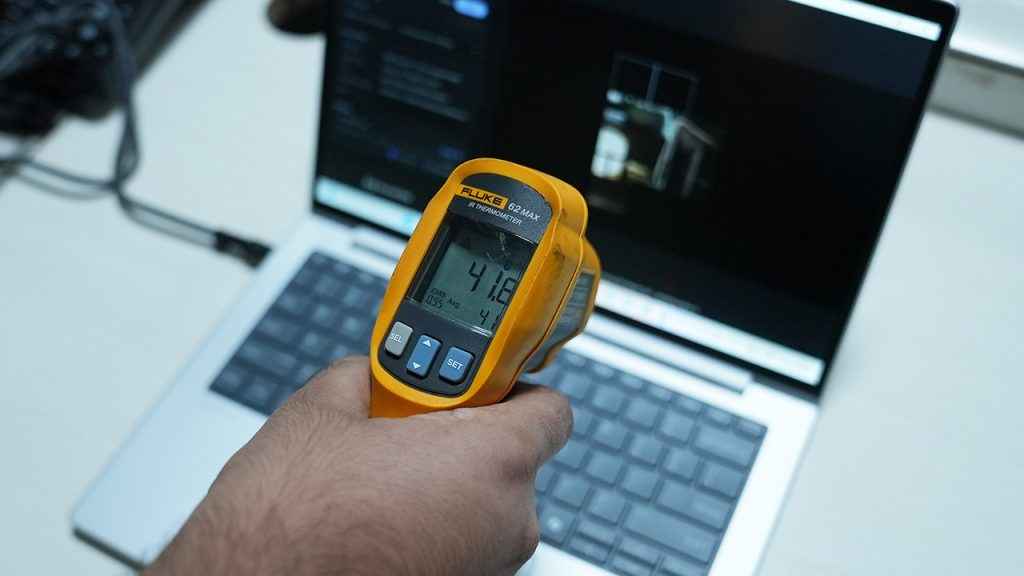
Thermal performance is reasonable but not exemplary. Under light to moderate loads, the EliteBook remains silent and cool. While idle, we saw temperatures usually hovering about 55 degrees Celsius. However, extended multi-core workloads (like batch rendering, long video calls with background blur, or simultaneous AI inference) begin to raise internal temperatures. The fan spins up audibly under sustained stress but remains within acceptable limits. During normal use in an office environment with 24×7 air-conditioning, the unit spun up to 64 degrees Celsius which is a teensy bit higher than what we’d like to see. Surface temperatures peaked around 42 degrees.
Interestingly, HP’s Smart Sense system does a decent job at managing thermal behaviour dynamically. It shifts between performance and eco modes based on application usage patterns. For example, the fan won’t ramp up while watching a local video file or writing documents, but it will kick in during sustained browser-based tasks or Teams meetings.
That said, the thermal design appears slightly conservative, possibly to prioritise comfort and silence over peak performance. Users who need every last drop of CPU potential might feel limited here.
Wireless connectivity
The MediaTek Wi-Fi 7 MT7925 adapter offers cutting-edge wireless speeds in theory, but in practice, performance was inconsistent. We encountered occasional disconnections and speed dips, suggesting driver-level maturity might still be an issue. This is not a new thing for new laptop models and things generally get resolved over the 6-8 month period after launch. Interestingly, the Qualcomm Fast Connect 7800 is an option in some markets which is a much more stable platform. Then there’s also the Intel BE200 which can be installed separately but this being powered by an AMD processor makes it unviable. Also, the Qualcomm networking chips don’t have Linux support so be mindful if you ever get that as an option.
Bluetooth 5.4 is supported and works for most peripherals, but there’s a noticeable pairing delay with some headsets and accessories. Once connected, audio streaming remains stable, and latency is minimal.
Webcam and video conferencing
HP has equipped the EliteBook 8 G1a with a 5 MP webcam that includes an infrared (IR) sensor for Windows Hello support, along with a physical shutter for privacy, something that’s increasingly important in hybrid work setups. Image quality is noticeably better than what you’d find on typical 720p or even 1080p laptop webcams. During tests, it handled mixed lighting scenarios relatively well, with decent dynamic range and sharpness. While it can’t rival a mirrorless or DSLR camera (and we did a side-by-side comparison to be sure), the gap is narrowing faster than expected.
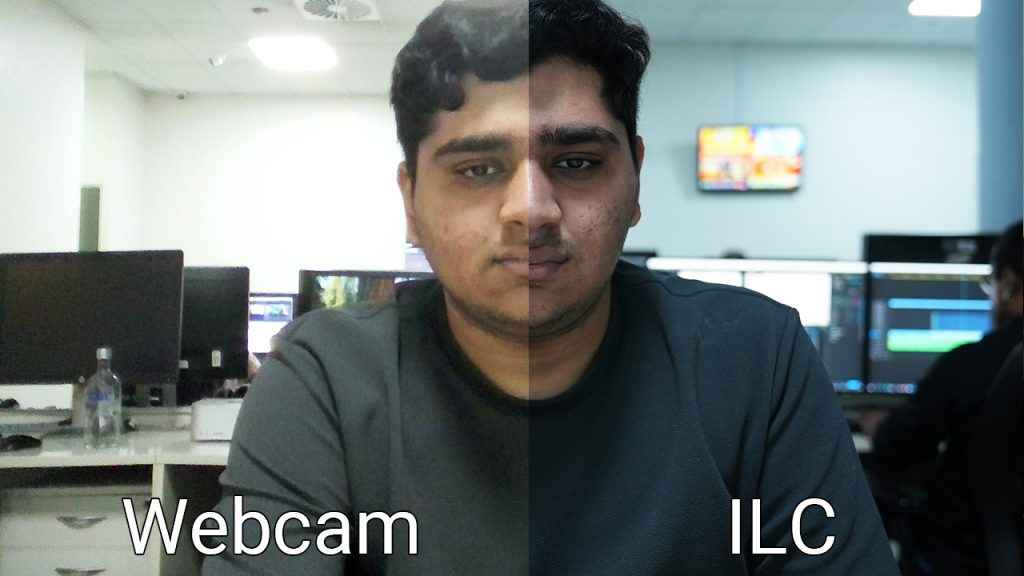
The real magic, however, comes from HP’s Poly Camera Pro software. Thanks to the integrated 50 TOPS NPU, features like Auto Frame, Spotlight, Background Blur, and Virtual Backgrounds run entirely on-device. This ensures smooth performance even during long video calls without stressing the CPU or draining the battery. These enhancements work seamlessly in most conferencing apps, and unlike cloud-based background blur, there’s no lag or weird artefacts around the edges of your face. It’s a subtle but significant upgrade for users who rely on video calls throughout the day.
Battery life and charging
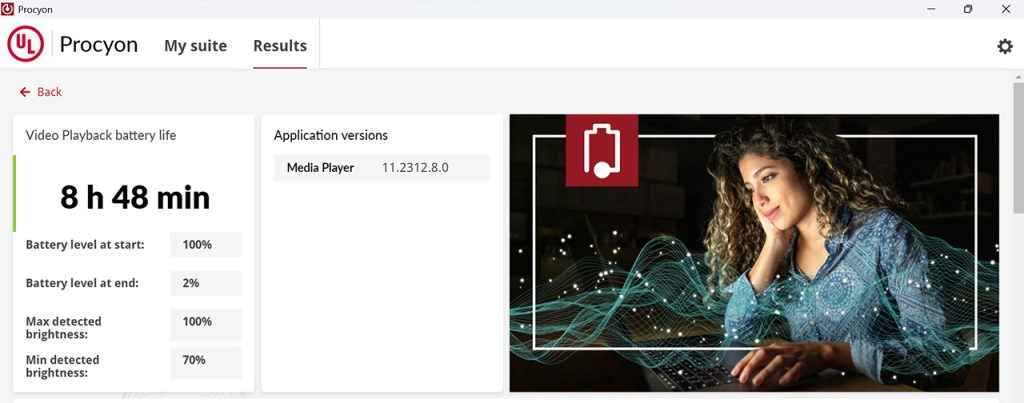
Battery endurance is another highlight. In our tests, the EliteBook 8 G1a ran for 8 hours and 48 minutes at 500 nits brightness while performing a mix of document editing, video playback, and browser-based tasks. Most folks run their monitors at 300-400 nits so you can easily expect much more battery life. That’s a strong showing for a machine with a high-performance CPU, NPU, and relatively bright display.
Thanks to its 100W slim USB-C power adapter, charging is brisk. We consistently achieved over 50% charge in just 30 minutes, making it a good companion for airport lounges or between-meeting top-ups. Real-world use suggests most users can get through a full workday on a single charge, provided they manage brightness and NPU-heavy apps sensibly.
Value for money
This is where the EliteBook 8 G1a’s pitch starts to wobble. The base model is expected to start around INR 1,30,000, though the variant we tested isn’t yet listed on HP’s India website. Considering it packs a Ryzen AI 7 350, 32 GB of RAM, and a fast 1 TB SSD, it’s clearly not an entry-level SKU. But even then, the pricing feels a bit ambitious.
In comparison, the Lenovo IdeaPad Slim 5 (83HX001NIN) offers a slightly lower but similar setup, complete with 24 GB RAM and an OLED screen, for just INR 86,000. HP’s own OmniBook 5 series (formerly Pavilion) delivers good performance at INR 80,000 with 16 GB RAM, Wi-Fi 6, and a 2K display.
So what justifies the higher cost of the EliteBook? Enterprise-grade security, NPU-accelerated AI tools, and HP’s premium design ethos. But for power users who don’t need BIOS protection or onboard AI apps, much of this can be achieved through third-party software (like Ollama) on a more affordable laptop. A more palatable price tag for the EliteBook 8 G1a would be around INR 1,10,000. At that level, the package would feel more balanced, especially considering the current competition in both consumer and business segments.
Verdict
The HP EliteBook 8 G1a is an impressive showcase of what the future of business laptops looks like, one where AI isn’t just a marketing term but an integral part of the local computing experience. Its 50 TOPS NPU, AMD Ryzen AI processor, strong security framework, and intelligent battery management make it a strong contender in the AI PC category.
Yet, it’s not without its flaws. Wi-Fi performance is patchy, the audio leaves room for improvement, and the local AI companion app (while innovative) needs more polish. More crucially, the price may limit its appeal to large enterprises and government buyers rather than freelancers, startups, or individual professionals.
If HP can refine the pricing to be more competitive, the EliteBook 8 G1a has the potential to lead the charge in AI-enabled mobile productivity. For now, it stands as a powerful, forward-looking laptop that’s just a few steps away from being exceptional.


