
Asus Chromebook CM32 Detachable review: A surprisingly good laptop-tablet hybrid with one big catch
 Follow Us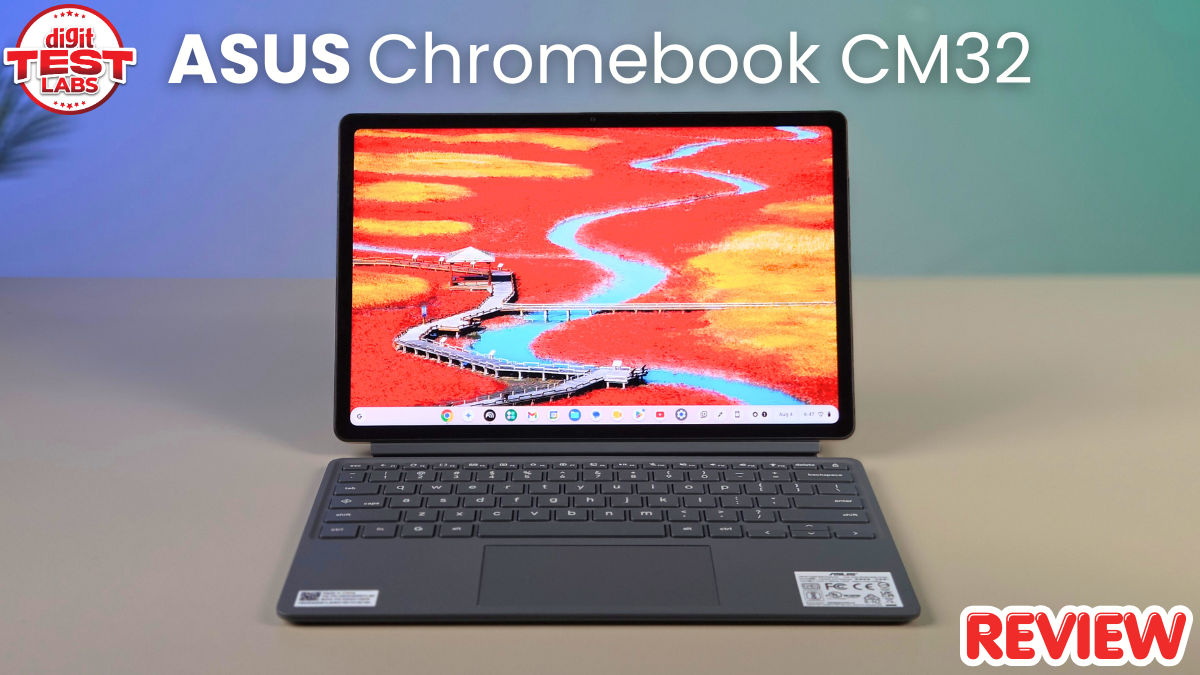

I have used plenty of compact laptops over the years, but the Asus Chromebook CM32 with a detachable keyboard gave me a whole new perspective on what I actually need from a computer. For sure, this machine does not try to be a more affordable MacBook or a Windows laptop with fewer features. Instead, it slots in right between a tablet and a conventional laptop, with ChromeOS doing most of the heavy lifting. I carried it around in my backpack, used it for writing, browsing, video calls, watching YouTube, and reading documents, and spent plenty of time using it as a tablet, i.e., without the keyboard attached. My take — there are a few compromises with the Asus Chromebook CM32, but the price makes those compromises harder to ignore. Here’s my full review.
Also read: MSI Claw 8 EX AI+ review: Intel Arc G3 Extreme is the star of the show
Asus Chromebook CM32 design: More tablet than laptop
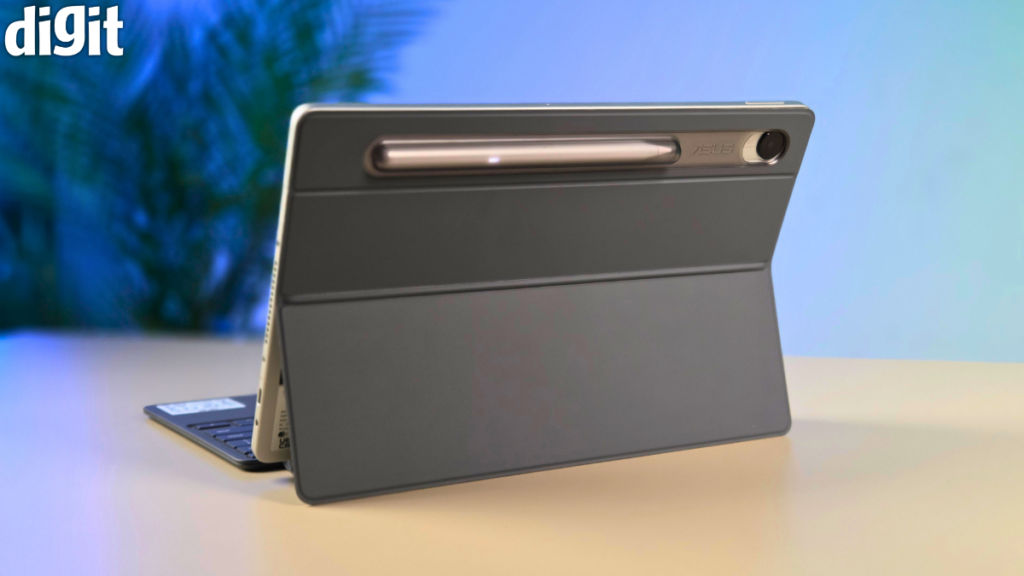
The first thing I noticed about the Asus Chromebook CM32 is how easy it is to carry. The tablet itself weighs roughly 640 grams, depending on the configuration, and that makes a huge difference when you are used to carrying a 1.3kg or 1.5kg laptop around all day. Add the keyboard and stand cover, and you still have a machine that’s much easier to throw into a backpack than a conventional laptop. Asus has used a metallic chassis, and the whole thing feels more expensive than I expected. It also carries MIL-STD 810H certification, while the keyboard is spill-resistant.
As the subhead goes, I kept finding myself treating it like a tablet first and a laptop second. And this is not necessarily a criticism. In fact, I think this is the CM32’s biggest appeal. Detach the keyboard, and you have a reasonably large 12.1-inch tablet that is comfortable for reading, watching videos, or going through documents. Attach it again, and ChromeOS gives you a familiar desktop interface.
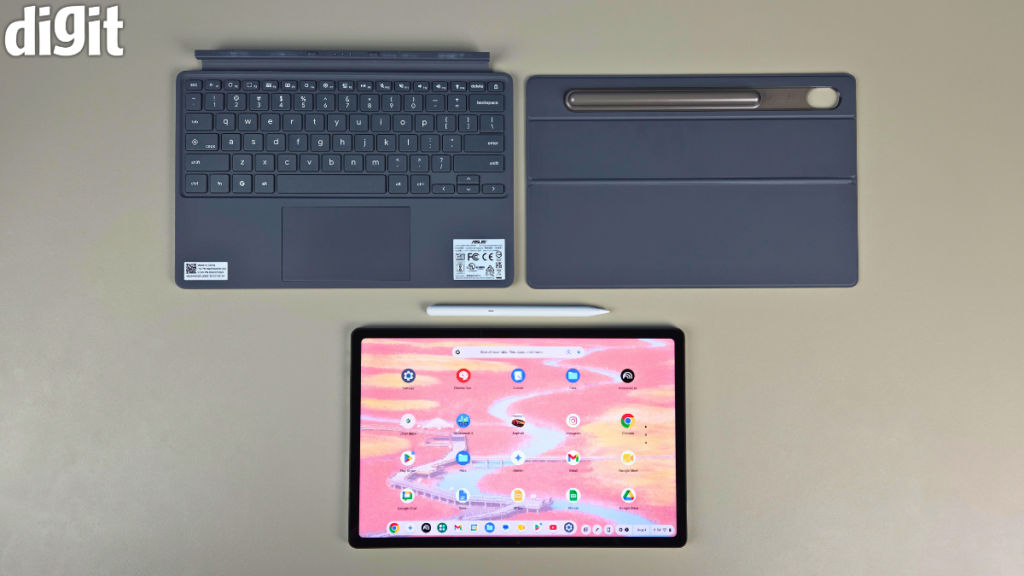
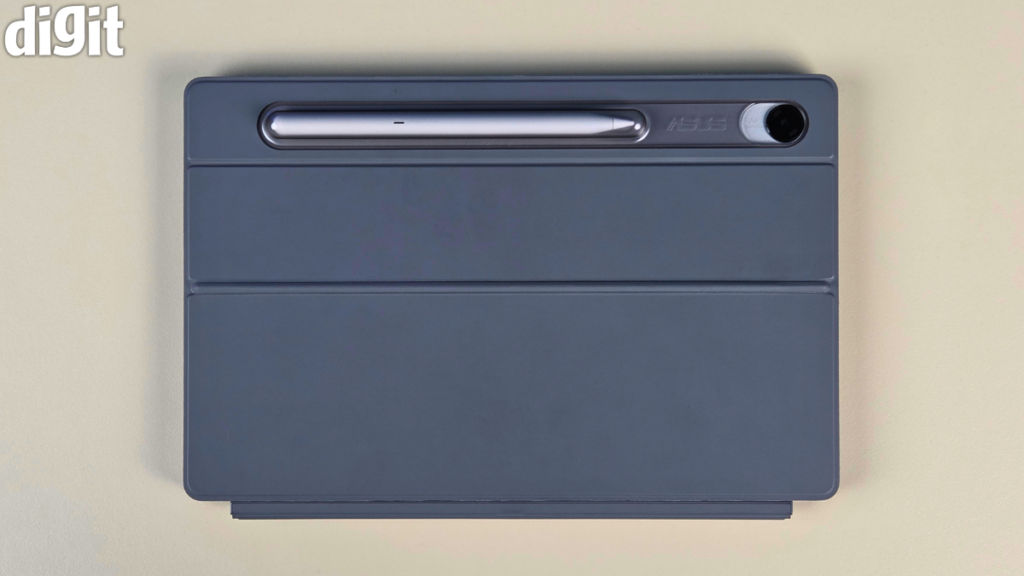
That said, the stand cover is less impressive. Getting the kickstand open is not as effortless as I would like. It can feel stiff, and when I first used it, I occasionally ended up pulling the cover away instead of opening the stand. Once you figure out where to press, it gets easier. On a desk, though, it works well.
The other problem is connectivity. You get a single USB-C port, alongside the headphone jack. That USB-C port handles charging and other functions, so anyone planning to connect a mouse, external drive, or display while charging will probably need a hub.
There is also no fingerprint scanner. Unlocking the device means relying on a PIN or password, although ChromeOS offers other convenient ways to interact with a connected Android phone.
Asus Chromebook CM32 display: This is the star of the show
The display is easily my favourite part of the Asus Chromebook CM32. It is a 12.1-inch IPS touchscreen with a 2,560 x 1,600-pixel resolution, a 16:10 aspect ratio, and up to 600 nits of brightness. It also supports a 120Hz refresh rate and covers up to 98 per cent of the DCI-P3 colour gamut. There is Gorilla Glass protection and an anti-fingerprint coating as well.
In daily use, all the aforementioned specs make a lot of sense. Text looks exceptionally sharp. Websites are easy to read. Google Docs gives you plenty of vertical space, and that 16:10 ratio is particularly useful when you are working through long documents or PDFs. I would much rather read a lengthy article on this screen than on a smaller 11-inch tablet.
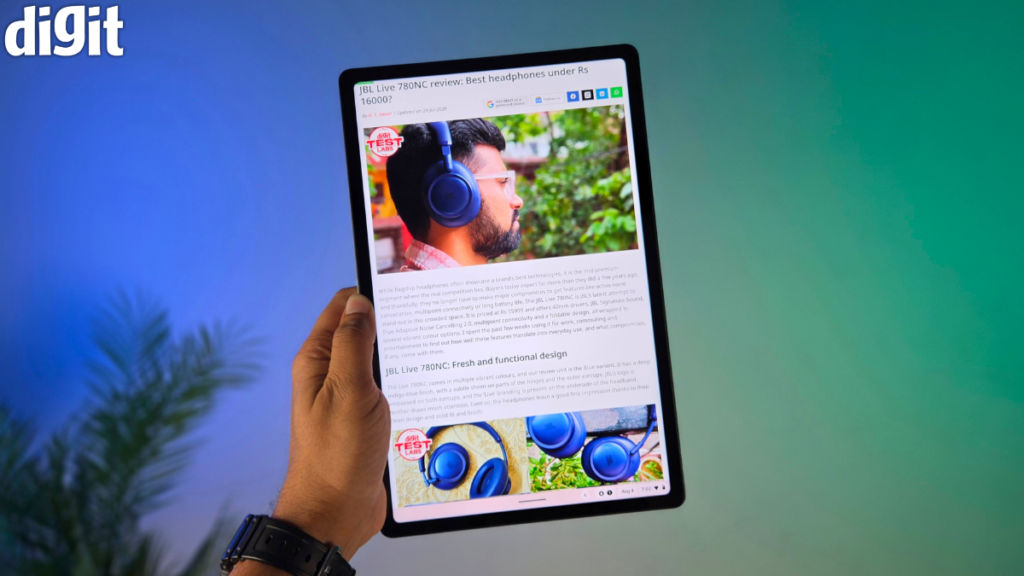
The 120Hz refresh rate is another nice touch. Scrolling through menus, webpages, or simply through the UI feels noticeably smoother, and the difference is especially obvious when you jump between this and a conventional 60Hz budget laptop. It also makes the CM32 feel more like a premium tablet.
I would not say the screen is on the same level as the best OLED panels on flagship tablets or phones such as the Galaxy S26 Ultra. You do not get those deep blacks or the contrast that makes OLED content pop. But for a Chromebook in this category, this is a very good panel.
The 600-nit brightness also helps when you are sitting somewhere bright. I still prefer avoiding direct sunlight, but the screen does not immediately become difficult to see when you move away from an indoor desk.
The speakers are decent rather than spectacular. They are perfectly usable for YouTube, podcasts, Google Meet, and casual Netflix watching. For times when I want better sound, I would still reach for my trusty TWS. The Asus Chromebook CM32 also supports Dolby Atmos, which helps, but this is not a replacement for a proper speaker setup.
Asus Chromebook CM32 keyboard and stylus: Surprisingly useful
Detachable keyboards are often where otherwise good tablet-laptop hybrids fall apart. The Asus Chromebook CM32 avoids that problem. The keyboard has 1.35mm of key travel, and I found it much more comfortable than I expected. It does not feel like one of those ultra-thin covers where every keypress feels vague and mushy. The keys have enough movement to make longer typing sessions reasonably comfortable.
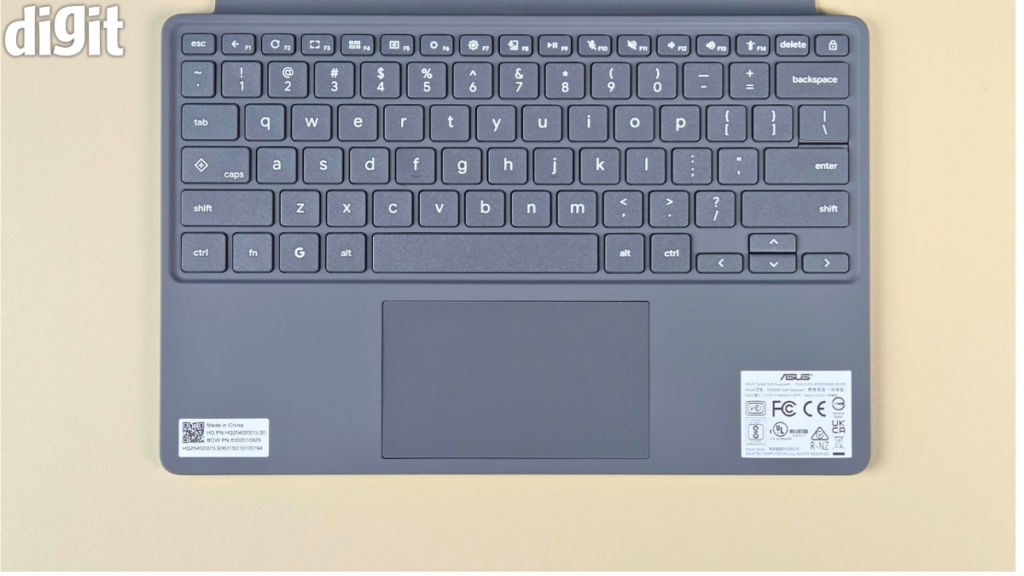
Now, would I choose it for writing thousands of words every day over a proper 14-inch laptop? No. You see, the keyboard is still relatively compact, and the whole detachable setup does not have the same stability as a conventional laptop. On a desk, I had no real complaints. On my lap, the experience is considerably less convincing. And that distinction matters, or at least to me.
My point is, if your idea of portable computing involves sitting at a table, the CM32 works really well. If you spend most of your time working with the computer balanced on your lap (like I do), a conventional laptop remains the safer choice.
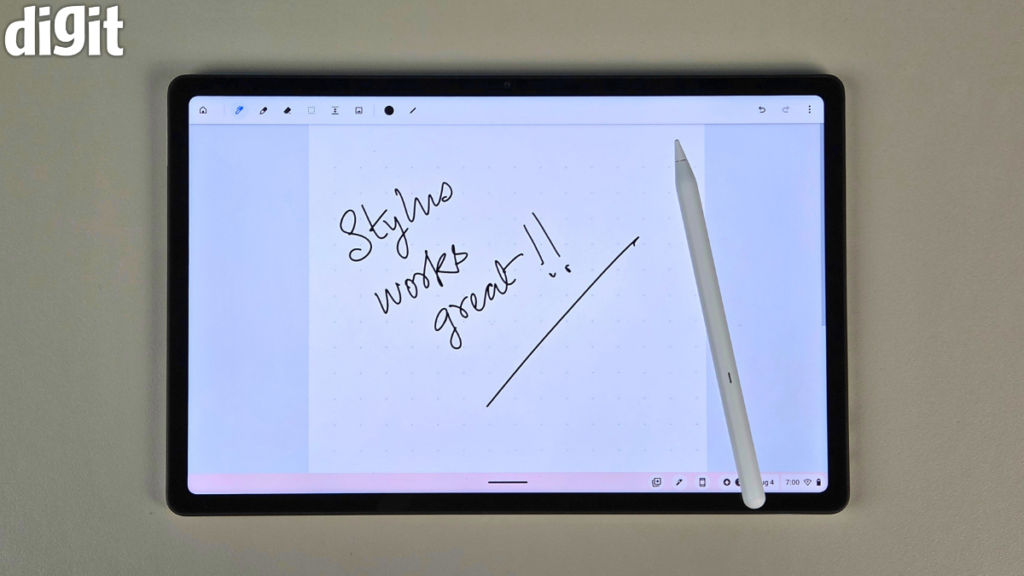
As for the stylus, Asus includes a USI 2.0 stylus, and I am glad it does. The pen supports 4,096 levels of pressure sensitivity and can be used for handwritten notes, annotations, and sketches. The stylus can also be stored with the device and charged wirelessly.
Performance: Good for the right kind of work
The Asus Chromebook CM32 uses MediaTek’s Kompanio 540 processor, paired with LPDDR5X memory. The Indian variants include configurations with 4GB RAM and 64GB storage, while the higher configuration gets 8GB RAM and 128GB eMMC storage. Asus also lists other configurations in some markets.
I would strongly recommend the 8GB version. Granted, ChromeOS is lightweight, but modern browsing is not. Open a few Google Docs, several Chrome tabs, YouTube, Gmail, and a couple of Android apps, and the extra memory becomes useful very quickly.
With 8GB RAM, the Kompanio 540 is perfectly comfortable for the workload this machine is designed around. I could browse, write, stream video, attend MS Teams calls, and move between documents without feeling like I was fighting the computer.
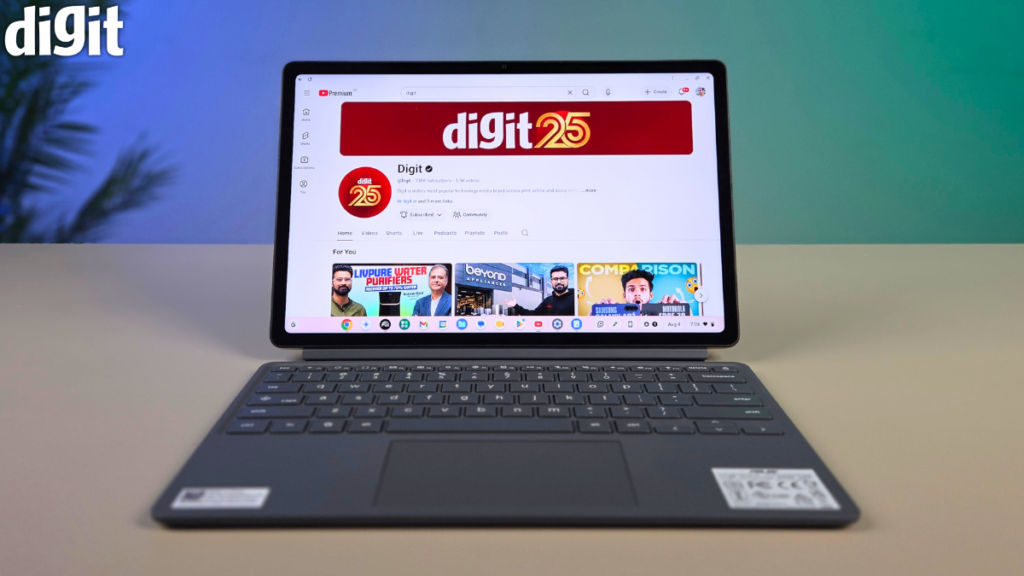
But there is a ceiling. This is not a machine I would buy for serious video editing, demanding Android games, heavy development work, or anything that needs the sort of sustained performance you get from a modern Windows laptop or a Mac.
The same applies to software. Again, ChromeOS is fantastic when your workflow lives in Chrome and Google’s ecosystem. Google Docs, Sheets, Drive, Gmail, and Meet all fit naturally into the experience. Android apps expand what the machine can do, and services such as Netflix and Spotify can also be used through their apps.
But ChromeOS is still ChromeOS. If you depend on desktop Photoshop, specialist engineering applications, certain development tools, or Windows-only software, this is not going to replace your main computer.
Also read: JBL Live 780NC review: Best headphones under Rs 16000?
ChromeOS: Simple, fast and occasionally frustrating
Alright, ChromeOS has matured considerably in the past few years. On the bright side, the Asus Chromebook CM32 starts quickly, updates itself in the background, and feels refreshingly uncomplicated. I did not have to think about driver updates or spend time maintaining the operating system. Sign in, open Chrome, and get to work. That simplicity is one of the reasons I can see this being a very good first computer.
The tablet experience is more mixed. You see, ChromeOS works well with touch, but Android apps are not always designed properly for a large screen. Some applications still look and behave like stretched phone apps. That makes the tablet mode less polished than an iPad or even a mainstream Android tablet.
And this is where the comparison with a flagship tablet becomes interesting. For instance, an iPad feels like a tablet that can occasionally become a computer. The CM32 feels like a computer that can occasionally become a tablet. I prefer the latter approach for productivity. For entertainment and touch-first apps, I would still rather use an iPad or a high-end Android tablet.
The CM32 also supports Gemini features, and ChromeOS can work closely with a connected Android phone. With a compatible phone, you can share a mobile connection, interact with messages, and use some phone-connected features. That makes the overall experience more cohesive if you already use Android.
Asus Chromebook CM32 webcam: Better than I expected
The 5MP front-facing camera on the Asus Chromebook CM32 turned out to be a pleasant surprise. Video calls looked clean, and the camera handles difficult lighting reasonably well. If you are sitting near a bright light source, it does a better job than many budget laptop webcams at keeping your face visible.
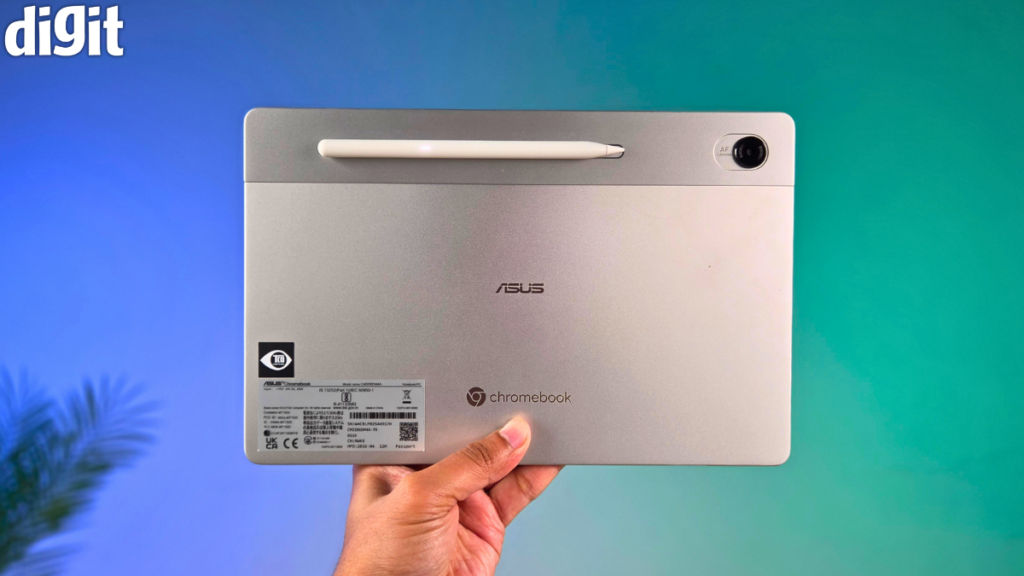
Additionally, there is a 5MP rear camera as well. It is not something I would use as my primary camera, but it is useful for scanning documents or quickly capturing something on paper. Again, for a machine at this price, the cameras are a welcome bonus.
Asus Chromebook CM32 battery life: An easy all-day companion
The Asus Chromebook CM32 has a 42Wh battery and ships with a 45W USB-C charger. Asus claims up to 12 hours of battery life, although real-world usage naturally varies. On a daily basis, the machine is generally able to last me a full working day of about 8-9 hours on a single charge. Of course, depending on usage patterns, your mileage may vary.
For me, the important part is that the CM32 does not need constant access to a charger, and that is exactly what I want from something this portable. I can put it into a backpack in the morning, take it to the office, use it for browsing and writing, watch something in between, and still have enough battery left at the end of the day.
Verdict: Buy it for what it is, not what it isn’t
The Asus Chromebook CM32 Detachable is not a MacBook alternative. It is not an iPad replacement. And it certainly is not a machine for people who need serious processing power or specialist desktop software. What it is is a remarkably well-rounded portable computer for students, casual users, and anyone whose everyday workload is largely browser-based.
The display on the Chromebook CM32 is excellent. The detachable design is genuinely useful. The keyboard is much better than I expected. The stylus adds real value rather than simply filling a specification sheet. The webcam is good, battery life is dependable, and ChromeOS keeps the whole experience simple.
But, as I mentioned at the start, there are compromises.
The single USB-C port is annoying. The kickstand takes some getting used to. There is no fingerprint scanner. The tablet software experience still has some rough edges. And I would avoid the 4GB model if you plan to keep this computer for several years.
That last point is important because the price puts the CM32 into a territory where capable Windows laptops also exist.
The Asus Chromebook CM32 Detachable starts at Rs 37,990 for the 4GB + 64GB storage option in India, while the 8GB RAM and 128GB storage configuration is priced at Rs 48,999.
Also read: AMD Ryzen 7 7700X3D Desktop Processor Review
So, at around Rs 38,000, the CM32 is an easy device to recommend if your needs are simple. Closer to Rs 50,000, and I would think harder.
To put it straight, if your work is mostly Chrome, Google Docs, email, video calls, and streaming, and you value something that can go into your backpack without weighing you down, the Asus Chromebook CM32 makes a lot of sense.
For me, personally, that is the appeal. I use a MacBook Air M5 as my daily computer, and the CM32 didn’t replace it. In fact, whenever I didn’t want to carry my Mac, the CM32 was always ready to go, and for the most part, I didn’t miss a beat.


