
iOS 26 bug turns Android photos red on iPhones, users report strange image glitch
 Follow Us
iOS 26 users are reporting a strange bug where some photos shared from Android phones appear normal at first but turn red when opened or zoomed in.
The issue doesn’t affect all images and seems limited to photos from certain devices like select Samsung and Motorola phones, with a few reports from iPhone images too.
The glitch has persisted even after recent updates, though users say the photos aren’t damaged and can be temporarily fixed by reverting edits.
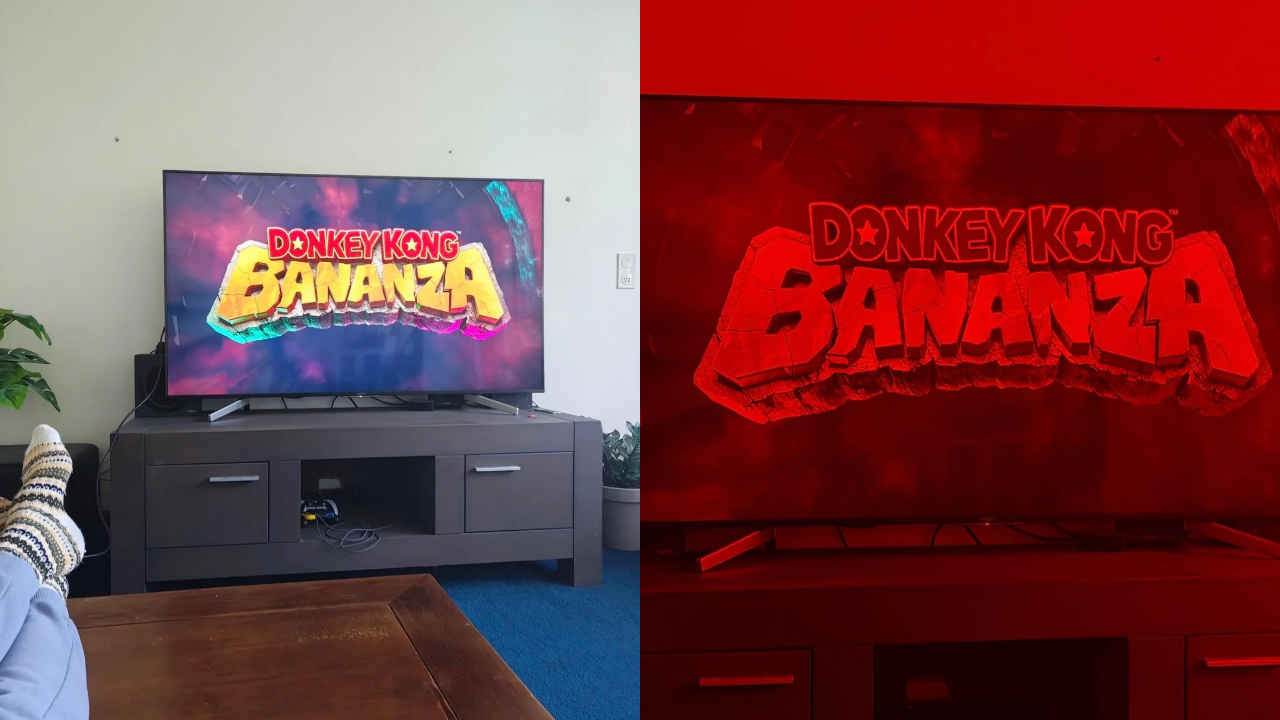

With the recent collaboration between Android and Apple, users of both operating systems were given the capability to share images with each other with ease. However, while it is still a young feature, iPhone users across the globe have already started reporting issues. Several take to Reddit to complain about a bug in iOS 26, where a number of photos that were initially taken on Android devices and shared to iOS devices come up with a strong red tint if opened or zoomed in using an iPhone.
 Survey
What really confuses the issue is the fact that the images appear normal to begin with. The red tint appears only after a user opens the photo or zooms in. This behaviour has freaked out many users, who believe that the photos may actually be damaged. Some users also complained that the photo even greys out upon edit.
Also read: Interstellar object 3I/ATLAS approaching Earth: Closest flyby date, anti-tail and latest updates
However, the bug seems not to affect all photos taken with Android devices. For some users, this only happens with images taken using certain devices like the Galaxy S24 series or Motorola Razr series. Meanwhile, a few users also reported experiencing the issue with photos taken on the newer iPhones.
iOS 26 bug – photo turns red when zoomed in
byu/Jonkmclovin inios
According to the report, it has been there for weeks and surfaces even after the recent software updates. It has also been confirmed by the users that the problem still persists in the recently launched stable release of iOS 26.2. Though several people have reported the issue on Reddit, our team hasn’t experienced it specifically with the mentioned devices, either, so it remains unknown where it comes from.
Also read: Microsoft AI chief calls Elon Musk a bulldozer, praises Sam Altman’s AI push
Some users suspect the issue is with the way the Photo application uses colour information from the photos shot from other devices. This might fool the app into applying some colour filter without actually touching any part of the image data itself. Fortunately, the situation does not suggest that photos are irrecoverably damaged.
Also read: Motorola Edge 70 with Snapdragon 7 Gen 4 chip launched in India: Check price and specs here
People on various threads shared that as a temporary fix. All you need to do is open the problematic photo > tap Edit > select Revert. This fix reportedly removes the red tint, returning the image to its original version. The downside is that you have to apply this fix one by one on every affected photo. Please note that we have not tested the solution ourselves since the issue does not arise in our usage.


