
Got call forwarding SMS? Here is what you should do before scammers steal sensitive information
 Follow Us
Call forwarding scams can put your calls and data at risk.
Ignoring forwarding alerts may lead to fraud or account misuse.
Disable unknown forwarding requests and stay alert.
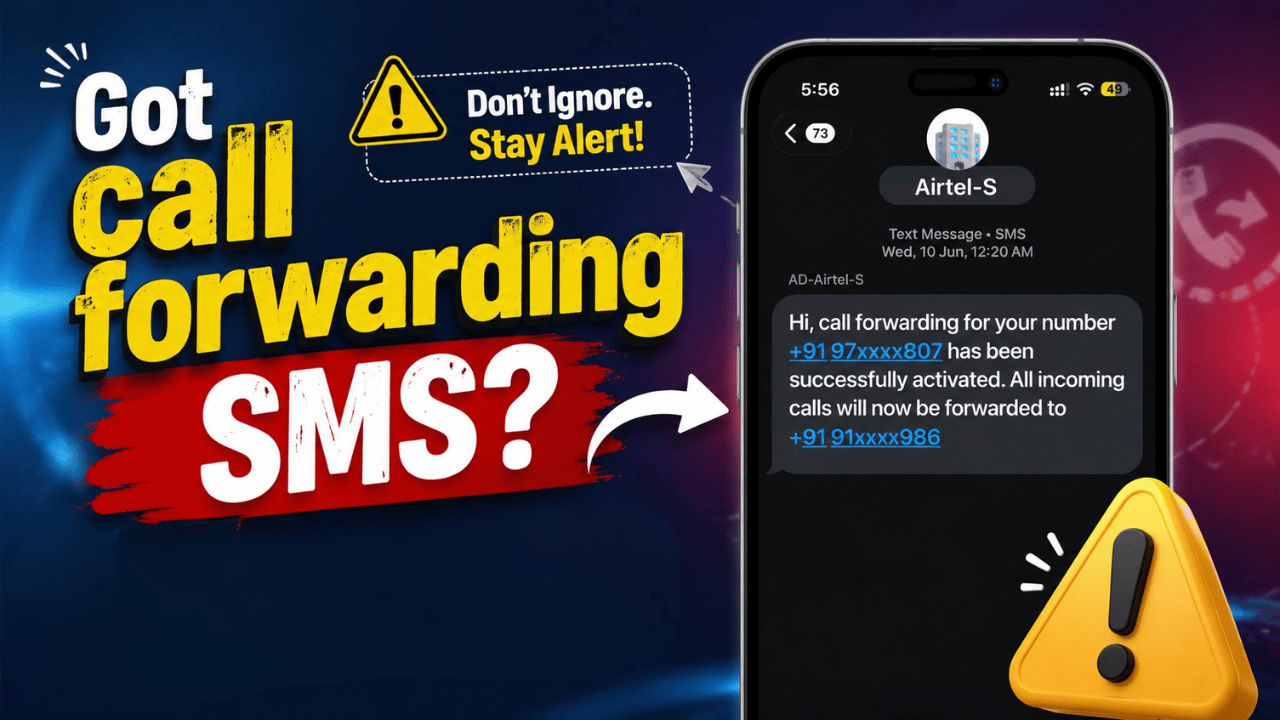

Call forwarding is a useful feature that has been there for a while now. It let users divert the incoming calls to another number under certain criteria. However, the scammers are finding new ways to misuse it. It all starts with an unexpected confirmation SMS that you receive for the call forwarding to be activated for your number. We generally ignore such texts, considering them a mistake or a glitch, but that’s the worst one can do. In most cases, scammers take advantage of your negligence, and as they get access to your phone number, all your important calls, including those linked to banking, digital payments, or account verification, may be redirected to a number controlled by fraudsters.
 Survey
The government of India has recently advised its citizens to be cautious of a confirmation of a call forwarding message. CyberDost, a government-led Twitter account, recently posted for the same. They clarified that once call forwarding is activated, you’ll now receive a text message that you should not ignore. They further added the steps you should take if the call forwarding request was not initiated by you.
That SMS about call forwarding is not just another notification. It could be an early warning that your number is being misused pic.twitter.com/dxWru2zNZ8
— CyberDost I4C (@Cyberdost) June 18, 2026
Why you should be worried
Call forwarding allows calls made to your number to ring on another phone. If a scammer gains access to this feature, they may receive calls intended for you. This can create opportunities to intercept one-time passwords, verification calls, and other sensitive information.
Fraudsters often use social engineering tricks to convince people to dial codes that secretly activate call forwarding. Some victims only discover the problem after receiving a notification from their mobile service provider. If you ignore that message, then the unauthorised call forwarding can lead to your account being taken over by the scammers, and you can ultimately face financial losses and privacy breaches.
Also read: Delhi High Court upholds Telegram ban in India over NEET paper leak concerns
How to stop call forwarding

If you receive an unwanted call forwarding message without requesting one, you should take action immediately. Follow the easy process outlined below to switch off call forwarding on your mobile phone.
- Settings: Go to the settings app > find call forwarding > disable it.
- Phone app: Head to your phone app > dial ##002#
- Telecom carrier: Reach out to your mobile telecom operator and confirm whether call forwarding has been activated on your account. If it has, request them to deactivate it.
Also read: Claude Code can now turn your AI work into interactive web pages: Here is how
How to stay safe
It’s easy to stay safe against the call forwarding scam. All you need to do is follow the east tips below:
- Never enter a dial code or follow technical instructions described by anyone over a phone call.
- Remember not to give out any passwords, verification codes, and personal details to strangers who may contact you by phone.
- Also, remember to always check your phone settings and listen to alerts sent by your network provider.
- Use two-factor authentication on all banking and internet accounts.
- Change your banking and other important passwords once in a while.


