
Google’s Circle to Search gets an upgrade, can now translate while you scroll
 Follow Us
Google is making its Circle to Search tool more useful with a new feature that lets users see translations while scrolling through content.
The update will begin to roll out this week, starting with select Samsung Galaxy devices.
With the update, users will no longer need to restart translations each time new content appears.
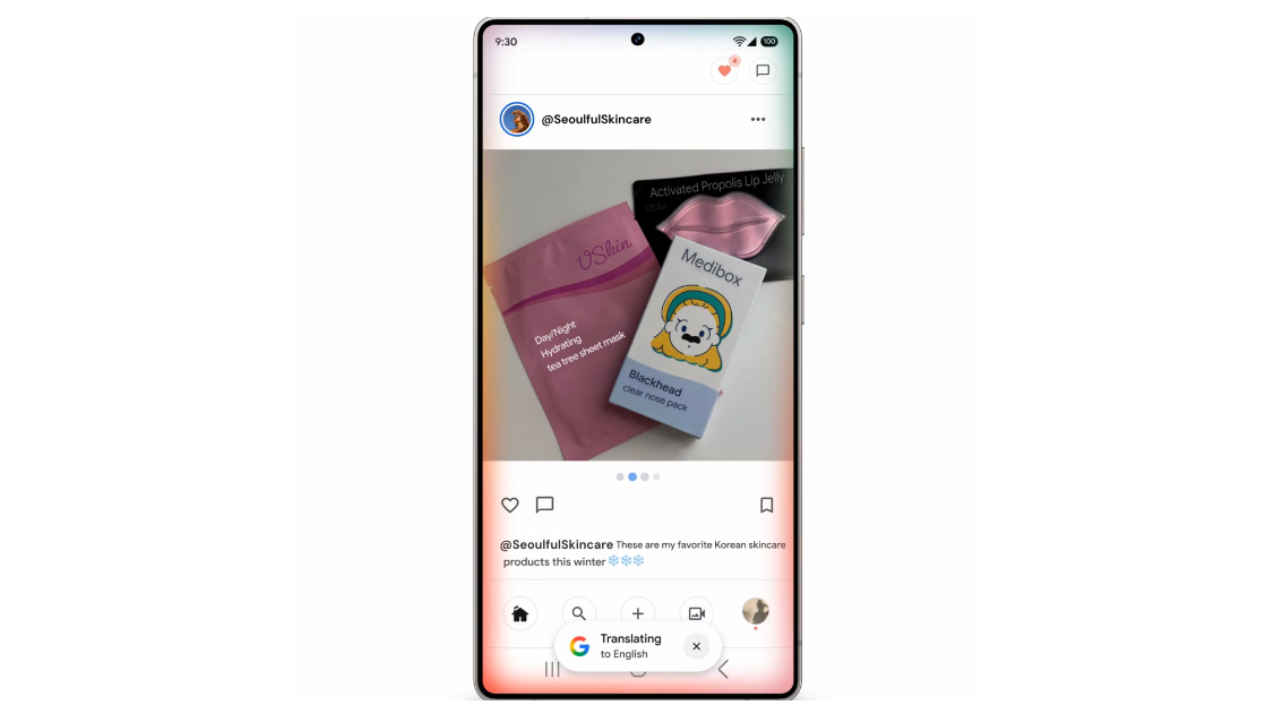

Google is making its Circle to Search tool more useful with a new feature that lets users see translations while scrolling through content. The company has announced that the update will begin to roll out this week, starting with select Samsung Galaxy devices.
 Survey
Circle to Search, introduced last year, allows people to quickly look up information on their screen by using gestures such as circling, tapping, scribbling, or highlighting. Translation has become one of the most popular uses of the tool, especially for checking social media posts in different languages or reading menus when traveling.
Also read: Mark Zuckerberg vs. Mark Zuckerberg: Lawyer takes Meta CEO to court after Facebook called him fake
“Translation is one of the most-used features in Circle to Search — you can get more context for social posts from creators who speak a different language, or browse menus when you’re booking restaurant reservations while traveling abroad,” Google wrote in a blogpost. “But until now, you had to restart the translation process every time you scrolled or the content on the screen changed.”
Also read:OpenAI announces AI-powered hiring platform to compete with LinkedIn: How it will work
This means that with the latest update, users will no longer need to restart translations each time new content appears. Instead, translations continue automatically as they scroll down a page or even move between apps. For example, someone scrolling through Instagram can now see translations on posts with text in images as they swipe through different photos.
To use the feature, you just have to long-press the home button or navigation bar to open Circle to Search, tap the “Translate” icon, and then choose “scroll and translate.”
Also read: OpenAI makes ChatGPT Projects available to free users, adds new features


