
Google I/O 2026:You will be able to detect AI generated or edited image using Search or Chrome, here is how
 Follow Us
Google adds AI image detection to Search and Chrome.
SynthID watermark helps identify edited or fake images.
Users can check AI-generated media directly while browsing.
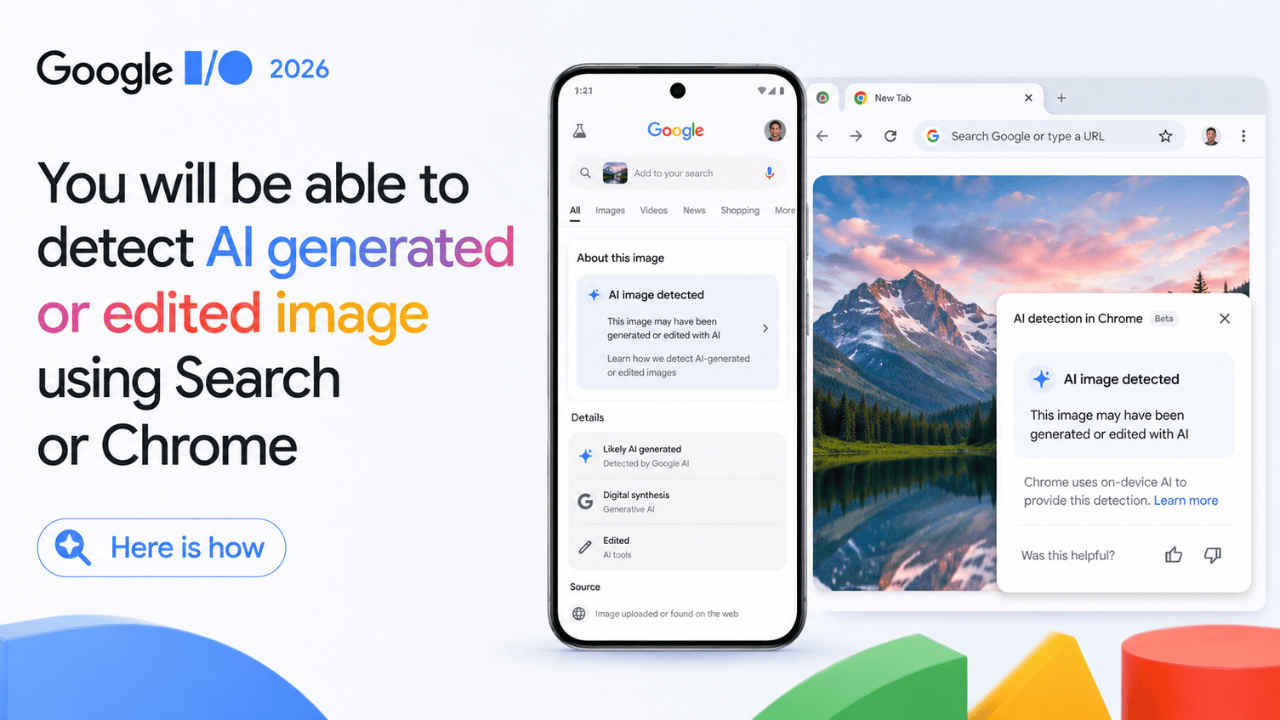

Google I/O 2026: Fake images have taken over the internet since the inception of AI tools. Whether it be an image of Sundar Pichai eating a hamburger with Elon Musk and other tech leaders or an image of you attending the Google I/O event. However, Google on Tuesday announced a major update that could make spotting fake images online much easier for everyday users. The company is bringing AI image detection tools directly into Google Search and the Chrome browser using its SynthID watermarking technology developed by Google DeepMind. As AI tools continue creating highly realistic photos and edited visuals, concerns around misinformation and deepfakes are also growing rapidly. Here’s how you can use Google Search and Chrome to detect AI-generated or edited images.
 Survey
Things to know
Before we deep dive into how to use the feature, here are some things you should know:
- Google is adding the new AI image detection tools directly into Google Search and the Chrome browser.
- The feature uses SynthID, which is a hidden watermarking system developed by Google DeepMind.
- The invisible watermark of the image can still be detected even if someone cropped, resized, or edited the image.
- Users in India will also receive access as the rollout is confirmed globally.
- Companies including Nvidia, OpenAI, Kakao, and ElevenLabs have already adopted SynthID technology.
How to detect AI-generated or edited images
Google is adding this detection technology directly into your usual browsing workflows. Here is how you can use it across different platforms:
1. Google Chrome on desktop (Rolling out soon)
Google has recently announced that it will be expanding the SynthID and C2PA features to Google Chrome and Search. Here’s how to do so:
- While browsing any website, right-click on the image you want to verify.
- Click on the new built-in option to check if the image was generated or modified using AI.
- Chrome will instantly scan the image for DeepMind’s invisible SynthID pixel watermark and C2PA metadata, displaying whether it is real, AI-generated, or edited.
Note: The feature has not been rolled out yet, and the above steps are expected to remain the same after rollout in the upcoming week.
Also read: Google I/O 2026: Samsung and Google unveil Gemini-powered smart glasses to rival Ray-Ban Meta
2. Google Search & Circle to Search (Live)
Google recently updated Circle to Search to allow users to check if an image is AI-generated. Follow the steps below:
- On supported Android devices, invoke Circle to Search over any image on your screen.
- Instead of just searching for text, simply ask, ‘Is this image real?’
- Google Search will analyse the image’s ‘Content Credentials’ to show you its full history. For example, if it were shot on a physical camera and later edited using generative AI tools like Google Photos.
Note: The feature is currently rolling out in selected devices and you may get it soon.
3. Inside the Gemini app (Live)
While the SynthID detector has been available inside the Gemini app for some time, it has only recently expanded to Google Chrome and Search. Until you receive this update in Chrome or Search, you can use Gemini to verify if an uploaded image, video, or audio file was AI-generated. Follow these steps to do so:
- Tap the upload button in the Gemini app and select an image, video, or audio clip.
- Type ‘@VerifyAI’ to invoke the feature and then ask a quick question like, ‘Is this AI-generated?’
- Gemini will run a deep scan for a SynthID watermark to confirm if it was created or altered by AI.
Note: For now it can only detect if an image is AI-generated if created using Google AI. Do note that the C2PA feature is rolling out in a phased manner, and you may get it soon.
Benefits of direct AI image detection
Bringing deepfake and AI detection directly into the browser and search engine offers major advantages, some of them are as follows:
- You no longer need to download suspicious files and re-upload them to obscure third-party detection websites. It happens exactly where you encounter the media.
- Google combines C2PA metadata with SynthID. This allows them to track the SynthID watermark that survives and can be later used to flag the AI content even if someone strips the metadata or takes a screenshot of the image.
- Major industry players like OpenAI, Nvidia, ElevenLabs, and Kakao have adopted the SynthID standard. This allows Chrome and Search to flag images generated by ChatGPT or DALL·E, among others.


