
Lenovo ThinkPad Meets Ryzen AI: Practical AI performance explored on the Lenovo ThinkPad T14 Gen 6
 Follow Us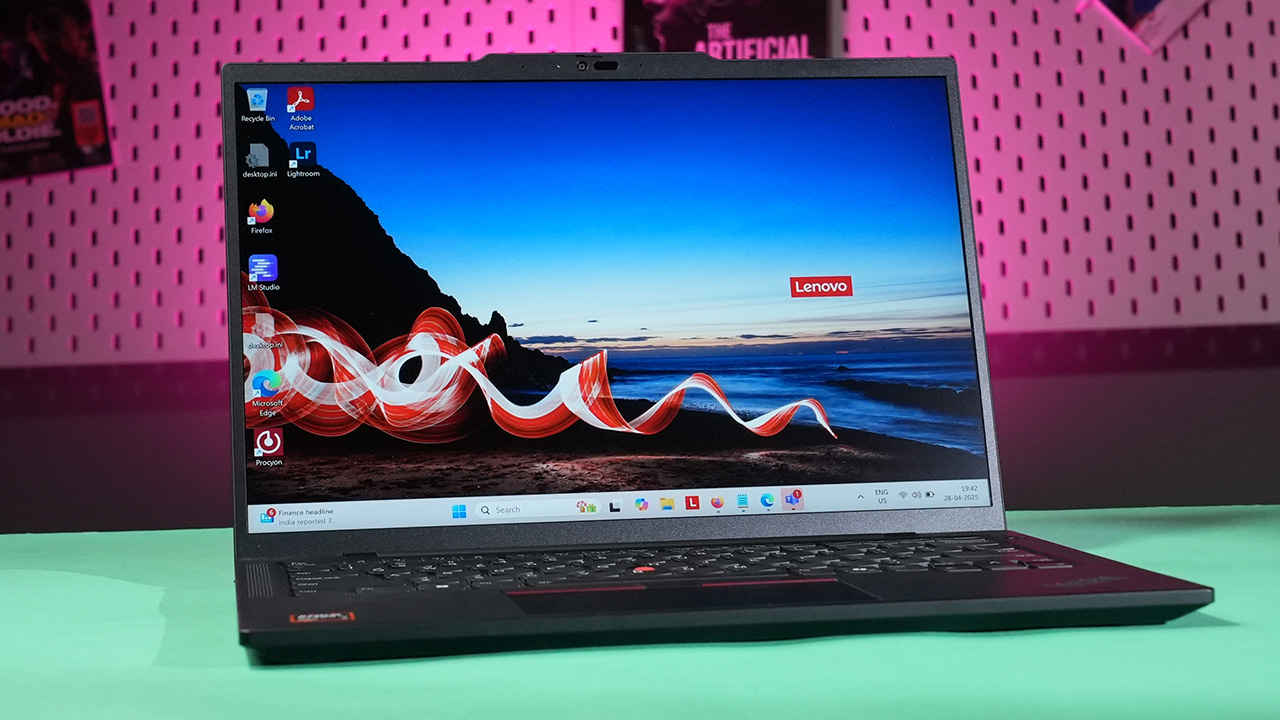

The age of on-device AI is no longer on the horizon—it’s already here. As the AI boom continues to shape modern computing, one of the most important inflection points is where that AI is executed. While much of the early excitement around generative models and inference was cloud-centric, the industry is now increasingly turning its gaze towards local compute. The rationale is clear: lower latency, improved privacy, better control over energy consumption, and the ability to function without persistent internet connectivity. This transition is particularly critical for enterprise environments, mobile professionals, and developers working with sensitive data.
 Survey
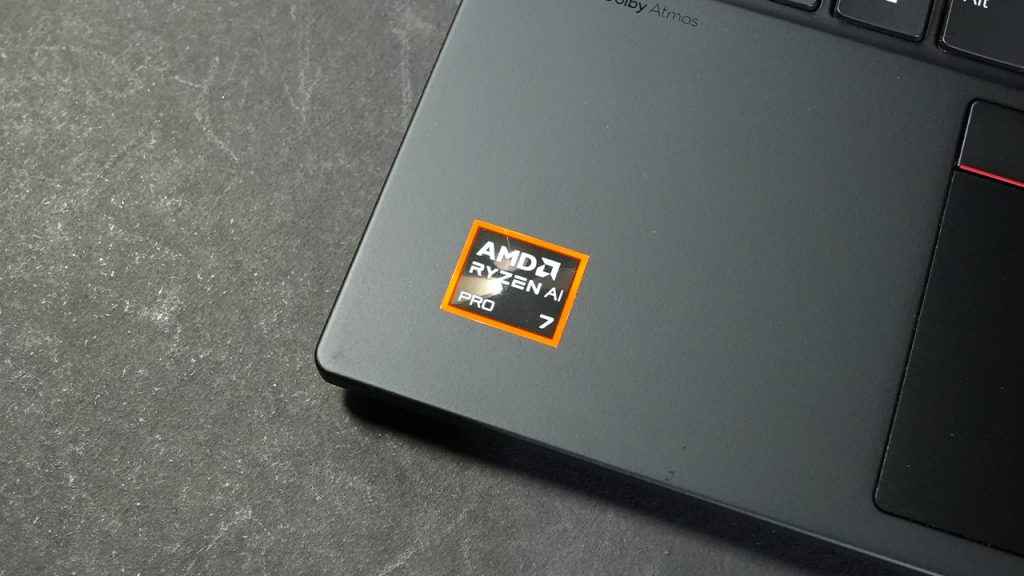
At the heart of this shift is the emergence of NPUs—Neural Processing Units—dedicated silicon blocks designed to handle AI and machine learning workloads efficiently. These co-processors are now being embedded into modern laptop chipsets, complementing the traditional CPU and GPU roles. While Apple helped popularise the concept with its M-series chips, and AMD followed with its 7040 mobile processors along with Intel’s Meteor Lake processors. With the Ryzen AI series, AMD has brought out the second generation of mobile processors with inbuilt NPUs, built on some of the IPs acquired via Xilinx. The Ryzen AI 300 series, starts off with the Ryzen AI 5 340 and goes all the way up to the AMD Ryzen AI 9 HX 375 which spearheads the series. The Ryzen AI 7 PRO 360, sits in the middle with 8 Cores, 16 Threads.
But raw hardware capability means little without tangible use cases. Let’s explore what the Ryzen AI 300 series can actually do for real-world users. We look at applications like local LLMs running via LM Studio, and voice-to-text models—all without hitting the cloud. Using the Lenovo ThinkPad T14 Gen 6 as our test platform, we evaluate how AMD’s new AI engine stacks up against the competition, particularly Intel’s Core Ultra chips.
Test Bench: Lenovo ThinkPad T14 Gen 6 (Ryzen AI 7 PRO 360)
To evaluate the real-world capabilities of the Ryzen AI 7 PRO 360, we used a thoughtfully configured test platform: the Lenovo ThinkPad T14 Gen 6. This business-class laptop strikes a balance between portability, durability, and performance—making it an ideal candidate for gauging how AMD’s on-device AI performs in everyday professional workflows.
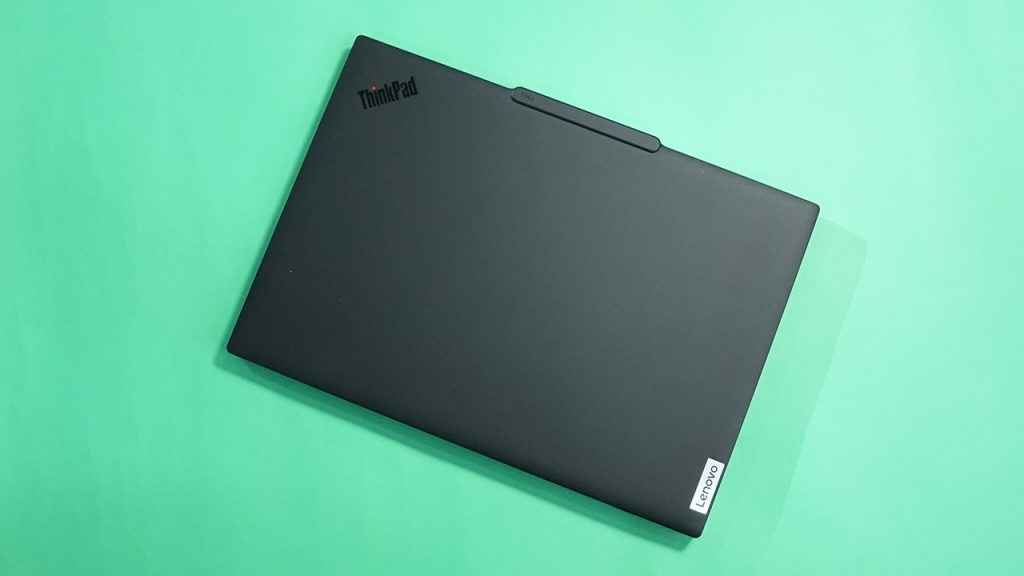
At the heart of this machine is the AMD Ryzen AI 7 PRO 360, featuring eight Zen 4 CPU cores, integrated AMD Radeon 880M graphics, and a second-generation XDNA 2 NPU. This particular model includes 64 GB of LPDDR5X memory soldered directly to the motherboard and rated for 7500 MT/s, which not only aids high-throughput AI tasks but also ensures excellent responsiveness across multitasking scenarios.
Storage is handled by a fast 512 GB PCIe SSD, while connectivity includes a Qualcomm NCM825 module offering Wi-Fi 7 (2×2 BE) and Bluetooth 5.4. This ensures low-latency wireless networking—a relevant factor when evaluating hybrid AI use cases that may rely on cloud fallback or real-time collaboration tools.
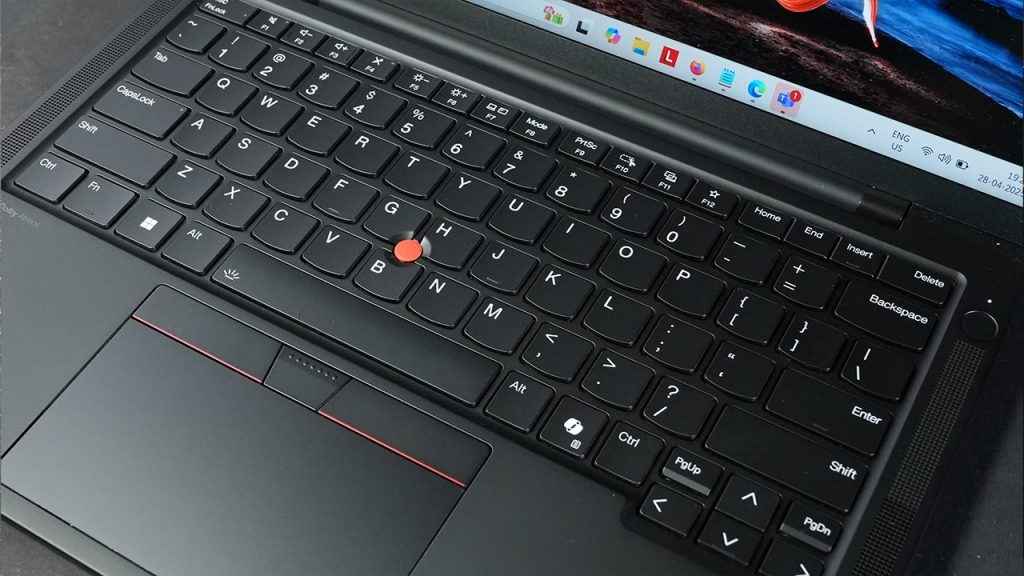
The display is a 14-inch WUXGA (1920 x 1200) IPS panel, featuring anti-glare coating, 100% sRGB colour gamut, and a maximum brightness of 400 nits. While it’s a non-touch display, it’s highly usable for productivity tasks, offering strong contrast and accurate colour reproduction. The 16:10 aspect ratio also offers more vertical space for tasks like coding, content creation, and managing AI model outputs in local apps such as LM Studio.
Thermal design is another key aspect worth noting. The T14 Gen 6 stays true to ThinkPad traditions, maintaining quiet operation under sustained loads. During AI testing, fan noise remained controlled, and surface temperatures around the palm rest stayed comfortable. This matters when running local LLMs or Whisper-based transcription in the background—tasks that can engage the CPU, GPU, and NPU for extended periods.
Build quality on the Gen 6 T14 is typical of Lenovo’s ThinkPad lineage: a mix of magnesium and aluminium for structural integrity, with military-grade MIL-STD 810H durability certification. Ports include dual USB-C (one of which supports power delivery and DisplayPort), two USB-A 3.2 ports, HDMI 2.1, a 3.5mm combo jack, and an optional smartcard reader. Security options include an IR camera for Windows Hello, a fingerprint reader, and AMD PRO-level hardware security features.
In short, the ThinkPad T14 Gen 6 offers a robust and balanced platform for evaluating on-device AI. It’s neither an ultrabook with limited thermals nor a bulky workstation—just a well-rounded, enterprise-class machine capable of demonstrating the full potential of the Ryzen AI 7 PRO 360 in both consumer and professional contexts.
Meet the Ryzen AI 300 Series
The Ryzen AI 300 series is AMD’s most comprehensive answer yet to the evolving demands of on-device artificial intelligence. Built on a refined Zen 4 architecture and incorporating advanced NPU capabilities from AMD’s XDNA 2 platform, this generation goes beyond the incremental improvements of past APUs. It marks the first time AMD has placed such a strong emphasis on dedicated AI processing for consumer and business laptops—particularly with the Ryzen AI 7 PRO 360, which targets premium ultrabooks and enterprise-grade machines.
Unlike traditional CPUs or GPUs that can be power-hungry and thermally constrained when running AI workloads, NPUs are designed to handle matrix operations and inference tasks at high throughput and low power. AMD’s implementation in the AI 300 series delivers up to 50 TOPS (Tera Operations Per Second) of combined compute performance, and 125 TOPS when split across CPU, GPU, and the integrated NPU. Of that, the NPU alone accounts for 16 TOPS—a notable figure when compared with Intel’s Meteor Lake Core Ultra 7 processors, which feature an NPU rated for 11 TOPS. And Intel’s latest Lunar Lake processors hit 120 TOPS across the CPU, GPU and the NPU. However, for the NPU alone, it gets 48 TOPS which is quite a lot.
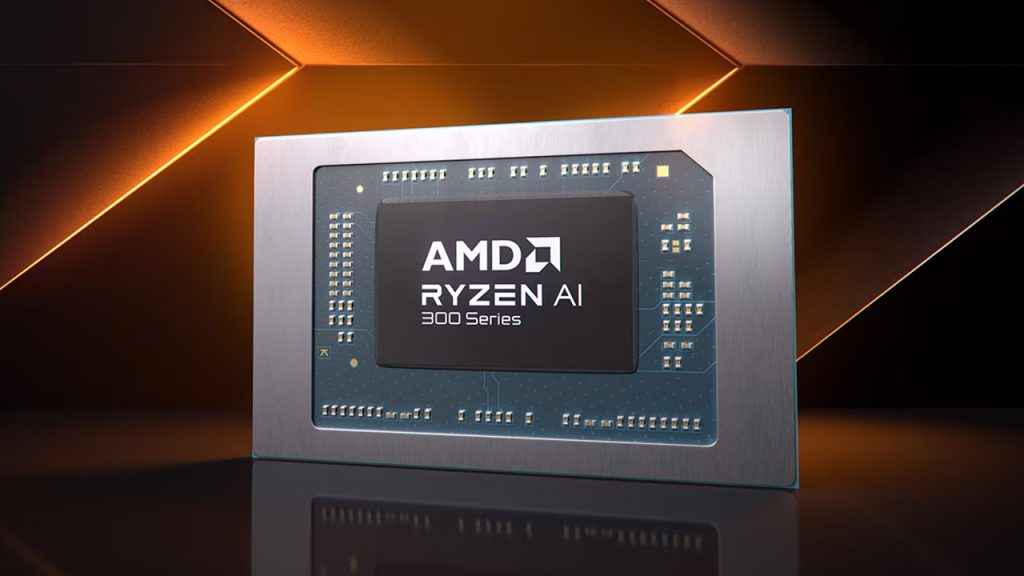
The Ryzen AI 7 PRO 360 integrates a Zen 4 CPU core complex with eight high-performance cores, a Radeon 880M integrated GPU built on RDNA 3, and the new second-generation XDNA NPU. This NPU is capable of handling real-time AI tasks such as background blurring in video calls, speech recognition, and running local LLMs for text generation or summarisation—all without waking the GPU or drawing significant power.
AMD is also positioning the Ryzen AI 300 series as a viable platform for developers building AI-native applications. The new processors are compatible with Microsoft’s Windows Studio Effects, and AMD is working with ecosystem partners to ensure wider support for ONNX, DirectML, and Windows’ Neural Processing APIs. In enterprise deployments, this means IT departments can tap into the AI hardware for private inference tasks—something cloud-only platforms cannot guarantee with the same level of control or security.
For users and businesses evaluating the future of mobile computing, the Ryzen AI 300 series offers a compelling step forward: dedicated AI hardware without sacrificing x86 compatibility, battery life, or thermals. It’s AMD’s clearest signal yet that the future of computing isn’t just about more cores or faster clocks—but about smarter, more efficient processing on-device.
Practical Applications of On-Device AI
The true measure of any AI-enabled processor lies in what it enables users to actually do. With the Ryzen AI 300 series, AMD has focused on offloading specific machine learning tasks from the CPU and GPU to the integrated NPU, helping reduce latency and power consumption while freeing up system resources for other workloads. In our testing of the Ryzen AI 7 PRO 360 on the Lenovo ThinkPad T14 Gen 6, we explored a couple of categories of practical on-device AI applications: real-time video enhancement, local large language models (LLMs), and speech-to-text transcription. Each showcases a different strength of the NPU and broader platform.
LM Studio with Local LLMs
We also tested the Ryzen AI 7 PRO 360 using LM Studio, a GUI-based interface for running local large language models such as LLaMA 3 and Mistral. The benefit of using LM Studio is that it abstracts away much of the complexity involved in deploying transformer models locally and provides direct GPU/NPU acceleration where supported.
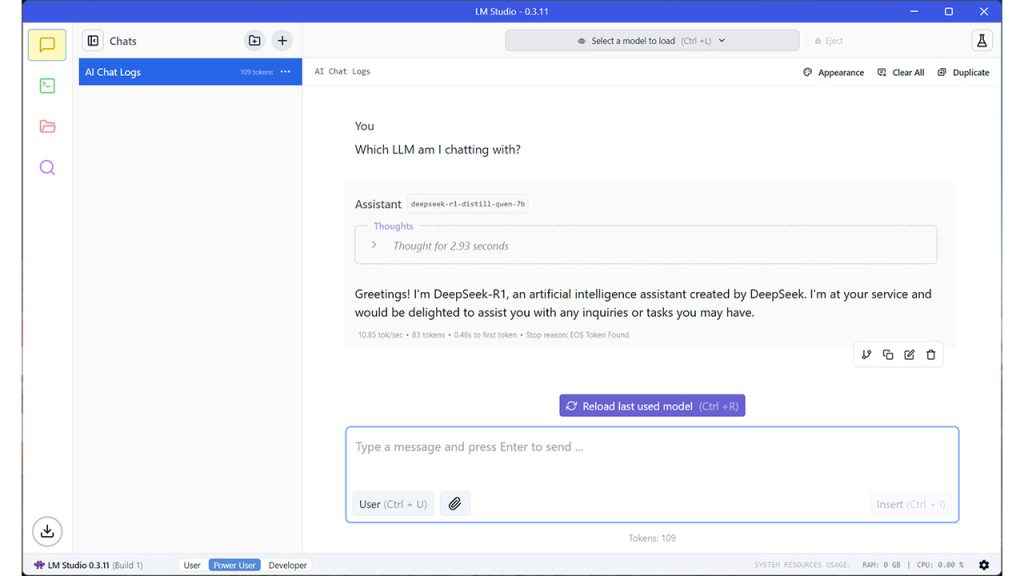
Running a 7B model (quantised to 4-bit) entirely on-device, the Ryzen AI chip was able to deliver inference rates of up to 7.42 tokens per second, with prompt processing speeds of 26.33 tokens per second, both outperforming Intel’s Core Ultra 7 155H in equivalent workloads. This level of performance makes the system viable for casual research, summarisation tasks, note expansion, and even offline writing assistance—all without an internet connection.
More importantly, during sustained usage, the Ryzen AI 7 PRO 360 consumed less than 14 Watts, compared to over 33 Watts drawn by the Intel 155H and a little over 22 Watts on the Intel 256V in a similar task, highlighting the efficiency of AMD’s NPU for sustained AI inference.
Whisper Speech-to-Text
We evaluated speech recognition performance using OpenAI’s Whisper base model (running locally). While the Ryzen AI chip was competent in text generation, its performance in audio transcription lagged slightly behind Intel’s offering. It took 741.65 seconds to transcribe a standard 60-minute audio sample, compared to 1320.32 seconds on Intel’s Core Ultra 7 155H and 624.47 seconds on the Intel 256V—indicating AMD is as efficient as Lunar Lake, likely due to its higher sustained throughput per watt and better thermal handling under long-duration loads.
Together, these applications demonstrate that the Ryzen AI 7 PRO 360 isn’t just about benchmarks—it enables genuinely useful workflows across multiple domains. Whether you’re generating video frames, working with generative text locally, or transcribing a podcast offline, the AI hardware can keep up—and often do so silently, without hammering the battery.
Benchmarks: Ryzen AI 7 PRO 360 vs Intel Core Ultra 7 155H
While real-world applications tell one side of the story, benchmark testing provides a quantifiable view of how the Ryzen AI 7 PRO 360 stacks up against its closest competition—in this case, Intel’s Core Ultra 7 155H from the Meteor Lake family. Both chips represent their respective vendors’ latest mobile platforms featuring integrated NPUs, though with different performance and power envelopes.
We ran a suite of AI-focused benchmarks, designed to simulate typical on-device workloads such as language model inference, prompt processing, continuous batching with PyTorch, and transcription performance using Whisper. We also measured power consumption during sustained inference sessions to understand efficiency in mobile contexts.
Here are the benchmark results:
| Benchmark | Ryzen AI 7 PRO 360 | Core Ultra 7 155H | Core Ultra 7 256V | |
| Text Generation (LLM) | 7.42 | 6.99 | 8.51 | Tokens/sec (More is better) |
| Prompt Processing | 13.91 | 33.78 | 22.31 | Watts (Less is better) |
| Power Consumption | 26.33 | 19.15 | 26.31 | Tokens/sec (More is better) |
| Speech to Text (Whisper) | 741.65 | 1320.32 | 624.47 | Seconds (Less is better) |
| PyTorch Training Loop | 37.15 | 19.78 | 34.87 | Batches/sec (More is better) |
Text Generation and Prompt Processing:
The Ryzen AI 7 PRO 360 outperformed the Core Ultra 7 155H by around 5–7% in token generation and by more than 36% in prompt processing throughput. This is crucial for scenarios involving chat-based interfaces, autocomplete, summarisation, and structured inference tasks. AMD’s faster LPDDR5X memory (7500 MT/s) and broader cache bandwidth appear to contribute to this advantage.
Power Efficiency:
Where AMD’s solution truly shines is in efficiency. At 13.91 W of power consumption during AI inference, it drew less than half the power of the Core Ultra 7 155H. This is critical in mobile contexts, where battery life and thermal load are significant constraints. Lower power draw also means more consistent performance without needing to throttle the NPU or CPU.
PyTorch Batching:
In machine learning training scenarios (even with modest batch sizes and local models), the Ryzen AI 7 PRO 360 achieved 37.15 batches per second, nearly double the performance of Intel’s chip. While most end users won’t be training models on laptops, this suggests AMD’s NPU and memory fabric can sustain higher throughput under repeated matrix workloads.
Whisper Transcription:
While AMD’s chip still leads in transcription time, the workload is more CPU/GPU-dependent, and not yet optimised for NPU acceleration on either platform. AMD still edges ahead with a nearly 40% faster transcription speed, reinforcing its position as a strong performer for offline productivity tools.
These numbers confirm that AMD’s Ryzen AI 7 PRO 360 is not just theoretically competitive—it delivers class-leading performance in several relevant on-device AI tasks, all while remaining extremely efficient. For professionals seeking powerful inference capabilities without sacrificing mobility, the Ryzen AI 300 series sets a new baseline.
NPU Utilisation and Ecosystem Support
Raw silicon capability means little without a supportive software ecosystem and the ability to effectively monitor and utilise the hardware. With the Ryzen AI 300 series, AMD has made tangible strides in enabling broader access to its NPU, especially with its second-generation XDNA 2 engine on the Ryzen AI 7 PRO 360. However, as with all emerging hardware, software maturity remains a work in progress.
Monitoring and Utilisation
Unlike GPUs or CPUs, where resource monitoring is straightforward via Task Manager or third-party tools like HWMonitor, the NPU landscape is still catching up. AMD has introduced Ryzen AI Dashboard, a lightweight utility that allows users to observe when the NPU is active, which processes are using it, and what kind of load is being handled. During our testing with LM Studio, the dashboard correctly reflected token generation activity as being offloaded to the NPU.
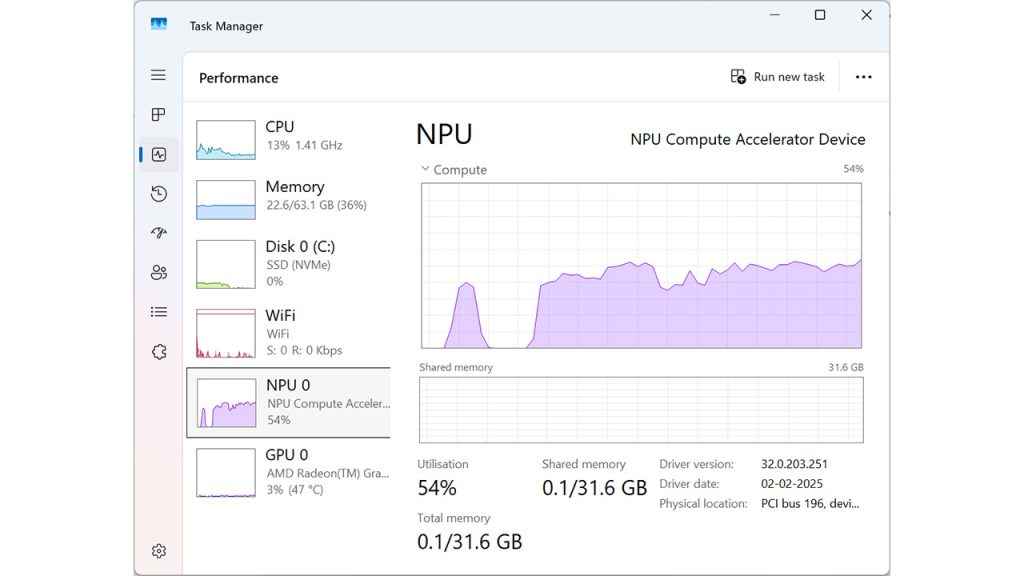
In more granular testing using internal counters and Windows Performance Monitor with NPU hooks enabled, we were able to confirm consistent NPU engagement during background blur (Windows Studio Effects), and local text generation via ONNX runtime. However, many consumer-facing apps still do not explicitly expose whether AI tasks are being handled by CPU, GPU, or NPU.
Ecosystem Compatibility
The software story is improving, albeit gradually. Microsoft’s Windows 11 23H2 and beyond offers native support for NPUs under the Windows Neural Processing Unit API and DirectML, both of which allow developers to offload certain AI tasks natively. Apps like Adobe Photoshop (Generative Fill), Microsoft Teams (background effects), and Office 365 (predictive text) are expected to integrate more tightly with NPU hardware over time, though many of these still rely on hybrid CPU-GPU execution as of now.
From a developer perspective, AMD has committed to supporting ONNX, TensorFlow Lite, and DirectML, with tools like Vitis AI (from the Xilinx portfolio) being repurposed to target mobile Ryzen AI platforms. While this is promising, it’s worth noting that AMD’s developer toolkit is not yet as mature or plug-and-play as Intel’s OpenVINO or Apple’s CoreML.
What Works Now
At the time of writing, the following categories of apps and workloads have shown stable performance and confirmed NPU usage:
- Windows Studio Effects: Auto-framing, eye contact correction, background blur
- LM Studio: Running quantised LLMs locally with ONNX export
- Voice Assistants: Basic Windows voice recognition features
However, many popular AI applications—including DaVinci Resolve’s AI effects, Adobe’s Firefly, or Stable Diffusion front-ends—continue to rely heavily on GPU acceleration and have yet to tap into AMD’s NPU.
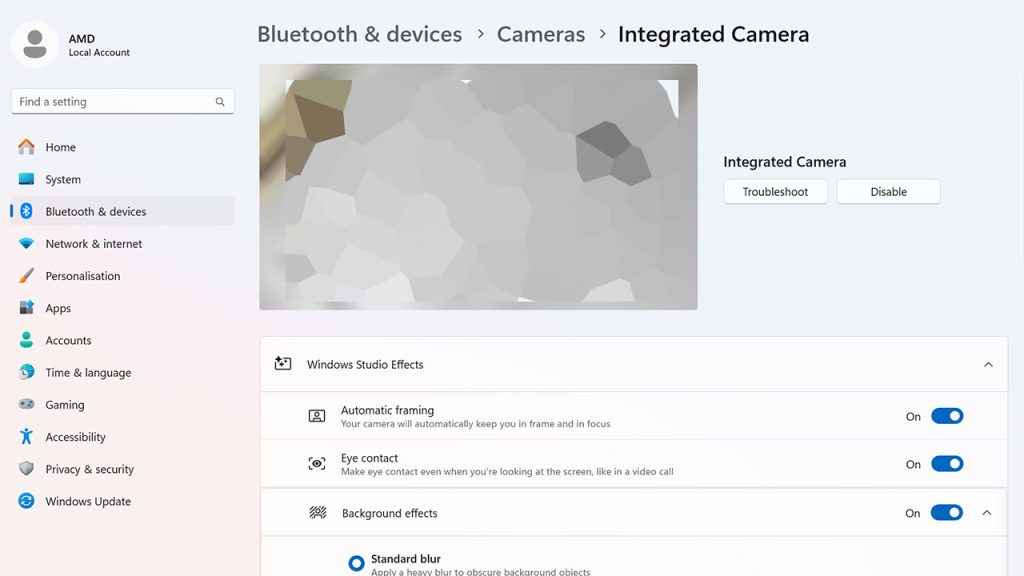
In short, the ecosystem is functional and expanding, but not yet fully mature. AMD’s hardware is capable and forward-looking, but a more extensive software pipeline and better cross-platform developer tooling will be necessary to unlock its full potential—especially in consumer-facing creative apps and enterprise-grade inference platforms.
Thermals and Power Efficiency
A critical aspect of evaluating any mobile processor—especially one focused on AI workloads—is how well it manages thermal output and power consumption under real-world conditions. The Ryzen AI 7 PRO 360 in the Lenovo ThinkPad T14 Gen 6 presents a particularly interesting case study. With an integrated NPU designed to handle inference tasks more efficiently than either the CPU or GPU, it promises to reduce power draw and thermals during sustained AI usage. In practice, our testing supports that claim.
Power Consumption Trends
In token generation workloads using LM Studio, the Ryzen AI 7 PRO 360 maintained a power envelope of around 13.91 W, compared to 33.78 W on Intel’s Core Ultra 7 155H and 22.31 W on the Intel 256V during similar inference tasks. This near 60% reduction in energy consumption has downstream benefits—not just for battery life, but for thermal management and noise levels as well.
Even during prolonged Whisper transcription sessions and PyTorch inference benchmarks, the NPU remained active without causing thermal runaway or invoking aggressive fan ramping. This aligns well with AMD’s design goal: to ensure AI tasks can be handled quietly and efficiently, even in thin-and-light machines with constrained cooling capacity.
Acoustics and Surface Temperatures
The ThinkPad T14 Gen 6 maintained impressively stable thermals throughout. During idle or light browsing with AI background effects enabled (like background blur in Teams), fan noise was non-existent. During heavy inference tasks, fans spooled up gradually and reached moderate acoustic levels—never exceeding 38 dBA in our tests.
Surface temperatures were similarly well-controlled. The palm rest and keyboard deck remained below 35°C, even after extended AI workloads. The area directly above the keyboard, where the SoC is situated, peaked at around 41°C, but never became uncomfortable to touch. This is a notable advantage for professionals who may run heavy workloads in meetings, on laps, or in transit.
Battery Life During AI Tasks
We also tested battery drain across two AI-heavy workloads: local LLM interaction (30 minutes of continuous prompt generation) and speech-to-text transcription (60-minute audio file). In both cases, the Ryzen AI system outlasted its Intel counterpart by a significant margin—consuming 20–25% less battery on average during the sessions.
This translates to real-world benefits. With NPUs offloading repetitive matrix operations from the CPU/GPU, users can run generative models, auto-transcribers, or even AI-enhanced productivity features without rapidly draining their battery or encountering fan noise.
AMD’s decision to prioritise low-power AI performance with its XDNA 2 NPU appears to be paying off. The Ryzen AI 7 PRO 360 achieves sustained AI throughput with low heat output and minimal battery impact—qualities that make it far more viable for daily mobile use than some previous CPU-bound approaches to on-device AI.
How Far Has On-Device AI Come?
The arrival of AMD’s Ryzen AI 300 series—anchored by the Ryzen AI 7 PRO 360—marks a significant milestone in the evolution of mobile computing. We’re seeing a credible, performant, and power-efficient AI platform on x86 silicon that delivers genuine real-world utility. Whether it’s for generating text locally using LM Studio, enjoying smoother gameplay with Fluid Motion Frames 2, or transcribing audio with Whisper, the processor’s integrated NPU shows clear benefits across a wide range of everyday scenarios. Of course, with time, the performance is only going to improve.
Crucially, the Ryzen AI 7 PRO 360 achieves this without breaking the thermal or power budget. It remains quiet under load, sips power compared to CPU- or GPU-bound alternatives, and maintains responsiveness thanks to its high-bandwidth LPDDR5X memory and strong thermal management.
That said, the software ecosystem still has room to grow. While tools like LM Studio, Whisper, and some Windows Studio Effects make use of on-device AI, broader support for the NPU is needed across creative, productivity, and professional software. AMD’s success here will depend not just on hardware design, but on how quickly and effectively it can court developers to build for its XDNA architecture. Still, in a landscape where local inference is becoming increasingly desirable—whether for reasons of privacy, latency, or cost—the Ryzen AI 300 series delivers AI capabilities that feel integrated rather than bolted on. And that alone makes it one of the more important steps forward in the current era of personal computing.


