
Laptop buying guide for music production
 Follow Us
Music production demands high single-core CPU speeds, look for H-series Intel/AMD chips (i7-13700H, 7940HX) or Apple M4 Pro.
Start with 16 GB of RAM; upgrade to 32 GB+ if you use large sample libraries, virtual instruments, or run VMs.
Opt for a quiet, well-cooled laptop (or fanless MacBook) to avoid fan noise interfering with mic-level recording.
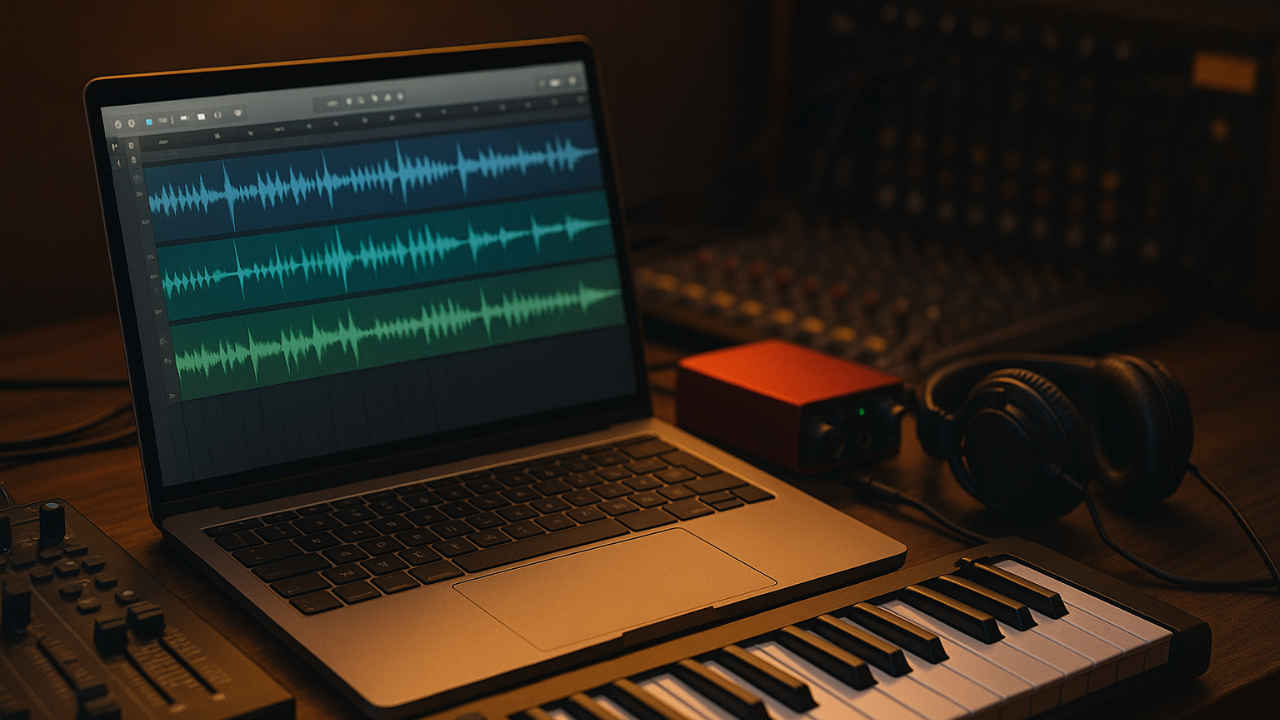

Picture this: you’re deep in a creative flow, layering that perfect synth pad over your drum track, when suddenly everything grinds to a halt. Your laptop’s fan starts whirring like a jet engine, your DAW (Digital Audio Workstation) freezes, and that brilliant musical idea evaporates into digital silence. Sound familiar? Choosing the wrong laptop for music production is like trying to paint a masterpiece with a broken brush; technically possible, but utterly frustrating.
 Survey
The world of digital audio workstations has evolved tremendously, and modern productions can easily involve dozens of tracks, multiple virtual instruments, and countless effects plugins running simultaneously. Your laptop isn’t just a computer in this context; it’s the beating heart of your entire creative process. Getting the specifications right from the start can mean the difference between seamless creativity and constant technical headaches.
Whether you’re a bedroom producer crafting your first beats or a seasoned engineer mixing full orchestral arrangements, understanding what makes a laptop truly suitable for music production will save you both money and sanity. Let’s dive into the essential considerations that will help you make an informed decision.
Why single-core speeds are important
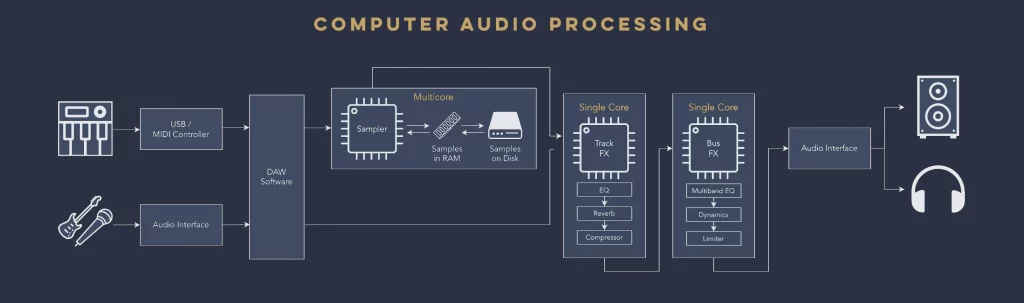
When it comes to music production, the conventional wisdom about processors gets turned on its head. Whilst many computing tasks benefit from having loads of cores working in parallel, digital audio workstations operate quite differently. The reality is that DAWs process audio sequentially, meaning each plugin, instrument, and effect on a single channel must be processed one after another, not simultaneously.
This sequential processing limitation makes single-core performance absolutely crucial for music production. You could have a processor with 16 cores all running at 2.5 GHz, but it would actually perform worse than a quad-core chip with each core running at 4.5 GHz. Every time you’re recording, playing back tracks, or working with real-time effects, you’re relying on how fast that single core can crunch through the data.
The HX and H-series processors from both Intel and AMD are specifically designed with higher clock speeds and thermal headroom, making them ideal for music production laptops. These chips have been optimised to deliver the snappy, responsive performance that modern DAWs demand. For Intel users, look for processors like the i7-13700H or i9-14900HX, while AMD users should consider the Ryzen 7 7840HS or Ryzen 9 7940HX.
Apple’s M-series chips deserve special mention here, as they’ve set a benchmark for creative work. The M4 Pro and M4 Max chips offer outstanding single-core performance while maintaining remarkable efficiency. The unified memory architecture in these chips also provides faster data access, which translates to smoother performance when working with large sample libraries and complex projects.
The multi-core reality check
While single-core performance takes priority, multi-core capability isn’t irrelevant; it just works differently than you might expect. Modern DAWs can utilise multiple cores when you’re working with separate channels and tracks, but there’s a crucial caveat: if any single core becomes overloaded, it creates a bottleneck that affects the entire system.
Also read: Best gaming laptops under Rs 1.5 lakh
Think of it like a production line where different workers handle different tasks. Even if you have multiple workers, if one person gets overwhelmed with a particularly complex job, the entire line slows down. This is why Image-Line, the developers of FL Studio, specifically state that “if one core becomes overloaded, it doesn’t matter how many cores you have, there will be audio glitches in real-time playback.”
This reality means that having multiple cores with high individual performance is more valuable than having many slower cores. A six-core processor with excellent single-core performance will outperform an eight-core chip with weaker individual cores when it comes to music production tasks. The key is finding processors that offer both strong single-core performance and enough cores to handle modern multi-track productions effectively.
RAM: Your creative headroom
RAM serves as your laptop’s workspace, temporarily storing all the data your applications need for immediate access. In music production, RAM requirements can escalate quickly, and running out of memory is one of the fastest ways to kill your creative momentum.
Consider a typical production session: your operating system might use around 1GB of RAM, your web browser another 2GB, and your DAW could easily consume 6-10GB before you’ve even loaded your first virtual instrument. Add a few sample libraries, some processor-intensive plugins, and multiple tracks, and you’ll quickly understand why 16GB is considered the absolute minimum for serious music production.
The difference between having adequate RAM and running short is dramatic. When your system runs out of physical memory, it starts using your storage drive as virtual memory (if enabled), which is significantly slower than RAM. This leads to audio dropouts, plugin crashes, and general system instability. Professional producers often opt for 32GB or even 64GB of RAM to ensure they never hit these limitations, especially when working with large orchestral libraries or complex electronic productions.
It’s worth noting that Apple’s M-series chips handle RAM differently due to their unified memory architecture. The memory is integrated directly into the chip and shared between the CPU and GPU, making it more efficient than traditional systems. This means that 16GB of unified memory on an M-series Mac can feel more like 24GB on a traditional Windows laptop, though 32GB is still recommended for demanding professional work.
GPU: Nice to have, not essential
The role of graphics cards in music production is often misunderstood. Unlike gaming or video editing, most music production tasks don’t require significant GPU power. Your laptop’s integrated graphics are perfectly adequate for running DAW interfaces, visualising waveforms, and handling most audio production tasks.
Also read: Intel ME and AMD PSP: The hidden processors inside your CPU
However, there are some scenarios where a dedicated GPU becomes beneficial. Some modern plugins are beginning to utilise GPU acceleration for certain processing tasks, particularly reverbs and complex effects. Companies like GPU Audio are developing plugins that specifically harness graphics card power to reduce CPU load, though these are still relatively niche applications.
More practically, a dedicated GPU becomes valuable if you’re running multiple external monitors or working with video alongside your audio projects. Graphics cards excel at handling display output, and having dedicated GPU power means your CPU isn’t wasting cycles on pushing pixels to multiple screens. This leaves more processing power available for your audio tasks.
Also read: How one man powered his home for 8 years using nothing but old laptop batteries
The efficiency consideration is also important. Dedicated GPUs consume more power and generate more heat, which can impact battery life and increase fan noise. For many producers, especially those working in acoustically treated spaces, the trade-off isn’t worthwhile unless they specifically need the additional graphics capability.
Matching your workflow to your hardware
Understanding your typical production workflow is crucial for choosing the right laptop specifications. A singer-songwriter recording acoustic guitar and vocals has vastly different requirements than a producer creating complex electronic music with dozens of virtual instruments.
Also read: Should you undervolt your laptop?
For lighter workflows involving one to two microphones, some reverb, and perhaps a virtual instrument or two, an ultrabook-class machine can be perfectly adequate. Laptops like the MacBook Air M2 or Windows machines with Intel i7-1360P processors offer sufficient performance while maintaining excellent portability and battery life. These machines excel at simple recording tasks and basic mixing work without the bulk and expense of more powerful systems.
As your productions become more complex, involving multiple microphones, several virtual instruments, and numerous effects, you’ll need to step up to more capable hardware. This is where gaming-class laptops or professional workstations become relevant, as they offer the processing power and thermal management necessary for demanding multi-track productions.
The recording environment factor
One often-overlooked consideration is where you’ll be recording and how close your laptop will be to your microphones. This seemingly minor detail can significantly impact your choice between different laptop categories.

MacBooks have a distinct advantage in recording environments due to their efficient thermal design and often fanless operation. Even under moderate load, many MacBook models remain silent or produce minimal fan noise, making them ideal for recording scenarios where the laptop needs to remain in the same room as the microphones. This quiet operation is particularly valuable in home studios or smaller spaces where isolation isn’t possible.
Gaming laptops, whilst offering excellent performance for the price, typically have more aggressive cooling systems that can become quite audible under load. These machines often feature multiple fans and higher thermal outputs, which can create enough noise to interfere with recordings, especially when using sensitive condenser microphones. Many producers using gaming laptops find they need to position the computer outside the recording space or invest in additional acoustic isolation.
This consideration becomes particularly important for producers who record frequently or work in smaller spaces where complete acoustic isolation isn’t feasible. The additional cost of a MacBook might be justified by the ability to record without worrying about fan noise contaminating your tracks.
The upgrade question: When to jump ship
If you’re currently using an M1 MacBook, the question of whether to upgrade to newer models deserves careful consideration. The performance jump from M1 to M2 was relatively modest, typically around a 15-25% improvement in most tasks. For many users, this improvement doesn’t justify the cost of upgrading, especially given how capable M1 chips remain for music production tasks.
The M4 series represents a more significant step forward, particularly in the Pro and Max configurations, but the decision to upgrade should be based on specific performance limitations you’re experiencing rather than simply wanting the latest technology. If your current M1 system handles your typical projects without issues, the money might be better spent on other aspects of your studio setup.
For Windows users, the landscape is more complex due to the variety of available processors and the faster pace of updates. Generally, if your current system is handling your workload adequately, processor improvements alone rarely justify immediate upgrades. However, if you’re experiencing regular performance bottlenecks or your system is several generations old, modern H-series processors offer substantial improvements in both performance and efficiency.
The key is to evaluate your upgrade decisions based on real-world performance needs rather than specifications alone. A well-configured older system that meets your workflow requirements is often more valuable than a new system with impressive specifications that exceed your actual needs.


