
Optoma WHD211 and WHD221: Wireless HDMI dongles for the masses
 Follow Us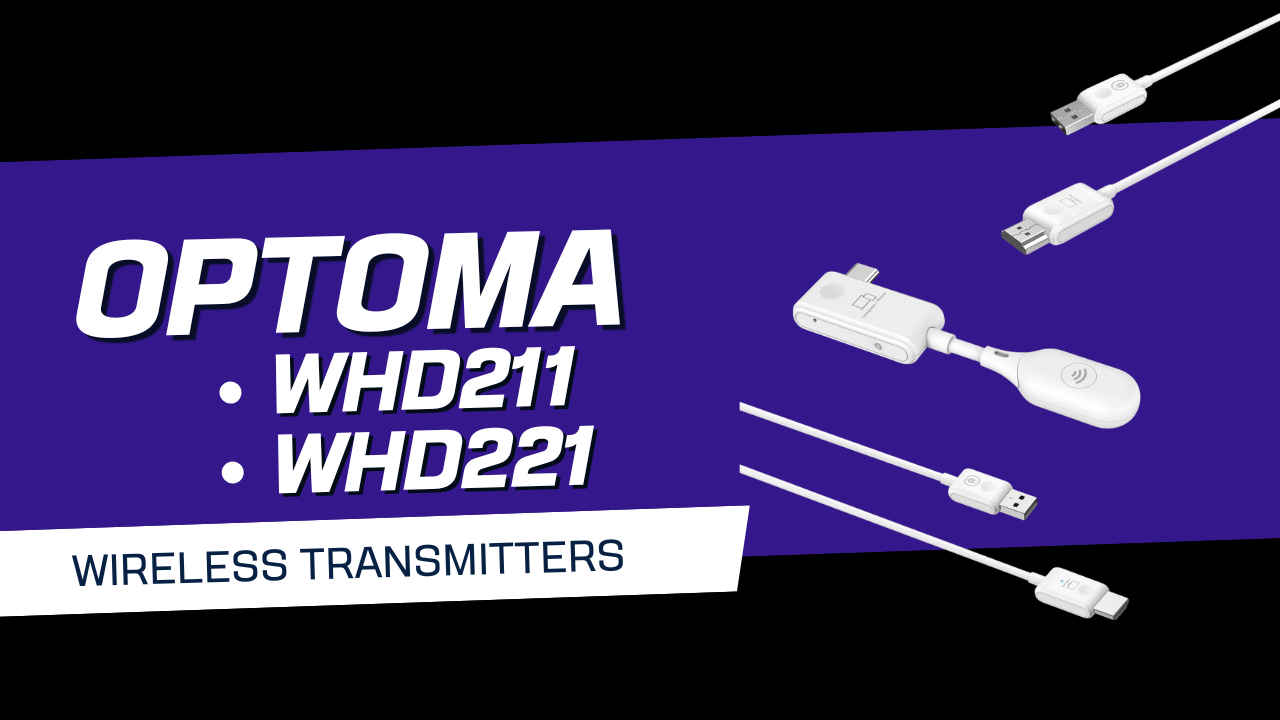

There are two versions of “wireless presenting” that people end up remembering. One is the dream: walk in, plug something tiny into a laptop, and the display lights up instantly. The other is the familiar slow-motion scramble, where everyone watches a projector splash screen while you wrestle with Wi-Fi, permissions, captive portals, and that one device that refuses to cooperate until you restart it and pretend you’re not annoyed.
 Survey
Optoma’s WHD211 and WHD221, launched in India in January 2026, are built for the dream scenario. They’re not trying to be a smart, networked casting platform. They’re trying to be the HDMI cable, minus the physical cable. That shapes everything about the experience i.e. plug-and-play setup, a dedicated peer-to-peer wireless link, and a clear focus on meeting rooms, classrooms, and flexible spaces where the display is shared, presenters change, and the network is often off-limits to guests.
The WHD211 is the HDMI-first kit. Its transmitter takes one HDMI input and USB-A for power. The receiver outputs HDMI to a TV, monitor, or projector, and also takes USB-A power. It’s the natural choice for anything that already speaks HDMI: laptops with HDMI ports, desktops, cameras, set-top boxes, Blu-ray players, and consoles.
The WHD221 is USB-C-first. Its transmitter plugs into USB-C and the receiver again outputs HDMI, with USB-A used for power. Optoma’s compatibility list for the WHD221 is broad (Windows, macOS, Linux, iOS, Android), which matters because the “presenter” in 2026 is just as likely to show up with a phone, tablet, or a thin-and-light laptop with no full-size HDMI port.
Both devices share the same core constraints and strengths: a 5 GHz IEEE 802.11n link, up to 20 m of claimed range, up to 1080p output, and roughly 50 to 60 ms of latency. They’re compact and light enough to treat as “throw it in the bag” kit, not something you permanently install and forget.
The appeal: no network, no software, no ceremony
The most important design choice here is also the simplest: neither kit depends on your Wi-Fi network. They create a standalone peer-to-peer connection between transmitter and receiver. In a corporate setting, that’s really convenient and it’s guest-friendly. Guest presenters can share content without ever touching the organisation’s network, which can reduce the IT friction and also help with data security. In classrooms and training environments, it avoids the daily reality of congested Wi-Fi, flaky routers, or access points that behave perfectly until the exact moment you need them not to.
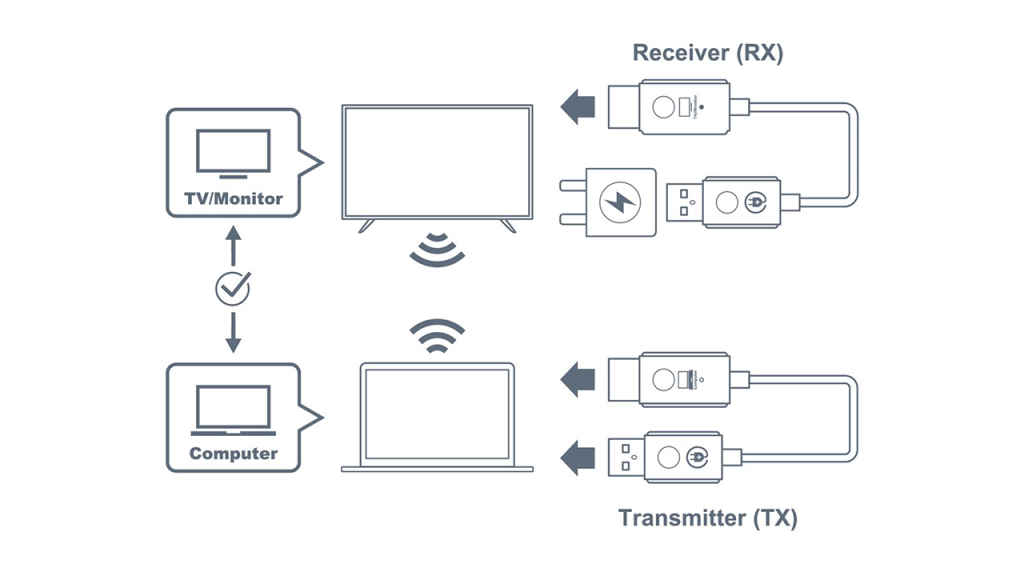
And because there are no drivers or apps involved, setup feels closer to plugging in a cable than “casting”. The receiver shows up to the display as a normal HDMI source, and the transmitter behaves like a simple video output device. That predictability is the entire point.
In shared rooms, the experience stays in rhythm
The first real test was the one that matters most for these products, we set up a shared projector with mixed devices and alternating presenters. A Windows laptop was connected using the WHD211 (HDMI), while a MacBook used the WHD221 (USB-C). The idea was to simulate a typical boardroom flow, switching presenters back and forth without turning the meeting into an AV management exercise.
The projector input switching took virtually no time, and there was no meaningful handoff friction. That’s a deceptively big deal. In many meeting rooms, even if the wireless system is competent, the display itself becomes the bottleneck, either because it takes ages to swap sources or because it gets confused about resolution and refresh rates. Here, the basic “switch HDMI input and go” rhythm stayed intact.
That’s also where the Optoma approach makes sense. By keeping the receiver as a simple HDMI source, you’re relying on mature behaviour from displays, not asking them to play nicely with a more complex casting stack.
Range and reliability
Optoma claims up to 20 metres, but the more honest question is: does it stay stable at the distances people actually use in meeting rooms? Testing in a larger conference-style space showed flawless connectivity at 10 metres, which is the more realistic metric for many boardrooms and classrooms. People moving around, pillars, glass, and general human chaos can wreck weaker wireless links, but at this distance the connection held up without visible drops.
That’s also why the “up to 20 m” claim is best read as a ceiling, not a promise you should design around. In most professional environments, stability at 6 to 10 metres is the real win.
Video playback and latency
Optoma quotes 50 to 60 ms of latency, which sounds like something you might notice. In practice, what matters is whether it shows up as lip-sync issues, weird audio delays, or motion that feels slightly disconnected. Playing fast-paced YouTube content and live sports, then comparing it side-by-side with a direct HDMI cable feed, the experience held up surprisingly well. There was no noticeable difference in audio/video sync, and motion looked natural enough that the wireless hop wasn’t drawing attention to itself.
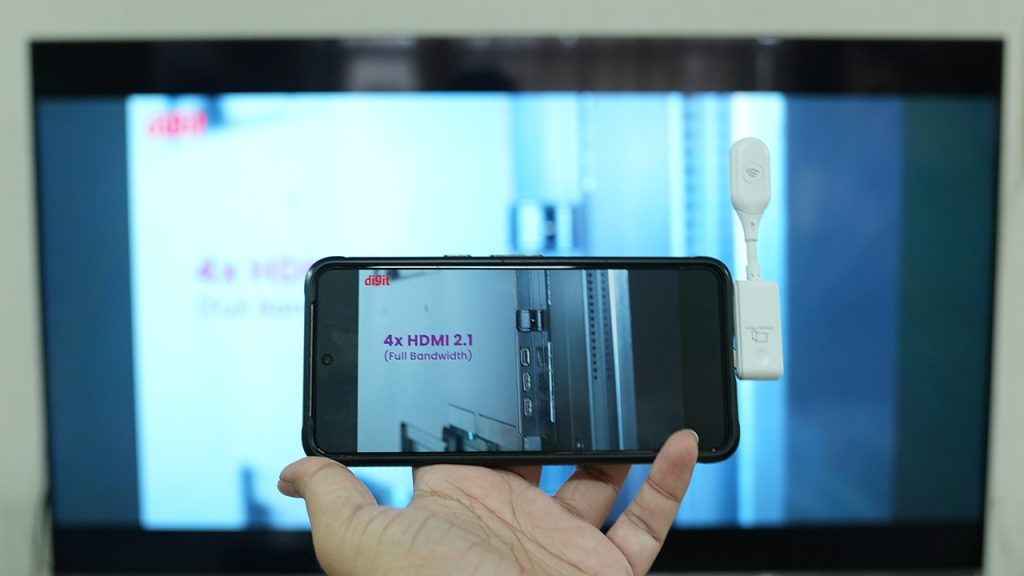
That’s a strong outcome for the primary use cases where presentations that include video clips, training material, and general “play this content on the big screen” workflows. It suggests the system is consistent, and consistency is half the battle. A steady, predictable latency is easier to live with than a link that occasionally stutters or spikes. Most situations where you experience audio-video desync is where the audio system has too many hops before the signal gets to the speakers. And every hop contributes a bit of latency. Thankfully, the Optoma WHD211 and WHD221 barely add to the feed latency.
Mobile mirroring and casual gaming
The WHD221’s USB-C transmitter is where things get interesting for modern workflows. Mirroring from an Android phone and an iPhone to a large TV felt fluid for everyday tasks such as navigating apps, flipping through photos, and playing short clips. The slight caveat is refresh-rate expectations. Phones have become so snappy, often with 120 Hz panels and extremely low touch response times, that even a well-behaved 50 to 60 ms wireless link can feel a little less immediate if you’re doing lots of rapid scrolling and gestures. It’s not “laggy”, it’s just not as sharp as the phone’s own screen. For demos, showing content to a room, or casual media, that trade-off is easy to accept.
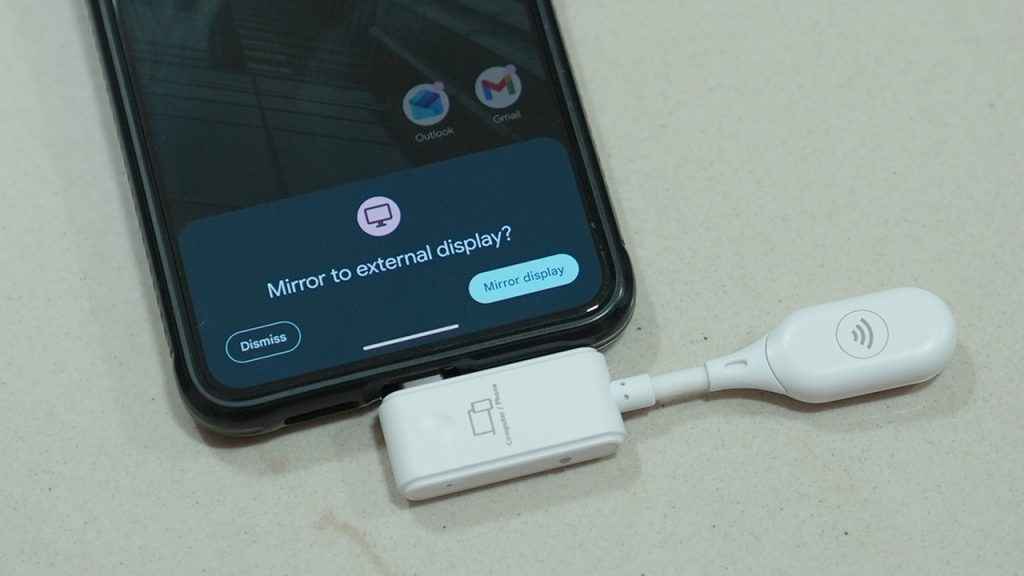
Gaming is also more nuanced than a simple yes or no. Using a Sony PS5 through the WHD211 at around six metres away, gameplay felt normal, which is reassuring for living-room use and casual sessions. Mobile game streaming, however, can feel odd depending on the game. Many mobile titles are designed around the phone being both the input surface and the feedback surface, with visual cues aligning closely to where you’re tapping. If you stop looking at the phone and focus only on the TV, that mapping can feel jarring for some people. It’s not a universal issue, but it’s real enough to mention because it can surprise users who assume “mirroring” automatically means “play comfortably on the big screen”.
Home entertainment
One of the most tempting ideas with these kits is multi-room use, putting the source in one room and the display in another, avoiding a long cable run. In testing across rooms (including through a wall), streaming movies and presentations worked.
But this is where the limits of wireless video show up more clearly i.e. compression. Movies, in particular, are best experienced with a direct feed, because the wireless stream’s compression can shave off fine detail and subtle texture, especially on a large TV where you’re more likely to notice artefacts in darker scenes or high-motion sequences.
That doesn’t make the product “bad at home”, it just places it properly. If the priority is convenience, occasional use, and avoiding cable mess, it does the job. If the priority is picture purity, a cable still wins, and the difference can be visible.
Stability over time and temperatures
Over a continuous two-hour run, streaming remained stable with no notable drops or quality degradation. That’s important because typically these dongle-style devices can look perfect for 15 minutes and then fall apart in long sessions due to heat or link instability. In the case of the Optoma WHD211 and WHD221, heat did show up, specifically on the WHD221 transmitter. After extended use, it reached roughly 48 to 50 degrees Celsius, enough that touching it became uncomfortable. In many meeting room setups, that won’t matter because the transmitter sits plugged in and untouched behind a laptop. In situations where devices are frequently swapped or unplugged by hand, it’s something teams will notice.
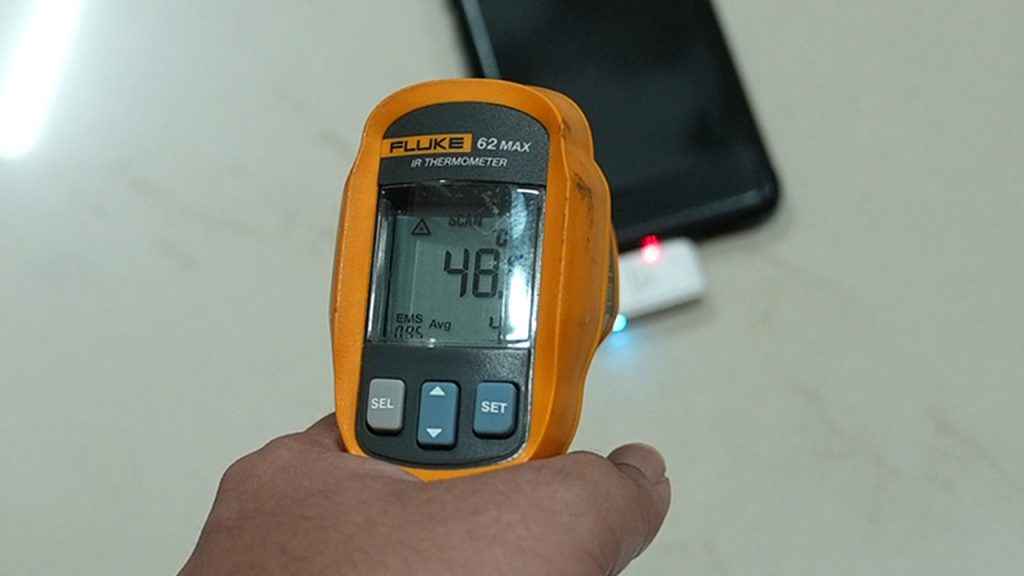
It’s not a deal-breaker, but it does suggest a simple rule – give it a bit of breathing space, and don’t treat it like a “hot swap every two minutes” accessory if you can avoid it.
Where these make sense, and where they don’t
Across a Windows 11 laptop, a MacBook, an iPad Pro, a Samsung Galaxy Tab, and an Android phone, the WHD221 worked reliably. That reliability is arguably the product’s most valuable trait in the real world, because mixed-device rooms are where many wireless display solutions fall apart.
If you manage meeting spaces, training rooms, or collaborative classrooms, the WHD221’s ability to take USB-C sources across ecosystems makes it the more future-facing option, especially as more laptops ditch full-size HDMI ports. After running both kits through typical office, mobile, gaming, and home scenarios, a clear pattern emerges.
In professional spaces, especially where guests present and network access is sensitive, the WHD211 and WHD221 feel like a practical upgrade over cable chaos. They keep meetings moving, avoid Wi-Fi drama, and reduce the rituals around “getting on the screen”. For classrooms and training rooms, the same logic applies, simplicity beats cleverness.
At home, they’re useful as convenience tools, not as uncompromising AV upgrades. They can bridge rooms and reduce clutter, but you’ll sometimes see the cost of wireless compression in movie content.
For gaming, they’re fine for casual play and controller-based console sessions at typical room distances. The mirroring experience from phones depends heavily on the game and how comfortable you are shifting your attention away from the phone’s screen.
Optoma WHD211 and WHD221: Cable replacements with sensible trade-offs
The Optoma WHD211 and WHD221 succeed because they avoid the traps that make wireless display feel unreliable. No software, no drivers, no network dependency, just a direct link that behaves like a cable more often than not. In meeting rooms and classrooms, that’s exactly what you want, and in practical testing the kits delivered quick starts, smooth switching, stable connections at realistic distances, and video playback that stayed convincingly in sync.
The WHD221 stands out for modern device mixes thanks to USB-C and strong cross-platform compatibility, while the WHD211 remains the straightforward choice for HDMI-native sources like consoles and set-top boxes. The main caveats are predictable: compression can soften movie detail compared to a direct feed, and the WHD221 transmitter can get uncomfortably warm in long sessions. Considering the fact that these solutions used to be super expensive, it’s good to see more economic alternatives entering the market. Barco’s Clickshare series are traditionally used for similar applications and those things cost well over a lakh. Whereas, these come in at INR 10,900 and 12,500 for the WHD211 and WHD221, respectively. At CES this year, we saw similar launches such as the Belkin ConnectAir. So expect the market to see more such devices.
Taken as they are, portable, plug-and-play tools for getting content onto a bigger screen without touching the Wi-Fi, these dongles make a strong case. They don’t kill the HDMI cable entirely, but they do make it feel optional in a lot more places.


