
How to detect bias in ChatGPT output in 3 easy ways
 Follow Us
ChatGPT answers can miss important context, making responses look complete but actually leaving out key details.
Some responses show only one side of a topic, so asking for the opposite view helps reveal the full picture.
The tone and wording can hint at bias, especially when the language sounds too certain or pushes a clear conclusion.

Millions of people rely on ChatGPT on a daily basis, whether it be for research or for instant answers. However, the question that remains is, can we truly trust its objectivity? While AI can generate quick and polished answers, at times it holds on to hidden biases. It can show up in different ways, like leaving out important details or using certain words to present an idea in a particular way. Because these biases are not obvious, they can slowly influence how you think without you realising it. If you know what to look for, you can spot this influence. In this article I’ll walk you through three simple signs that can help you tell if a response is biased or trying to push you toward a certain point of view.
 Survey
1. Missing context in the response
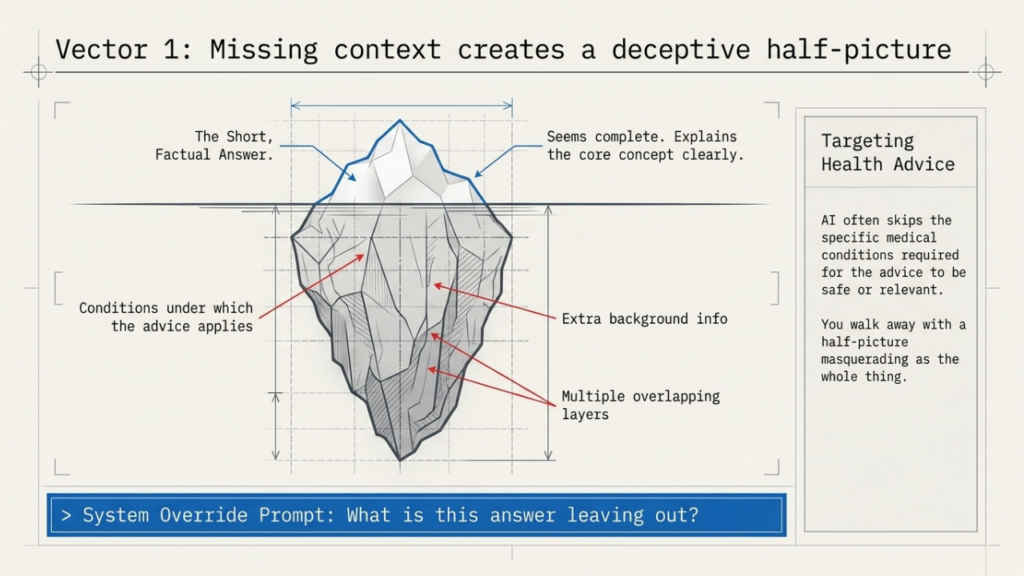
One common sign of bias in ChatGPT answers is the missing context in its responses. When you ask the AI tool a question, the response may seem complete at first. However, once you inspect it closely, you may find that the AI tool left out important details from it.
With the answer being short on facts, it becomes misleading. This usually happens when a topic has many sides or needs extra background information that wasn’t included in the question.
You can see this trend with topics that have multiple layers, and one good example of it is the health advice. ChatGPT might explain something clearly but skip over the conditions under which that advice actually applies. If you read it without questioning it, you might walk away with a half-picture that feels like the whole thing.
What helped me was getting into the habit of asking a simple follow-up question after every response: what is this answer leaving out? Comparing the response with one or two other sources also helps a lot. If the AI’s answer feels too smooth or too general, that is usually a sign worth paying attention to.
2. One-sided perspectives
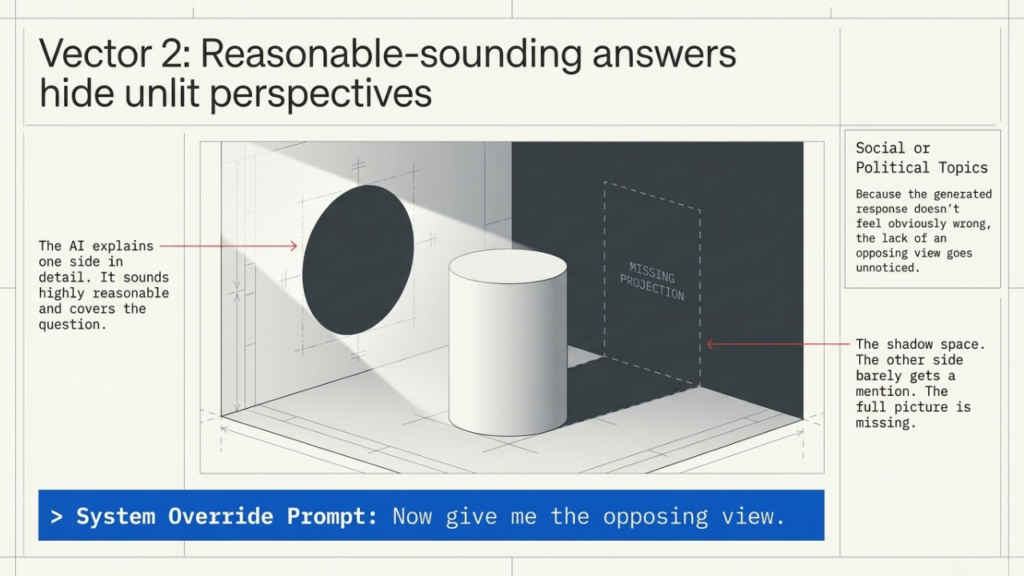
This one took me a while to notice because one-sided answers do not always feel one-sided at first. The response sounds reasonable, covers the question, and moves on. But when you look closely, only one point of view was actually represented.
I saw this most often with social or political topics. The AI would explain one side in detail while the other side barely got a mention. Nothing about the response felt obviously wrong, but the full picture was missing.
The easiest fix I found was to directly ask for the other side. Something like ‘now give me the opposing view’ usually changes the response completely. Doing this a few times shows you just how much the first answer was leaving out, and it builds a habit of not accepting the first response as the final word.
3. Tone and language used
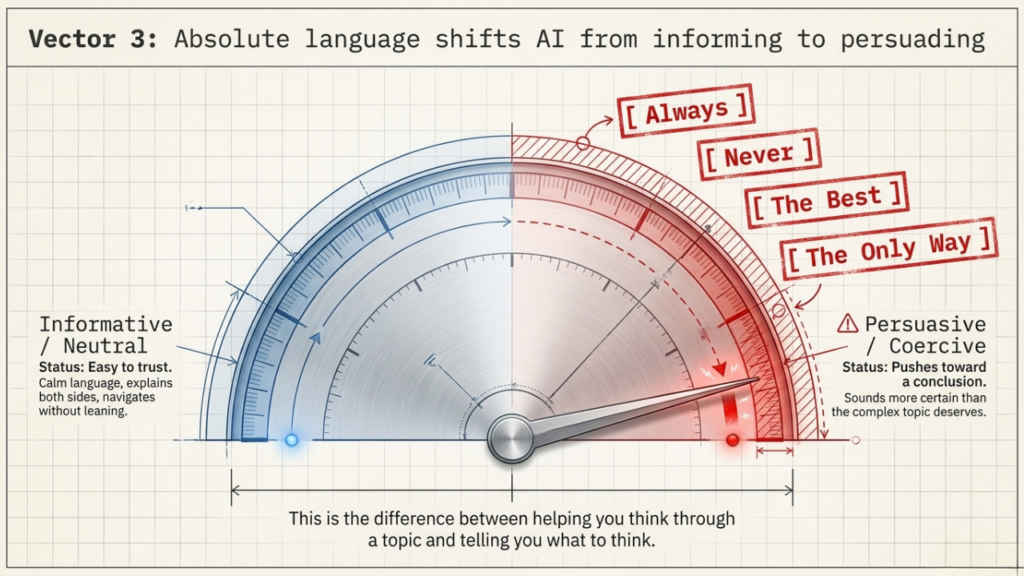
This is the subtlest sign of bias but also one of the most telling once you start noticing it. Some ChatGPT responses use language that sounds more certain than the topic deserves. Words like ‘always’, ‘never’, ‘the best’, or ‘the only way’ show up in answers where the reality is actually much more complicated.
I started paying attention to this after reading a response that felt slightly off. The content was fine, but the tone was pushing me toward a conclusion rather than helping me think through the topic. That is the difference between a response that informs and one that persuades.
Calm, neutral language is usually a good sign. If a response explains both sides without leaning too hard in one direction, it is easier to trust. Developing an eye for tone does not take long, and once you have it, it becomes a useful habit well beyond just using AI tools.


