
Google Antigravity IDE explained: Free tool for code development
 Follow Us
Google Antigravity brings free agentic coding with autonomous Gemini 3 tools
New IDE uses AI agents to plan, execute and document tasks
Developers gain faster workflow through transparent, multi-surface AI code automation

If you’ve been following the rapid evolution of AI-assisted coding tools, you’ve probably noticed something: every company is trying to build the “next big step” in how developers write software. But Google’s new Antigravity platform isn’t just another AI autocomplete or chatbot sitting inside your editor. It’s something more ambitious, a full agent-based development environment that tries to blend the feel of a traditional IDE with the power of autonomous AI systems that can plan, execute, and explain their work.
 Survey
Launched alongside Gemini 3, Antigravity is Google’s attempt to answer a question that has been hanging over the industry for the last two years: what happens when coding moves from “assistants” to “agents”?
And the answer, according to Google, is a lot more speed, a lot more transparency, and a workflow that looks very different from anything developers are used to.
Also read: Elon Musk laughs at Jeff Bezos copying his AI idea: Here’s what happened
So what exactly is Google Antigravity?
At its core, Antigravity is an agentic development platform. Think of it as a place where you’re the architect, and a set of AI agents act as your engineering team. Instead of prompting a chatbot to fix a bug or generate a function, you assign tasks to agents that can operate across three surfaces:
- the editor
- the terminal
- the browser
This is the first major shift. Most AI coding tools stay inside the editor. Antigravity treats your entire workflow as one integrated environment, meaning an agent can research in the browser, generate code in the editor, run tests or commands in the terminal, and then report back with an organized trail of what it did.
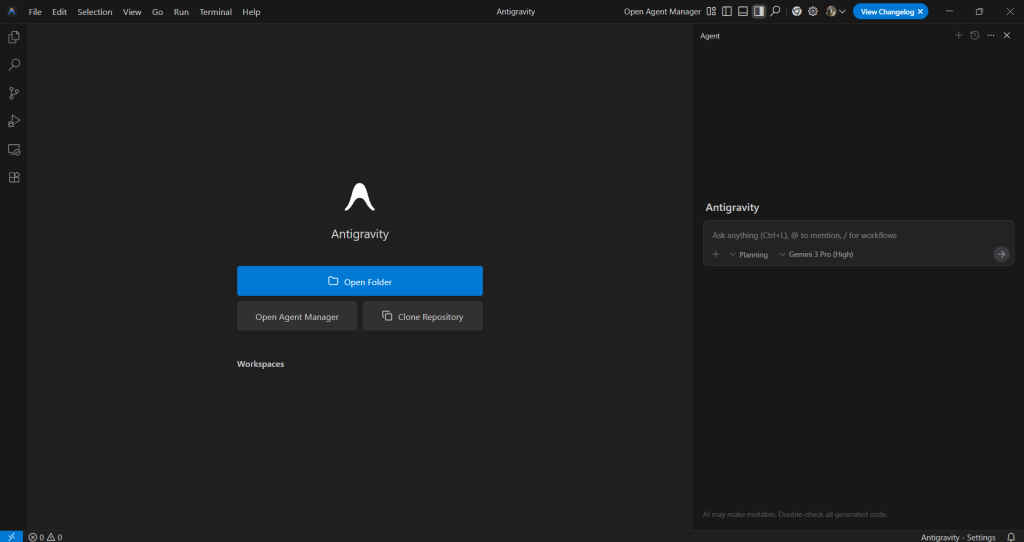
Google describes it as giving developers a “higher, task-oriented level” to work at, less typing, more directing.
The big idea: autonomy with accountability
Autonomous agents sound powerful, but also scary. Nobody wants an AI clicking around their files without supervision. That’s why the system is built around artifacts, detailed records of each step an agent takes. These can be:
- plans
- task breakdowns
- code diffs
- browser screenshots
- terminal logs
- research summaries
Also read: Cloudflare denies cyberattack, says this glitch caused massive outage
Instead of being a black box, Antigravity forces agents to show their work. You can audit every decision, refine the plan, or stop the agent in real time. For developers, that transparency is essential, it keeps trust intact while still letting the AI do the heavy lifting.
What can you actually do with it?
Google is pitching Antigravity as a tool that can speed up almost every part of the development lifecycle. The platform can:
- build new features end-to-end
- iterate on UI or frontend components
- fix bugs by running local investigations
- research libraries, methods, or patterns in the browser
- generate reports or documentation automatically
The goal isn’t to replace the human developer, it’s to elevate your role into something closer to a project lead. You still make decisions, but you don’t manually grind through every step.
Imagine kicking off a task like:
“Create a responsive dashboard UI, wire it to this API, test it locally, and document the architecture.”
An agent could break this into steps, execute them one by one, give you records, and ask for approvals when needed.
That’s the workflow Antigravity is designed for.
The familiar IDE experience stays – by design
Even though the platform is built around agents, Google intentionally kept a traditional IDE layout at its core. So if you’re comfortable with VS Code-style development, Antigravity won’t feel alien. But layered on top of it is a “Manager” view, almost like mission control, where you oversee agents, check their artifacts, and track progress across tasks.
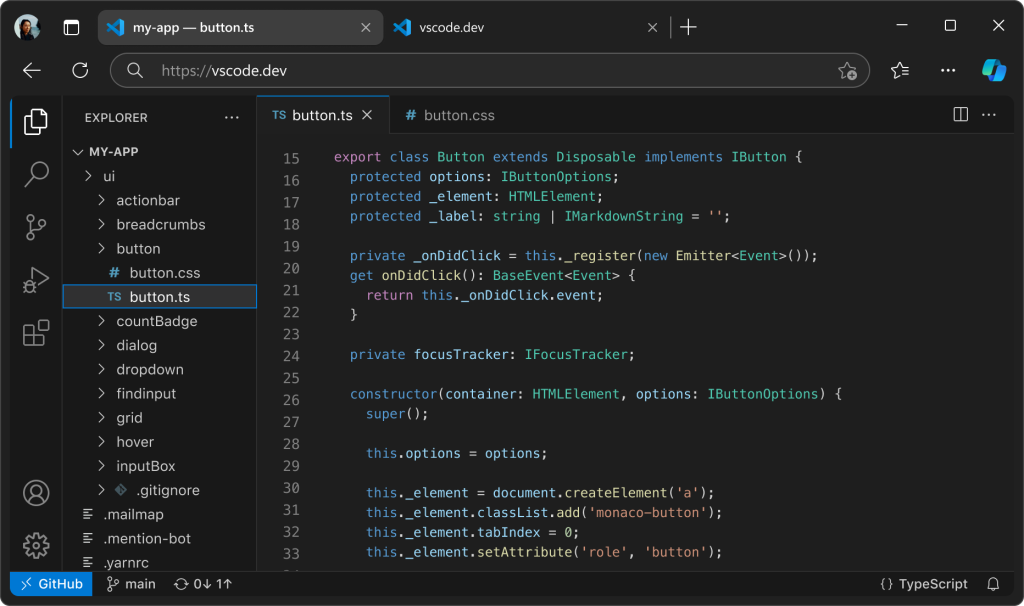
It’s a dual-mode setup: familiar editor, new agent layer.
One of the biggest surprises is that Google has made the Antigravity public preview completely free, with no usage fees and access to Gemini 3 Pro built in. Developers on macOS, Windows, and Linux can download it directly and start experimenting with fully autonomous workflows.
It’s a bold distribution strategy, especially with competitors tying their agentic tools behind paid plans or API credits.
We’re at the stage where coding is shifting from generation to coordination. Instead of telling an AI to produce a function, developers will soon be guiding entire workflows. Antigravity is Google’s attempt to show what that future looks like: autonomous agents, transparent artifacts, and a development environment where the human focuses on architecture while the AI handles execution.
Also read: Gemini 3 vs Gemini 2.5: A Complete Breakdown of Google’s Next-Gen Upgrade


