
5 Must-try features from the Windows 11 October 2025 update
 Follow Us
ChatGPT said: Windows 11 October 2025 update brings powerful AI and stability
Hey Copilot and Gaming Copilot help in productivity and in-game strategy
Taskbar speed, clipboard search, and shutdown fixes boost efficiency

The Windows 11 October 2025 update is a significant moment for the operating system. For years, users have tolerated small but irritating failures – from a lagging Taskbar to the infamous “Update and Shutdown” betrayal. This update finally cleans up those messes while simultaneously injecting deep, genuinely useful AI across the system. It’s a compelling blend of stability fixes and productivity tools that make Windows feel polished.
 Survey
Also read: ISRO’s ‘Bahubali’ LVM3 rocket and GSAT-7R ‘heaviest’ satellite explained
The ‘Seriously, shut down’ fix
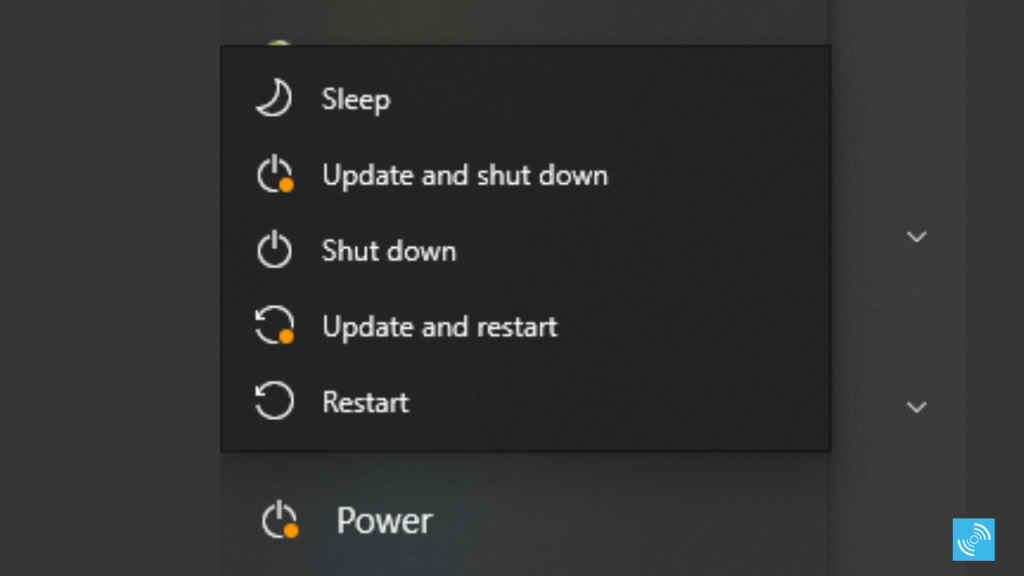
How many times have you clicked “Update and Shut Down” before going to bed, only to wake up hours later to your laptop screen lit up and staring at you? This was caused by a long-standing bug, likely a race condition within the Windows Servicing Stack, where the command to shut down was lost or overridden during the offline update phase. The fix involves a refined process within the Servicing Stack that ensures the final shutdown instruction is fully preserved and executed after all pending updates are applied, guaranteeing the system powers off.
Hey Copilot: Your PC’s new agent
How it works: This is the flagship AI feature, evolving the assistant through Natural Language Understanding (NLU) and deep integration with the Microsoft Graph. When you activate it using a voice command, “Hey Copilot,” it leverages your work data from Outlook and your calendar (with your permission) to become a true agent. For example, if you ask it to “draft an email summarizing the last client meeting and add a placeholder to my calendar,” Copilot is using NLU to parse your complex request, querying the Microsoft Graph for the relevant email data, generating the draft using its language model, and then executing the scheduling action directly within Outlook. It moves beyond simple search to actual, multi-step task automation.
Gaming copilot: Real-time strategic support
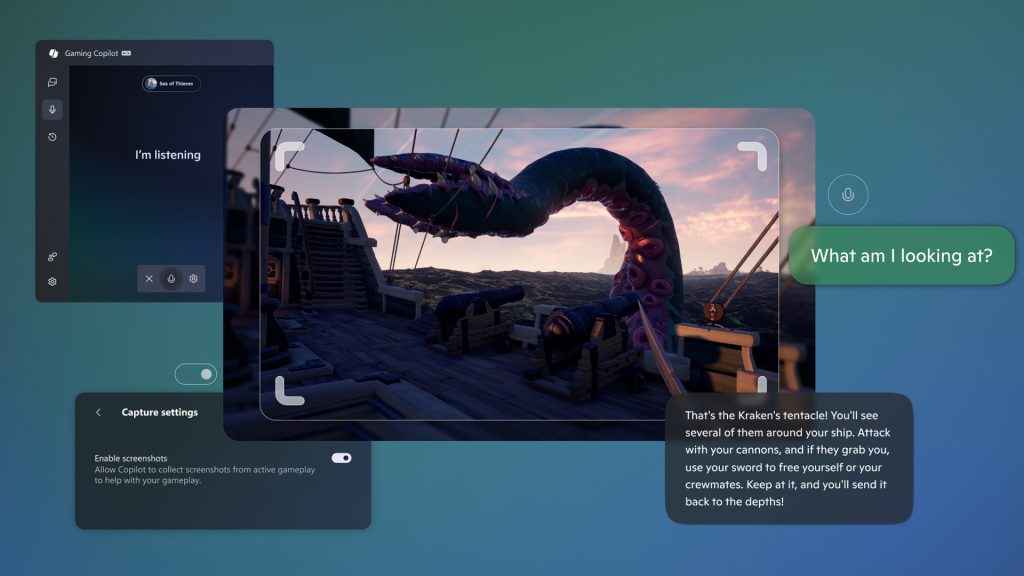
This dedicated AI assistant is integrated directly into the Xbox Game Bar as a widget. How it provides in-game support is through visual analysis: when you invoke the feature (often using a voice command), Gaming Copilot takes a real-time screenshot of your gameplay or accesses the live screen data. It then uses computer vision and object recognition to identify what is on your screen – a specific boss, a puzzle configuration, or an enemy team composition. You can ask, “How do I defeat this boss?” and Copilot uses the context of the image it just captured, cross-references it with game knowledge, and returns relevant, non-interruptive tips and strategy guidance through the Game Bar overlay. This eliminates the need to Alt-Tab or use a second device.
Also read: India to get its Truecaller like called ID system CNAP: What is it and how it works
Copy and search integration
This is a subtle change that significantly streamlines the research loop. How it works: When you highlight and copy text from any application, a dedicated Windows clipboard monitor instantly registers the action. Instead of waiting for you to manually click the search box and paste, this feature introduces a “paste gleam” icon or an automatic prompt labelled “Search copied text” directly in the Taskbar search field. This highly efficient mechanism saves two steps: manual pasting and hitting Enter, turning a three-step copy-paste-search process into a highly visible, one-click instant query.
Taskbar performance enhancement
The frustration of waiting for your Taskbar to fully load or respond after waking your PC is a relic of older operating system behavior. How the fix works: This update involves optimizing the core loading processes and dependencies that power the Taskbar and desktop shell. By streamlining the sequence in which the Taskbar’s elements, such as system tray icons and application links, are initialized, the system significantly reduces bottlenecks, resulting in a noticeably faster, smoother, and more polished experience upon sign-in or resuming from sleep.
Whether you’re a professional leveraging the NLU power of Hey Copilot for instant task automation, a dedicated gamer benefiting from Gaming Copilot’s real-time visual analysis, or simply someone grateful for the stable, efficient core improvements, this release marks a fundamental improvement to the Windows 11 experience. By blending foundational stability with sophisticated, deeply integrated AI, Microsoft is making a strong case for its operating system as a truly intelligent partner in your digital life.


