Budget wireless mechanical keyboard with hot-swap and tri-mode connectivity
EvoFox Katana S Mini review: compact, lag-free, and customizable
A mechanical keyboard under ₹2500 with an over 15-day battery life
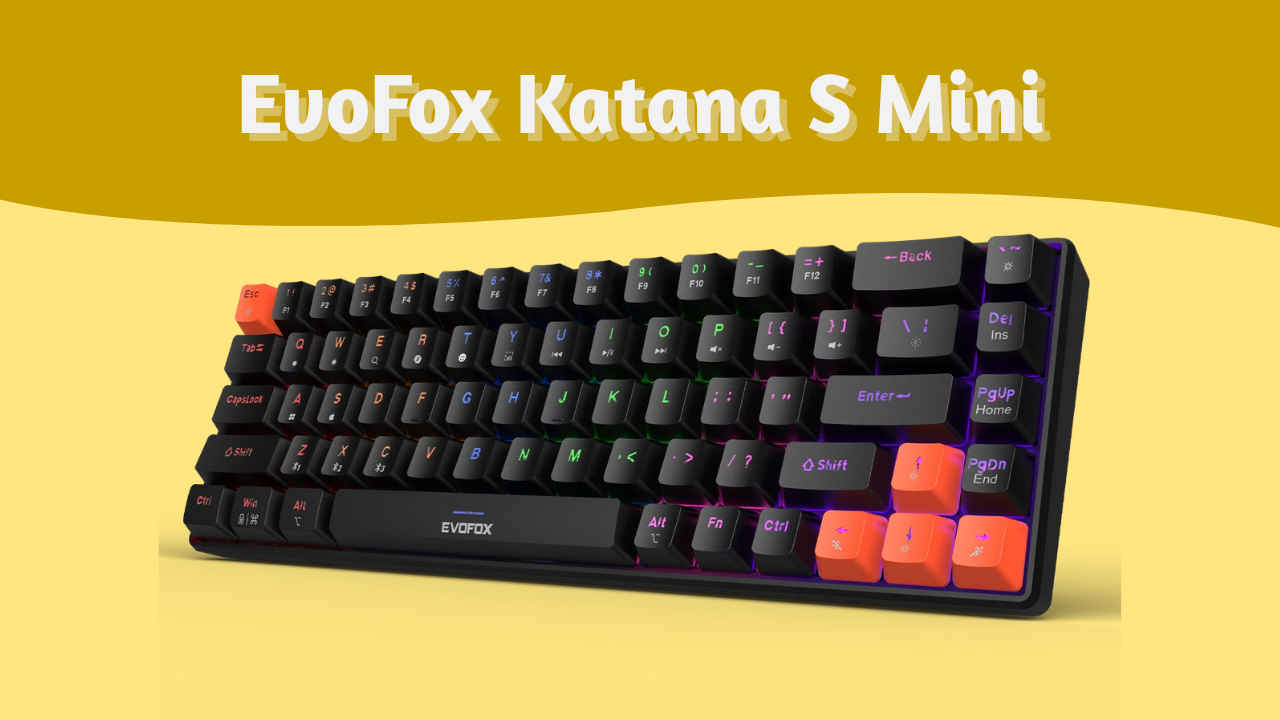
Budget mechanical keyboards have become a bit of a rabbit hole for me. Every few months, I stumble across one that promises the world at a rock-bottom price. For around ₹2,400, the EvoFox Katana S Mini promises a compact form factor, wireless connectivity, and even hot-swappable switches. On paper, that’s a dream combo for anyone who wants to dip into mechanical keyboards without emptying their wallet.
 Survey
But paper specs don’t tell the full story. After using it as my daily keyboard for about a month, here’s what stood out – both good and bad.


At this price point, I expected the bare minimum – a keyboard, a cable, and a dongle. But the Katana S Mini came with a few nice surprises. Inside the box, I found:
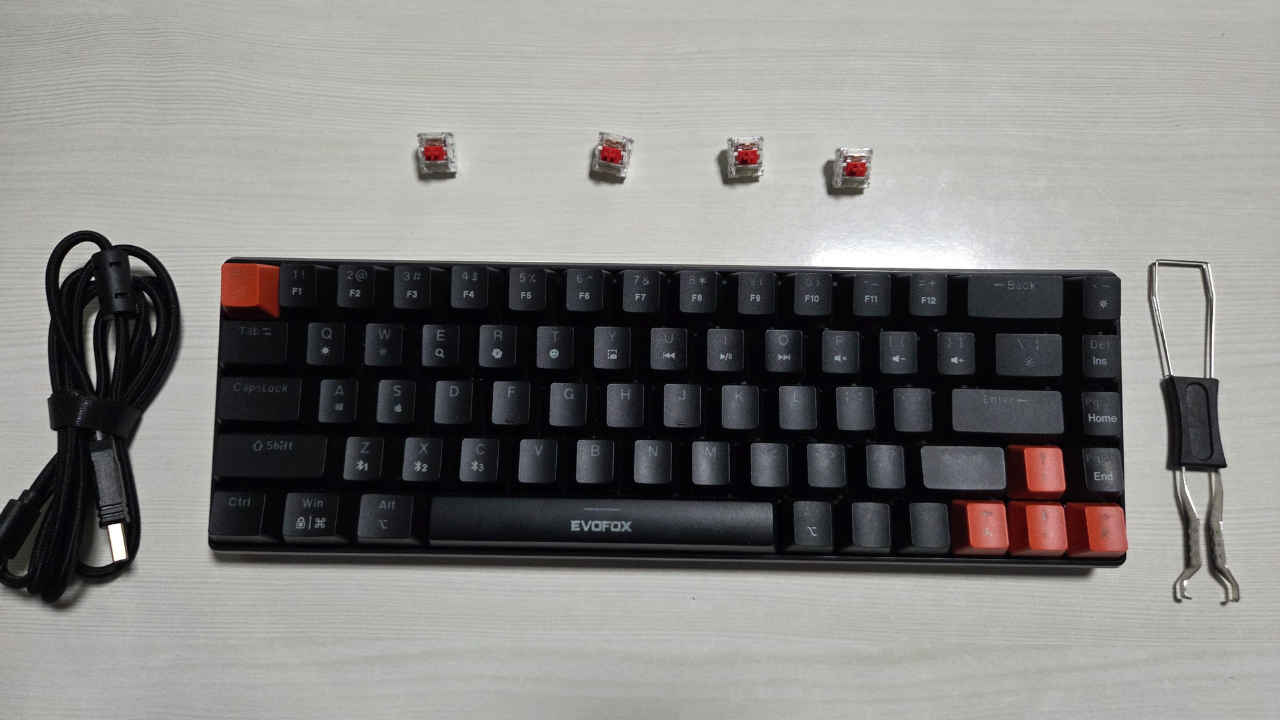
- The keyboard itself
- A 2.4GHz wireless dongle
- A braided Type-C cable for charging or wired use
- A combined keycap/switch puller tool
- Four extra Jixian Red switches
It’s a simple bundle, but the inclusion of the tool and spare switches is refreshing in this price range.
Also read: Best thin and light gaming laptops in 2025 from MSI, Asus, and Lenovo
Build & Design: Light but not flimsy
You can tell immediately that this is a budget board. The case is made entirely from ABS plastic, and while it doesn’t flex much, it does sound a little hollow. Still, it doesn’t feel fragile. It’s lightweight and portable, which works well if you move between setups or just want a clean desk layout.
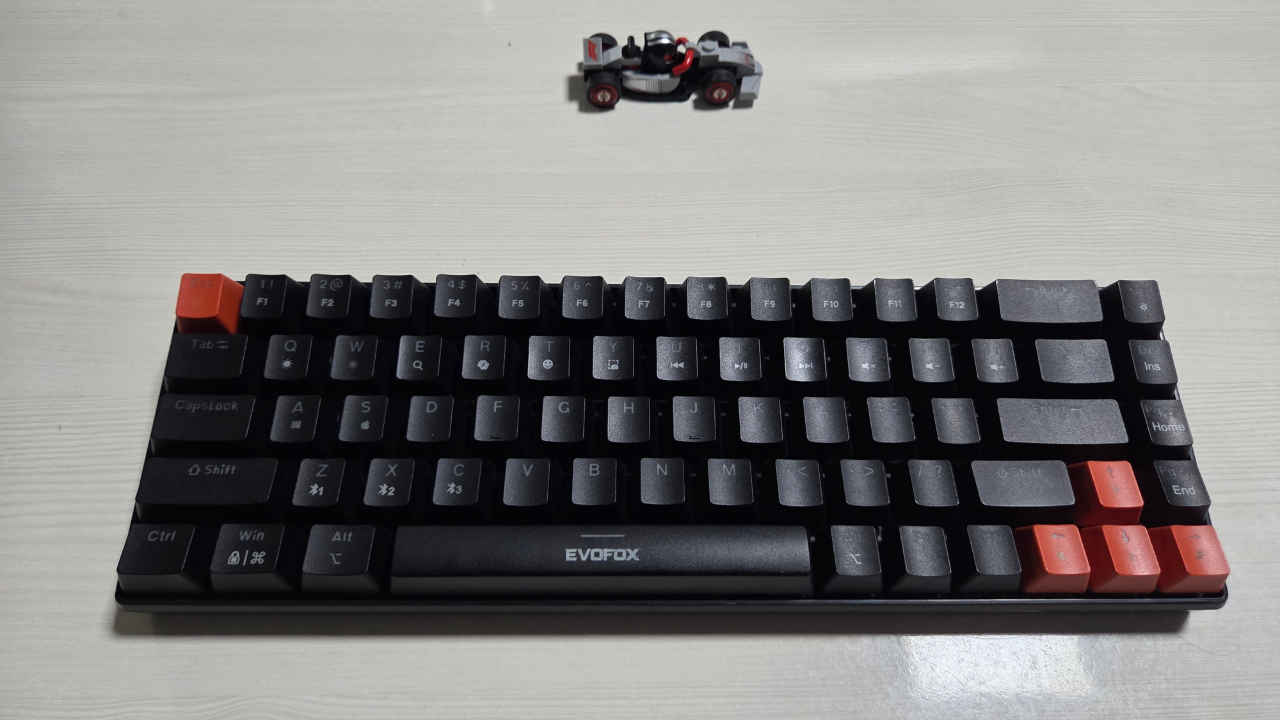
The board uses a 65% layout (68 keys so you keep the arrow keys and a few navigation buttons, but it leaves plenty of space for your mouse. The only real downside here is the lack of adjustable feet. You’re stuck with the built-in typing angle. I got used to it after a day, but if you prefer steeper angles, you’ll probably miss that flexibility.
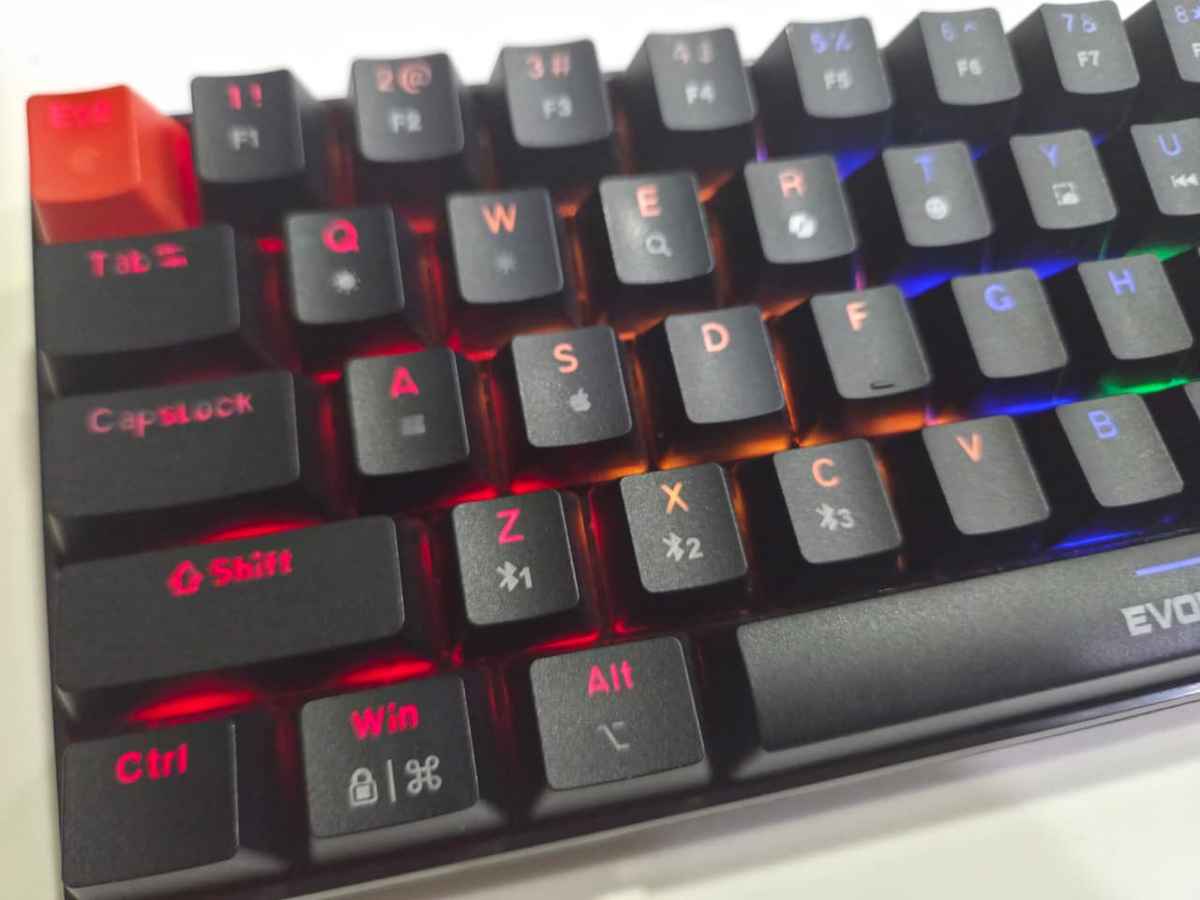
The keycaps are where the “budget” label shows the most. They’re thin and made of standard ABS plastic. They sound a bit hollow when you bottom out and don’t feel as premium. The legends are clear, but the secondary functions – like media controls or Bluetooth switching that are printed on the keycaps don’t light up, which makes them difficult to see in dim rooms.
As for the lighting, it’s not true RGB. The Katana S Mini has rainbow backlighting, meaning you get preset colour zones rather than full per-key control. You can switch between different effects and speeds using onboard shortcuts, but there’s no software or customization. Still, it looks decent on a desk, especially considering the price.
Typing feel: Smooth, fast, and surprisingly satisfying
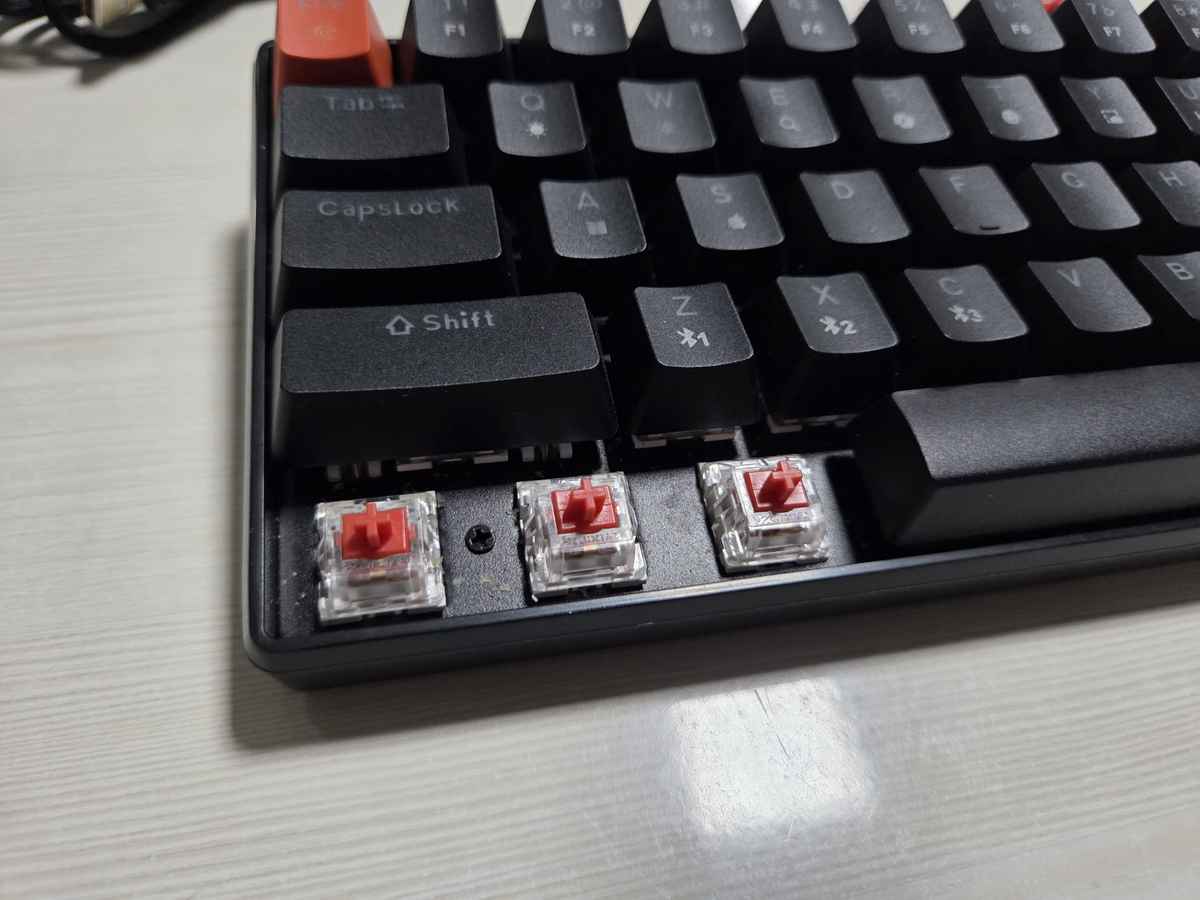
The keyboard uses Jixian Red switches, which are clones of the popular Cherry MX Reds. They’re linear, which means there’s no tactile bump – just a smooth press from top to bottom. I actually liked them more than I expected to. They’re light enough for fast typing but not so sensitive that you’ll make accidental presses.
They do have a slightly “scratchy” feel compared to genuine Cherry or Gateron switches, and the sound profile is on the louder side, especially on the thinner keycaps. But for a keyboard that costs less than most switch sets alone, I was impressed.
The best part, though, is that the PCB is hot-swappable. It supports 3-pin switches, so you can pull out any switch with the included tool and replace it without soldering. That gives this keyboard real longevity – you can experiment with quieter linears or tactile browns later without buying an entirely new board.
Performance and responsiveness
Performance is where the Katana S Mini really over-delivers. In wired or 2.4GHz wireless mode, it runs at a 1000Hz polling rate, which means the board sends a signal every millisecond.
I tested it in gaming sessions and while typing documents, and the response time felt immediate. In wired and 2.4GHz modes, I measured around 5–10 milliseconds of input delay, which is effectively unnoticeable. Bluetooth mode, as expected, has more lag, but it’s perfectly fine for mobile use or typing on a tablet.
Ghosting wasn’t an issue either. It has full N-key rollover, meaning you can press as many keys as you want, and they’ll all register correctly. That’s something even mid-range boards sometimes struggle with, so kudos for getting that right.
Connectivity & Battery Life
The Tri-Mode connectivity is one of the Katana’s biggest selling points. You can connect it three ways:
Also read: Shokz OpenRun Pro 2 review: The headset for hyper-awareness
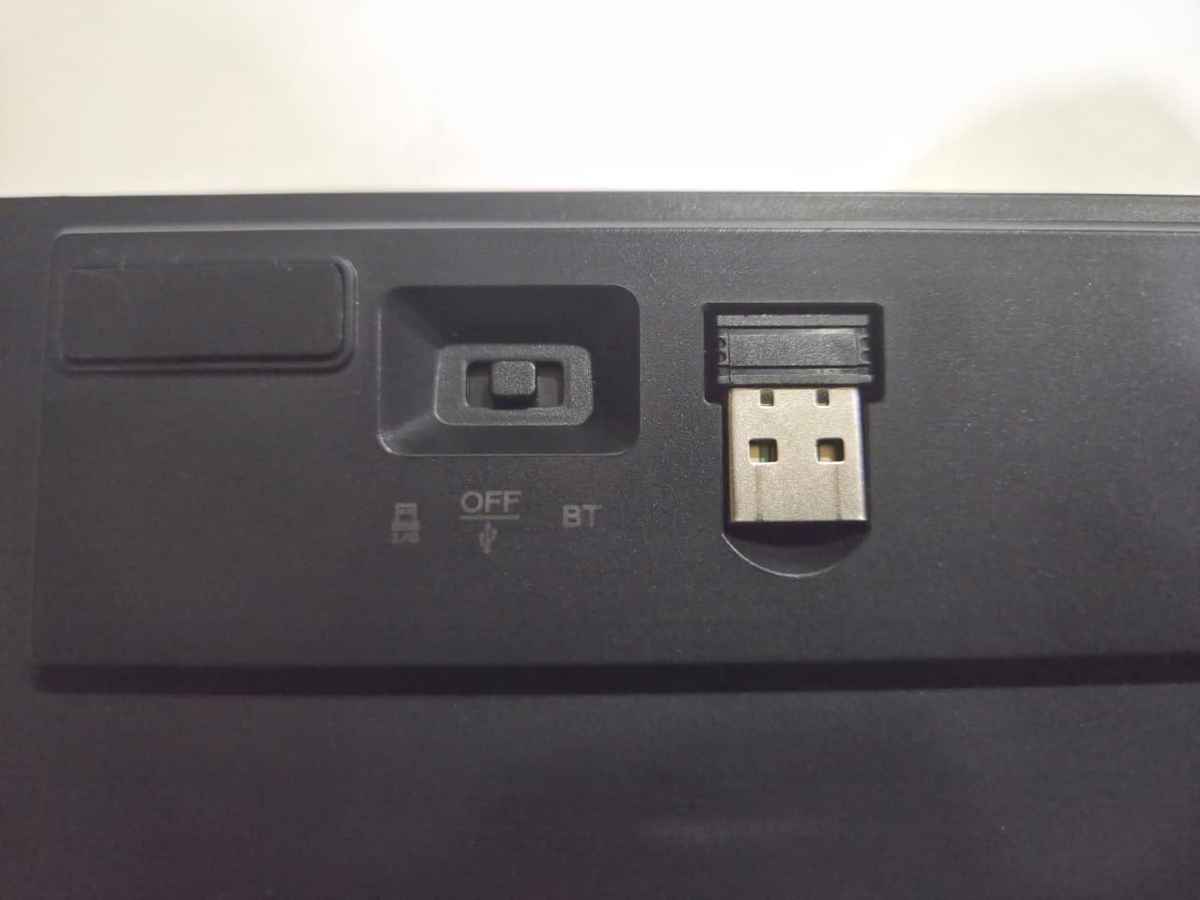
- Wired (USB-C) – zero lag, charges the battery while you type.
- 2.4GHz Dongle – near-wired performance, great for gaming or everyday use.
- Bluetooth – slower response, but ideal for phones or tablets.
Switching between modes is simple once you get the hang of the shortcuts. And what’s even better is that you can pair up to three Bluetooth devices at once and switch between them instantly using Fn + Z / X / C. That means you can have your phone, tablet, and laptop all connected simultaneously, and just jump between them depending on what you’re using. It’s the kind of small convenience that makes a big difference in daily use.
And now, the part that genuinely shocked me: battery life. Even with the backlight always on, the Katana S Mini easily lasted me a little over 15 days of daily use. That’s a level of endurance I didn’t expect from a budget wireless keyboard. When it does run low, you can plug it in and keep using it, so there’s no real downtime.
Gaming experience
For gaming, the Katana S Mini performs far above what its price tag suggests. Using the 2.4GHz dongle, I played a mix of FPS titles and story mode games, and I never felt any perceptible delay. The compact layout gives you extra mouse space, which makes it especially comfortable for shooters or desk setups with limited room.
There’s no dedicated software, so you will need a tool like Powertoys to program macros or remap keys. But honestly, for casual to mid-level gaming, it doesn’t matter. The responsiveness and anti-ghosting are what count, and the Katana handles both effortlessly.
The lightweight frame also makes it great for travel. If you go to LANs or just like moving between setups, it’s easy to toss in a bag without worrying about it taking a beating.
There are flaws, of course. The thin keycaps don’t feel or sound great, the lighting isn’t customizable, and the case has a hollow sound. The lack of adjustable feet is also a strange omission, though you can work around it with a desk mat or a small riser.
Still, none of these are deal-breakers when you consider the price. What you’re getting is a board that nails the fundamentals while leaving room for you to grow into the hobby.
Verdict
After living with the EvoFox Katana S Mini, I can confidently say it’s one of the best entry-level wireless mechanical keyboards I have tried. It’s far from perfect, but it gets the essentials right: responsive performance, tri-mode connectivity, hot-swappability, and a compact footprint.
The compromises – cheap keycaps, average lighting, and a plastic build – are easy to overlook once you start typing on it. The fact that it manages low-latency wireless and a 15-day battery life with lights on is just icing on the cake.
If you’re curious about mechanical keyboards but don’t want to spend ₹6,000 or more, this is a great place to start. You’ll get the feel, the sound, and the customizability that make the hobby addictive – without feeling like you overspent.
The EvoFox Katana S Mini isn’t trying to be premium. It’s just trying to be practical.
Also read: Rotimatic Next review: Can this smart roti maker redefine your kitchen?
 Follow Us
Vyom Ramani
A journalist with a soft spot for tech, games, and things that go beep. While waiting for a delayed metro or rebooting his brain, you’ll find him solving Rubik’s Cubes, bingeing F1, or hunting for the next great snack. View Full Profile


