
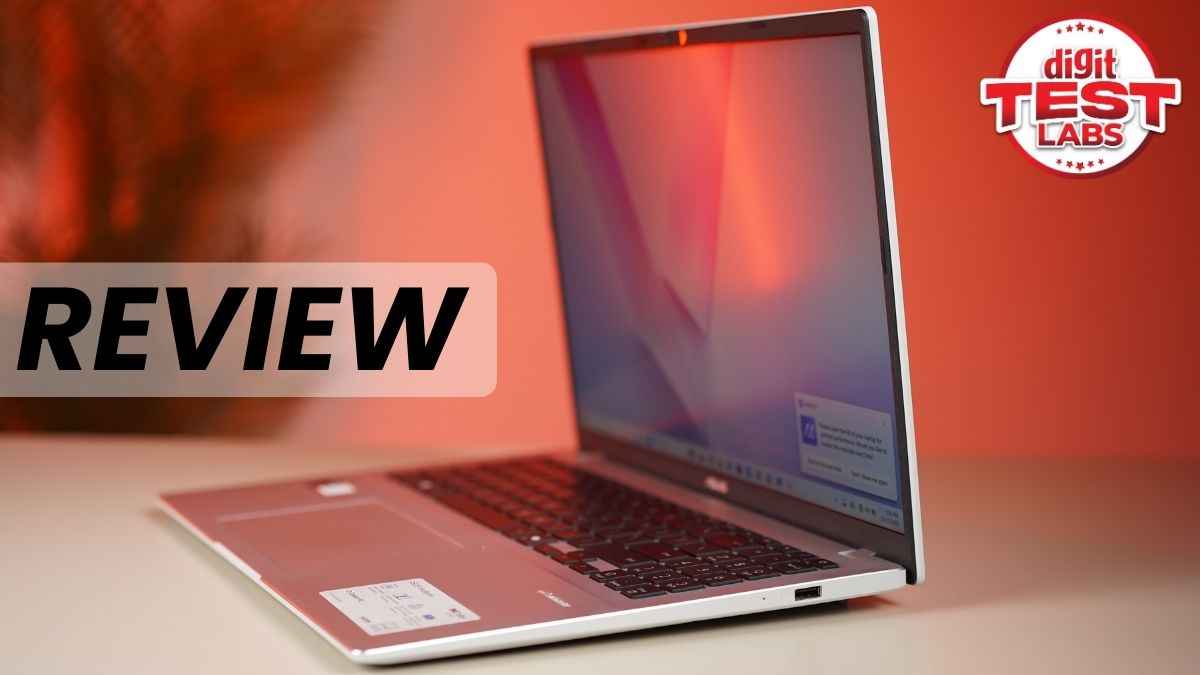
If your workday looks anything like mine: too many Chrome tabs, a couple of image edits on the side, a writing window that never closes, and YouTube humming quietly in the background, you’ll understand how small laptops can feel claustrophobic. I like having space to breathe, and that’s exactly why the Asus Vivobook 16 caught my attention the moment I opened it. The big 16-inch display feels like a proper workspace. You can spread out your apps, keep references visible and avoid the constant alt-tab shuffle that slowly drives you mad. What makes the experience interesting is the Snapdragon chipset inside. It isn’t trying to be the fastest thing around, and honestly, for everyday work, it doesn’t need to be. Over the past week, the Vivobook 16 has handled writing, browsing, light photo edits and long video calls without fuss. It stays cool, quiet and sips battery rather than gulping it down.
After using it as my main machine for a few days, it simply fits into my routine without demanding attention. If you’re thinking about a work laptop that feels roomy, calm and reliable, the Vivobook 16 might just be worth a closer look.
Also read: Lenovo Yoga Pro 7i Aura Edition review: Stylish, smart and built for creators
Asus Vivobook 16: Design and display
The Asus Vivobook 16 leans into the ‘big and friendly’ school of design. The chassis is slim for a 16-inch machine and weighs around 1.8 kg, which keeps it usable on the sofa or at a café table, but not ideal for daily commuting in a small-sized bag. You might have to buy a bigger bag if you plan on carrying this to work every day. The build feels suitably solid for the price point. As for the hinge, it offers a reassuring amount of stability, and the lid opens smoothly.
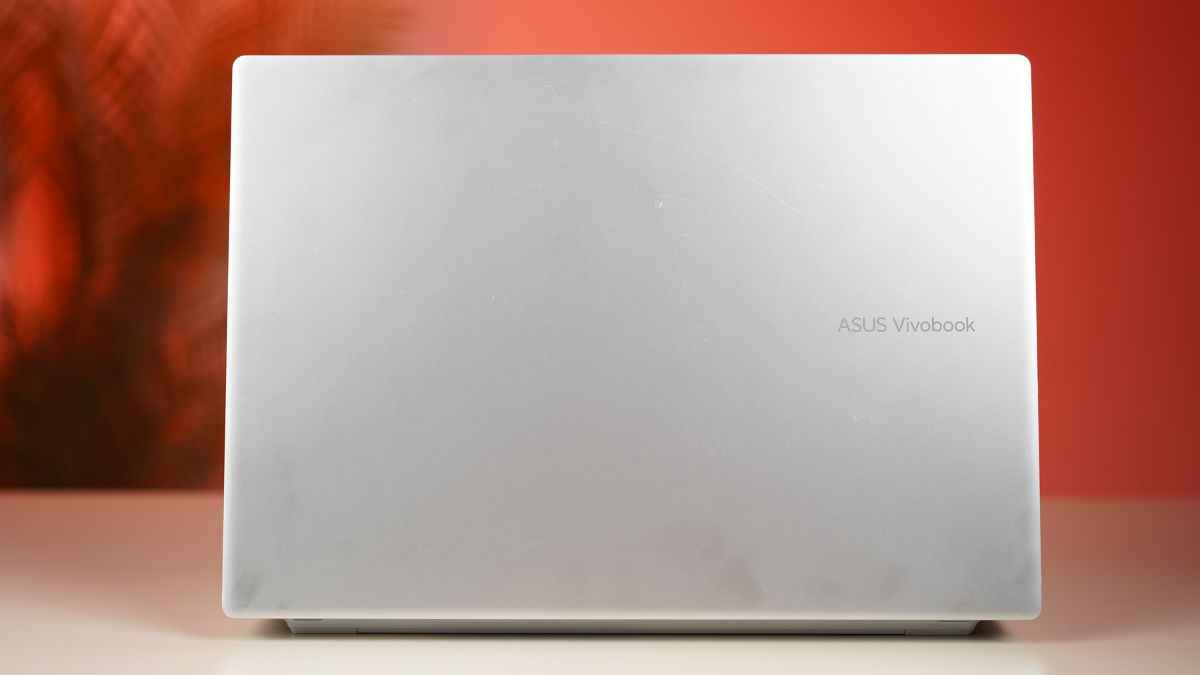
I received the Cool Silver colour, which gives it that regular business laptop look. The finish is metallic, but its lid and chassis collect dust and smudges quite easily, so regular cleaning is something I’d advise.
In terms of display, the laptop’s 16:10 IPS panel is perfect for those who want to use the laptop purely for business purposes. The laptop comes with a Full-HD+ (1920×1200) resolution, giving a bit more vertical space than a standard 16:9 screen. Then there are slim bezels, which enhance the overall experience.
Coming to the colours, they look just adequate for watching content and editing casual photos. However, this isn’t the device for creators or designers who need the absolute best colour accuracy for their day-to-day tasks. During our testing, the laptop got an average delta of 5.2 in the Calman ColourMatch test with 57% sRGB colour gamut coverage.
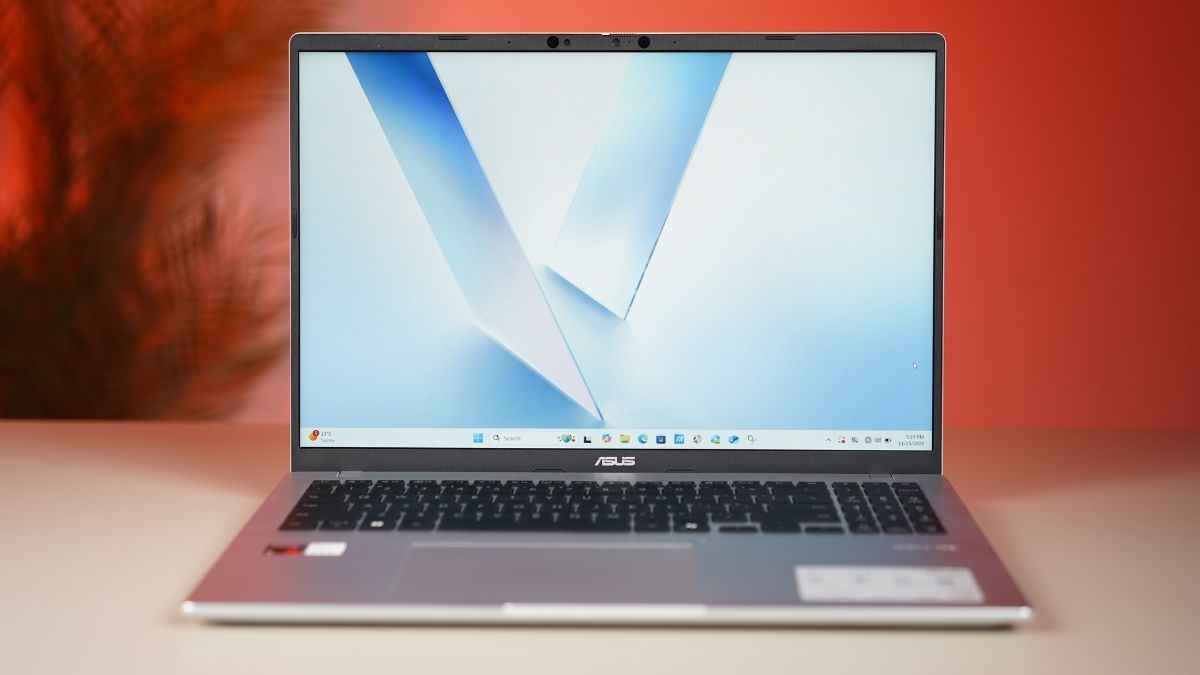
In terms of brightness, the display is bright enough for indoor usage, and the non-reflective coating is a huge plus in an office environment. However, I did find myself struggling a bit while working under direct sunlight.
Asus Vivobook 16: Keyboard and connectivity
The Vivobook 16 features a clean and spacious keyboard layout that feels familiar the moment you start typing. The keys are well spaced and comfortable for long writing sessions, though they do feel a bit flatter than what I’m used to on thicker laptops. It is still easy to get into a good rhythm once you adjust.
The keyboard is backlit too, so late-night work or low-light environments never feel like a struggle. The touchpad is large and responsive, with gesture support baked in, but the texture does not have that ultra-smooth finish you get on higher-end machines. However, it is still perfectly usable on a day-to-day basis and does its job well.
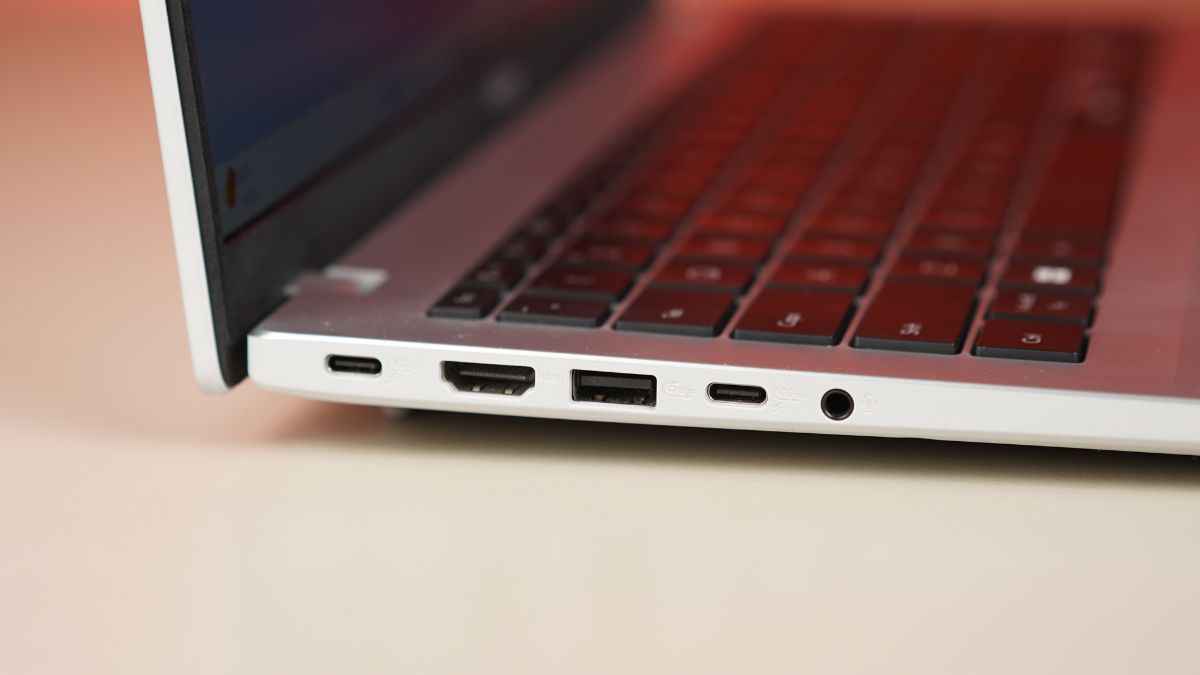
On the connectivity front, Asus has kept things practical. There are two USB 4.0 Gen 3 Type-C ports that support display output and charging, two USB 3.2 Gen 1 Type-A ports, an HDMI 2.1 TMDS output and a 3.5mm audio jack. You also get Wi-Fi 6E and Bluetooth 5.3.
Performance and benchmarks
The Vivobook 16 is powered by the 8-core Snapdragon X X1 26 100 processor paired with 16GB LPDDR5X RAM and 512GB M.2 NVMe PCIe 4.0 SSD storage. In real-world use, it feels peppy for browsing, document work, multiple browser tabs, and light creative tasks. The built-in web camera too, is decent for attending video meetings and serves its purpose well. However, the speakers lack depth and aren’t the best choice if you want to enjoy a quick movie session before heading back to work.
In terms of benchmark scores, the laptop displayed its muscle for multitasking. While the scores aren’t groundbreaking, they do reflect that this is a dependable daily driver for students and working professionals.
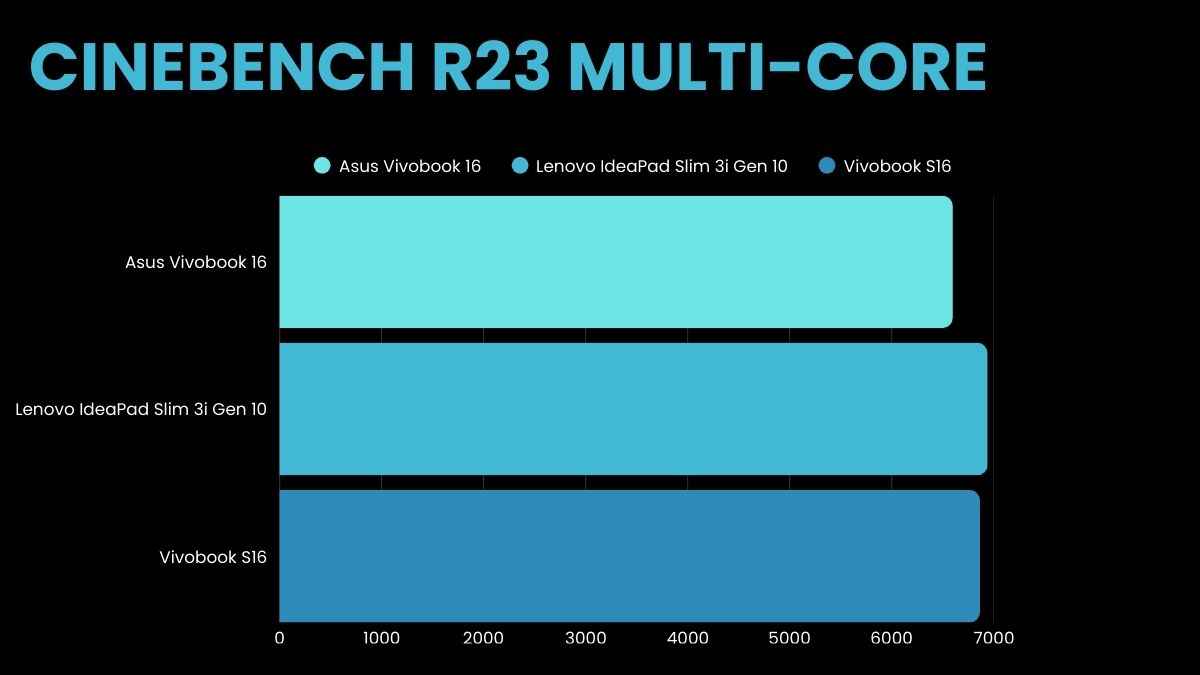
In the Cinebench R23 multi-core benchmark test, the laptop scored 6,599 points while the single-core test score was 964. This is a decent score and puts it close to the likes of the Lenovo IdeaPad Slim 3i Gen 10 and the recently launched Vivobook S16.
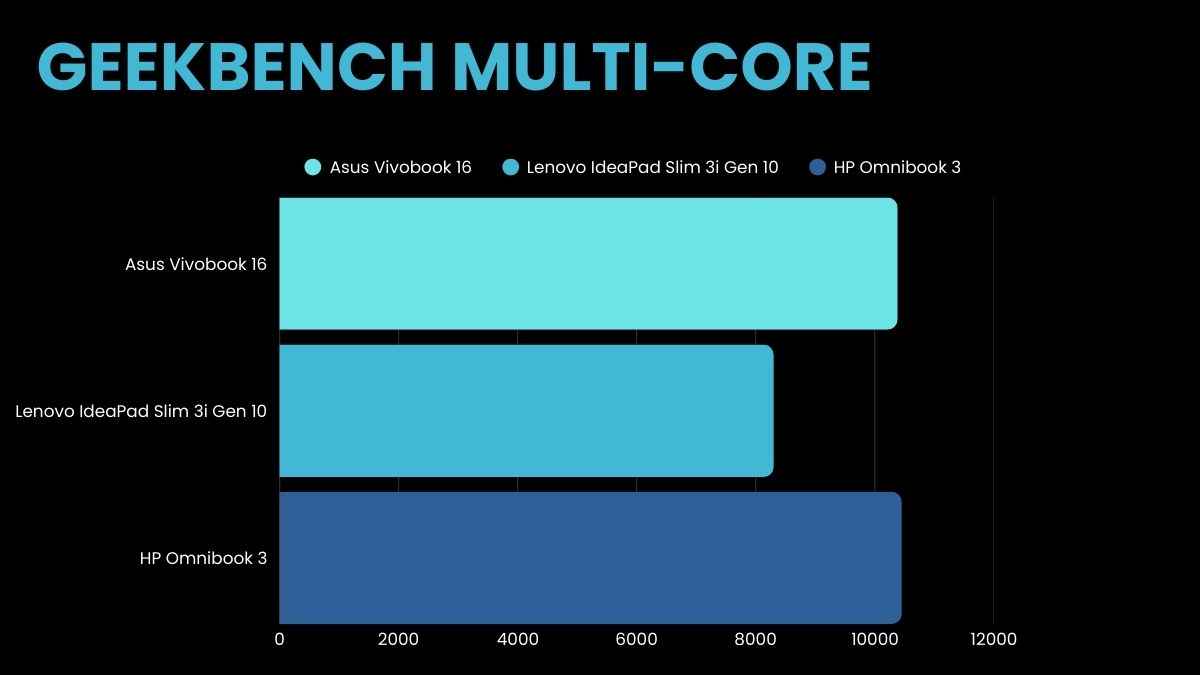
In the Geekbench benchmark test, the laptop scored 2,109 in the single-core test and 10,386 in the multi-core test. This is at par with the likes of the Acer Aspire Go 14, Lenovo IdeaPad Slim 3i Gen 10 and HP Omnibook 3.
In terms of storage performance, it turned out to be healthy with strong sequential read and write speeds in the CrystalDiskMark benchmark, pointing to fast NVMe SSD storage. Coming to GFXBench, the laptop scored 4,392.91 and 6,894.07 in Aztec Ruins High (DX 11) and Aztec Ruins Normal (DX 11) benchmark tests, respectively.
All of this adds up to a machine that is excellent for office work, web-based AI tools and content consumption, but not aimed at creators who need heavy-duty renders or gamers chasing high frame rates.
Battery and thermals
Battery life is one of the strongest points of this laptop. In our PCMark Modern Office battery loop, the laptop delivered roughly 900 minutes at 200 nits brightness, which is about 15 hours. Thus, even if you don’t get a chance to plug in the laptop during a busy day at work, there should be no issues at all. Moreover, USB-C charging (65W adapter supplied in the box) keeps the power supply convenient.
Talking about thermals, the Vivobook 16 stays mostly cool during everyday work like browsing, writing or watching videos. It only starts to warm up when you push it with heavier tasks for a long time. During the Cinebench R23 stress test, which ran for 30 minutes, the CPU temperature spiked to 85°C. In terms of surface temperatures, the keyboard gets mildly warm, but it is not uncomfortable.
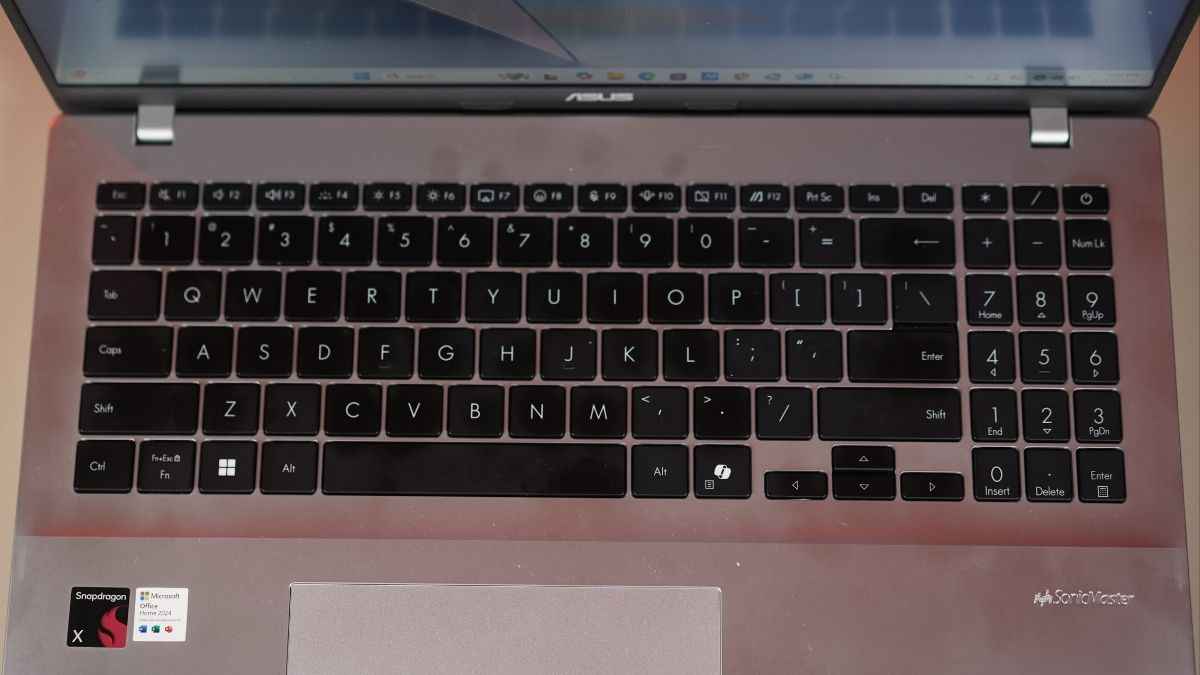
For instance, the WASD area showed a temperature of 30°C during the Cinebench R23 stress test while the touchpad temperature hovered around 24°C. As for the laptop’s fans, they stay quiet in regular use, so you won’t hear them during calls or meetings, and they never get distractingly loud.
Should you buy the Asus Vivobook 16?
The Vivobook 16 does not try to be a pro-grade creator machine or a gaming laptop, and honestly, it does not need to. It focuses on being a dependable, everyday companion that can handle long hours without fuss. If you mostly work at a desk or prefer a spacious display for productivity and entertainment, it fits right in.
However, if you need a compact travel companion, a premium keyboard feel, or plan on heavy gaming and serious rendering work, there are other options in a similar price range.
Overall, Asus has built a capable, practical 16-inch laptop that keeps the focus on usable screen space and battery endurance rather than raw power. If that matches your priorities, this is a strong recommendation.
Also read: Asus Zenbook A14 review: Ultra-light and built to last
Asus Vivobook 16 X1607QA-MB050WS Laptop (Snapdragon X X1 26 100/ 16GB/ 512GB SSD/ Win11) Key Specs, Price and Launch Date
| Release Date: | |
| Market Status: | Launched |
Key Specifications
 Follow Us
Divyanshi Sharma
Divyanshi Sharma is a media and communications professional with over 8 years of experience in the industry. With a strong background in tech journalism, she has covered everything from the latest gadgets to gaming trends and brings a sharp editorial lens to every story. She holds a master’s diploma in mass communication and a bachelor’s degree in English literature. Her love for writing and gaming began early—often skipping classes to try out the latest titles—which naturally evolved into a career at the intersection of technology and storytelling. When she’s not working, you’ll likely find her exploring virtual worlds on her console or PC, or testing out a new laptop she managed to get her hands on. View Full Profile


